The best Steam Deck accessories for 2025
Hand-picked handheld extras, from peripherals to storage to grips
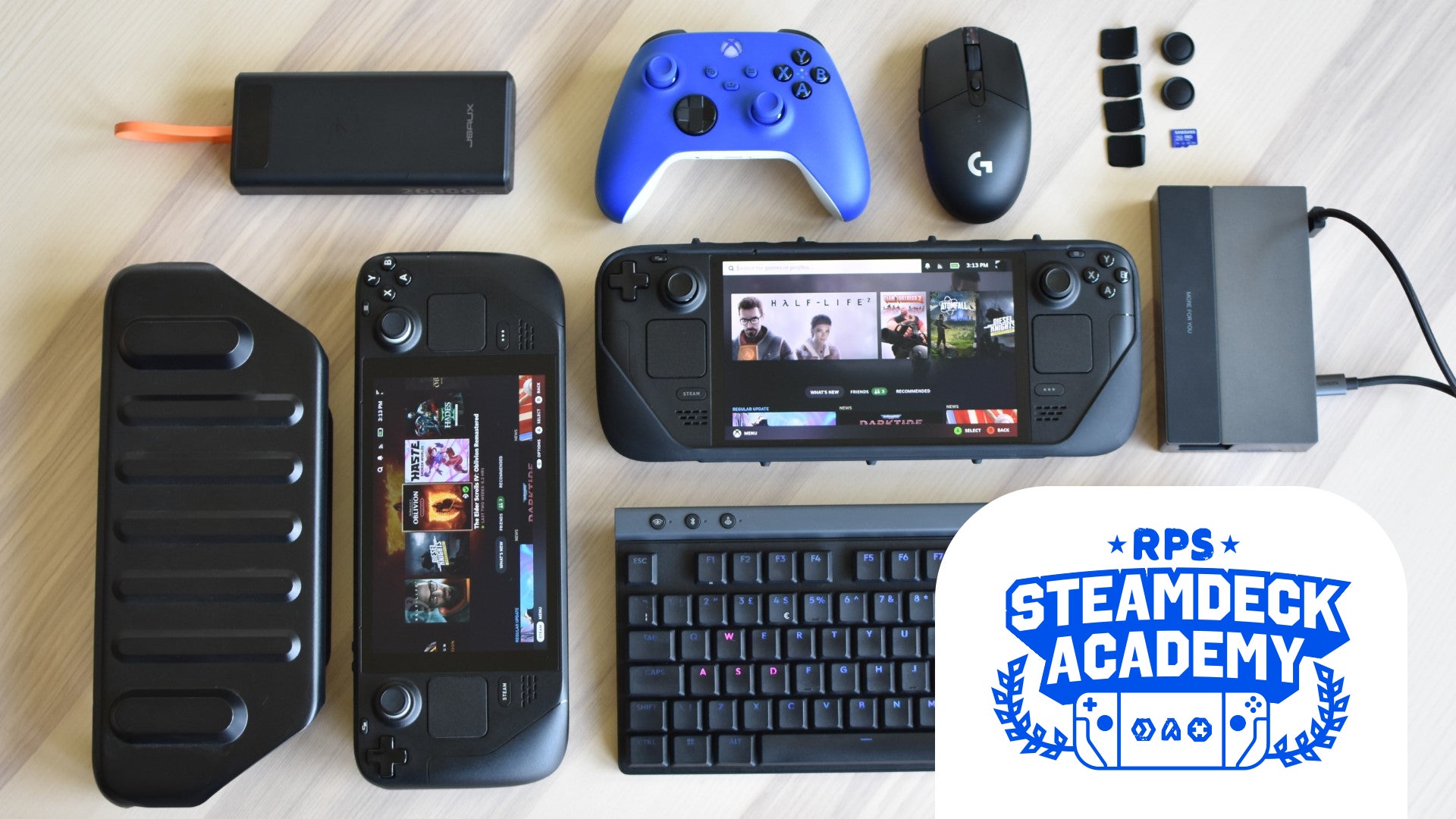
Image credit:Rock Paper Shotgun

Back when I first started crowning the best Steam Deck accessories , like some kind of plastic-robed archbishop of handheld gaming PCs, there wasn’t actually that much to choose from. A screen protector here, a thumbstick cover there… ultimately, just a narrow selection of very specialised add-ons from an even narrower gaggle of makers. But! Now the Steam Deck has established that no, it’s not just a portable gimmick , the available range of worthwhile accessories has swelled considerably.
| Image credit: Samsung | Our Favourite Steam Deck Accessory Extra storage is such a fundamental upgrade to the Steam Deck that “accessory” undersells it, and the Samsung Pro Plus microSD card is the best of the best. Of the best. Buy at Amazon |
|---|
I’m therefore engorging this list with more of the useful extras and replacement parts I’ve tested out (and, in many cases, bought for myself) over the years. It brings together highlights from our separate Steam Deck cases , docking stations , and microSD card guides, as well as all-new peripherals and gadgets that will make anything from navigating Desktop Mode to simply holding the Steam Deck in your hands just that little bit easier.
Best Steam Deck accessories
- Best headphones
- Best mouse
- Best keyboard
- Best controller
- Best dock
- Best case
- Best microSD card
- Best power bank
- Best SSD
- Best thumb grips
- Best back button grips
- Best screen protector
- Best fan
| Best Steam Deck headphones SteelSeries Arctis Gamebuds | Check price at Amazon UK Check price at Amazon US |
|---|

Image credit:Rock Paper Shotgun
- Drivers : 6mm
- ANC : Yes
- Connectivity : 2.4GHz over USB-C, Bluetooth
- Battery life : 10 hours per charge, 40 hours with charging case
Lil’ wireless earbuds make complete sense for the portable Steam Deck, and in theory you could use any pair of buds – except while Bluetooth connectivity is fine for mice and keyboards, the latency is always going to be high enough that game sounds won’t properly sync with the on-screen action. The SteelSeries Arctis Gamebuds instead connect to a teensy 2.4GHz receiver that plugs right into the Steam Deck’s charging port, cutting down that lag to the point of imperceptibility. The best kind of perceptibility, audio-wise.
That still wouldn’t be much help if the Gamebuds performed badly, but to my ears they deliver a nicely balanced, detail-rich sound, with the option of active noise cancellation (ANC) to boot. They’re comfortable, too, and by including clicky, physical buttons on each unit, their interface is better than most wireless earbuds from far more established audio specialists. I don’t take my Steam Deck on a train or plane without ’em.
What we like: ✔️ Low-latency wireless ✔️ Strong sound ✔️ Comfy design
| Best Steam Deck mouse Logitech G305 Lightspeed | Check price at Amazon UK Check price at Amazon US |
|---|
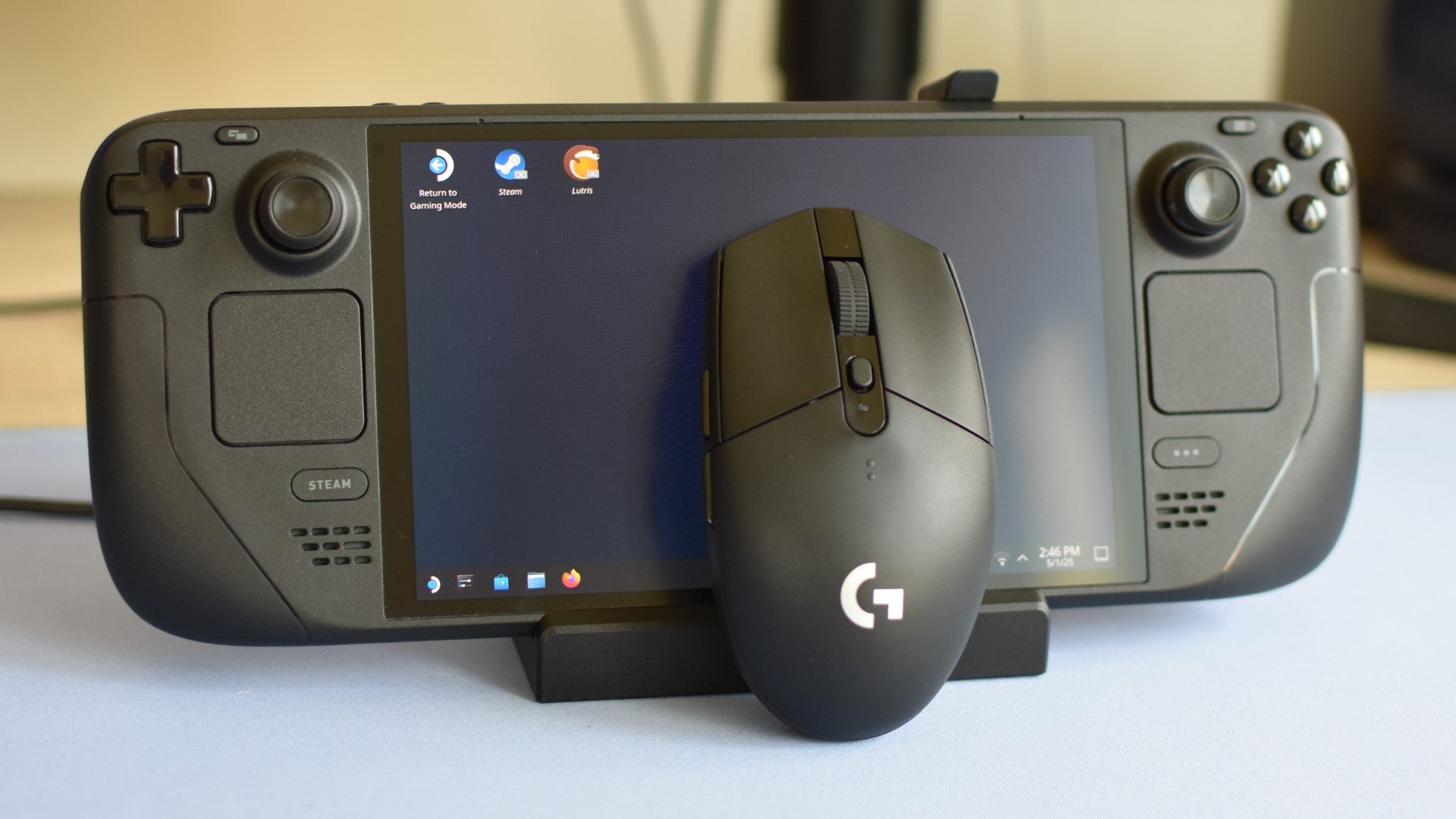
Image credit:Rock Paper Shotgun
- Buttons : 6
- DPI : 20-12,000
- Connectivity : 2.4GHz over USB-A
- Weight : 99g
It’s not worth breaking the bank for peripherals that you might only occasionally connect to your Steam Deck, so for a mouse, I suggest the Logitech G305 Lightspeed : a very affordable wireless rodent that still gets the best of Logitech’s hardware. That includes a 12K version of the excellent Hero sensor found in the RPS reader-beloved G502 , and a highly reliable Lightspeed connection over the included USB-A receiver.
The catch is that with no Bluetooth, you’ll need to either connect to a docking station or buy a USB-A to USB-C adapter, but if you’re using the mouse then you’ll probably want your Steam Deck sat in a dock anyway. I’ve used the G305 Lightspeed to play shooters and thumb through Desktop Mode folders alike, and it never disappoints on responsibility or accuracy, while build quality is good for a cheaper mouse as well – I’m especially fond of its sharp, decisive left- and right-click mechanical switches.
What we like: ✔️ Responsive sensor ✔️ Compact and lightweight ✔️ Good battery life
| Best Steam Deck keyboard Logitech G515 Lightspeed TKL | Check price at Amazon UK Check price at Amazon US |
|---|

Image credit:Rock Paper Shotgun
- Switch type : Logitech GL mechanical
- Connectivity : Wired, 2.4GHz over USB-A, Bluetooth
- Extra features : Macro recording, Gaming Mode, RGB lighting
Portability means, to my mind, a tenkeyless keyboard: it’s not the smallest keyboard form factor you can get, but it does make far fewer compromises to key availability and ergonomics than 60% or 65% boards. My favourite right now – the one I’m currently typing these words on, in fact – is the Logitech G515 Lightspeed TKL , a cousin of the G915 that takes its pleasurably nimble low-profile design and makes it a lot less expensive.
With wired, 2.4GHz, and Bluetooth connectivity, you’ve a choice of how to pair it with your Deck. 2.4GHz is the faster and more stable of the wireless options, should you have a free USB port on your dock, though I’ve tested Bluetooth and that’s fine for games as well. Granted, between the half-height keycaps and the tactile liveliness of the G515’s mechanical switches, it could be connected by two cups and a piece of string and still feel appropriately fast.
What we like: ✔️ Great switches ✔️ Nimble low-profile action ✔️ Versatile connectivity
| Best Steam Deck controller Microsoft Xbox Wireless Controller | Check price at Amazon UK Check price at Amazon US |
|---|
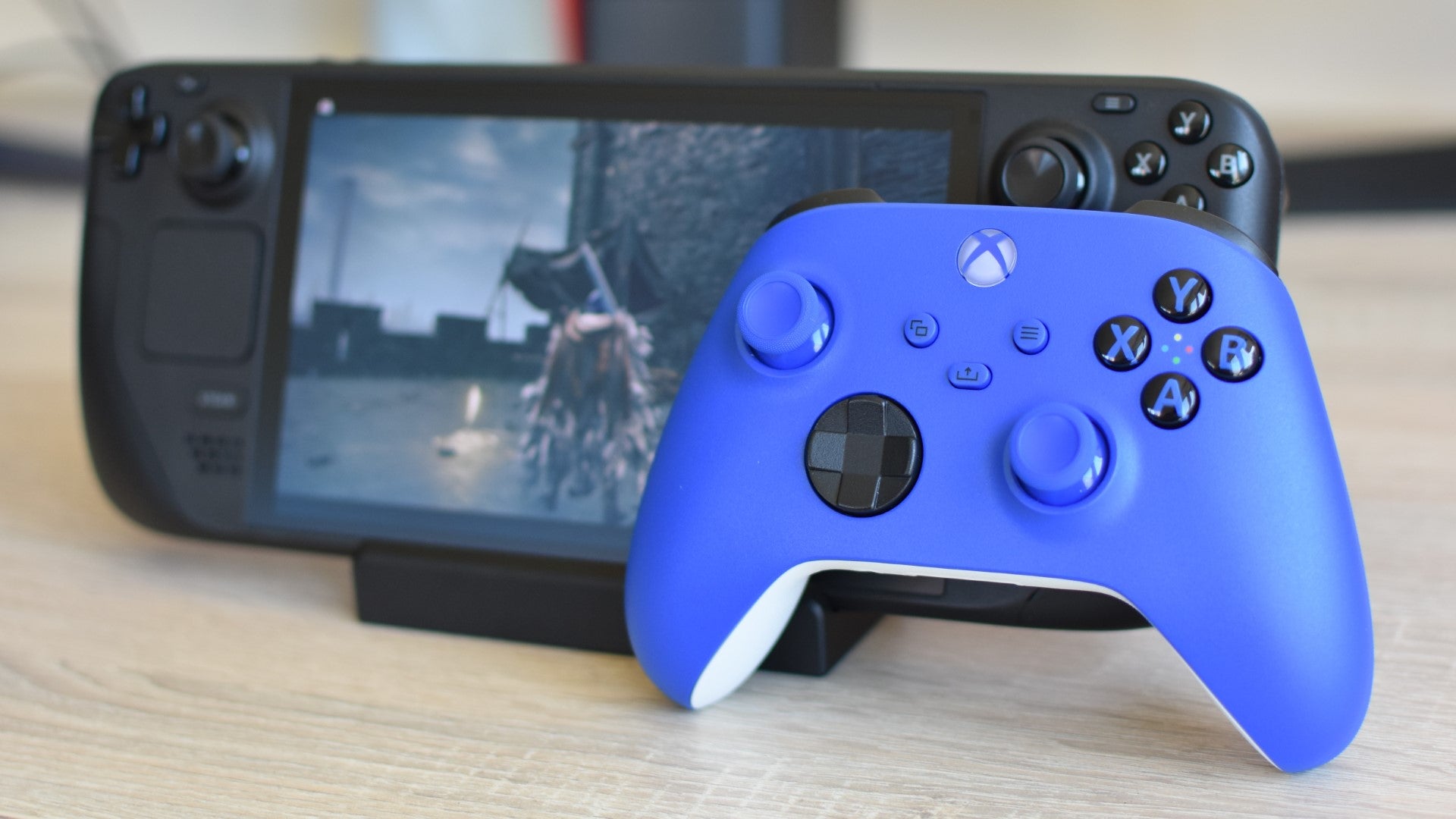
Image credit:Rock Paper Shotgun
- Connectivity : Bluetooth, wireless over USB adapter (not included), 1x 3.5mm headphone jack
- Weight : 280g
- Battery life : 40 hours
I know this is a bit like being asked for a good hot dog topping and replying with “D’you know mustard?”, but the thing with staples is that they’re popular for a reason. The straightforward, dependable Microsoft Xbox Wireless Controller is the planet’s go-to gamepad for desktop PC playing, and it’s a strong fit for the Steam Deck too, not least because all the button glyphs will match.
Pictured in a striking blue, which I admittedly only bought because all my other peripherals are boring black, this is the absolute bog-standard model in the Xbox controller catalogue. Nonetheless, it cuts a comfortable shape, while offering grippy, concave-topped thumbsticks and a nicely texture set of shoulder triggers. Feel free to pay extra for the USB wireless adapter, but the Xbox Wireless Controller also has Bluetooth built-in, and this has proved more than sufficient whenever I’ve paired it up with my Deck.
What we like: ✔️ Comfortable to use ✔️ Inputs match the Steam Deck’s ✔️ Long battery life
| Best Steam Deck dock Ugreen 9-in-1 Steam Deck Dock | Check price at Amazon UK Check price at Amazon US |
|---|
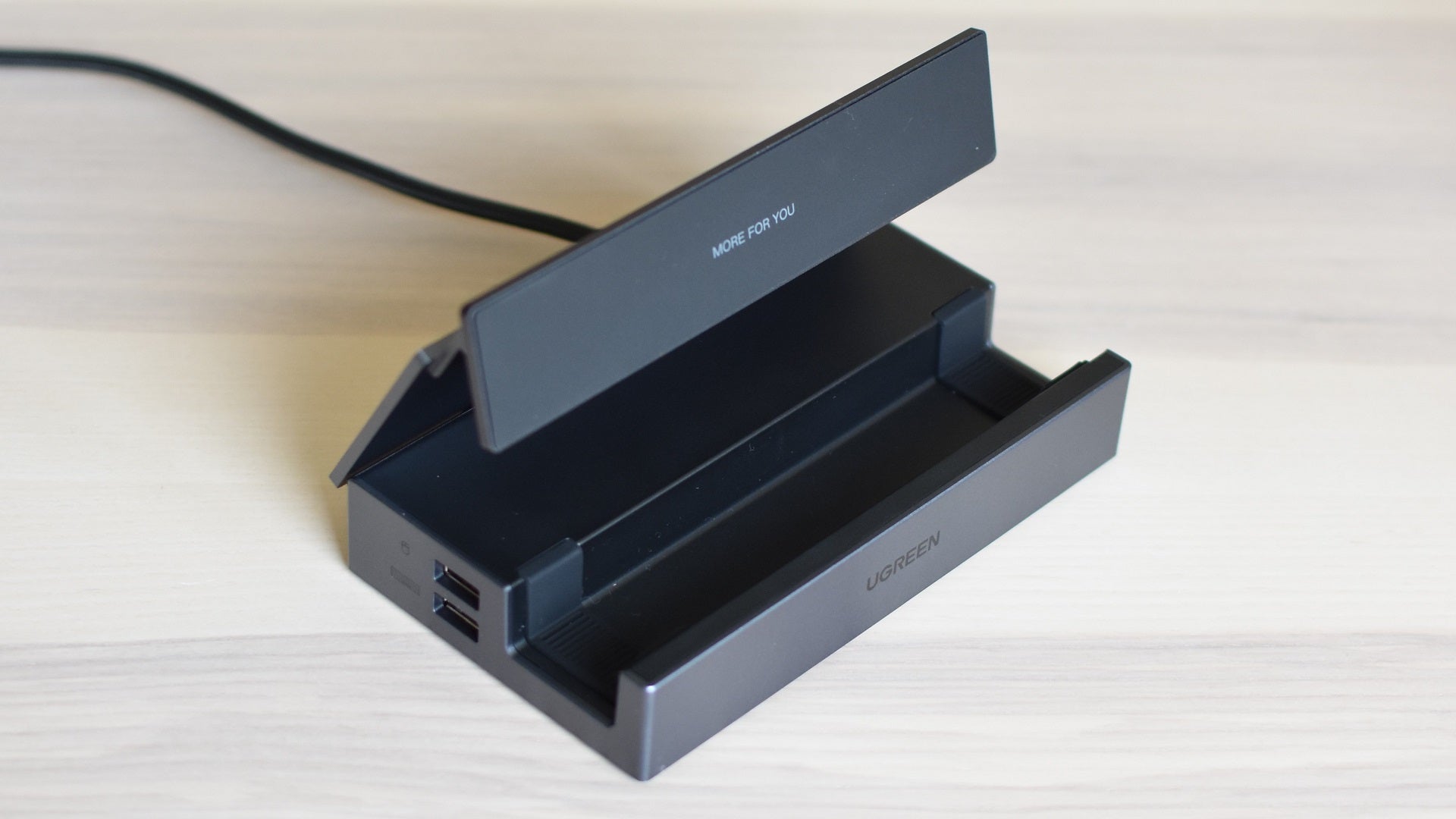
Image credit:Rock Paper Shotgun
- Connections : 3x USB 3.0, 2x USB Type-C, 1x HDMI 2.0 (4K @ 60fps), 1x Ethernet, 1x SD, 1x microSD
- Power delivery : 100W
Don’t be too tempted by Valve’s official dock if you’re looking for the best Steam Deck dock – it’s well-made and matches the handheld’s styling, but some third-party models can do more for less. So it is with the Ugreen 9-in-1 Steam Deck Dock , a cheaper alternative that’s slathered itself with USB ports and card reader slots to easily beat the Valve model on everyday connectivity.
Its party trick, mind, is a fully adjustable stand, which gives a lot more viewing angle flexibility than any fixed-stand dock. Which is, to be clear, almost all other docks. This won’t obscure the rear air vents, either, unless you’ve set it so low that the Deck is close to teetering over the front lip. Not that stability is a concern otherwise: this dock grips a table well and is hewn from sturdy, sharp-lookin’ aluminium.
What we like: ✔️ Loads of ports and slots ✔️ Adjustable stand ✔️ Extremely stable
| Best Steam Deck case Dbrand Project Killswitch | Check price at Dbrand |
|---|
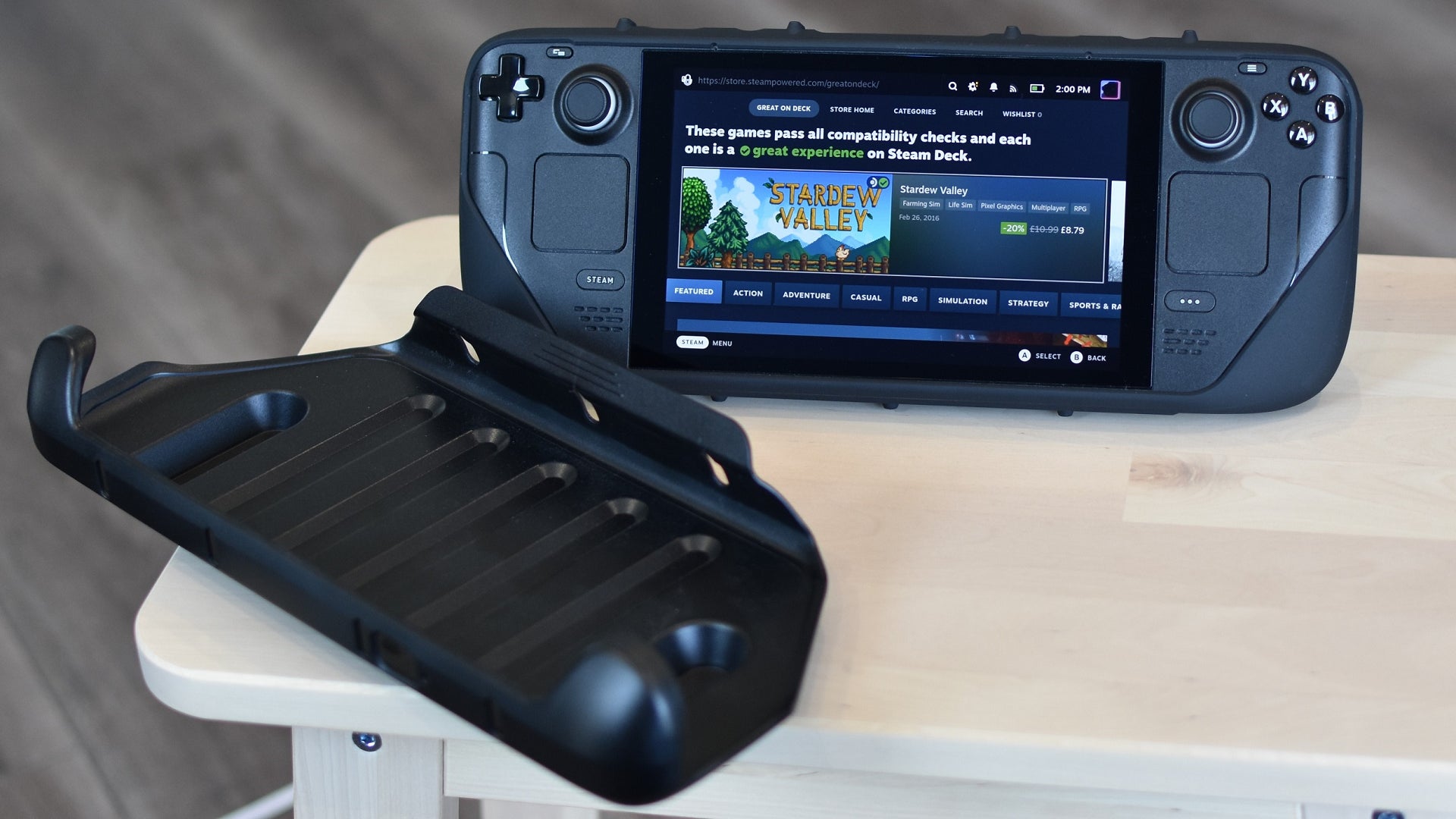
Image credit:Rock Paper Shotgun
- Materials : Silicone, plastic
- Weight (with front cover) : 239g
- Included accessories : Kickstand attachment
As the Steam Deck already comes with a hard carrying case, and an especially good one for the Steam Deck OLED , any aftermarket case needs to do something special to make it deserving of a switch if you’re trying to find the best Steam Deck case . The Dbrand Project Killswitch is one such slice of specialness, forming a sort of hybrid case/grip design that wraps tightly around the Deck’s sides and rear with a detachable plastic cover over the front. When it’s time to play, you merely pop the cover off and start playing.
This is a great concept, executed well. You can take it from a relatively, uh, wide man that when riding a cramped train, it’s far easier to strip this cover off and stash it than it is to unzip a conventional case, remove the Steam Deck, and stow away the case without it flapping into someone’s face. You also get the passive benefit of extra grip on your precious, portable PC as you’re holding it, and the skin portion comes with a detachable kickstand as standard. Most importantly, it serves effectively as a protective shield; I’ve taken my Project Killswitch-clad Steam Deck on numerous trips and flights, and the device itself has never gained a scratch.
What we like: ✔️ Lightweight, strong cover ✔️ Rear kickstand ✔️ Clever design
| Best Steam Deck microSD card Samsung Pro Plus | Check price at Amazon UK Check price at Amazon US |
|---|
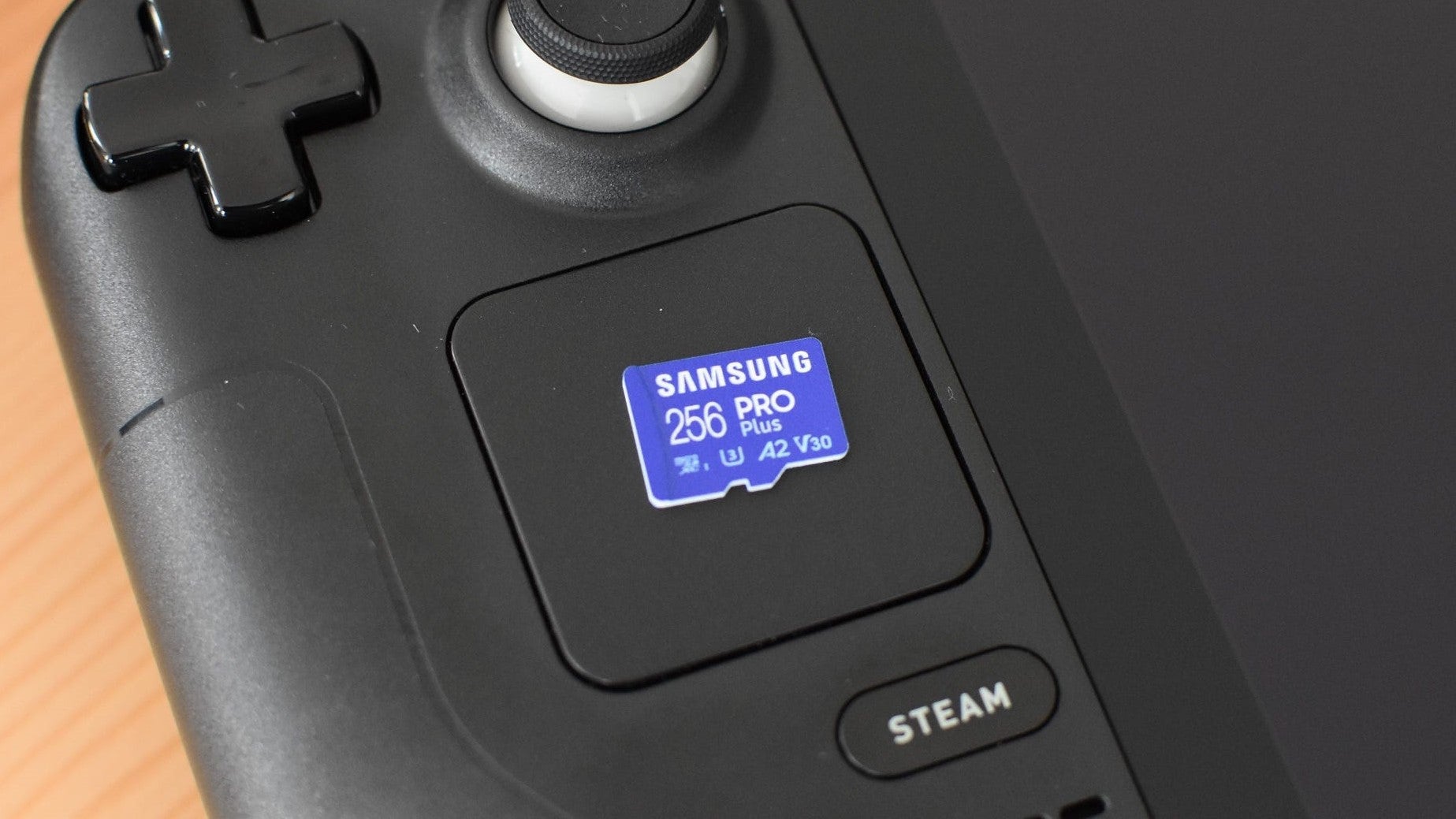
Image credit:Rock Paper Shotgun
- Type : microSDXC
- Interface : UHS-I
- Speed class : U3
- Read speed : Up to 180MB/s
- Write speed : Up to 130MB/s
- Capacities : 128GB / 256GB / 512GB / 1TB
Looking for the best Steam Deck microSD card ? Then it’s time to turn to another old faithful. Despite its very reasonable pricing and complete lack of visible high-end branding – there’s not even the word “Extreme” with a giant X printed anywhere – the Samsung Pro Plus has proven a deserving and enduring champion of Steam Deck SD cards, having cruised through my Aperture Desk Job and Shadow of the Tomb Raider load time tests with results that still stand up to more recently released alternatives.
In some ways it even feels wrong to call this an accessory. Depending on how spacious of an internal drive your Steam Deck came with, a decent microSD card could easily graduate into something you need , not just something you add on to make it slightly more functional. Modern games routinely break the 100GB mark , and a Steam Deck is nothing without its games, so you can’t go wrong with adding more storage. Especially when microSD cards are so much easier to install themselves than a replacement SSD.
What we like: ✔️ Fast launch times ✔️ Great performance for the price ✔️ 1TB storage option
| Best Steam Deck power bank Ugreen Nexode Retractable | Check price at Amazon UK Check price at Amazon US |
|---|
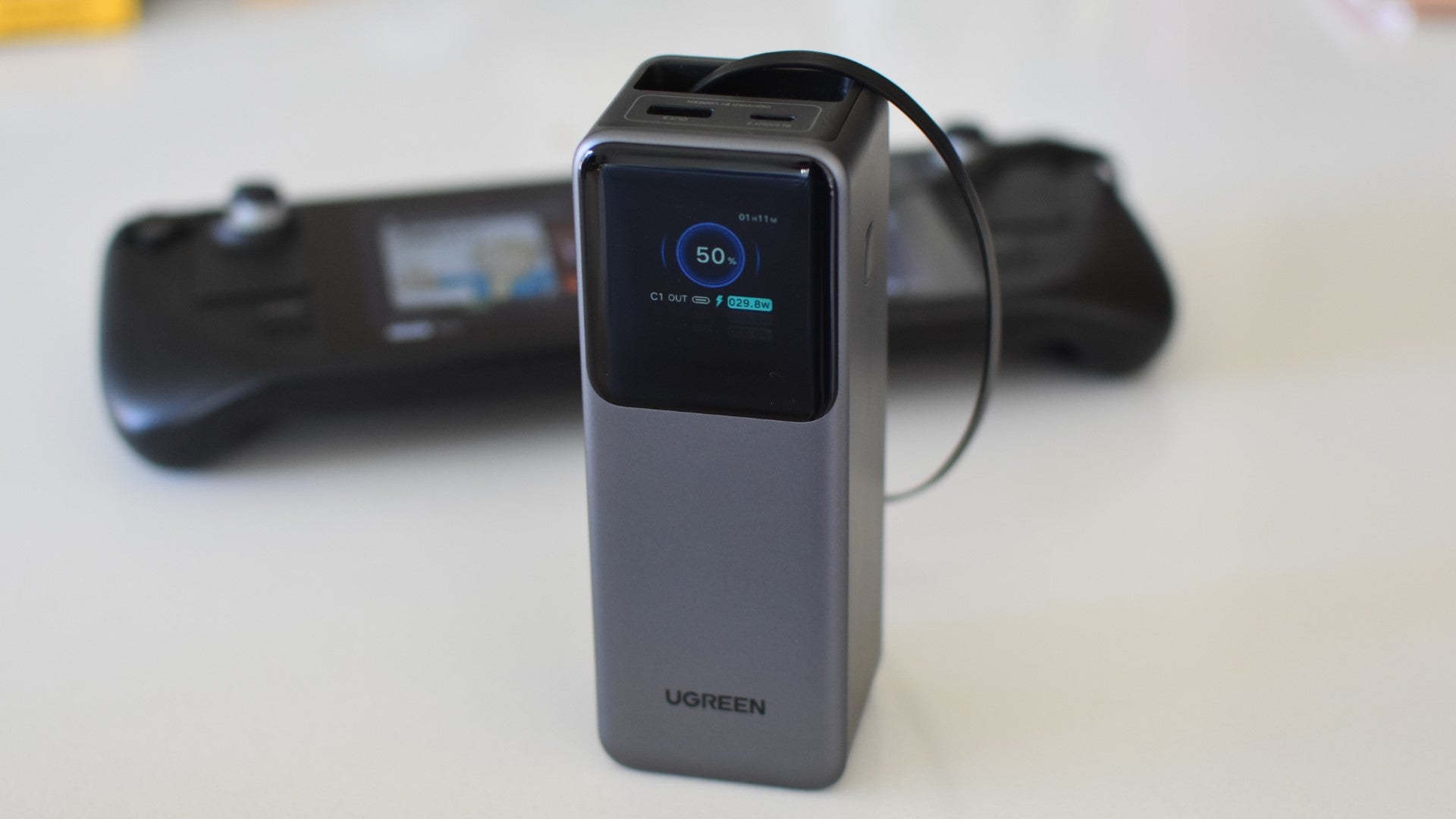
Image credit:Rock Paper Shotgun
- Capacity : 20000mAh
- Charging speed : 165W
- Ports : 1x USB-C, 1x USB-A
- Included cable : USB-C
- Weight : 537g
What I like most about the Ugreen Nexode Retractable is how forgettable it is. With most power banks , you’ve either got a heavy plastic box stuck to your Steam Deck’s arse, or a short USB-C cable is yoking it to the nearest table. They’re interfering, in other words. Ugreen’s charger, however, has a cable so long and lightweight that you can park the power bank… wherever, almost, and play freely, as if it isn’t even there.
But it is there, replenishing battery life fast enough that you can comfortably play and recharge simultaneously. If anything, its 165W charging speed is far more than you’d need – certainly more than the Steam Deck can support – but then, the convenience of that cable easily outweighs any overkill concerns. It even rolls itself back up when you’re finished, forming a nice, neat box that won’t tangle on anything else you’ve stuffed bagwards.
What we like: ✔️ Long, light, self-tidying cable ✔️ Great display ✔️ High build quality
| Best Steam Deck SSD Crucial P310 | Check price at Amazon UK Check price at Amazon US |
|---|
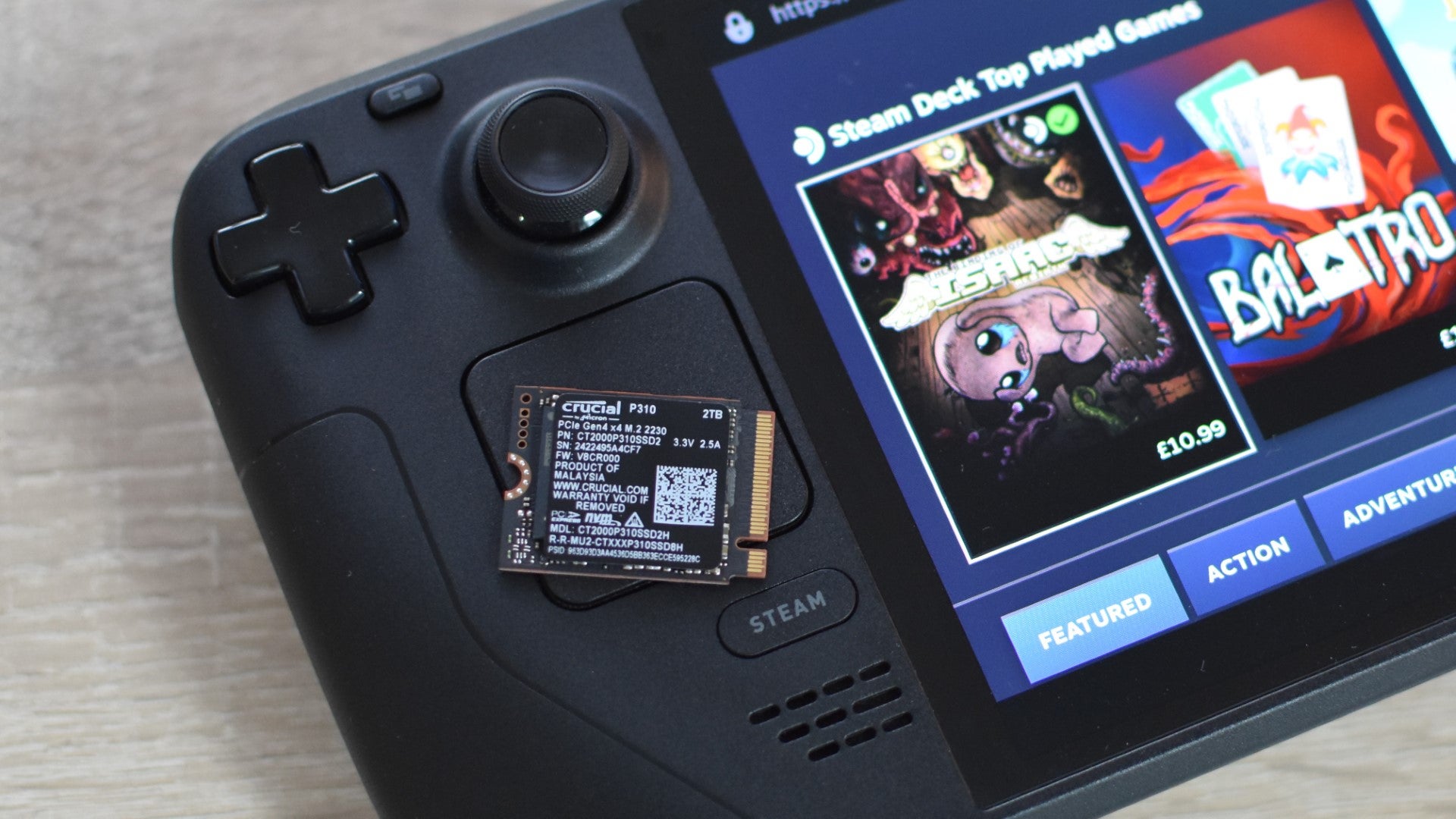
Image credit:Rock Paper Shotgun
The increase in compatible M.2 2230 SSDs has thawed my previous iciness towards the notion of swapping out the Steam Deck’s preinstalled SSD. The installation process is still altogether trickier than just slotting a microSD card in, but it is viable DIY upgrade, and you could do a lot worse than the Crucial P310 as the replacement drive.
Not to be confused with the desktop-sized P310, this tiny SSD just barely beat its main rival, the WD Black SN770M, in how quickly it could load up game saves. It’s also only tiny on dimensions: the 2TB will double the capacity of even the most expensive Steam Deck models, and there’s also a 1TB version for fattening up the 512GB, 256GB, and 64GB Decks. If you’d like to know more about SSDs, make sure you check out our guide on the best SSD for gaming , which covers our top picks for SATA and NVMe drives.
What we like: ✔️ Big capacity options ✔️ Fast game loading ✔️ Reasonable pricing
| Best Steam Deck thumb grips Dbrand Steam Deck Stick Grips | Check price at Dbrand |
|---|

Image credit:Rock Paper Shotgun
- Included grips : 2
- Diameter : 19mm
The original Steam Deck’s thumbsticks – I’ve no quarrel with the upgraded ones on the OLED – could do with a dash of extra grip. The Dbrand Steam Deck Stick Grips add more than just a dash, their finely textured finish providing friction as well as height and width. Enough that despite a slightly convex tip, my thumbs have ever, ever slid out of place.
I have read some reports that these can interfere the Steam Deck’s capacitive sensors, which are hidden in each stick and are vital in enabling gyro controls. I, however, have experienced nothing of the sort. the sensors have always worked fine through the Stick Grips whenever I’ve had them equipped, even when I only lightly touched their outside edges. They get points as well for being, by far, the easiest thumb grips I’ve ever installed: they simply push down and latch on, with minimal fiddling. Unlike those RPS-defeating panda faced ones .
What we like: ✔️ Very grippy indeed ✔️ Easy to attach ✔️ Not too chunky
| Best Steam Deck back button grips PlayVital Back Button Enhancement Set for Steam Deck | Check price at Amazon UK Check price at Amazon US |
|---|

Image credit:Rock Paper Shotgun
- Included grips : 8 (2x 4)
- Material : Silicone
- Includes cleaning kit : Yes
I, for one, can count the PlayVital Back Button Enhancement Set for Steam Deck among the accessories I didn’t know I’d want to use until I was already using them. These rubbery pads stick on to the Steam Deck’s oft-overlooked back panel buttons, effectively giving them more height and grip. Applying them to the (included) sticky pads requires the kind of hand-eye intricacy that rendered the Book of Kells authors blind, hence why mine are on a bit wonky-like, but hey, they work. By reducing how far my fingers need to travel, the added pads allow for both faster pressing and a generally more comfortable action – no more bracing your palm on the front of the Deck to go for a stretching ring-finger stab.
There are alternatives, but they either lack the same grippy texture or are barely three-dimensional stickers that don’t make that crucial height adjustment. PlayVital’s set manages both, and has a few different colours to choose from. If you want to give your Deck a pop of orange or something.
What we like: ✔️ Tangibly improves rear button action ✔️ Choice of two included sizes ✔️ Grips attach securely
| Best Steam Deck screen protector Dbrand Tempered Glass Screen Protector | Check price at Dbrand |
|---|

Image credit:Rock Paper Shotgun
- Included protectors : 2
- Installation tools : Removable tabs
- Includes cleaning kit : Yes
It’s not hard to find a screen protector made from similarly tough melted sand as the Dbrand Tempered Glass Screen Protector . It is hard to find one that’s easier to install, owing mainly to its little snap-off handles that allow for accurate lowering. It sounds like a momentary concern but a botched installation can mean unaligned coverage, air bubbles, or the spreading of sticky residue, and Dbrand’s is the only one of all the screen protectors I’ve tried where I got a perfect finish on the first attempt.
The degree of protection is as good as you’d hope, too – I’ve literally stabbed a kitchen knife into one of these things with no visible effect. It’ll also fit a Steam Deck OLED, as while this has a slightly larger display than the original Deck, it’s still confined within a glass panel of identical size.
What we like: ✔️ Effective protection ✔️ Easy installation ✔️ Comes with a spare
| Best Steam Deck fan JSAUX Cooling Fan for Steam Deck | Check price at JSAUX |
|---|

Image credit:Rock Paper Shotgun
- Max fan speed : 6000rpm
- Battery capacity : 2000mAh
- Weight : 123g
Alright, this is maybe stretching things a bit – neither Steam Deck model has exhibited heat problems at any kind of scale. That raises the question of how useful an add-on chiller like the JSAUX Cooling Fan for Steam Deck actually is, though I will say that it performs as advertised. Running The Elder Scrolls IV: Oblivion Remastered , my original Steam Deck’s GPU and CPU temperatures gradually rose up to 80°c, with the internal fan speed peaking at 5400rpm. After sticking on the JSAUX Cooling Fan and running it around half power, temperatures fell to 72°c while the internal fan slowed to a quieter 4000rpm.
The quietness advantage is instantly wiped out by the JSAUX fan’s own whirring, but it is the truth that it effectively reduced temperatures, which could – very, very long term – have a positive effect on component health and battery longevity. Still, I’m including it for completionism’s sake as much as anything, and there are other accessories that will more keenly improve your Steam Deck time.
What we like: ✔️ Reduces internal temps ✔️ Adjustable speed ✔️ Toolless installation
That’s a lot of accessories. Which should I get first?
Easy one, that: get a microSD card. All of these accessories add convenience or function in some way, but making your Steam Deck simply hold more games is such a fundamental upgrade that it almost seems silly to leave the card slot unfilled.
Beyond that, it depends on how you’re currently using your Deck. The fact that it comes with a hard carry case as standard makes the need for a new one less urgent, though if you’re constantly taking it out and about with you, a more compact or utility-rich case could make life easier for you.

Image credit:Rock Paper Shotgun
Steam Deck Academy brings together all our guides and explainers on getting the most out of your Steam Deck, no student loans or sweaty dormitories required.
A dock or hub can be vital too, and not just if you intend to turn your Steam Deck into a makeshift desktop PC. You’ll need some kind of USB-C hub to connect a mouse and keyboard, which are both crucial to both playing certain types of games and incredibly useful when tinkering in SteamOS’ desktop mode. While Proton, Valve’s compatibility layer, does well to make Windows-based games and apps run on the Steam Deck, some might still not work with its trackpads or onscreen keyboard. Physical peripherals, connected via a dock or hub, shimmy around this shortcoming.
Or, just maybe, you don’t like the Steam Deck’s thumbsticks and want them to feel bigger or grippier. That’s fine too. Point is, don’t feel like there’s a hierarchy of Steam Deck accessory importance that applies to everyone – you’ll have the best knowledge of what you personally need.
Should I get tools for my Steam Deck?
You don’t need any tools to get the most out of your Steam Deck, at least not in the sense that every self-respecting desktop PC owner should have a crosshead screwdriver. Especially not if you’re following Valve’s advice that fiddling with the Deck’s internals should be left to professional repairpeople.
Althoooooough… were you to open up your Deck, you’d mostly just need a small crosshead driver, or a small torque screwdriver for the Steam Deck OLED. A plastic pry bar might also be useful for jimmying open the casing – don’t use anything metallic or too sharp for this, as it will damage the Steam Deck’s bodywork. I have an iFixit Essential Electronic Toolkit that I’ve cracked open whenever I’ve wanted to poke around inside a handheld PC, the Steam Deck included, as it includes all the requisite tools and a few more useful bits besides. Just don’t tell Valve I said so.
Rock Paper Shotgun is better when you sign in
Sign in and join us on our journey to discover strange and compelling PC games.

All 75 Arc Raiders Blueprints and where to get them
These areas have the highest chance of giving you Blueprints

Image credit:Rock Paper Shotgun/Embark Studios

Looking for more Arc Raiders Blueprints? It’s a special day when you find a Blueprint, as they’re among the most valuable items in Arc Raiders. If you find a Blueprint that you haven’t already found, then you must make sure you hold onto it at all costs, because Blueprints are the key to one of the most important and powerful systems of meta-progression in the game.
This guide aims to be the very best guide on Blueprints you can find, starting with a primer on what exactly they are and how they work in Arc Raiders, before delving into exactly where to get Blueprints and the very best farming spots for you to take in your search.
We’ll also go over how to get Blueprints from other unlikely activities, such as destroying Surveyors and completing specific quests. And you’ll also find the full list of all 75 Blueprints in Arc Raiders on this page (including the newest Blueprints added with the Cold Snap update , such as the Deadline Blueprint and Firework Box Blueprint), giving you all the information you need to expand your own crafting repertoire.
In this guide:
- What are Blueprints in Arc Raiders?
- Full Blueprint list: All crafting recipes
- Where to find Blueprints in Arc Raiders Blueprints obtained from quests Blueprints obtained from Trials Best Blueprint farming locations

What are Blueprints in Arc Raiders?
Blueprints in Arc Raiders are special items which, if you manage to extract with them, you can expend to permanently unlock a new crafting recipe in your Workshop. If you manage to extract from a raid with an Anvil Blueprint, for example, you can unlock the ability to craft your very own Anvil Pistol, as many times as you like (as long as you have the crafting materials).
To use a Blueprint, simply open your Inventory while in the lobby, then right-click on the Blueprint and click “Learn And Consume” . This will permanently unlock the recipe for that item in your Workshop. As of the Stella Montis update, there are allegedly 75 different Blueprints to unlock - although only 68 are confirmed to be in the game so far. You can see all the Blueprints you’ve found and unlocked by going to the Workshop menu, and hitting “R” to bring up the Blueprint screen.
It’s possible to find duplicates of past Blueprints you’ve already unlocked. If you find these, then you can either sell them, or - if you like to play with friends - you can take it into a match and gift it to your friend so they can unlock that recipe for themselves. Another option is to keep hold of them until the time comes to donate them to the Expedition.
Full Blueprint list: All crafting recipes
Below is the full list of all the Blueprints that are currently available to find in Arc Raiders, and the crafting recipe required for each item:
| Blueprint | Type | Recipe | Crafted At |
|---|---|---|---|
| Bettina | Weapon | 3x Advanced Mechanical Components 3x Heavy Gun Parts 3x Canister | Gunsmith 3 |
| Blue Light Stick | Quick Use | 3x Chemicals | Utility Station 1 |
| Aphelion | Weapon | 3x Magnetic Accelerator 3x Complex Gun Parts 1x Matriarch Reactor | Gunsmith 3 |
| Combat Mk. 3 (Flanking) | Augment | 2x Advanced Electrical Components 3x Processor | Gear Bench 3 |
| Combat Mk. 3 (Aggressive) | Augment | 2x Advanced Electrical Components 3x Processor | Gear Bench 3 |
| Complex Gun Parts | Material | 2x Light Gun Parts 2x Medium Gun Parts 2x Heavy Gun Parts | Refiner 3 |
| Fireworks Box | Quick Use | 1x Explosive Compound 3x Pop Trigger | Explosives Station 2 |
| Gas Mine | Mine | 4x Chemicals 2x Rubber Parts | Explosives Station 1 |
| Green Light Stick | Quick Use | 3x Chemicals | Utility Station 1 |
| Pulse Mine | Mine | 1x Crude Explosives 1x Wires | Explosives Station 1 |
| Seeker Grenade | Grenade | 1x Crude Explosives 2x ARC Alloy | Explosives Station 1 |
| Looting Mk. 3 (Survivor) | Augment | 2x Advanced Electrical Components 3x Processor | Gear Bench 3 |
| Angled Grip II | Mod | 2x Mechanical Components 3x Duct Tape | Gunsmith 2 |
| Angled Grip III | Mod | 2x Mod Components 5x Duct Tape | Gunsmith 3 |
| Hullcracker | Weapon | 1x Magnetic Accelerator 3x Heavy Gun Parts 1x Exodus Modules | Gunsmith 3 |
| Launcher Ammo | Ammo | 5x Metal Parts 1x Crude Explosives | Workbench 1 |
| Anvil | Weapon | 5x Mechanical Components 5x Simple Gun Parts | Gunsmith 2 |
| Anvil Splitter | Mod | 2x Mod Components 3x Processor | Gunsmith 3 |
| ??? | ??? | ??? | ??? |
| Barricade Kit | Quick Use | 1x Mechanical Components | Utility Station 2 |
| Blaze Grenade | Grenade | 1x Explosive Compound 2x Oil | Explosives Station 3 |
| Bobcat | Weapon | 3x Advanced Mechanical Components 3x Light Gun Parts | Gunsmith 3 |
| Osprey | Weapon | 2x Advanced Mechanical Components 3x Medium Gun Parts 7x Wires | Gunsmith 3 |
| Burletta | Weapon | 3x Mechanical Components 3x Simple Gun Parts | Gunsmith 1 |
| Compensator II | Mod | 2x Mechanical Components 4x Wires | Gunsmith 2 |
| Compensator III | Mod | 2x Mod Components 8x Wires | Gunsmith 3 |
| Defibrillator | Quick Use | 9x Plastic Parts 1x Moss | Medical Lab 2 |
| ??? | ??? | ??? | ??? |
| Equalizer | Weapon | 3x Magnetic Accelerator 3x Complex Gun Parts 1x Queen Reactor | Gunsmith 3 |
| Extended Barrel | Mod | 2x Mod Components 8x Wires | Gunsmith 3 |
| Extended Light Mag II | Mod | 2x Mechanical Components 3x Steel Spring | Gunsmith 2 |
| Extended Light Mag III | Mod | 2x Mod Components 5x Steel Spring | Gunsmith 3 |
| Extended Medium Mag II | Mod | 2x Mechanical Components 3x Steel Spring | Gunsmith 2 |
| Extended Medium Mag III | Mod | 2x Mod Components 5x Steel Spring | Gunsmith 3 |
| Extended Shotgun Mag II | Mod | 2x Mechanical Components 3x Steel Spring | Gunsmith 2 |
| Extended Shotgun Mag III | Mod | 2x Mod Components 5x Steel Spring | Gunsmith 3 |
| Remote Raider Flare | Quick Use | 2x Chemicals 4x Rubber Parts | Utility Station 1 |
| Heavy Gun Parts | Material | 4x Simple Gun Parts | Refiner 2 |
| Venator | Weapon | 2x Advanced Mechanical Components 3x Medium Gun Parts 5x Magnet | Gunsmith 3 |
| Il Toro | Weapon | 5x Mechanical Components 6x Simple Gun Parts | Gunsmith 1 |
| Jolt Mine | Mine | 1x Electrical Components 1x Battery | Explosives Station 2 |
| Explosive Mine | Mine | 1x Explosive Compound 1x Sensors | Explosives Station 3 |
| Jupiter | Weapon | 3x Magnetic Accelerator 3x Complex Gun Parts 1x Queen Reactor | Gunsmith 3 |
| Light Gun Parts | Material | 4x Simple Gun Parts | Refiner 2 |
| Lightweight Stock | Mod | 2x Mod Components 5x Duct Tape | Gunsmith 3 |
| Lure Grenade | Grenade | 1x Speaker Component 1x Electrical Components | Utility Station 2 |
| Medium Gun Parts | Material | 4x Simple Gun Parts | Refiner 2 |
| Torrente | Weapon | 2x Advanced Mechanical Components 3x Medium Gun Parts 6x Steel Spring | Gunsmith 3 |
| Muzzle Brake II | Mod | 2x Mechanical Components 4x Wires | Gunsmith 2 |
| Muzzle Brake III | Mod | 2x Mod Components 8x Wires | Gunsmith 3 |
| Padded Stock | Mod | 2x Mod Components 5x Duct Tape | Gunsmith 3 |
| Shotgun Choke II | Mod | 2x Mechanical Components 4x Wires | Gunsmith 2 |
| Shotgun Choke III | Mod | 2x Mod Components 8x Wires | Gunsmith 3 |
| Shotgun Silencer | Mod | 2x Mod Components 8x Wires | Gunsmith 3 |
| Showstopper | Grenade | 1x Advanced Electrical Components 1x Voltage Converter | Explosives Station 3 |
| Silencer I | Mod | 2x Mechanical Components 4x Wires | Gunsmith 2 |
| Silencer II | Mod | 2x Mod Components 8x Wires | Gunsmith 3 |
| Snap Hook | Quick Use | 2x Power Rod 3x Rope 1x Exodus Modules | Utility Station 3 |
| Stable Stock II | Mod | 2x Mechanical Components 3x Duct Tape | Gunsmith 2 |
| Stable Stock III | Mod | 2x Mod Components 5x Duct Tape | Gunsmith 3 |
| Tagging Grenade | Grenade | 1x Electrical Components 1x Sensors | Utility Station 3 |
| Tempest | Weapon | 3x Advanced Mechanical Components 3x Medium Gun Parts 3x Canister | Gunsmith 3 |
| Trigger Nade | Grenade | 2x Crude Explosives 1x Processor | Explosives Station 2 |
| Vertical Grip II | Mod | 2x Mechanical Components 3x Duct Tape | Gunsmith 2 |
| Vertical Grip III | Mod | 2x Mod Components 5x Duct Tape | Gunsmith 3 |
| Vita Shot | Quick Use | 2x Antiseptic 1x Syringe | Medical Lab 3 |
| Vita Spray | Quick Use | 3x Antiseptic 1x Canister | Medical Lab 3 |
| Vulcano | Weapon | 1x Magnetic Accelerator 3x Heavy Gun Parts 1x Exodus Modules | Gunsmith 3 |
| Wolfpack | Grenade | 2x Explosive Compound 2x Sensors | Explosives Station 3 |
| Red Light Stick | Quick Use | 3x Chemicals | Utility Station 1 |
| Smoke Grenade | Grenade | 14x Chemicals 1x Canister | Utility Station 2 |
| Deadline | Mine | 3x Explosive Compound 2x ARC Circuitry | Explosives Station 3 |
| Trailblazer | Grenade | 1x Explosive Compound 1x Synthesized Fuel | Explosives Station 3 |
| Tactical Mk. 3 (Defensive) | Augment | 2x Advanced Electrical Components 3x Processor | Gear Bench 3 |
| Tactical Mk. 3 (Healing) | Augment | 2x Advanced Electrical Components 3x Processor | Gear Bench 3 |
| Yellow Light Stick | Quick Use | 3x Chemicals | Utility Station 1 |
Note: The missing Blueprints in this list likely have not actually been added to the game at the time of writing, because none of the playerbase has managed to find any of them. As they are added to the game, I will update this page with the most relevant information so you know exactly how to get all 75 Arc Raiders Blueprints.
Where to find Blueprints in Arc Raiders
Below is a list of all containers, modifiers, and events which maximise your chances of finding Blueprints:
- Certain quests reward you with specific Blueprints .
- Completing Trials has a high chance of offering Blueprints as rewards.
- Surveyors have a decent chance of dropping Blueprints on death.
- High loot value areas tend to have a greater chance of spawning Blueprints.
- Night Raids and Storms may increase rare Blueprint spawn chances in containers.
- Containers with higher numbers of items may have a higher tendency to spawn Blueprints. As a result, Blue Gate (which has many “large” containers containing multiple items) may give you a higher chance of spawning Blueprints.
- Raider containers (Raider Caches, Weapon Boxes, Medical Bags, Grenade Tubes) have increased Blueprint drop rates. As a result, the Uncovered Caches event gives you a high chance of finding Blueprints.
- Security Lockers have a higher than average chance of containing Blueprints.
- Certain Blueprints only seem to spawn under specific circumstances: Tempest Blueprint only spawns during Night Raid events. Vulcano Blueprint only spawns during Hidden Bunker events. Jupiter and Equaliser Blueprints only spawn during Harvester events.

Raider Caches, Weapon Boxes, and other raider-oriented container types have a good chance of offering Blueprints. |Image credit:Rock Paper Shotgun/Embark Studios
Blueprints have a very low chance of spawning in any container in Arc Raiders, around 1-2% on average. However, there is a higher chance of finding Blueprints in particular container types. Specifically, you can find more Blueprints in Raider containers and security lockers.
Beyond this, if you’re looking for Blueprints you should focus on regions of the map which are marked as having particularly high-value loot. Areas such as the Control Tower in Dam Battlegrounds, the Arrival and Departure Buildings in Spaceport, and Pilgrim’s Peak in Blue Gate all have a better-than-average chance of spawning Blueprints somewhere amongst all their containers. Night Raids and Electromagnetic Storm events also increase the drop chances of certain Blueprints .
In addition to these containers, you can often loot Blueprints from destroyed Surveyors - the largest of the rolling ball ARC. Surveyors are more commonly found on the later maps - Spaceport and Blue Gate - and if one spawns in your match, you’ll likely see it by the blue laser beam that it casts into the sky while “surveying”.
Surveyors are quite well-armoured and will very speedily run away from you once it notices you, but if you can take one down then make sure you loot all its parts for a chance of obtaining certain unusual Blueprints.
Blueprints obtained from quests
One way in which you can get Blueprints is by completing certain quests for the vendors in Speranza. Some quests will reward you with a specific item Blueprint upon completion, so as long as you work through all the quests in Arc Raiders, you are guaranteed those Blueprints.
Here is the full list of all Blueprints you can get from quest rewards:
- Trigger Nade Blueprint: Rewarded after completing “Sparks Fly”.
- Lure Grenade Blueprint: Rewarded after completing “Greasing Her Palms”.
- Burletta Blueprint: Rewarded after completing “Industrial Espionage”.
- Hullcracker Blueprint (and Launcher Ammo Blueprint): Rewarded after completing “The Major’s Footlocker”.
Alas, that’s only 4 Blueprints out of a total of 75 to unlock, so for the vast majority you will need to find them yourself during a raid. If you’re intent on farming Blueprints, then it’s best to equip yourself with cheap gear in case you lose it, but don’t use a free loadout because then you won’t get a safe pocket to stash any new Blueprint you find. No pain in Arc Raiders is sharper than failing to extract with a new Blueprint you’ve been after for a dozen hours already.

One of the best ways to get Blueprints is by hitting three stars on all five Trials every week. |Image credit:Rock Paper Shotgun/Embark Studios
Blueprints obtained from Trials
One of the very best ways to get Blueprints is as rewards for completing Trials in Arc Raiders. Trials are unlocked from Level 15 onwards, and allow you to earn rewards by focusing on certain tasks over the course of several raids. For example, one Trial might task you with dealing damage to Hornets, while another might challenge you to loot Supply Drops.
Trials refresh on a weekly basis, with a new week bringing five new Trials. Each Trial can offer up to three rewards after passing certain score milestones, and it’s possible to receive very high level loot from these reward crates - including Blueprints. So if you want to unlock as many Blueprints as possible, you should make a point of completing as many Trials as possible each week.
Best Blueprint farming locations
The very best way to get Blueprints is to frequent specific areas of the maps which combine high-tier loot pools with the right types of containers to search. Here are my recommendations for where to find Blueprints on every map, so you can always keep the search going for new crafting recipes to unlock.

Image credit:Rock Paper Shotgun/Embark Studios
Dam Battlegrounds
The best places to farm Blueprints on Dam Battlegrounds are the Control Tower, Power Generation Complex, Ruby Residence, and Pale Apartments . The first two regions, despite only being marked on the map as mid-tier loot, contain a phenomenal number of containers to loot. The Control Tower can also contain a couple of high-tier Security Lockers - though of course, you’ll need to have unlocked the Security Breach skill at the end of the Survival tree.
There’s also a lot of reporting amongst the playerbase that the Residential areas in the top-left of the map - Pale Apartments and Ruby Residence - give you a comparatively strong chance of finding Blueprints. Considering their size, there’s a high density of containers to loot in both locations, and they also have the benefit of being fairly out of the way. So you’re more likely to have all the containers to yourself.
Buried City
The best Blueprint farming locations on Buried City are the Santa Maria Houses, Grandioso Apartments, Town Hall, and the various buildings of the New District . Grandioso Apartments has a lower number of containers than the rest, but a high chance of spawning weapon cases - which have good Blueprint drop rates. The others are high-tier loot areas, with plenty of lootable containers - including Security Lockers.
Spaceport
The best places to find Blueprints on Spaceport are the Arrival and Departure Buildings, as well as Control Tower A6 and the Launch Towers . All these areas are labelled as high-value loot regions, and many of them are also very handily connected to one another by the Spaceport wall, which you can use to quickly run from one area to the next. At the tops of most of these buildings you’ll find at least one Security Locker, so this is an excellent farming route for players looking to find Blueprints.
The downside to looting Blueprints on Spaceport is that all these areas are hotly contested, particularly in Duos and Squads. You’ll need to be very focused and fast in order to complete the full farming route.

Image credit:Rock Paper Shotgun/Embark Studios
Blue Gate
Blue Gate tends to have a good chance of dropping Blueprints, potentially because it generally has a high number of containers which can hold lots of items; so there’s a higher chance of a Blueprint spawning in each container. In my experience, the best Blueprint farming spots on Blue Gate are Pilgrim’s Peak, Raider’s Refuge, the Ancient Fort, and the Underground Complex beneath the Warehouse .
All of these areas contain a wealth of containers to loot. Raider’s Refuge has less to loot, but the majority of the containers in and around the Refuge are raider containers, which have a high chance of containing Blueprints - particularly during major events.
Stella Montis
On the whole, Stella Montis seems to have a very low drop rate for Blueprints (though a high chance of dropping other high-tier loot). If you do want to try farming Blueprints on this map, the best places to find Blueprints in Stella Montis are Medical Research, Assembly Workshop, and the Business Center . These areas have the highest density of containers to loot on the map.
In addition to this, the Western Tunnel has a few different Security Lockers to loot, so while there’s very little to loot elsewhere in this area of the map, it’s worth hitting those Security Lockers if you spawn there at the start of a match.
That wraps up this primer on how to get all the Blueprints in Arc Raiders as quickly as possible. With the Expedition system constantly resetting a large number of players’ Blueprints, it’s more important than ever to have the most up-to-date information on where to find all these Blueprints.
While you’re here, be sure to check out our Arc Raiders best guns tier list , as well as our primers on the best skills to unlock and all the different Field Depot locations on every map.

ARC Raiders
PS5 , Xbox Series X/S , PC
Rock Paper Shotgun is better when you sign in
Sign in and join us on our journey to discover strange and compelling PC games.
