Starfield console commands and cheats list
The most useful Starfield console commands, and how to use them on Xbox

Image credit:Rock Paper Shotgun/Bethesda Game Studios

Looking for the best Starfield console commands and cheats? Using Starfield console commands can put a fun spin on the game, especially if you have already played through the main campaign and are eagerly awaiting the Shattered Space Expansion .
With console commands in Starfield you can unlock all powers, traits, unlimited Credits and even god mode. Below we’ve gathered a list of all Starfield console commands and cheats. We’ve also explained how to use console commands, both on PC and Xbox versions, making sure you don’t miss out on achievements along the way.
If you need help finding a particular ID for a perk, item, faction, or anything else, then check out our dedicated Starfield Item IDs guide !
In this guide:
- Best Starfield console commands
- How to use Starfield console commands
- Console commands to pay off bounties
- Player console commands
- NPC console commands
- How to add any item to your Starfield inventory
- How to enter god mode in Starfield
- All Starfield console commands listed
- How to enable achievements with cheats
- Can you use Starfield console commands on Xbox?
If you’re looking to change your field of view, you can’t do it using console commands. Instead, check out our dedicated guide on how to change FOV in Starfield !
Best Starfield console commands
<img loading=“lazy” src=“https://assetsio.gnwcdn.com/starfield-console-cheats.jpg?width=2048&height=2048&fit=bounds&quality=85&format=jpg&auto=webp" onerror=“this.onerror=null;this.src=‘https://blogger.googleusercontent.com/img/a/AVvXsEhe7F7TRXHtjiKvHb5vS7DmnxvpHiDyoYyYvm1nHB3Qp2_w3BnM6A2eq4v7FYxCC9bfZt3a9vIMtAYEKUiaDQbHMg-ViyGmRIj39MLp0bGFfgfYw1Dc9q_H-T0wiTm3l0Uq42dETrN9eC8aGJ9_IORZsxST1AcLR7np1koOfcc7tnHa4S8Mwz_xD9d0=s16000';" alt=“Console showing the command “player.additem f 999999” giving players 999,999 Credits - 3”>
The console commandplayer.additem f 999999will give you 999,999 CreditsImage credit:Rock Paper Shotgun/Bethesda Game Studios
These are the best Starfield console commands and cheats that the majority of players will find most useful to use while they play:
- tgm - God Mode. Makes you invincible and gives you unlimited ammo.
- tim - Immortal Mode. You can take damage but your health will never hit 0.
- player.additem f [value] - Infinite money .
- player.additem a [value] - Infinite Digipicks .
- player.setav carryweight 999999 - Infinite Carry Capacity.
- player.additem [item id] [value] - Spawns the specified item in your inventory.
- player.placeatme [item id] [value] - Spawns the specified item or creature in front of you.
- player.setlevel [value] - Sets your character to the specified level.
- player.addperk [perk id] - Adds the specified skill , trait , or background .
- player.paycrimegold 0 0 [faction id] - Pay Off Bounties for a specific Faction.
- psb - Unlocks all 24 powers .
- tdetect - NPCs will no longer detect you in stealth.
- tcai - NPCs will no longer target and attack you.
- tcl - No Clip. Allows you to move through walls and other objects.
- tfc - Toggles freefly camera, allowing you to fly around.
- kah - Kills all hostile NPCs in the vicinity.
- passtime [hours] - Passes the specified number of hours.
- showlooksmenu player 1 - Opens the character creator .
- tm - Toggles the UI on and off.
- setforcespeechchallengealwayssucceed 1 - Make all speech challenges automatically succeed - there is a mod for this too .
Any section of a console command which is wrapped in [square brackets] denotes a section where you must add the relevant word or phrase you want, based on what you want the cheat to do.
How to use Starfield console commands
To use Starfield cheats, you need to open the command console. To open the command console on PC, hit either the “@” key on the keyboard .
If that doesn’t work, hit the key just below ESC on the keyboard. This will be the Grave (`) key on English keyboards, or the Tilde (~) key on American English keyboards.
After opening the console, you may type the console commands you wish to use into the command line area one at a time. Console commands in Starfield are not case-sensitive , so it doesn’t matter whether you capitalise a word or not.
Remember to save before using console commands as they may leave your game unpredictable and prone to crashes.
Console commands to pay off bounties
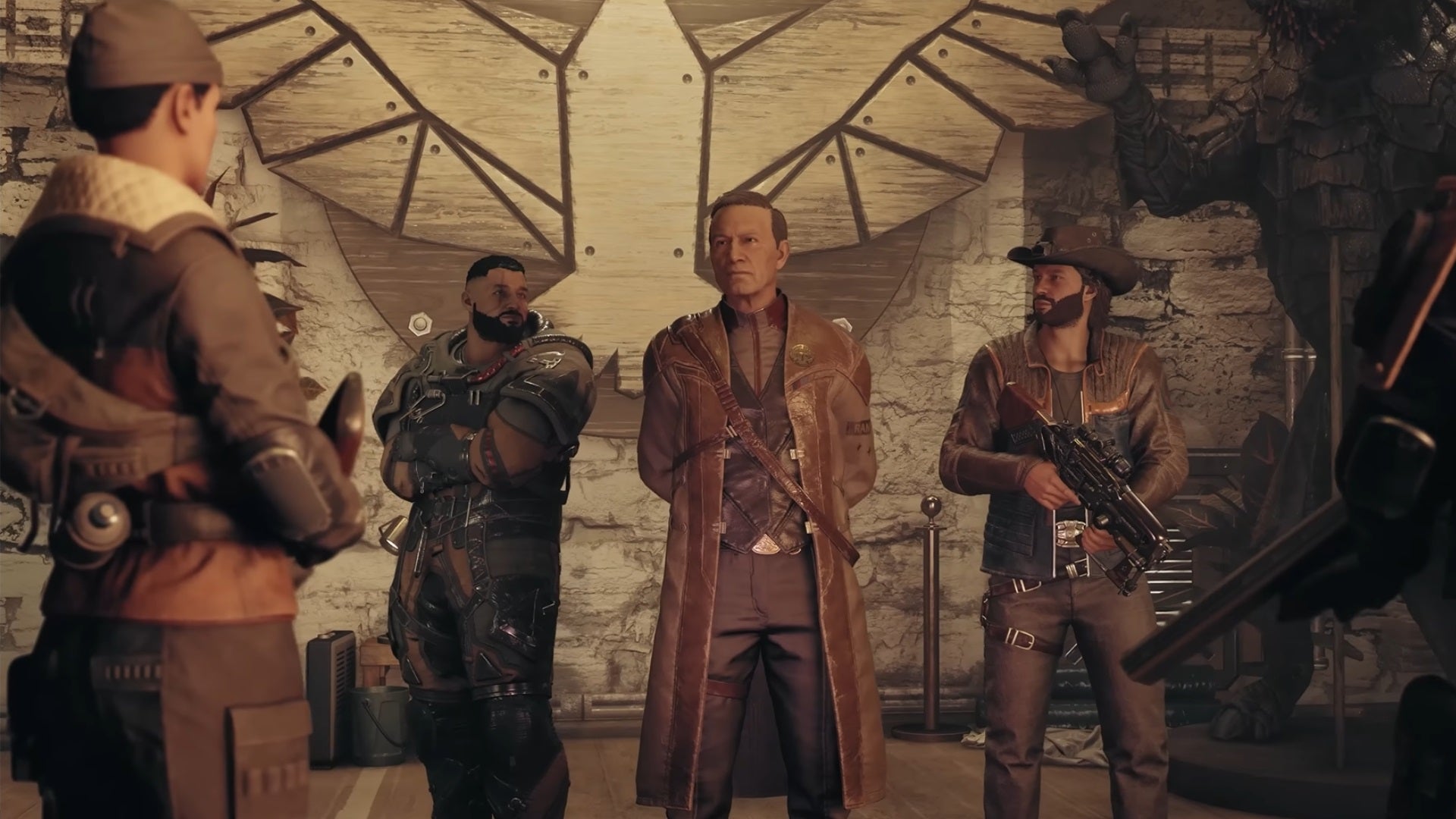
There are a total of five factions you can join in Starfield. |Image credit:Bethesda Game Studios
The following commands will instantly pay off any residual debt you have amongst the factions of Starfield. Note that it will take the credits from your inventory, so it’s best to pair this command with the infinite credits cheat for optimal use.
| Console Command | Description |
|---|---|
| player.additem f [value] | Infinite money. |
| player.paycrimegold 0 0 [faction id] | Pay Off Bounties for a specific Faction. |
| player.paycrimegold 0 0 10B30 | Pay Off Bounties to the Crimson Fleet. |
| player.paycrimegold 0 0 638E5 | Pay Off Bounties to the Freestar Collective. |
| player.paycrimegold 0 0 26FDEA | Pay Off Bounties to Neon Industries. |
| player.paycrimegold 0 0 22E53D | Pay Off Bounties to the Trade Authority. |
| player.paycrimegold 0 0 5BD93 | Pay Off Bounties to the United Colonies. |
Player console commands

With these cheats you can unlock all powers right away. |Image credit:Bethesda Game Studios
The following commands centre around player experience and can help reset things like traits , backgrounds and skills .
| Console Command | Description |
|---|---|
| sexchange | Changes your character’s gender to the opposite sex. |
| player.additem a [value] | Infinite Digipicks. |
| player.setlevel [value] | Sets your character to the specified level. |
| showlooksmenu player 1 | Opens the character creator, allowing you to change your appearance. |
| player.removeperk [perk id] | Removes the specified skill, trait, or background. |
| setrace | Sets the passed in actor’s race. |
| player.setav health [value] | Sets your maximum health to the value input. |
| player.setav speedmult [value] | Put any value above 100 and increase player’s movement speed. |
| player.setav carryweight [value] | Increases maximum carry capacity. |
| psb | Unlocks all 24 powers. |
| ssetforcespeechchallengealwayssucceed 1 | All speech challenged automatically suceed. |
| player.kill | Kills the player character. |
NPC console commands

The cosmos is, after all, yours to command. |Image credit:Bethesda Game Studios
The following commands can be used to manipulate NPCs within Starfield.
| Console Command | Description |
|---|---|
| killall | Kills all NPCs in the vicinity, even non-hostile ones. |
| kah | Kills all hostile NPCs in the vicinity. |
| resurrect | Resurrects the targeted NPC. |
| kill | Kills the targeted NPC. |
| forcedbleedout | Forces the bleed condition on the targeted NPC. |
| tai | Freezes nearby NPCs, effectively turning their AI off. |
| tcai | Makes all NPCs passive. |
| tdetect | NPCs will no longer detect you in stealth. |
How to add any item to your Starfield inventory
The following console command will add any item to your inventory in the game.
| Console Command | Description |
|---|---|
| player.additem [item id] [value] | Spawns the specified item in your inventory. |
Simply, replace the [item id] with the specific eight-digit number associated with the item and the [value] section of the cheat with the amount you wish to have.
For example, if you wanted 1,000 Emergency Kits, the cheat would be player.additem 2A9DE8 1000. You can refer back to our full list of all Item IDs in the game to grab the specific code you need. For ease we’ve listed a few common ones below:
- Adhesive : 55B1
- Antibiotics: 2F4436
- Aurora: 2C5884
- Credits : 0000000F
- Digipicks : 0000000A
- Emergency Kit: 002A9DE8
- Heart+: 29CAD9
- Med Pack: 0000ABF9
- Sealant: 55CC
- Trauma Pack: 29A847
How to enter god mode in Starfield
If you’re looking to explore the cosmos as a powered-up demi-god that even Zeus would be proud of, using the God mode command will essentially make you invincible and give you unlimited ammo to boot.
| Console Command | Description |
|---|---|
| tgm | God Mode. Makes you invincible and gives you unlimited ammo. |
All Starfield console commands listed
Remember that using console commands will lock you out of achievements. More on this below. |Image credit:Bethesda Game Studios
Here is the full list of all Starfield console commands and cheats that we know of, and a description of what each cheat does.
| Console Command | Description |
|---|---|
| tgm | God Mode. Makes you invincible and gives you unlimited ammo. |
| player.additem f [value] | Infinite money. |
| player.additem a [value] | Infinite Digipicks. |
| player.setav carryweight 999999 | Infinite Carry Capacity. |
| player.additem [item id] [value] | Spawns the specified item in your inventory. |
| player.placeatme [item id] [value] | Spawns the specified item or creature in front of your character. |
| tdetect | NPCs will no longer detect you in stealth. |
| tcai | NPCs will no longer target and attack you. |
| killall | Kills all NPCs in the vicinity, even non-hostile ones. |
| kah | Kills all hostile NPCs in the vicinity. |
| resurrect | Resurrects the targeted NPC. |
| [ref id].amod [omod id] | Applies the specified weapon mods to your weapon. |
| [ref id].rmod [omod id] | Removes the specified weapon mods from your weapon. |
| tim | Immortal Mode. You can take damage but your health will never hit 0. |
| psb | Unlocks all 24 powers . |
| unlock | Unlocks the targeted door or container. |
| sexchange | Changes your character’s gender to the opposite sex. |
| showmenu sleepwaitmenu | Opens the wait/pass time menu. |
| player.setlevel [value] | Sets your character to the specified level. |
| player.paycrimegold 0 0 [faction id] | Pay Off Bounties for a specific Faction. |
| showlooksmenu player 1 | Opens the character creator, allowing you to change your appearance. |
| player.addperk [perk id] | Add Skills, Traits, and Backgrounds. |
| player.removeperk [perk id] | Removes the specified skill, trait, or background. |
| tcl | No Clip. Allows you to move through walls and other objects. |
| tm | Toggles the UI on and off. |
| tfc | Toggles freefly camera, allowing you to fly around. |
| saq | Starts all main story and side missions. Can cause crashes! |
| caqs | Completes all main story and side missions. Can cause crashes! |
| showhighmaxheights [shmh] | Shows or hides the high res max height data. |
| enablestorymanagerlogging | Enables story manager logging. |
| dumppapyrusstacks [dps] | Dumps all Papyrus stack information to the log. |
| dumppapyrustimers | Dumps all Papyrus timer registrations to the log. |
| dumppapyruslosevents | Dumps all Papyrus LOS event registrations to the log. |
| dumppapyrusdistanceevents | Dumps all Papyrus distance event registrations to the log. |
| dumppapyruspersistenceinfo [dppi] | Dumps everything in Papyrus persisting the reference called on, or passed. |
| dumppapyruseventregistrations | Dumps all Papyrus event registrations for the specified object (and script). |
| runcompaction | Run a pass of compaction if possible. |
| setsubgraphtodebug | Sets Subgraph To Debug Mode. |
| enablerumble | Enables/disables controller rumble. |
| havokvdbcapture | Toggles Havok VDB Capture |
| togglenavmeshinfo | Toggle a view mode similar to the map camera and displays navmesh infos. |
| playsyncanim | Play Sync Anim. |
| setformknown | Sets the known flag on a form. |
| setdebugquest | Sets the quest to be the only one startable from its event type. |
| setquestaliaslogging | Turns alias logging on/off for a quest. |
| setrace | Sets the passed in actor’s race. |
| findform [find] | Find a form. |
| startpapyrusscriptprofile [startpsp] | Starts profiling a Papyrus script. |
| stoppapyrusscriptprofile [stoppsp] | Stops profiling a Papyrus script. |
| startpapyrusformprofile [startpfp] | Starts profiling Papyrus scripts on a form. |
| stoppapyrusformprofile [stoppfp] | Stops profiling Papyrus scripts on a form. |
| startpapyrusstackrootprofile | Starts profiling all Papyrus stacks starting at a script. |
| stoppapyrusstackrootprofile | Stops profiling all Papyrusstacks starting at a script. |
| togglepapyrusglobalprofiler [tpgp] | Toggles Papyrus global profiling on and off (profiles everything) |
| printquestsceneinfo | Prints to the Quest Inf file the current state of scenes. |
| isinvulnerable | Is the actor invulnerable? |
| collisionmesh | Toggle Mesh Collision Info |
| havokworldstep [hkstep] | Toggle BhkWorld Havok Step Info |
| isolaterendering | Enable isolated rendering for selected object. |
| togglewatercurrentgeometry | Displays or hides water current geometry. |
| performaction | Performs the specified action on the selected actor. |
| starttrackplayerdoors | Starts tracking player-activated teleport doors. |
| stoptrackplayerdoors | Stops tracking player-activated teleport doors. |
| checkplayerdoors | Compares the Tracked Player path with the quest target path. |
| setinchargen | Toggles aspects of Chargen Mode on/off [savingDisabled] [waitingDisabled][activationMessageDisabled] |
| forcereset | Force the game to run a full reset. |
| forceclosefiles | Close masterfile and plugins. Useful for letting CreationKit save to a plugin that is also loaded in-game. See also HotLoadPlugin. [Caution: Use at own risk! Gameplay and new savegames may be unstable.] |
| hotloadplugin [hlp] | Load or reload the named plugin. Useful for getting changes without restarting. See also ForceCloseFiles. [Caution: Use at own risk! Modified running quests will be stopped (and restarted if possible). Gameplay and new savegames may be unstable.] |
| generatebendablespline [spline] | Generate a bendable spline geometry instance. |
| reload [script] | Reloads the specified Papyrus script. |
| testaim | Test an actor’s aim. |
| testlook | Test an actor’s looking. |
| pushcamera | Push camera to editor. |
| movetoeditorcamera | Move to the editor camera. |
| movetoeditorselection | Move to the editor selection. |
| placefurnituretester [pft] | Place actor, who will use the selected furniture. Can specify actor type via optional parameter. |
| dumpconditionsfunctions | Output the current counters for condition function calls. |
| reloadanimationgraphs | Reload the currently loaded animation graphs. |
| toggleweaponoverlay | Toggle the weapon overlay. |
| forcedetect | Forces the selected actor to detect the specified actor. |
| changeanimarchetype [caa] | Change the selected actor’s anim archetype. |
| changeanimflavor | Change the selected actor’s animal flavor. |
| setangrywithplayer | Set the angry with player flag. |
| forcerepath | Force the actor to repath. |
| forcepathfailure | Force the actor’s path to fail. |
| dumpformlist | Dump the contents of given formlist to the console output. |
| traceanimationevents | Trace an actor’s animation events. |
| showmods | Show all property mods on an object. |
| dumpinputenablelayers | Dumps all currently used input enable layers to the console. |
| attachmod | Attach a mod to an object. |
| removemod | Remove a mod from an object. |
| spawntemplatedobject | Spawn a ref to a templated object.[object, ilevel, pkeyword1, pkeyword2] |
| callfunction | Calls a papyrus function on the targeted ref. First parameter is the function, the rest are parameters. |
| callquestfunction [cqf] | Calls a papyrus function on a quest. Second parameter is the function, the rest are parameters. |
| callglobalfunction [cgf] | Calls a global papyrus function. First parameter is the function, the rest are parameters. |
| resetinputenablelayer | Resets all control disables on a specific input enable layer. |
| forceenableplayercontrols [fepc] | Force-enables the player’s controls, regardless of layers, see EnablePlayerControls. |
| resetforceenabledplayercontrols | Resets all force-enabled player controls. |
| getactorrefowner | Prints the owner of the currently selected reference. |
| setactorrefowner [saro] | Sets ownership of the currently selected reference to the specified actor (or if not actor is specified, to the player). |
| hasactorrefowner [haro] | Returns 1 if the currently selected reference has an owner, or 0 otherwise. |
| setoutfit | Change the default outfit for the actor. |
| passtime [hours] | Passes the specified number of hours. |
| linklocations | Links two locations under the given keyword. |
| showlinkedlocations | Outputs all locations linked to the given one under the given keyword. |
| setlinkedref | Links the current ref to the given one under the given keyword. |
| resetcontainer | Resets the currently selected container, or if you specify “1”, then it’ll reset all containers. |
| setscenefordebug | Sets the current debug scene. |
| preloadexterior | Preloads the exterior data for the currently selected ref. |
| testpath | Debug function to test a path. |
| togglecontrolsoverly | Toggle Controls Overlay |
| refresh | Rebug function to refresh a reference. |
| dynamicresolution | Change the dynamic resolution settings. |
| testloadingmenu | Debug function to open/close the Loading menu in the Loading thread. |
| recalcinstancedata | Debug function recalc instance data for the selected ref or all loaded refs if nothing is selected. |
| togglereferencepose | Toggles forcing an animgraph for the selected actor to be in the reference pose. May specify “target” or “rig” as well. |
| setpersistlocation | Debug function to set the persist loc on reference. |
| setlocationreftype | Debug function to set the loc ref type for a location on a reference. |
| showlocdata | Debug function to dump data about a location. |
| reserveloc | Debug function to reserve a location so it can’t be used for most aliases. |
| updateawakesound [uas] | Update the selected actor’s current conscious loop. |
| setharvested | Mark the current reference as Harvested or not. |
| pausescene | Pause or unpause the specified scene. |
| spawndupe | Make a duplicate ref of the selected ref. |
| disabledistantreferences | Disable references more than a certain distance from the selected ref. |
| fireassert | Fire an assert (with text passed, if available). |
| forcepersistent | Force a reference to become persistent. |
| playactioncamera [pac] | Play this action camera on the reference with target reference. |
| stopactioncamera | Stop the action camera. |
| changestance | Change the actor’s stance. |
| auditionwwiseevent | Set of commands for auditioning Wwise events. |
| auditionreverbform [arf] | Force a given Reverb form to be active. |
| setwwisestate [sws] | Sets a global Wwise State |
| buildanimationdata [bad] | Build the animation data for the actor. |
| switchskeleton | Toggles between standard and chargen skeletons for an actor. |
| gethelloorgreeting [actor] | Prints out the info id for actor’s hello/greeting to actor param. One of these should be the player. |
| setbonetintregion | Add bone tint data to an object’s 3d given a region ID (integer) of that object. |
| senddialogueevent | Sends a dialogue event for the selected and target actor. |
| setforcespeechchallengealwayssucceed [1/0] | Make all speech challenges automatically succeed. |
| setforcespeechchallengealwaysfail [1/0] | Make all speech challenges automatically fail. |
| runmaterialsanalysis [rma] | Compares the materials of the selected reference. |
| capturemessages [string] | Captures DebugString, USER1 and USER2 messages using a Message Event Listener and sends the output to CaptureMessage.Iua |
| toggletrijuice | Toggles Trijuicing in the renderer (may slightly degrade texture filtering quality in exchange for improved performance). |
| setpresentthreshold [spt] | Set percentage (0-100) of scanlines covered before swap threshold is hit: default 0 (always swap) |
| linkfullaccount | Link full Bnet account to game-account: (username) (password) |
| isloggedin [isonline] | Is the player logged in to Bethesda.net? |
| getlegaldocs [getlegaldocs] | Retrieves a list of all required legal documents. |
| acceptlegaldoc | Accepts a legal document based on its ID: acceptlegaldoc (id) |
| getdataattachment | Prints data from Bethesda.net Profile Data Attachment: getattachment (type) (id) |
| deletedataattachment | Deletes a Bethesda.net Profile Data Attachment: deleteattachment (type) (id) |
| uploadcharacterdata | Uploads character data playload as bnet Profile Data Attachment. |
| getattachmentleaderboard [getattachmentleaderboard] | Gets attachment leaderboard page: getattachmentleaderboard (attachment type) (leaderboard type) |
| loaduniteddata | Gets character data from leadersboard and caches it. |
| makeunitynpc | Updates NPC with data from unity cache. |
| setvolumetriclighting parameters [vl] | Set volumetric lighting parameters. |
| startworkshop [workshop] | Enter Workshop mode if the player is within the buildable area of a Workshop. |
| togglevblankoptim | Toggles VBlank optim |
| addkeyword | Add the given keyword to the reference |
| removekeyword | Remove the given keyword on the reference. |
| setambientparticlesenabled | Enables(1)/disables(0) ambient particles. |
| removeoutposts [ref] | Removes the given Outpost and all built items. |
| setesramsetup | Force specific ESRAM setup (-1 for automatic setup). |
| callstacktracedepth | Set the callstack depth when tracing it. |
| commandedactivated | Commands selected actor to use a reference. |
| enablegalaxymode | Enables/Disables galaxy mode. |
| togglestarfielddebug | Toggles the StarField debug on or off. |
| setstarfieldcoordinatescale [value] | Sets the StarField coordinate scale. |
| setstarsystemscale [sss] | Sets the star system scale. |
| movetoplanet | If target player ship, move to or give path to pilot to (target) (1 to do full jump sequence). |
| setorbitspeedscale | Sets global orbit speed scale. |
| instancenamingrules | Export instance naming rule data to file INRExport.txt. |
| getorbismodinfo | Prints info relating to Orbis mod game data files. |
| togglescenedebug | Show debug state for scene. |
| setfarclip | Set far clip value. (-1 to clear override) |
| toggleoverdraw | Toggle overdraw |
| recordscene | Capture screen shots of scene. (Scene EditorID, [FPS 60 default]) |
| landonplanet [lop] | Land on a planet. (lop ) |
| takeofftospace | Take off to space. |
| previewbodyresources [pbr] | Previews resources for a planet. |
| sendaffinityevent | (AffinityEvent [ObjRef]) Run an affinity event on an optional object reference. |
| addpower | AddPower (part) # |
| removepower | RemovePower (part) # |
| matlockcapture | Force matlock to realize a capture. |
| togglesnapnodemarkers | Toggle snap node markers. |
| setvoicetype | Set an override voice type on an actor. |
| addworldspacetoplanet | Adds a world space to a planet. |
| debugdataprovider | Set the name of the UI Data Provider we want to debug. |
| loadall3d | Load all queued 3D. |
| printallmenus [pam] | Print all active menus. |
| printallinputcontext [paic] | Print the input context stack. |
| addplottobody [addplot] | Plot a route to this body. |
| reloadfacedata | Reload face data. |
| setgravityscale | Sets gravity scale on a ref’s parent cell. |
| previewblock | PreviewBlock (blockname) (biome). |
| exportterraintextures | Export terrain textures. |
| exportterraingrids | Export terrain grids. |
| exportterrainheightmap | Export terrain height map. |
| exportterrainsplatmap | Explort terrain splat map. |
| exportterrainmaterialindexmap | Export terrain material index map. |
| exportterrainfiles | Export terrain files. |
| updateterrainclipmaps | Refresh Terrain Clipmaps. |
| toggledebugcamera | Toggle debug camera (mode name) |
| cycleprevdebugcamera | Cycle to previous debug camera. |
| cyclenextdebugcamera | Cycle to next debug camera. |
| toggledebugcameracontrols | Toggle debug camera controls. |
| setimguiwindowfunction [siw] | Activate an ImGui window. |
| invokeuievent | Invokes a ui > c++ event. |
| hotreloadui | Hot Reloads the User Interface SWFs. |
| setposrelativetoref | Script function to set the position of the picked ref relatively to another ref (defaulted to the player). |
| faceref | Make a ref face towards another ref (defaulted to the player), with an extra angle offset. |
| setworkshopitem | Set the Workshop menu’s Node Cursor to the currently selected reference, if any. |
| generatenavmesh | Generates nav-mesh on the current cell. |
| landonplanetanimated | Land player’s spaceship with animation. |
| startnewgame | Command to trigger new game on main menu without UI. |
| forcedbleedout | Force an actor to enter bleedout. |
| forceconditionformtrue | Force a condition form to true. args: FromID, (enable)0/1, (permanent)0/1. |
| forceconditionformfalse | Force a condition form to false. args: FromID, (enable)0/1, (permanent)0/1. |
| landonplanetbiome | Land on a planet’s biome. (lopb (planetname) (biome index) [(centered)0/1]) |
| landonplanetmarker | Land at a marker on the current planet. |
| testallplanets | TestPlanets |
| clearlinkedref | Clear a linked reference. |
| setlocaltime | Sets the local time on the current planet, optionally updating the galaxy sim. |
| reloadmaterials | Reloads all materials. |
| placementoncell | Test overlay placement on a cell. (poc (cellindex.x)(xellindex.y)) |
| toggleworkshopflycam | Toggle workshop flycam. |
| checkbiomemarker | Finds uses in the loaded area of the given biome marker. |
| testbiomeplanet [tbp] | Creates a full planet set to use the given biome exclusively and puts the player there. |
| previewpattern | PreviewPattern (patternname)(biome) |
| sethavokdynamic | Set reference motion to dynamic with optional mass in kg. |
| sethavokkinematic | Set reference motion to kinematic. |
| sethavokactive | Set reference havok activity. |
| sethavoklod | Set reference collision lod. |
| sethavoklinearvelocity | Set reference linear velocity. |
| sethavokangularvelocity | Set reference angular velocity. |
| sethavokcollisionlayer | Set havok collision layer. |
| sethavokragdollfriction | Set havok ragdoll friction. |
| sethavokparam | Set havok param. |
| showhavokragdollvalues | Show havok ragdoll values. |
| starthavokparttest | Start/reset havok particles test. |
| stophavokparttest | Stop havok particles test. |
| setorientation | Set reference orientation |
| toggledebugtext3d | Toggle in game debug text. |
| togglebiooverlay | Toggle the BI Overlay. |
| togglemetricviewer | Spawn Metric Viewer |
| printmessage | Print a message to the screen (print (message) (time) (clear previous messages flag)) |
| adddebugtest | Add debug text to a reference (AddDebugText (debug text) (size) (color) (background color) (border color) (offsetX) (offsetY) (offsetZ) (pinned flag) |
| disableactorpackage [1/0] | Disable or enable an actor’s package. |
| stopbatchfile | Stop a running batchfile. |
| centeronspacecell | Move to the specified space cell, optionally specify a ship. |
| dependencygraphdump | Dump Dependency Graph. |
| toggleexperimentalshaders | Toggles experimental shaders on/off. |
| settestplanetandbiome | Sets a test planet and biome for interior testing with biome markers. |
Note: many of the more unusual console commands in this list were sourced from IGN .
How to enable achievements with cheats
<img loading=“lazy” src=“https://assetsio.gnwcdn.com/starfield-disable-achievements.jpg?width=2048&height=2048&fit=bounds&quality=85&format=jpg&auto=webp" onerror=“this.onerror=null;this.src=‘https://blogger.googleusercontent.com/img/a/AVvXsEhe7F7TRXHtjiKvHb5vS7DmnxvpHiDyoYyYvm1nHB3Qp2_w3BnM6A2eq4v7FYxCC9bfZt3a9vIMtAYEKUiaDQbHMg-ViyGmRIj39MLp0bGFfgfYw1Dc9q_H-T0wiTm3l0Uq42dETrN9eC8aGJ9_IORZsxST1AcLR7np1koOfcc7tnHa4S8Mwz_xD9d0=s16000';" alt=“Starfield cheats warning that reads “Use of certain console commands will disable achievements.” - 8”>
Be default, using cheats will disable all achievements. |Image credit:Rock Paper Shotgun/Bethesda Game Studios
By default, many Starfield console commands will disable achievements, and your saves will be put into a special modded save profile. However, if you want to enable achievements to use alongside cheats, the easiest way to do it is by downloading and installing the Achievement Enabler mod. For more information, check out our best Starfield mods guide.
Can you use Starfield console commands on Xbox?
You cannot use Starfield console commands and cheats on Xbox . However, you can cross-save between PC and Xbox, which means you can load your game save on PC, use all the console commands you like, and then when you reload the save on your Xbox you’ll still have the effects of all those cheats.
So in a roundabout way, you can take advantage of console commands in Starfield even on Xbox - but you will need to log in to a PC to do it, and obviously it’s not the ideal solution. But until the command console is added to Xbox (if it ever will be), this is the only option for Xbox users.
That’s every single cheat code and console command available in Starfield. With such power at your fingertips, you should be wanting for nothing! But then again, perhaps you need a refresher on the best Starfield skills to unlock first, or the best Starfield traits and best Starfield backgrounds to pick. We’ve also got handy guides on how to sell contraband in Starfield , how to fast travel in Starfield , and understanding the Starfield lockpicking minigame.

Starfield
Xbox Series X/S , PC
Rock Paper Shotgun is better when you sign in
Sign in and join us on our journey to discover strange and compelling PC games.

All 75 Arc Raiders Blueprints and where to get them
These areas have the highest chance of giving you Blueprints

Image credit:Rock Paper Shotgun/Embark Studios
Looking for more Arc Raiders Blueprints? It’s a special day when you find a Blueprint, as they’re among the most valuable items in Arc Raiders. If you find a Blueprint that you haven’t already found, then you must make sure you hold onto it at all costs, because Blueprints are the key to one of the most important and powerful systems of meta-progression in the game.
This guide aims to be the very best guide on Blueprints you can find, starting with a primer on what exactly they are and how they work in Arc Raiders, before delving into exactly where to get Blueprints and the very best farming spots for you to take in your search.
We’ll also go over how to get Blueprints from other unlikely activities, such as destroying Surveyors and completing specific quests. And you’ll also find the full list of all 75 Blueprints in Arc Raiders on this page (including the newest Blueprints added with the Cold Snap update , such as the Deadline Blueprint and Firework Box Blueprint), giving you all the information you need to expand your own crafting repertoire.
In this guide:
- What are Blueprints in Arc Raiders?
- Full Blueprint list: All crafting recipes
- Where to find Blueprints in Arc Raiders Blueprints obtained from quests Blueprints obtained from Trials Best Blueprint farming locations

What are Blueprints in Arc Raiders?
Blueprints in Arc Raiders are special items which, if you manage to extract with them, you can expend to permanently unlock a new crafting recipe in your Workshop. If you manage to extract from a raid with an Anvil Blueprint, for example, you can unlock the ability to craft your very own Anvil Pistol, as many times as you like (as long as you have the crafting materials).
To use a Blueprint, simply open your Inventory while in the lobby, then right-click on the Blueprint and click “Learn And Consume” . This will permanently unlock the recipe for that item in your Workshop. As of the Stella Montis update, there are allegedly 75 different Blueprints to unlock - although only 68 are confirmed to be in the game so far. You can see all the Blueprints you’ve found and unlocked by going to the Workshop menu, and hitting “R” to bring up the Blueprint screen.
It’s possible to find duplicates of past Blueprints you’ve already unlocked. If you find these, then you can either sell them, or - if you like to play with friends - you can take it into a match and gift it to your friend so they can unlock that recipe for themselves. Another option is to keep hold of them until the time comes to donate them to the Expedition.
Full Blueprint list: All crafting recipes
Below is the full list of all the Blueprints that are currently available to find in Arc Raiders, and the crafting recipe required for each item:
| Blueprint | Type | Recipe | Crafted At |
|---|---|---|---|
| Bettina | Weapon | 3x Advanced Mechanical Components 3x Heavy Gun Parts 3x Canister | Gunsmith 3 |
| Blue Light Stick | Quick Use | 3x Chemicals | Utility Station 1 |
| Aphelion | Weapon | 3x Magnetic Accelerator 3x Complex Gun Parts 1x Matriarch Reactor | Gunsmith 3 |
| Combat Mk. 3 (Flanking) | Augment | 2x Advanced Electrical Components 3x Processor | Gear Bench 3 |
| Combat Mk. 3 (Aggressive) | Augment | 2x Advanced Electrical Components 3x Processor | Gear Bench 3 |
| Complex Gun Parts | Material | 2x Light Gun Parts 2x Medium Gun Parts 2x Heavy Gun Parts | Refiner 3 |
| Fireworks Box | Quick Use | 1x Explosive Compound 3x Pop Trigger | Explosives Station 2 |
| Gas Mine | Mine | 4x Chemicals 2x Rubber Parts | Explosives Station 1 |
| Green Light Stick | Quick Use | 3x Chemicals | Utility Station 1 |
| Pulse Mine | Mine | 1x Crude Explosives 1x Wires | Explosives Station 1 |
| Seeker Grenade | Grenade | 1x Crude Explosives 2x ARC Alloy | Explosives Station 1 |
| Looting Mk. 3 (Survivor) | Augment | 2x Advanced Electrical Components 3x Processor | Gear Bench 3 |
| Angled Grip II | Mod | 2x Mechanical Components 3x Duct Tape | Gunsmith 2 |
| Angled Grip III | Mod | 2x Mod Components 5x Duct Tape | Gunsmith 3 |
| Hullcracker | Weapon | 1x Magnetic Accelerator 3x Heavy Gun Parts 1x Exodus Modules | Gunsmith 3 |
| Launcher Ammo | Ammo | 5x Metal Parts 1x Crude Explosives | Workbench 1 |
| Anvil | Weapon | 5x Mechanical Components 5x Simple Gun Parts | Gunsmith 2 |
| Anvil Splitter | Mod | 2x Mod Components 3x Processor | Gunsmith 3 |
| ??? | ??? | ??? | ??? |
| Barricade Kit | Quick Use | 1x Mechanical Components | Utility Station 2 |
| Blaze Grenade | Grenade | 1x Explosive Compound 2x Oil | Explosives Station 3 |
| Bobcat | Weapon | 3x Advanced Mechanical Components 3x Light Gun Parts | Gunsmith 3 |
| Osprey | Weapon | 2x Advanced Mechanical Components 3x Medium Gun Parts 7x Wires | Gunsmith 3 |
| Burletta | Weapon | 3x Mechanical Components 3x Simple Gun Parts | Gunsmith 1 |
| Compensator II | Mod | 2x Mechanical Components 4x Wires | Gunsmith 2 |
| Compensator III | Mod | 2x Mod Components 8x Wires | Gunsmith 3 |
| Defibrillator | Quick Use | 9x Plastic Parts 1x Moss | Medical Lab 2 |
| ??? | ??? | ??? | ??? |
| Equalizer | Weapon | 3x Magnetic Accelerator 3x Complex Gun Parts 1x Queen Reactor | Gunsmith 3 |
| Extended Barrel | Mod | 2x Mod Components 8x Wires | Gunsmith 3 |
| Extended Light Mag II | Mod | 2x Mechanical Components 3x Steel Spring | Gunsmith 2 |
| Extended Light Mag III | Mod | 2x Mod Components 5x Steel Spring | Gunsmith 3 |
| Extended Medium Mag II | Mod | 2x Mechanical Components 3x Steel Spring | Gunsmith 2 |
| Extended Medium Mag III | Mod | 2x Mod Components 5x Steel Spring | Gunsmith 3 |
| Extended Shotgun Mag II | Mod | 2x Mechanical Components 3x Steel Spring | Gunsmith 2 |
| Extended Shotgun Mag III | Mod | 2x Mod Components 5x Steel Spring | Gunsmith 3 |
| Remote Raider Flare | Quick Use | 2x Chemicals 4x Rubber Parts | Utility Station 1 |
| Heavy Gun Parts | Material | 4x Simple Gun Parts | Refiner 2 |
| Venator | Weapon | 2x Advanced Mechanical Components 3x Medium Gun Parts 5x Magnet | Gunsmith 3 |
| Il Toro | Weapon | 5x Mechanical Components 6x Simple Gun Parts | Gunsmith 1 |
| Jolt Mine | Mine | 1x Electrical Components 1x Battery | Explosives Station 2 |
| Explosive Mine | Mine | 1x Explosive Compound 1x Sensors | Explosives Station 3 |
| Jupiter | Weapon | 3x Magnetic Accelerator 3x Complex Gun Parts 1x Queen Reactor | Gunsmith 3 |
| Light Gun Parts | Material | 4x Simple Gun Parts | Refiner 2 |
| Lightweight Stock | Mod | 2x Mod Components 5x Duct Tape | Gunsmith 3 |
| Lure Grenade | Grenade | 1x Speaker Component 1x Electrical Components | Utility Station 2 |
| Medium Gun Parts | Material | 4x Simple Gun Parts | Refiner 2 |
| Torrente | Weapon | 2x Advanced Mechanical Components 3x Medium Gun Parts 6x Steel Spring | Gunsmith 3 |
| Muzzle Brake II | Mod | 2x Mechanical Components 4x Wires | Gunsmith 2 |
| Muzzle Brake III | Mod | 2x Mod Components 8x Wires | Gunsmith 3 |
| Padded Stock | Mod | 2x Mod Components 5x Duct Tape | Gunsmith 3 |
| Shotgun Choke II | Mod | 2x Mechanical Components 4x Wires | Gunsmith 2 |
| Shotgun Choke III | Mod | 2x Mod Components 8x Wires | Gunsmith 3 |
| Shotgun Silencer | Mod | 2x Mod Components 8x Wires | Gunsmith 3 |
| Showstopper | Grenade | 1x Advanced Electrical Components 1x Voltage Converter | Explosives Station 3 |
| Silencer I | Mod | 2x Mechanical Components 4x Wires | Gunsmith 2 |
| Silencer II | Mod | 2x Mod Components 8x Wires | Gunsmith 3 |
| Snap Hook | Quick Use | 2x Power Rod 3x Rope 1x Exodus Modules | Utility Station 3 |
| Stable Stock II | Mod | 2x Mechanical Components 3x Duct Tape | Gunsmith 2 |
| Stable Stock III | Mod | 2x Mod Components 5x Duct Tape | Gunsmith 3 |
| Tagging Grenade | Grenade | 1x Electrical Components 1x Sensors | Utility Station 3 |
| Tempest | Weapon | 3x Advanced Mechanical Components 3x Medium Gun Parts 3x Canister | Gunsmith 3 |
| Trigger Nade | Grenade | 2x Crude Explosives 1x Processor | Explosives Station 2 |
| Vertical Grip II | Mod | 2x Mechanical Components 3x Duct Tape | Gunsmith 2 |
| Vertical Grip III | Mod | 2x Mod Components 5x Duct Tape | Gunsmith 3 |
| Vita Shot | Quick Use | 2x Antiseptic 1x Syringe | Medical Lab 3 |
| Vita Spray | Quick Use | 3x Antiseptic 1x Canister | Medical Lab 3 |
| Vulcano | Weapon | 1x Magnetic Accelerator 3x Heavy Gun Parts 1x Exodus Modules | Gunsmith 3 |
| Wolfpack | Grenade | 2x Explosive Compound 2x Sensors | Explosives Station 3 |
| Red Light Stick | Quick Use | 3x Chemicals | Utility Station 1 |
| Smoke Grenade | Grenade | 14x Chemicals 1x Canister | Utility Station 2 |
| Deadline | Mine | 3x Explosive Compound 2x ARC Circuitry | Explosives Station 3 |
| Trailblazer | Grenade | 1x Explosive Compound 1x Synthesized Fuel | Explosives Station 3 |
| Tactical Mk. 3 (Defensive) | Augment | 2x Advanced Electrical Components 3x Processor | Gear Bench 3 |
| Tactical Mk. 3 (Healing) | Augment | 2x Advanced Electrical Components 3x Processor | Gear Bench 3 |
| Yellow Light Stick | Quick Use | 3x Chemicals | Utility Station 1 |
Note: The missing Blueprints in this list likely have not actually been added to the game at the time of writing, because none of the playerbase has managed to find any of them. As they are added to the game, I will update this page with the most relevant information so you know exactly how to get all 75 Arc Raiders Blueprints.
Where to find Blueprints in Arc Raiders
Below is a list of all containers, modifiers, and events which maximise your chances of finding Blueprints:
- Certain quests reward you with specific Blueprints .
- Completing Trials has a high chance of offering Blueprints as rewards.
- Surveyors have a decent chance of dropping Blueprints on death.
- High loot value areas tend to have a greater chance of spawning Blueprints.
- Night Raids and Storms may increase rare Blueprint spawn chances in containers.
- Containers with higher numbers of items may have a higher tendency to spawn Blueprints. As a result, Blue Gate (which has many “large” containers containing multiple items) may give you a higher chance of spawning Blueprints.
- Raider containers (Raider Caches, Weapon Boxes, Medical Bags, Grenade Tubes) have increased Blueprint drop rates. As a result, the Uncovered Caches event gives you a high chance of finding Blueprints.
- Security Lockers have a higher than average chance of containing Blueprints.
- Certain Blueprints only seem to spawn under specific circumstances: Tempest Blueprint only spawns during Night Raid events. Vulcano Blueprint only spawns during Hidden Bunker events. Jupiter and Equaliser Blueprints only spawn during Harvester events.

Raider Caches, Weapon Boxes, and other raider-oriented container types have a good chance of offering Blueprints. |Image credit:Rock Paper Shotgun/Embark Studios
Blueprints have a very low chance of spawning in any container in Arc Raiders, around 1-2% on average. However, there is a higher chance of finding Blueprints in particular container types. Specifically, you can find more Blueprints in Raider containers and security lockers.
Beyond this, if you’re looking for Blueprints you should focus on regions of the map which are marked as having particularly high-value loot. Areas such as the Control Tower in Dam Battlegrounds, the Arrival and Departure Buildings in Spaceport, and Pilgrim’s Peak in Blue Gate all have a better-than-average chance of spawning Blueprints somewhere amongst all their containers. Night Raids and Electromagnetic Storm events also increase the drop chances of certain Blueprints .
In addition to these containers, you can often loot Blueprints from destroyed Surveyors - the largest of the rolling ball ARC. Surveyors are more commonly found on the later maps - Spaceport and Blue Gate - and if one spawns in your match, you’ll likely see it by the blue laser beam that it casts into the sky while “surveying”.
Surveyors are quite well-armoured and will very speedily run away from you once it notices you, but if you can take one down then make sure you loot all its parts for a chance of obtaining certain unusual Blueprints.
Blueprints obtained from quests
One way in which you can get Blueprints is by completing certain quests for the vendors in Speranza. Some quests will reward you with a specific item Blueprint upon completion, so as long as you work through all the quests in Arc Raiders, you are guaranteed those Blueprints.
Here is the full list of all Blueprints you can get from quest rewards:
- Trigger Nade Blueprint: Rewarded after completing “Sparks Fly”.
- Lure Grenade Blueprint: Rewarded after completing “Greasing Her Palms”.
- Burletta Blueprint: Rewarded after completing “Industrial Espionage”.
- Hullcracker Blueprint (and Launcher Ammo Blueprint): Rewarded after completing “The Major’s Footlocker”.
Alas, that’s only 4 Blueprints out of a total of 75 to unlock, so for the vast majority you will need to find them yourself during a raid. If you’re intent on farming Blueprints, then it’s best to equip yourself with cheap gear in case you lose it, but don’t use a free loadout because then you won’t get a safe pocket to stash any new Blueprint you find. No pain in Arc Raiders is sharper than failing to extract with a new Blueprint you’ve been after for a dozen hours already.

One of the best ways to get Blueprints is by hitting three stars on all five Trials every week. |Image credit:Rock Paper Shotgun/Embark Studios
Blueprints obtained from Trials
One of the very best ways to get Blueprints is as rewards for completing Trials in Arc Raiders. Trials are unlocked from Level 15 onwards, and allow you to earn rewards by focusing on certain tasks over the course of several raids. For example, one Trial might task you with dealing damage to Hornets, while another might challenge you to loot Supply Drops.
Trials refresh on a weekly basis, with a new week bringing five new Trials. Each Trial can offer up to three rewards after passing certain score milestones, and it’s possible to receive very high level loot from these reward crates - including Blueprints. So if you want to unlock as many Blueprints as possible, you should make a point of completing as many Trials as possible each week.
Best Blueprint farming locations
The very best way to get Blueprints is to frequent specific areas of the maps which combine high-tier loot pools with the right types of containers to search. Here are my recommendations for where to find Blueprints on every map, so you can always keep the search going for new crafting recipes to unlock.

Image credit:Rock Paper Shotgun/Embark Studios
Dam Battlegrounds
The best places to farm Blueprints on Dam Battlegrounds are the Control Tower, Power Generation Complex, Ruby Residence, and Pale Apartments . The first two regions, despite only being marked on the map as mid-tier loot, contain a phenomenal number of containers to loot. The Control Tower can also contain a couple of high-tier Security Lockers - though of course, you’ll need to have unlocked the Security Breach skill at the end of the Survival tree.
There’s also a lot of reporting amongst the playerbase that the Residential areas in the top-left of the map - Pale Apartments and Ruby Residence - give you a comparatively strong chance of finding Blueprints. Considering their size, there’s a high density of containers to loot in both locations, and they also have the benefit of being fairly out of the way. So you’re more likely to have all the containers to yourself.
Buried City
The best Blueprint farming locations on Buried City are the Santa Maria Houses, Grandioso Apartments, Town Hall, and the various buildings of the New District . Grandioso Apartments has a lower number of containers than the rest, but a high chance of spawning weapon cases - which have good Blueprint drop rates. The others are high-tier loot areas, with plenty of lootable containers - including Security Lockers.
Spaceport
The best places to find Blueprints on Spaceport are the Arrival and Departure Buildings, as well as Control Tower A6 and the Launch Towers . All these areas are labelled as high-value loot regions, and many of them are also very handily connected to one another by the Spaceport wall, which you can use to quickly run from one area to the next. At the tops of most of these buildings you’ll find at least one Security Locker, so this is an excellent farming route for players looking to find Blueprints.
The downside to looting Blueprints on Spaceport is that all these areas are hotly contested, particularly in Duos and Squads. You’ll need to be very focused and fast in order to complete the full farming route.

Image credit:Rock Paper Shotgun/Embark Studios
Blue Gate
Blue Gate tends to have a good chance of dropping Blueprints, potentially because it generally has a high number of containers which can hold lots of items; so there’s a higher chance of a Blueprint spawning in each container. In my experience, the best Blueprint farming spots on Blue Gate are Pilgrim’s Peak, Raider’s Refuge, the Ancient Fort, and the Underground Complex beneath the Warehouse .
All of these areas contain a wealth of containers to loot. Raider’s Refuge has less to loot, but the majority of the containers in and around the Refuge are raider containers, which have a high chance of containing Blueprints - particularly during major events.
Stella Montis
On the whole, Stella Montis seems to have a very low drop rate for Blueprints (though a high chance of dropping other high-tier loot). If you do want to try farming Blueprints on this map, the best places to find Blueprints in Stella Montis are Medical Research, Assembly Workshop, and the Business Center . These areas have the highest density of containers to loot on the map.
In addition to this, the Western Tunnel has a few different Security Lockers to loot, so while there’s very little to loot elsewhere in this area of the map, it’s worth hitting those Security Lockers if you spawn there at the start of a match.
That wraps up this primer on how to get all the Blueprints in Arc Raiders as quickly as possible. With the Expedition system constantly resetting a large number of players’ Blueprints, it’s more important than ever to have the most up-to-date information on where to find all these Blueprints.
While you’re here, be sure to check out our Arc Raiders best guns tier list , as well as our primers on the best skills to unlock and all the different Field Depot locations on every map.

ARC Raiders
PS5 , Xbox Series X/S , PC
Rock Paper Shotgun is better when you sign in
Sign in and join us on our journey to discover strange and compelling PC games.


