Lenovo Legion Go S SteamOS review: Windows get ye gone
An inconsistent handheld, yet hopefully a sign of little PCs to come
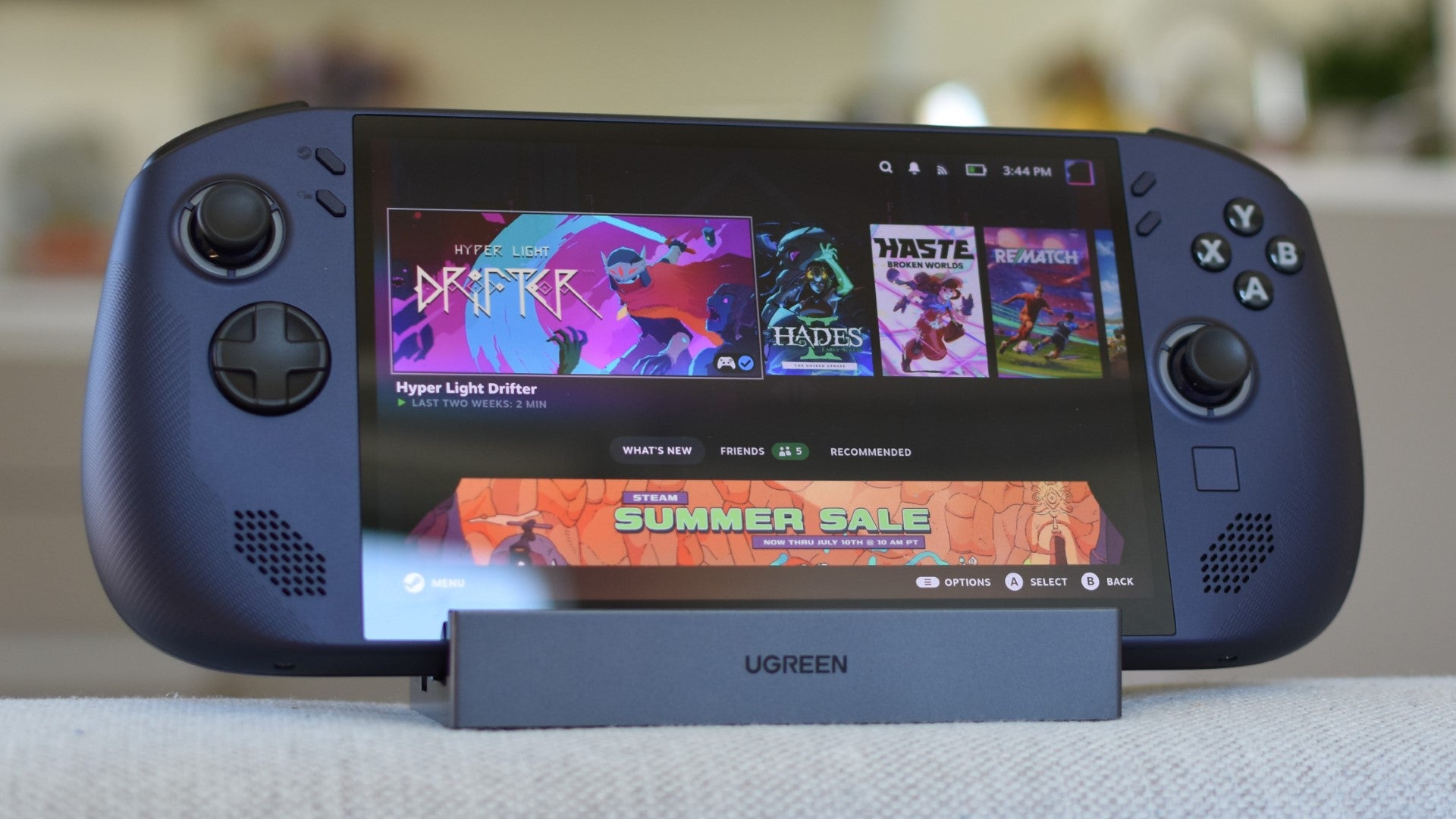
Image credit:Rock Paper Shotgun

Lenovo Legion Go S SteamOS specs: CPU/GPU: AMD Ryzen Z2 Go (as tested, AMD Ryzen Z1 Extreme also available) RAM: 16GB LPDDR5X (as tested, up to 32GB available) Storage: 1TB NVMe SSD (as tested, 512GB also available) Display: 8in, 1920x1200, 120Hz IPS Ports: 2x USB-C, 1x 3.5mm, 1x microSD Dimensions: 299x128x23mm Weight: 740g Price: From £549 / $600
When even Microsoft themselves start promising a version of Windows 11 that can launch with half its functions turned off, it’s time to accept that such a heaving desktop OS is an uncomfortable fit for handheld gaming PCs . Lenovo already have, launching a new version of their Legion Go S that swaps Windows 11 for the more naturally portable-minded, as-seen-on- Steam-Deck SteamOS, and instantly becomes a better handheld for it.
Better doesn’t mean excellent – the Steam Deck OLED is quieter, longer-lasting, and generally easier to handle. But between its wiser choice of operating system and relatively affordable pricing, the Legion Go S SteamOS is at least a refreshing change from the succession of fiddly, expensive devices that seemingly every non-Valve manufacturer has been siccing on each other. If this is a sign of a sea change, by all means, ring my knell.
Purely hardware wise, this is simultaneously an upgrade, paring-back, and continuation of 2023’s original Legion Go . Gone are the detachable controllers, with the mouse capability that I’m like 75% Nintendo nicked for the Switch 2, and the IPS display has shrunk from 8.8in to a round 8in, dropping the resolution from 2560x1440 to 1920x1200. Though that’s the kind of spec reduction one can get on board with, as the Legion Go’s sheer density of pixels was too much for its AMD Ryzen Z1 Extreme to handle in all but the simplest of games.
The Legion Go S’ 1200p screen is a much better match, especially as this SteamOS version offers a choice of the Z1 Extreme or the cheaper Ryzen Z2 Go, the latter of which is powering my test unit. Despite “Bigger number = more gooder” convention, the Z2 Go uses an older Zen core architecture (as well as a lower 4/8 core/thread count and slower clock speeds), though it’s ostensibly more power-efficient as well.

Image credit:Rock Paper Shotgun
We’ll see about that, but I will say that for as much the Legion Go S gives up from the original, it does sit more pleasantly in the hands. It’s rounder, softer, lighter – less conceptually ambitious, perhaps, but nicer to grip as an actual handheld. That 8in screen is still big enough to give it some distinction from the Asus ROG Ally X s and Zotac Zone s out there, and you still get some premium flourishes, like the responsive Hall Effect joysticks and adjustable trigger depth.
For delivering a usability boost, though, nothing tops the addition of SteamOS. Windows 11 can accurately claim a wider selection of compatible games and launchers, but even getting them set up on this cramped desktop OS with joystick and touchscreen controls can feel like untangling Christmas lights while being trapped inside a car boot. The handheld-optimised SteamOS interface is positively flowing by comparison, to say nothing or its greater moment-to-moment reliability and more keenly games - focused feature set. Which, by the way, grants the Legion Go S some of the Steam Deck’s best tricks, from a fully working Quick Resume to per-game custom power profiles. Desktop Mode is here too, unlocking SteamOS’ ability to add non-Steam launchers that stretch its compatibility to almost anything short of your Game Pass picks. And you can stream those anyway.
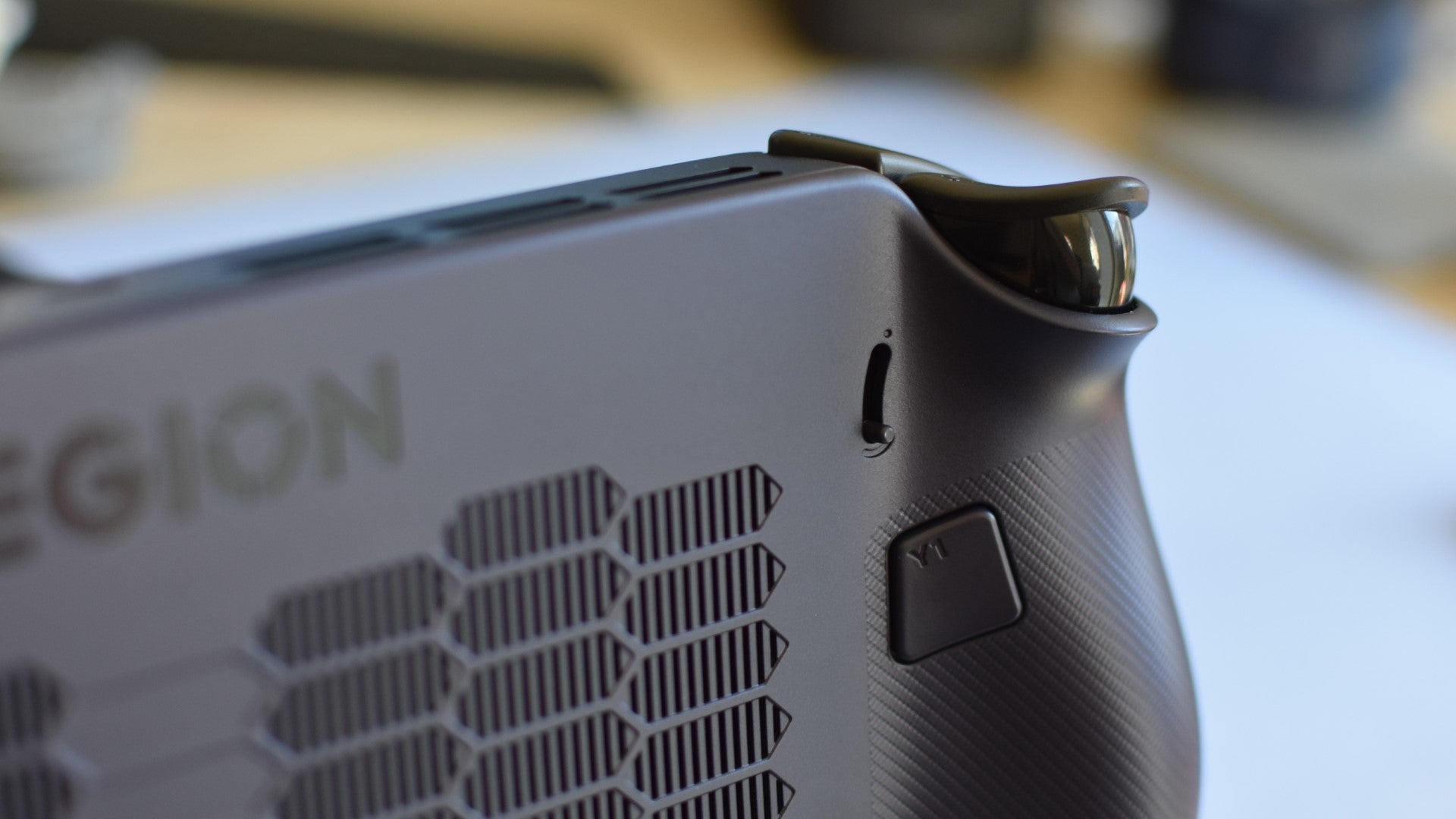
Image credit:Rock Paper Shotgun
I’m wary of carelessly suggesting that SteamOS is the only way forward for handheld PCs; it might be a safe place where Copilot can’t hurt you right now, but a monopoly could be as pernicious for Valve as it has been for Microsoft. Still, of the Legion Go S’ two available flavours, SteamOS is much freer of friction – and depending on the game, it may even run faster too.
Yes, Ars scooped everyone on this, but my own testing also points towards games performing better on SteamOS than on Windows 11; a comparison that’s been difficult to fairly make using previous handhelds, as the Legion Go S is the very first to enjoy full driver support on both operating systems. Here’s what my Z2 Go-powered Legion Go S managed across a gaggle of ten game benchmarks, all running at native 1920x1200:

Image credit:Rock Paper Shotgun
For the record, a good half of these don’t show a tangible difference between SteamOS and Windows performance, so it’s too simplistic to claim that one is simply faster than the other. But noticeable framerate differences do occur, and every single time, it’s in the favour of SteamOS. Especially that Forza Horizon 5 result, bloody hell. I was sure I’d fumbled a setting or something to get such a high average on SteamOS, but it kept pulling identical or similar scores after multiple checks, re-runs, and reboots. I think it really is just that much quicker, at least on this specific handheld. Were I blessed with infinite time (and a stronger tolerance for entering our Steam press account’s miserably overlong password), I’d run many more of these tests, though I believe even a sample size like this is enough to draw some conclusions. Conclusions like “Don’t buy the Windows version of the Legion Go S.”
As for how it performs against handhelds which aren’t itself, the choice of a lower-powered Z2 Go chip doesn’t initially appear to be a poor one. Next to rival devices running at their respective native rezzes, it has that remarkable Forza result still going for it, and equals fellow 1200p-er the MSI Claw 8 AI+ in Shadow of the Tomb Raider . The Claw does batter it senseless in Cyberpunk 2077 , but then you’d expect as much when MSI’s handheld costs nearly twice as much.

Image credit:Rock Paper Shotgun
With resolutions semi-standardised to either 1280x800 or 1280x720, the Z2 Go doesn’t look quite as peppy, though it does repeatedly outpace the original Legion Go – which suggests the older model isn’t taking full advantage of its Z1 Extreme chip. It also easily beats the Steam Deck, the Legion Go S’ only real competition in the sub-£600 weight class, in all four of these games.

Image credit:Rock Paper Shotgun
That would appear a major victory, given Lenovo’s handheld also offers a sharper display. However, further investigation revealed the Z2 Go’s performance to be more inconsistent than indefatigable. Take Elden Ring : in theory this should perform nicely, considering that the Steam Deck can easily do 30fps on a mix of Low and Medium settings at 800p. At the Legion’s native 1200p, though, it struggled to even stay above 20fps. Dropping to 1280x800 raised framerates to the point of playability, roughly, but it still wasn’t noticeably faster than the Steam Deck, and 800p on that taller, wider screen made everything look unhappily fuzzy.
Despite higher scores elsewhere, the Legion Go S also often struggles with the same games that the Steam Deck does. Oblivion Remastered is only capable of hitting 30fps-plus on the Legion when it’s set to use its ugliest Low Global Illumination setting, plus FSR upscaling on Performance mode. In Horizon Forbidden West , meanwhile,it dead-on matches the Deck in dropping to the low twenties in the toughest areas, despite stooping to the Ultra Low preset and FSR on Ultra Performance. And Dune: Awakening regularly dips below 30fps on minimum settings and Ultra Performance FSR, even with its fidelity-killing Low End Laptop mode engaged.
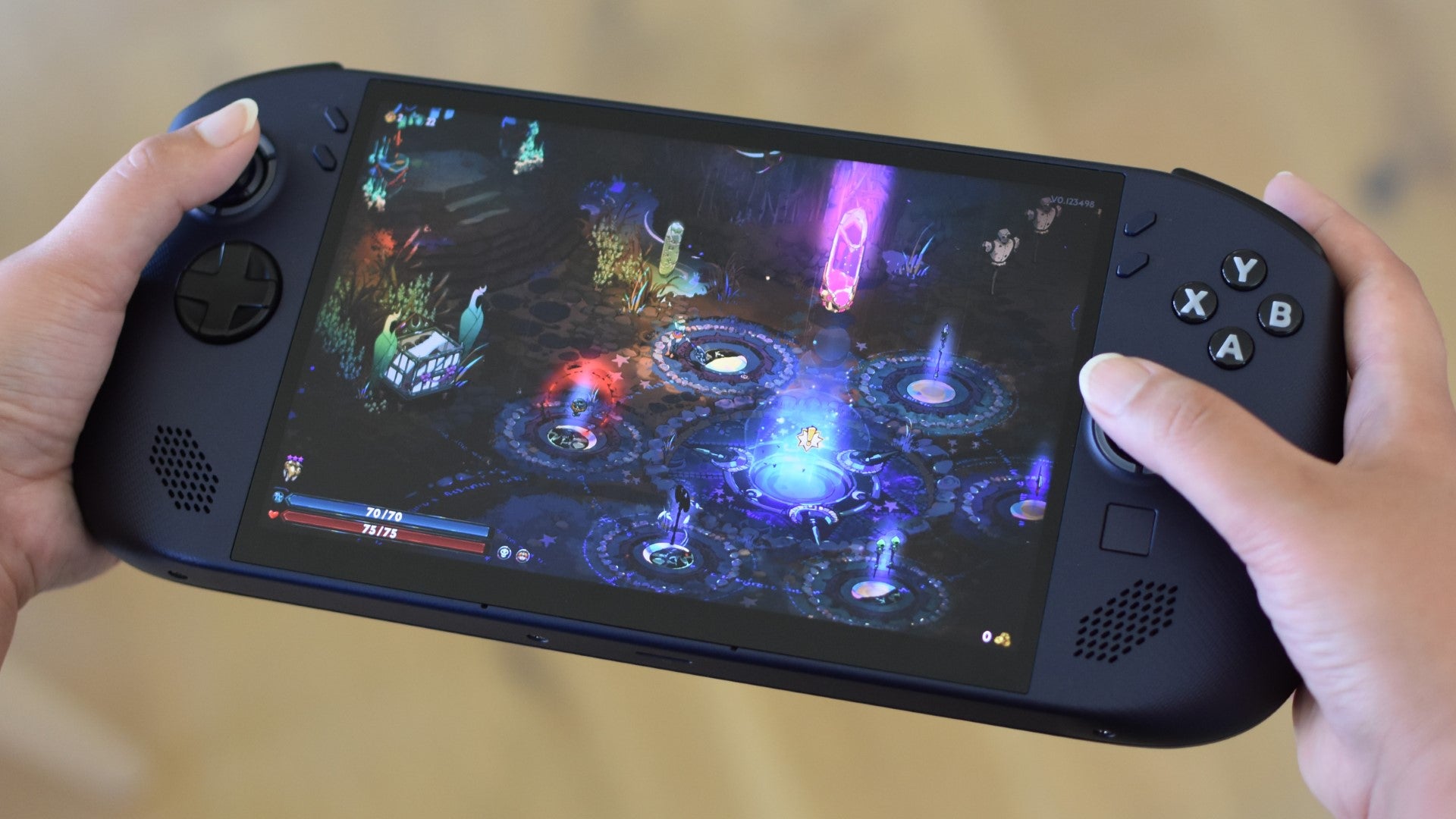
Image credit:Rock Paper Shotgun
The Legion Go S does have more pixels to fuel, but as with the 1440p Legion Go of yesteryear, it sucks to pay for a crisper resolution only to have to manually lower it in pursuit of acceptable games performance. Possibly the most egregious example of this occasional lack of power – again, despite high speeds in other games – was that FBC: Firebreak’s Handheld preset wouldn’t produce a reliable 30fps at native 1200p, even with the addition of yet more Ultra Performance upscaling. It’s literally called “Handheld”! For handhelds! And this is a brand new one!
It’s much happier running light stuff like Hades II , Haste , and Rematch (the latter doing a tidy 60fps on Low), but then so is the cheaper-still Steam Deck. As is the Steam Deck OLED, the upgraded screen of which also happens to beat the Legion Go S display in non-resolution metrics. The Deck OLED can, for instance, blast out HDR games at a brightness of up to 984cd/m2, burning the eyebrows off the Legion Go S and its middlingly luminous 486cd/m2 panel. Contrast is no contest either, as although I measured a respectable 1495:1 ratio on the Legion Go S, the Deck OLED can produce technically infinite contrast by switching off black-showing pixels entirely.
The Legion Go S can display a wider array of colours than the Steam Deck OLED, covering 99.2% (versus 93.8%) of the sRGB colour gamut, but in practice the latter’s brightness and contrast advantage just make it more vibrant, with better visibility in dark scenes. Valve opting for an anti-glare finish helps there too – the Legion Go S screen is glossy and reflective.
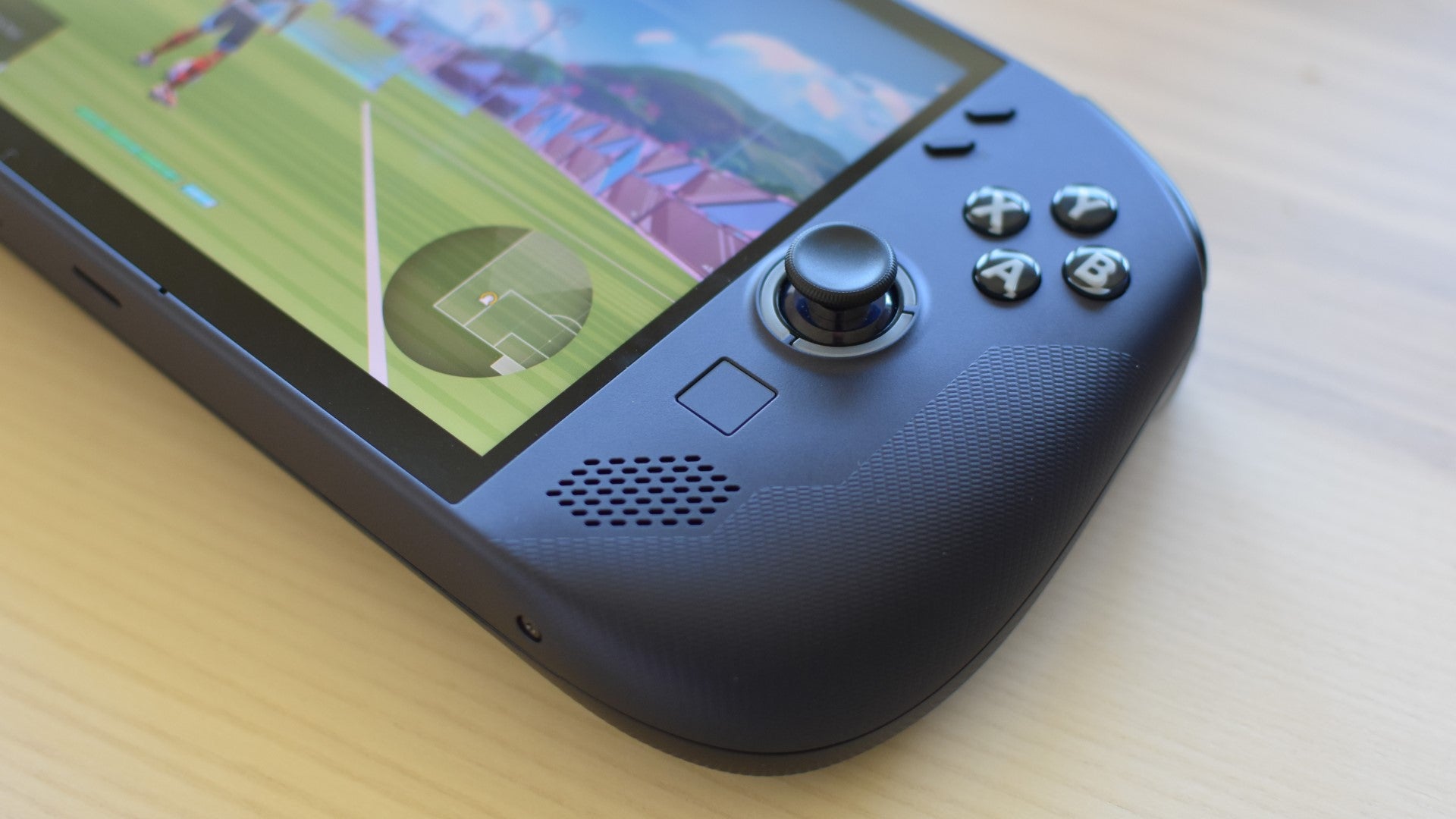
Image credit:Rock Paper Shotgun
It’s these quality-of-life bonuses that have kept both Steam Deck variants resonating for years, and while the Legion Go S does have some nice hardware, I’m not convinced it shares that attention to detail with its SteamOS frenemies. The trackpad is a good example: it’s better than having no trackpad at all, but unlike the Deck’s dual pads, it’s too small to use as a thumbstick alternative in games, and I’ve seen it produce some seriously finnickly cursor movement in both Desktop Mode and games like Total War: Warhammer III . If you did end up buying this, you’d fancy adding a mouse and a docking station with only slightly less urgency than if you’d gone for a padless ROG Ally.

Opening up the Legion Go S is trickier than with a Steam Deck too, demanding the removal of two separate panels as well as both bumpers. At least the SSD is easily accessible once you’re in there. |Image credit:Rock Paper Shotgun
Even more offputting is the fan noise, which is loud enough that the Legion Go S’ own speakers can’t entirely drown it out. And to simply make that effort in the first place, you’d need to be playing a game, but the cooling system loves to do its best jet engine impression upon such innocuous tasks as downloading a software update. The chassis stays cool, to be sure, but I’d be lying if extended sessions with this didn’t make me miss the gentle whispering of my Steam Deck OLED.
Well, I say extended, but another big Legion Go S weakness is its battery life. Its least worst result, 1h 28m in Elden Ring – and that’s with both screen brightness and speaker volume at 50% – is only a few minutes shy of the original, LCD Steam Deck, but its 1h 49m in Portal 2 shows that even with SteamOS, the hardware is nowhere near the same level on stretching out power reserves in low-demand games. Its 1h 24m in Forza Horizon 5 was underwhelming, too.

Image credit:Rock Paper Shotgun
As with framerate performance, there are variances and tradeoffs to consider, especially the bigger, higher-rez display. And, apparently, a fan system designed by Pete Townshend. But a portable PC does need to be, above all else, portable, and minimising the need to stop and recharge is a huge part of that. Put it this way: if you had trio of Legion Go S units and a single Steam Deck OLED, Portal 2 would bleed dry all three Legions one by one before the Deck ran out of juice.
So, yeah, it’s going to take more than magnetic joysticks and a (very, very qualified) performance bump to make the Steam Deck family stop feeling so special among handheld PCs. And yet, in one specific way, they aren’t special anymore, because SteamOS is fully out in the wild now – and the Legion Go S proves that it’s better than the slower, fatter, data-obsessed alternative that non-Valve portables have inherited from desktops. Maybe this device isn’t the best of its kind, but it is an important torchbearer, and overall is decent enough at least avoid undermining the moment.
This review is based on a retail unit provided by the manufacturer.
Find out how we conduct our reviews by reading our review policy .
Rock Paper Shotgun is better when you sign in
Sign in and join us on our journey to discover strange and compelling PC games.

All 75 Arc Raiders Blueprints and where to get them
These areas have the highest chance of giving you Blueprints

Image credit:Rock Paper Shotgun/Embark Studios

Looking for more Arc Raiders Blueprints? It’s a special day when you find a Blueprint, as they’re among the most valuable items in Arc Raiders. If you find a Blueprint that you haven’t already found, then you must make sure you hold onto it at all costs, because Blueprints are the key to one of the most important and powerful systems of meta-progression in the game.
This guide aims to be the very best guide on Blueprints you can find, starting with a primer on what exactly they are and how they work in Arc Raiders, before delving into exactly where to get Blueprints and the very best farming spots for you to take in your search.
We’ll also go over how to get Blueprints from other unlikely activities, such as destroying Surveyors and completing specific quests. And you’ll also find the full list of all 75 Blueprints in Arc Raiders on this page (including the newest Blueprints added with the Cold Snap update , such as the Deadline Blueprint and Firework Box Blueprint), giving you all the information you need to expand your own crafting repertoire.
In this guide:
- What are Blueprints in Arc Raiders?
- Full Blueprint list: All crafting recipes
- Where to find Blueprints in Arc Raiders Blueprints obtained from quests Blueprints obtained from Trials Best Blueprint farming locations

What are Blueprints in Arc Raiders?
Blueprints in Arc Raiders are special items which, if you manage to extract with them, you can expend to permanently unlock a new crafting recipe in your Workshop. If you manage to extract from a raid with an Anvil Blueprint, for example, you can unlock the ability to craft your very own Anvil Pistol, as many times as you like (as long as you have the crafting materials).
To use a Blueprint, simply open your Inventory while in the lobby, then right-click on the Blueprint and click “Learn And Consume” . This will permanently unlock the recipe for that item in your Workshop. As of the Stella Montis update, there are allegedly 75 different Blueprints to unlock - although only 68 are confirmed to be in the game so far. You can see all the Blueprints you’ve found and unlocked by going to the Workshop menu, and hitting “R” to bring up the Blueprint screen.
It’s possible to find duplicates of past Blueprints you’ve already unlocked. If you find these, then you can either sell them, or - if you like to play with friends - you can take it into a match and gift it to your friend so they can unlock that recipe for themselves. Another option is to keep hold of them until the time comes to donate them to the Expedition.
Full Blueprint list: All crafting recipes
Below is the full list of all the Blueprints that are currently available to find in Arc Raiders, and the crafting recipe required for each item:
| Blueprint | Type | Recipe | Crafted At |
|---|---|---|---|
| Bettina | Weapon | 3x Advanced Mechanical Components 3x Heavy Gun Parts 3x Canister | Gunsmith 3 |
| Blue Light Stick | Quick Use | 3x Chemicals | Utility Station 1 |
| Aphelion | Weapon | 3x Magnetic Accelerator 3x Complex Gun Parts 1x Matriarch Reactor | Gunsmith 3 |
| Combat Mk. 3 (Flanking) | Augment | 2x Advanced Electrical Components 3x Processor | Gear Bench 3 |
| Combat Mk. 3 (Aggressive) | Augment | 2x Advanced Electrical Components 3x Processor | Gear Bench 3 |
| Complex Gun Parts | Material | 2x Light Gun Parts 2x Medium Gun Parts 2x Heavy Gun Parts | Refiner 3 |
| Fireworks Box | Quick Use | 1x Explosive Compound 3x Pop Trigger | Explosives Station 2 |
| Gas Mine | Mine | 4x Chemicals 2x Rubber Parts | Explosives Station 1 |
| Green Light Stick | Quick Use | 3x Chemicals | Utility Station 1 |
| Pulse Mine | Mine | 1x Crude Explosives 1x Wires | Explosives Station 1 |
| Seeker Grenade | Grenade | 1x Crude Explosives 2x ARC Alloy | Explosives Station 1 |
| Looting Mk. 3 (Survivor) | Augment | 2x Advanced Electrical Components 3x Processor | Gear Bench 3 |
| Angled Grip II | Mod | 2x Mechanical Components 3x Duct Tape | Gunsmith 2 |
| Angled Grip III | Mod | 2x Mod Components 5x Duct Tape | Gunsmith 3 |
| Hullcracker | Weapon | 1x Magnetic Accelerator 3x Heavy Gun Parts 1x Exodus Modules | Gunsmith 3 |
| Launcher Ammo | Ammo | 5x Metal Parts 1x Crude Explosives | Workbench 1 |
| Anvil | Weapon | 5x Mechanical Components 5x Simple Gun Parts | Gunsmith 2 |
| Anvil Splitter | Mod | 2x Mod Components 3x Processor | Gunsmith 3 |
| ??? | ??? | ??? | ??? |
| Barricade Kit | Quick Use | 1x Mechanical Components | Utility Station 2 |
| Blaze Grenade | Grenade | 1x Explosive Compound 2x Oil | Explosives Station 3 |
| Bobcat | Weapon | 3x Advanced Mechanical Components 3x Light Gun Parts | Gunsmith 3 |
| Osprey | Weapon | 2x Advanced Mechanical Components 3x Medium Gun Parts 7x Wires | Gunsmith 3 |
| Burletta | Weapon | 3x Mechanical Components 3x Simple Gun Parts | Gunsmith 1 |
| Compensator II | Mod | 2x Mechanical Components 4x Wires | Gunsmith 2 |
| Compensator III | Mod | 2x Mod Components 8x Wires | Gunsmith 3 |
| Defibrillator | Quick Use | 9x Plastic Parts 1x Moss | Medical Lab 2 |
| ??? | ??? | ??? | ??? |
| Equalizer | Weapon | 3x Magnetic Accelerator 3x Complex Gun Parts 1x Queen Reactor | Gunsmith 3 |
| Extended Barrel | Mod | 2x Mod Components 8x Wires | Gunsmith 3 |
| Extended Light Mag II | Mod | 2x Mechanical Components 3x Steel Spring | Gunsmith 2 |
| Extended Light Mag III | Mod | 2x Mod Components 5x Steel Spring | Gunsmith 3 |
| Extended Medium Mag II | Mod | 2x Mechanical Components 3x Steel Spring | Gunsmith 2 |
| Extended Medium Mag III | Mod | 2x Mod Components 5x Steel Spring | Gunsmith 3 |
| Extended Shotgun Mag II | Mod | 2x Mechanical Components 3x Steel Spring | Gunsmith 2 |
| Extended Shotgun Mag III | Mod | 2x Mod Components 5x Steel Spring | Gunsmith 3 |
| Remote Raider Flare | Quick Use | 2x Chemicals 4x Rubber Parts | Utility Station 1 |
| Heavy Gun Parts | Material | 4x Simple Gun Parts | Refiner 2 |
| Venator | Weapon | 2x Advanced Mechanical Components 3x Medium Gun Parts 5x Magnet | Gunsmith 3 |
| Il Toro | Weapon | 5x Mechanical Components 6x Simple Gun Parts | Gunsmith 1 |
| Jolt Mine | Mine | 1x Electrical Components 1x Battery | Explosives Station 2 |
| Explosive Mine | Mine | 1x Explosive Compound 1x Sensors | Explosives Station 3 |
| Jupiter | Weapon | 3x Magnetic Accelerator 3x Complex Gun Parts 1x Queen Reactor | Gunsmith 3 |
| Light Gun Parts | Material | 4x Simple Gun Parts | Refiner 2 |
| Lightweight Stock | Mod | 2x Mod Components 5x Duct Tape | Gunsmith 3 |
| Lure Grenade | Grenade | 1x Speaker Component 1x Electrical Components | Utility Station 2 |
| Medium Gun Parts | Material | 4x Simple Gun Parts | Refiner 2 |
| Torrente | Weapon | 2x Advanced Mechanical Components 3x Medium Gun Parts 6x Steel Spring | Gunsmith 3 |
| Muzzle Brake II | Mod | 2x Mechanical Components 4x Wires | Gunsmith 2 |
| Muzzle Brake III | Mod | 2x Mod Components 8x Wires | Gunsmith 3 |
| Padded Stock | Mod | 2x Mod Components 5x Duct Tape | Gunsmith 3 |
| Shotgun Choke II | Mod | 2x Mechanical Components 4x Wires | Gunsmith 2 |
| Shotgun Choke III | Mod | 2x Mod Components 8x Wires | Gunsmith 3 |
| Shotgun Silencer | Mod | 2x Mod Components 8x Wires | Gunsmith 3 |
| Showstopper | Grenade | 1x Advanced Electrical Components 1x Voltage Converter | Explosives Station 3 |
| Silencer I | Mod | 2x Mechanical Components 4x Wires | Gunsmith 2 |
| Silencer II | Mod | 2x Mod Components 8x Wires | Gunsmith 3 |
| Snap Hook | Quick Use | 2x Power Rod 3x Rope 1x Exodus Modules | Utility Station 3 |
| Stable Stock II | Mod | 2x Mechanical Components 3x Duct Tape | Gunsmith 2 |
| Stable Stock III | Mod | 2x Mod Components 5x Duct Tape | Gunsmith 3 |
| Tagging Grenade | Grenade | 1x Electrical Components 1x Sensors | Utility Station 3 |
| Tempest | Weapon | 3x Advanced Mechanical Components 3x Medium Gun Parts 3x Canister | Gunsmith 3 |
| Trigger Nade | Grenade | 2x Crude Explosives 1x Processor | Explosives Station 2 |
| Vertical Grip II | Mod | 2x Mechanical Components 3x Duct Tape | Gunsmith 2 |
| Vertical Grip III | Mod | 2x Mod Components 5x Duct Tape | Gunsmith 3 |
| Vita Shot | Quick Use | 2x Antiseptic 1x Syringe | Medical Lab 3 |
| Vita Spray | Quick Use | 3x Antiseptic 1x Canister | Medical Lab 3 |
| Vulcano | Weapon | 1x Magnetic Accelerator 3x Heavy Gun Parts 1x Exodus Modules | Gunsmith 3 |
| Wolfpack | Grenade | 2x Explosive Compound 2x Sensors | Explosives Station 3 |
| Red Light Stick | Quick Use | 3x Chemicals | Utility Station 1 |
| Smoke Grenade | Grenade | 14x Chemicals 1x Canister | Utility Station 2 |
| Deadline | Mine | 3x Explosive Compound 2x ARC Circuitry | Explosives Station 3 |
| Trailblazer | Grenade | 1x Explosive Compound 1x Synthesized Fuel | Explosives Station 3 |
| Tactical Mk. 3 (Defensive) | Augment | 2x Advanced Electrical Components 3x Processor | Gear Bench 3 |
| Tactical Mk. 3 (Healing) | Augment | 2x Advanced Electrical Components 3x Processor | Gear Bench 3 |
| Yellow Light Stick | Quick Use | 3x Chemicals | Utility Station 1 |
Note: The missing Blueprints in this list likely have not actually been added to the game at the time of writing, because none of the playerbase has managed to find any of them. As they are added to the game, I will update this page with the most relevant information so you know exactly how to get all 75 Arc Raiders Blueprints.
Where to find Blueprints in Arc Raiders
Below is a list of all containers, modifiers, and events which maximise your chances of finding Blueprints:
- Certain quests reward you with specific Blueprints .
- Completing Trials has a high chance of offering Blueprints as rewards.
- Surveyors have a decent chance of dropping Blueprints on death.
- High loot value areas tend to have a greater chance of spawning Blueprints.
- Night Raids and Storms may increase rare Blueprint spawn chances in containers.
- Containers with higher numbers of items may have a higher tendency to spawn Blueprints. As a result, Blue Gate (which has many “large” containers containing multiple items) may give you a higher chance of spawning Blueprints.
- Raider containers (Raider Caches, Weapon Boxes, Medical Bags, Grenade Tubes) have increased Blueprint drop rates. As a result, the Uncovered Caches event gives you a high chance of finding Blueprints.
- Security Lockers have a higher than average chance of containing Blueprints.
- Certain Blueprints only seem to spawn under specific circumstances: Tempest Blueprint only spawns during Night Raid events. Vulcano Blueprint only spawns during Hidden Bunker events. Jupiter and Equaliser Blueprints only spawn during Harvester events.

Raider Caches, Weapon Boxes, and other raider-oriented container types have a good chance of offering Blueprints. |Image credit:Rock Paper Shotgun/Embark Studios
Blueprints have a very low chance of spawning in any container in Arc Raiders, around 1-2% on average. However, there is a higher chance of finding Blueprints in particular container types. Specifically, you can find more Blueprints in Raider containers and security lockers.
Beyond this, if you’re looking for Blueprints you should focus on regions of the map which are marked as having particularly high-value loot. Areas such as the Control Tower in Dam Battlegrounds, the Arrival and Departure Buildings in Spaceport, and Pilgrim’s Peak in Blue Gate all have a better-than-average chance of spawning Blueprints somewhere amongst all their containers. Night Raids and Electromagnetic Storm events also increase the drop chances of certain Blueprints .
In addition to these containers, you can often loot Blueprints from destroyed Surveyors - the largest of the rolling ball ARC. Surveyors are more commonly found on the later maps - Spaceport and Blue Gate - and if one spawns in your match, you’ll likely see it by the blue laser beam that it casts into the sky while “surveying”.
Surveyors are quite well-armoured and will very speedily run away from you once it notices you, but if you can take one down then make sure you loot all its parts for a chance of obtaining certain unusual Blueprints.
Blueprints obtained from quests
One way in which you can get Blueprints is by completing certain quests for the vendors in Speranza. Some quests will reward you with a specific item Blueprint upon completion, so as long as you work through all the quests in Arc Raiders, you are guaranteed those Blueprints.
Here is the full list of all Blueprints you can get from quest rewards:
- Trigger Nade Blueprint: Rewarded after completing “Sparks Fly”.
- Lure Grenade Blueprint: Rewarded after completing “Greasing Her Palms”.
- Burletta Blueprint: Rewarded after completing “Industrial Espionage”.
- Hullcracker Blueprint (and Launcher Ammo Blueprint): Rewarded after completing “The Major’s Footlocker”.
Alas, that’s only 4 Blueprints out of a total of 75 to unlock, so for the vast majority you will need to find them yourself during a raid. If you’re intent on farming Blueprints, then it’s best to equip yourself with cheap gear in case you lose it, but don’t use a free loadout because then you won’t get a safe pocket to stash any new Blueprint you find. No pain in Arc Raiders is sharper than failing to extract with a new Blueprint you’ve been after for a dozen hours already.

One of the best ways to get Blueprints is by hitting three stars on all five Trials every week. |Image credit:Rock Paper Shotgun/Embark Studios
Blueprints obtained from Trials
One of the very best ways to get Blueprints is as rewards for completing Trials in Arc Raiders. Trials are unlocked from Level 15 onwards, and allow you to earn rewards by focusing on certain tasks over the course of several raids. For example, one Trial might task you with dealing damage to Hornets, while another might challenge you to loot Supply Drops.
Trials refresh on a weekly basis, with a new week bringing five new Trials. Each Trial can offer up to three rewards after passing certain score milestones, and it’s possible to receive very high level loot from these reward crates - including Blueprints. So if you want to unlock as many Blueprints as possible, you should make a point of completing as many Trials as possible each week.
Best Blueprint farming locations
The very best way to get Blueprints is to frequent specific areas of the maps which combine high-tier loot pools with the right types of containers to search. Here are my recommendations for where to find Blueprints on every map, so you can always keep the search going for new crafting recipes to unlock.

Image credit:Rock Paper Shotgun/Embark Studios
Dam Battlegrounds
The best places to farm Blueprints on Dam Battlegrounds are the Control Tower, Power Generation Complex, Ruby Residence, and Pale Apartments . The first two regions, despite only being marked on the map as mid-tier loot, contain a phenomenal number of containers to loot. The Control Tower can also contain a couple of high-tier Security Lockers - though of course, you’ll need to have unlocked the Security Breach skill at the end of the Survival tree.
There’s also a lot of reporting amongst the playerbase that the Residential areas in the top-left of the map - Pale Apartments and Ruby Residence - give you a comparatively strong chance of finding Blueprints. Considering their size, there’s a high density of containers to loot in both locations, and they also have the benefit of being fairly out of the way. So you’re more likely to have all the containers to yourself.
Buried City
The best Blueprint farming locations on Buried City are the Santa Maria Houses, Grandioso Apartments, Town Hall, and the various buildings of the New District . Grandioso Apartments has a lower number of containers than the rest, but a high chance of spawning weapon cases - which have good Blueprint drop rates. The others are high-tier loot areas, with plenty of lootable containers - including Security Lockers.
Spaceport
The best places to find Blueprints on Spaceport are the Arrival and Departure Buildings, as well as Control Tower A6 and the Launch Towers . All these areas are labelled as high-value loot regions, and many of them are also very handily connected to one another by the Spaceport wall, which you can use to quickly run from one area to the next. At the tops of most of these buildings you’ll find at least one Security Locker, so this is an excellent farming route for players looking to find Blueprints.
The downside to looting Blueprints on Spaceport is that all these areas are hotly contested, particularly in Duos and Squads. You’ll need to be very focused and fast in order to complete the full farming route.

Image credit:Rock Paper Shotgun/Embark Studios
Blue Gate
Blue Gate tends to have a good chance of dropping Blueprints, potentially because it generally has a high number of containers which can hold lots of items; so there’s a higher chance of a Blueprint spawning in each container. In my experience, the best Blueprint farming spots on Blue Gate are Pilgrim’s Peak, Raider’s Refuge, the Ancient Fort, and the Underground Complex beneath the Warehouse .
All of these areas contain a wealth of containers to loot. Raider’s Refuge has less to loot, but the majority of the containers in and around the Refuge are raider containers, which have a high chance of containing Blueprints - particularly during major events.
Stella Montis
On the whole, Stella Montis seems to have a very low drop rate for Blueprints (though a high chance of dropping other high-tier loot). If you do want to try farming Blueprints on this map, the best places to find Blueprints in Stella Montis are Medical Research, Assembly Workshop, and the Business Center . These areas have the highest density of containers to loot on the map.
In addition to this, the Western Tunnel has a few different Security Lockers to loot, so while there’s very little to loot elsewhere in this area of the map, it’s worth hitting those Security Lockers if you spawn there at the start of a match.
That wraps up this primer on how to get all the Blueprints in Arc Raiders as quickly as possible. With the Expedition system constantly resetting a large number of players’ Blueprints, it’s more important than ever to have the most up-to-date information on where to find all these Blueprints.
While you’re here, be sure to check out our Arc Raiders best guns tier list , as well as our primers on the best skills to unlock and all the different Field Depot locations on every map.

ARC Raiders
PS5 , Xbox Series X/S , PC
Rock Paper Shotgun is better when you sign in
Sign in and join us on our journey to discover strange and compelling PC games.
