Dragon’s Dogma 2 PC performance issues are a draggin’ slog
Tweaking settings only goes so far
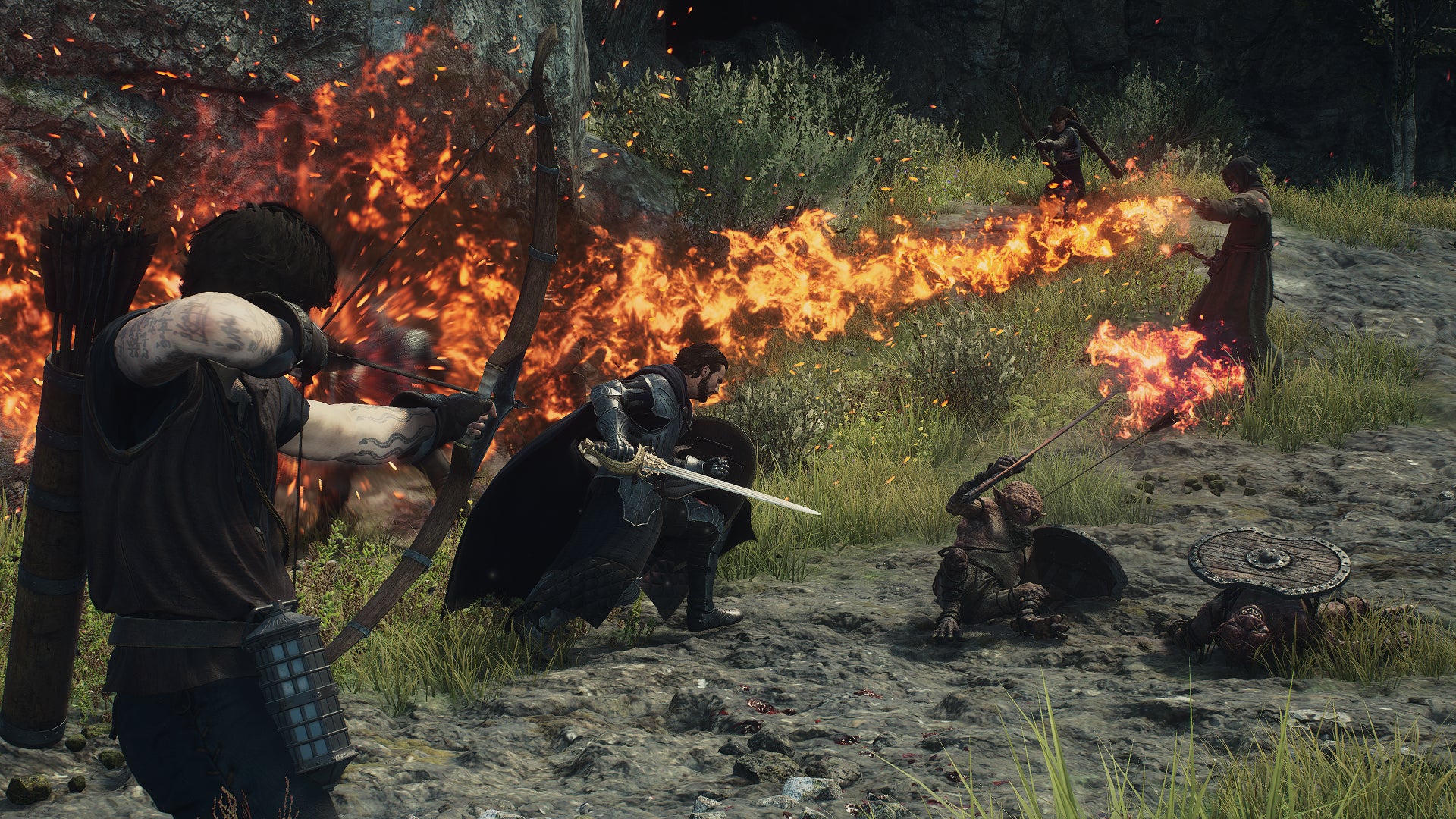
Image credit:Rock Paper Shotgun/Capcom

Dragon’s Dogma 2 is an RPG of many admirable qualities . I’m especially attached to my Arisen’s current pair of Pawns, one of whom speaks with the wonderfully stretched intonations of a pitch-shifted Matt Berry. Sadly, none of its achievements pertain to technical fidelity. While decent-looking, Dragon’s Dogma 2 takes some serious hardware to maintain consistently smooth performance, with lowered quality settings lending only the most limp-wristed of helping hands.
DLSS and FSR 3 upscaling are more effective, but this is one game where powering through the worst of its stuttering and framerate drops will take more than a musclebound graphics card . Not for the first time with an RE Engine game, Dragon’s Dogma 2 appears severely CPU-limited, so it really does demand a fully-upgraded rig to ward off sluggishness – especially at higher resolutions.
Improving performance isn’t a completely hopeless endeavour, but besides the FPS wobbles, there are some settings oddities that need navigating as well. I’ll cover all that and more in this guide; even if we can’t fix Dragon’s Dogma 2 ourselves, at least we can better understand its strangeness.
Image credit:Rock Paper Shotgun/Capcom
Dragon’s Dogma 2 system requirements and PC performance
The first sign of potential rough waters comes in the minimum specs, which are relatively high for simple 1080p. Unusually, the recommended specs then make an enormous jump up to targeting 4K, leaving fast 1080p and 1440p without much guidance. The lack of storage info is also a tad odd, though I can report that Dragon’s Dogma 2 is currently taking up a reasonable 60.53GB on my SSD .
Dragon’s Dogma 2 minimum PC specs
- OS: Windows 10 / 11 (64-bit)
- CPU: Intel Core i5-10600 / AMD Ryzen 5 3600
- RAM: 16GB
- GPU: Nvidia GeForce GTX 1070 / AMD Radeon RX 5500 XT (8GB)
- DirectX: Version 12
- Network: Broadband Internet connection
- Additional Notes: Estimated performance: 1080p/30fps. Framerate might drop in graphics-intensive scenes. Nvidia GeForce RTX 2080 Ti or AMD Radeon RX 6800 required to support ray tracing.
Dragon’s Dogma 2 recommended PC specs
- OS: Windows 10 /11 (64-bit)
- CPU: Intel Core i7-10700 / AMD Ryzen 5 3600X
- RAM: 16GB
- GPU: Nvidia GeForce RTX 2080 / AMD Radeon RX 6700
- DirectX: Version 12
- Network: Broadband Internet connection
- Additional Notes: Estimated performance: 2160p/30fps. Framerate might drop in graphics-intensive scenes. Nvidia GeForce RTX 2080 Ti or AMD Radeon RX 6800 required to support ray tracing.
Capcom might warn of FPS drops in advance, but that doesn’t make them any less frequent or acute. Only while wondering the wilds does Dragon’s Dogma 2 appear to run fine – once you enter any town, city, or even a particularly busy camp, a PC that was comfortably pulling 60-80fps can lurch down to 30-40fps, with momentary dips even below that.
To the minimum requirements’ credit, when I benchmarked the GTX 1070 within the game’s capital city of Vernworth, it did average 31fps on the Low preset at 1080p. But that was with my test PC’s Intel Core i5-11600K, which outranks the min spec’s Core i5-10600. And even then, that average was brought down by some horrid drops to around the 20fps mark.
Switching to newer, faster GPUs produced more causes for concern. The current-gen RTX 4060 could only average 47fps at 1080p with the High preset, and dropping to Low only bumped that up to 49fps. The RTX 3070 also revealed a weird lack of difference between minimum and maximum settings: at 1440p with the High preset, ray tracing enabled, and DLSS on Quality, it averaged 40fps, only 6fps slower than with the Low preset and ray tracing off (though with DLSS Quality still running).

Image credit:Rock Paper Shotgun/Capcom
There was also a startling lack of variance between higher-end GPUs. At 4K, with the High preset, ray tracing on, and DLSS on Quality, both the RTX 4070 Ti and the drastically more expensive RTX 4090 averaged 41fps. After ditching ray tracing and dropping from High to Low, the RTX 4090 still only produced 47fps, barely ahead of the RTX 4070 Ti’s 45fps. (Both cards also dropped into the low twenties during the particularly testy bits, which I think is the slowest I’ve ever seen an RTX 4090 go?)
Such similar results usually means that the CPU is the limiting factor, and so it appears to be in Dragon’s Dogma 2, with the RTX 4090’s GPU usage sometimes dropping as low as 50% with the Core i5-11600K. Sure, that’s not the most in-vogue processor, but still, it’s good enough for pretty much every other game on the market. Not to mention how extraordinarily rare it is to see CPU bottlenecking like this at 4K, where normally there are so many pixels to fill that the GPU is almost always to determining factor for how far performance can go.
To make sure, I built a new test rig based around the newer, faster, far more core-rich Intel Core i9-13900K. Sure enough, performance improved at all resolutions, with the RTX 4090’s 4K/High/RT on/DLSS Quality average shooting from 41fps to 64fps and the RTX 4060’s 1080p/High/RT off result boosted from 47fps to 61fps. Unfortunately, I was still seeing drops in GPU usage, so while Dragon’s Dogma 2 does benefit from a beefier CPU, it still doesn’t know how to make the most of premium hardware. And even if ray-traced 4K is a relative luxury, the fact that it needs over £2100’s worth of CPU and GPU parts just for 60fps isn’t very reassuring.

Image credit:Rock Paper Shotgun/Capcom
To recap thus far, then, Dragon’s Dogma 2 suffers a performance collapse every time you go near a settlement, likely doesn’t make the most of your hardware, and allows for only small framerate improvements by dropping the quality settings. Oh, and I perhaps being overly kind when I said it runs mostly fine in the wilds, as there’s an ever-present risk of smaller stuttering that (as far as I can tell) can’t be fixed on the player’s end.
But what of those settings oddities? The first of these actually provides a glimmer of hope, even if it probably shouldn’t exist in the first place. Basically, the Low preset doesn’t actually set the lowest possible settings. Besides leaving several visual options on their own respective High toggles, it changes the ambient occlusion setting from SDFAO to SSAO, which in my testing ran slower than the High preset equivalent. Capcom, that’s not how Low settings work. The hope comes from there being greater opportunity to claim some frames back through further fine-tuning, though temper your expectations for this as well. With everything set to their true lowest qualities, my RTX 4060/Core i9-13900K PC averaged 74fps at 1080p, which was only 7fps faster than with the Low preset as it comes. CPU limitation remains an issue, too: with the RTX 3070 back on the Core i5-11600K setup, the difference between the Low preset and the manually-adjusted lowest settings was just 1fps in the latter’s favour.
Also not ideal: FSR 3 is here, but only as an upscaler, with its frame generation feature completely MIA. AMD’s frame gen might not be on par with that of Nvidia DLSS 3 , but in a game that clearly struggles to reach truly high framerates through conventional means, it would have been worth a shot.

Image credit:Rock Paper Shotgun/Capcom
What isn’t worth bothering with right now, and likely for the foreseeable future, is attempting to play Dragon’s Dogma 2 on a Steam Deck . For one, the APUs powering both the standard and OLED models simply don’t have the strength to contend with the dual issues of high graphics demand and brutal CPU dependency. Second, something is properly broken with the settings menu on the Deck. It defaults to enabling DLSS, despite the hardware lacking DLSS support, and then greys out the option to change it, so disabling DLSS and/or switching to FSR is impossible. Okay! Cool! The display resolution settings are scared and confused, too – 1280x720 is properly proportioned, but switch to the native 1280x800, and Dragon’s Dogma 2 simply squishes the images into the same 720p vertical height.
Not that an 800p resolution or functioning FSR would help, as rock-bottom quality settings only get the Steam Deck to 9-10fps. It’s a no-go, basically. Dragon’s Dogma 2 might be wonky on desktop PC, but at least it runs.
Budget gaming laptops are a better bet than the Deck as well, though still might not be enough. I tried an MSI Thin GF63, coming equipped with an RTX 4050 GPU and Intel’s Core i5-12450H, and it averaged a sort-of playable 27fps through minimum settings and DLSS on Performance mode. I still saw troughs as deep as 18fps, mind, while wandering through Vernworth’s courtyards.
Image credit:Rock Paper Shotgun/Capcom
Dragons Dogma 2 best settings guide
Real talk? There’s probably nothing you can do to totally prevent the steepest FPS drops that occur within busy areas. I have, however, managed to scrape together a set of settings which at least prevents Dragons Dogma from plummeting into that sub-30fps danger zone as often.
It’s not a case of cutting every single quality setting, either, as some options have little to no effect on performance either way – meaning you can keep them turned up, and avoid hurting the visuals when you don’t need to.
To find out how each individual setting can help (or harm), I plugged in the RTX 4060 to my Core i9-13900K rig, loaded up Dragon’s Dogma 2 at 1080p, and tested how reducing each one changed the High preset’s 61fps. I appreciate the combination of a mid-range GPU with a silly-money, 24-core CPU is an unlikely one, but dammit, I need variance for this experiment to work, and it ain’t forthcoming on the Core i5-11600K.

Dynamic resolution: As ever, I recommend you ignore dynamic resolution options. The sudden drop in sharpness is always far more offputting than permanently lowered settings, and upscaling is an altogether better use of rez-altering anyway,
FidelityFX Super Resolution 3: Without its frame generation capabilities, FSR 3 must rely on upscaling alone to boost performance. I got up to 64fps with it on Quality and 65fps on Balanced, which only look like small increases, but are still worth taking as they help smooth out FPS drops and the worse stutters.
DLSS Super Resolution: I got 64fps on Quality mode, with sharper image quality than FSR 3 provided. Use this if your GPU supports it.
DLSS Nvidia Reflex Low Latency: Not actually a graphics setting, but you may as well set this to On+Boost. It reduces input lag with no drawbacks.
Upscale sharpness: Leave this on its default value, 4.
Rendering mode: I claimed a boost up to 65fps by switching this from Progressive to Interlaced, but at the cost of introducing a hideous fuzz effect on the entire screen. As much as Dragon’s Dogma 2 needs extra frames, I’d still leave this on Progressive.
Image quality: Resolution scale by another name. As with Dynamic Resolution, don’t bother -lowering it beneath 5, the default, will make the whole game look noticeably blurrier. At least FSR and DLSS make an effort to replicate native rez quality.
Ray tracing: This is a tougher call than I initially thought. Enabling ray tracing does cost some FPS, but it makes Dragon’s Dogma 2 look considerably better, and since the RTX 4060’s average framerate only dropped to 53fps, it wasn’t exactly brought to its knees. That said, it did make those city/settlement performance drops even worse, while exacerbating the general stuttering problem. With regret, RT effects are therefore best left disabled.
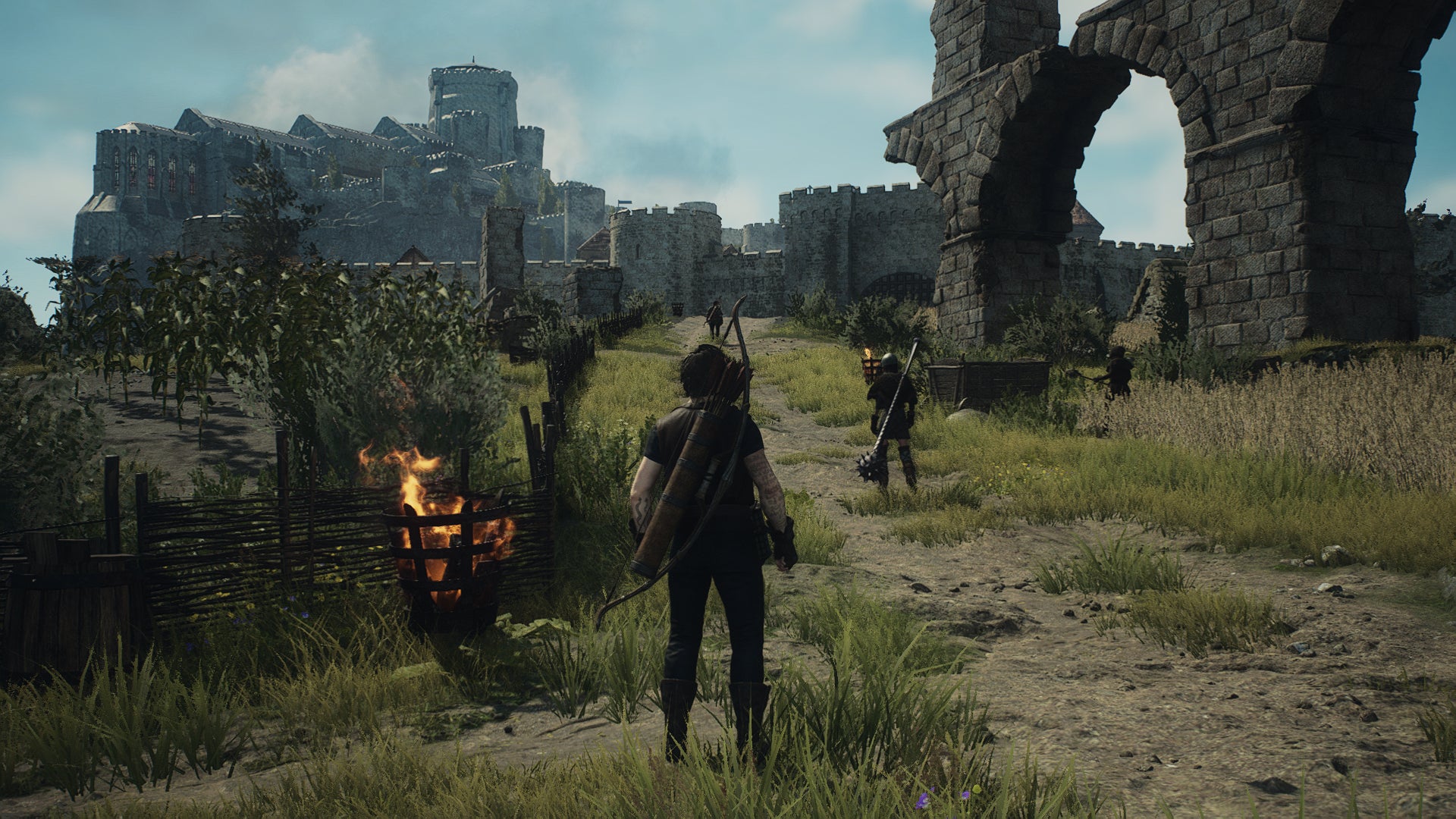
Ambient occlusion: Leave this on SDFAO. SSAO, despite coming under the Low preset’s purview, actually ran 1fps slower on average.
Anti-aliasing: It doesn’t hugely matter what you select here, as ideally you’ll be using DLSS or FSR 3, which include their own anti-aliasing. If you do want to go with fully native rendering, though, the default TAA offers the best balance of looks and performance. TAA+FXAA is ever-so-slightly sharper, but slower as well.
Screen space reflections: My RTX 4060 gained an extra 1fps by disabling reflections, though I’m not convinced that’s worth the quality loss. Keep ‘em enabled, I say.
Mesh quality: This is worth dropping to Min. Although the 63fps I got with it is only a couple of frames faster, it’s hard to see the drop in quality, so you may as well take the extra performance.
Texture filtering: I did get a 2fps uptick by switching from High (ANISO x4) to Low (Bilinear), but as with disabling screen space reflections, drop in quality is so visible that I’d rather just give those frames up.
Texture quality: This, on the other hand, you can cut. I settled on lowering from High (2GB) to Medium (0.25GB), performance rising to 63fps in the process.
Grass/tree quality: In yet more settings-based weirdness, the High preset sets foliage quality to Low. I tried it on High, and performance fell to 60fps, so I’d stick with Low.
Resource-intense effects quality: Even it it only got my RTX 4060 a single bonus frame per second, this setting can still be dropped from High to Low without spoiling much.
Shadow quality: Here’s the biggest non-upscaling setting of the bunch, dragging the RTX 4060 up to 64fps on Low. I think that’s fine – the lower-rez shadows don’t look too bad.
Shadow cache: This doesn’t affect performance one way or the other.
Contact shadows: Again, there wasn’t even a single FPS difference between having contact shadows enabled or disabled. Thus, enable them.
Motion blur: I’ll happily drop motion blur for free, though in this case it did grant an extra 1fps after disabling.
Bloom: No effect.
Depth of field: No effect here either.
Lens flare: Has an effect. Just kidding, no effect again.
Lens distortion: Also no effect, though I understand a lot of folk dislike the blurring effect of chromatic aberration, so feel free to disable it as a matter of taste.
Subsurface scattering: Nil effect, mon ami.

Image credit:Rock Paper Shotgun/Capcom
I’ll cop to this settings guide leaving a few potential framerate sources on the table, but then even with a game as tough to run as Dragon’s Dogma 2, the aim of these is never to make a game look ugly – it’s to make it run better while making as few visual compromises as possible. With that in mind, should you find yourself struggling, give these a try:
- DLSS Super Resolution/FSR 3: Quality
- DLSS Nvidia Reflex Low Latency: On+Boost
- Mesh quality: Min
- Texture quality: Medium (0.5GB)
- Resource-intense effects quality: Low
- Shadow quality: Low
- Motion blur: Off
- Everything else: High preset equivalent
Averages-wise, this combination got my RTX 4060 rig up from 61fp to 66fps. No, that is not a big increase. But hidden within that average figure are several individual moments where the FPS drops weren’t as severe, and the stuttering not quite as frequent, as they were with the High preset. As such, it felt somewhat smoother, even if there were other, faster-running sections where the difference was less stark.
And yet, I’m painfully aware that the secret ingredient in this settings recipe is, essentially, upgrading to a much more powerful Core i9 CPU. Lesser chips may only be able to toil to even smaller gains, barring some kind of borderline miraculous performance patch from Capcom.

Dragon’s Dogma 2
PS5 , Xbox Series X/S , PC
Rock Paper Shotgun is better when you sign in
Sign in and join us on our journey to discover strange and compelling PC games.

All 75 Arc Raiders Blueprints and where to get them
These areas have the highest chance of giving you Blueprints

Image credit:Rock Paper Shotgun/Embark Studios

Looking for more Arc Raiders Blueprints? It’s a special day when you find a Blueprint, as they’re among the most valuable items in Arc Raiders. If you find a Blueprint that you haven’t already found, then you must make sure you hold onto it at all costs, because Blueprints are the key to one of the most important and powerful systems of meta-progression in the game.
This guide aims to be the very best guide on Blueprints you can find, starting with a primer on what exactly they are and how they work in Arc Raiders, before delving into exactly where to get Blueprints and the very best farming spots for you to take in your search.
We’ll also go over how to get Blueprints from other unlikely activities, such as destroying Surveyors and completing specific quests. And you’ll also find the full list of all 75 Blueprints in Arc Raiders on this page (including the newest Blueprints added with the Cold Snap update , such as the Deadline Blueprint and Firework Box Blueprint), giving you all the information you need to expand your own crafting repertoire.
In this guide:
- What are Blueprints in Arc Raiders?
- Full Blueprint list: All crafting recipes
- Where to find Blueprints in Arc Raiders Blueprints obtained from quests Blueprints obtained from Trials Best Blueprint farming locations

What are Blueprints in Arc Raiders?
Blueprints in Arc Raiders are special items which, if you manage to extract with them, you can expend to permanently unlock a new crafting recipe in your Workshop. If you manage to extract from a raid with an Anvil Blueprint, for example, you can unlock the ability to craft your very own Anvil Pistol, as many times as you like (as long as you have the crafting materials).
To use a Blueprint, simply open your Inventory while in the lobby, then right-click on the Blueprint and click “Learn And Consume” . This will permanently unlock the recipe for that item in your Workshop. As of the Stella Montis update, there are allegedly 75 different Blueprints to unlock - although only 68 are confirmed to be in the game so far. You can see all the Blueprints you’ve found and unlocked by going to the Workshop menu, and hitting “R” to bring up the Blueprint screen.
It’s possible to find duplicates of past Blueprints you’ve already unlocked. If you find these, then you can either sell them, or - if you like to play with friends - you can take it into a match and gift it to your friend so they can unlock that recipe for themselves. Another option is to keep hold of them until the time comes to donate them to the Expedition.
Full Blueprint list: All crafting recipes
Below is the full list of all the Blueprints that are currently available to find in Arc Raiders, and the crafting recipe required for each item:
| Blueprint | Type | Recipe | Crafted At |
|---|---|---|---|
| Bettina | Weapon | 3x Advanced Mechanical Components 3x Heavy Gun Parts 3x Canister | Gunsmith 3 |
| Blue Light Stick | Quick Use | 3x Chemicals | Utility Station 1 |
| Aphelion | Weapon | 3x Magnetic Accelerator 3x Complex Gun Parts 1x Matriarch Reactor | Gunsmith 3 |
| Combat Mk. 3 (Flanking) | Augment | 2x Advanced Electrical Components 3x Processor | Gear Bench 3 |
| Combat Mk. 3 (Aggressive) | Augment | 2x Advanced Electrical Components 3x Processor | Gear Bench 3 |
| Complex Gun Parts | Material | 2x Light Gun Parts 2x Medium Gun Parts 2x Heavy Gun Parts | Refiner 3 |
| Fireworks Box | Quick Use | 1x Explosive Compound 3x Pop Trigger | Explosives Station 2 |
| Gas Mine | Mine | 4x Chemicals 2x Rubber Parts | Explosives Station 1 |
| Green Light Stick | Quick Use | 3x Chemicals | Utility Station 1 |
| Pulse Mine | Mine | 1x Crude Explosives 1x Wires | Explosives Station 1 |
| Seeker Grenade | Grenade | 1x Crude Explosives 2x ARC Alloy | Explosives Station 1 |
| Looting Mk. 3 (Survivor) | Augment | 2x Advanced Electrical Components 3x Processor | Gear Bench 3 |
| Angled Grip II | Mod | 2x Mechanical Components 3x Duct Tape | Gunsmith 2 |
| Angled Grip III | Mod | 2x Mod Components 5x Duct Tape | Gunsmith 3 |
| Hullcracker | Weapon | 1x Magnetic Accelerator 3x Heavy Gun Parts 1x Exodus Modules | Gunsmith 3 |
| Launcher Ammo | Ammo | 5x Metal Parts 1x Crude Explosives | Workbench 1 |
| Anvil | Weapon | 5x Mechanical Components 5x Simple Gun Parts | Gunsmith 2 |
| Anvil Splitter | Mod | 2x Mod Components 3x Processor | Gunsmith 3 |
| ??? | ??? | ??? | ??? |
| Barricade Kit | Quick Use | 1x Mechanical Components | Utility Station 2 |
| Blaze Grenade | Grenade | 1x Explosive Compound 2x Oil | Explosives Station 3 |
| Bobcat | Weapon | 3x Advanced Mechanical Components 3x Light Gun Parts | Gunsmith 3 |
| Osprey | Weapon | 2x Advanced Mechanical Components 3x Medium Gun Parts 7x Wires | Gunsmith 3 |
| Burletta | Weapon | 3x Mechanical Components 3x Simple Gun Parts | Gunsmith 1 |
| Compensator II | Mod | 2x Mechanical Components 4x Wires | Gunsmith 2 |
| Compensator III | Mod | 2x Mod Components 8x Wires | Gunsmith 3 |
| Defibrillator | Quick Use | 9x Plastic Parts 1x Moss | Medical Lab 2 |
| ??? | ??? | ??? | ??? |
| Equalizer | Weapon | 3x Magnetic Accelerator 3x Complex Gun Parts 1x Queen Reactor | Gunsmith 3 |
| Extended Barrel | Mod | 2x Mod Components 8x Wires | Gunsmith 3 |
| Extended Light Mag II | Mod | 2x Mechanical Components 3x Steel Spring | Gunsmith 2 |
| Extended Light Mag III | Mod | 2x Mod Components 5x Steel Spring | Gunsmith 3 |
| Extended Medium Mag II | Mod | 2x Mechanical Components 3x Steel Spring | Gunsmith 2 |
| Extended Medium Mag III | Mod | 2x Mod Components 5x Steel Spring | Gunsmith 3 |
| Extended Shotgun Mag II | Mod | 2x Mechanical Components 3x Steel Spring | Gunsmith 2 |
| Extended Shotgun Mag III | Mod | 2x Mod Components 5x Steel Spring | Gunsmith 3 |
| Remote Raider Flare | Quick Use | 2x Chemicals 4x Rubber Parts | Utility Station 1 |
| Heavy Gun Parts | Material | 4x Simple Gun Parts | Refiner 2 |
| Venator | Weapon | 2x Advanced Mechanical Components 3x Medium Gun Parts 5x Magnet | Gunsmith 3 |
| Il Toro | Weapon | 5x Mechanical Components 6x Simple Gun Parts | Gunsmith 1 |
| Jolt Mine | Mine | 1x Electrical Components 1x Battery | Explosives Station 2 |
| Explosive Mine | Mine | 1x Explosive Compound 1x Sensors | Explosives Station 3 |
| Jupiter | Weapon | 3x Magnetic Accelerator 3x Complex Gun Parts 1x Queen Reactor | Gunsmith 3 |
| Light Gun Parts | Material | 4x Simple Gun Parts | Refiner 2 |
| Lightweight Stock | Mod | 2x Mod Components 5x Duct Tape | Gunsmith 3 |
| Lure Grenade | Grenade | 1x Speaker Component 1x Electrical Components | Utility Station 2 |
| Medium Gun Parts | Material | 4x Simple Gun Parts | Refiner 2 |
| Torrente | Weapon | 2x Advanced Mechanical Components 3x Medium Gun Parts 6x Steel Spring | Gunsmith 3 |
| Muzzle Brake II | Mod | 2x Mechanical Components 4x Wires | Gunsmith 2 |
| Muzzle Brake III | Mod | 2x Mod Components 8x Wires | Gunsmith 3 |
| Padded Stock | Mod | 2x Mod Components 5x Duct Tape | Gunsmith 3 |
| Shotgun Choke II | Mod | 2x Mechanical Components 4x Wires | Gunsmith 2 |
| Shotgun Choke III | Mod | 2x Mod Components 8x Wires | Gunsmith 3 |
| Shotgun Silencer | Mod | 2x Mod Components 8x Wires | Gunsmith 3 |
| Showstopper | Grenade | 1x Advanced Electrical Components 1x Voltage Converter | Explosives Station 3 |
| Silencer I | Mod | 2x Mechanical Components 4x Wires | Gunsmith 2 |
| Silencer II | Mod | 2x Mod Components 8x Wires | Gunsmith 3 |
| Snap Hook | Quick Use | 2x Power Rod 3x Rope 1x Exodus Modules | Utility Station 3 |
| Stable Stock II | Mod | 2x Mechanical Components 3x Duct Tape | Gunsmith 2 |
| Stable Stock III | Mod | 2x Mod Components 5x Duct Tape | Gunsmith 3 |
| Tagging Grenade | Grenade | 1x Electrical Components 1x Sensors | Utility Station 3 |
| Tempest | Weapon | 3x Advanced Mechanical Components 3x Medium Gun Parts 3x Canister | Gunsmith 3 |
| Trigger Nade | Grenade | 2x Crude Explosives 1x Processor | Explosives Station 2 |
| Vertical Grip II | Mod | 2x Mechanical Components 3x Duct Tape | Gunsmith 2 |
| Vertical Grip III | Mod | 2x Mod Components 5x Duct Tape | Gunsmith 3 |
| Vita Shot | Quick Use | 2x Antiseptic 1x Syringe | Medical Lab 3 |
| Vita Spray | Quick Use | 3x Antiseptic 1x Canister | Medical Lab 3 |
| Vulcano | Weapon | 1x Magnetic Accelerator 3x Heavy Gun Parts 1x Exodus Modules | Gunsmith 3 |
| Wolfpack | Grenade | 2x Explosive Compound 2x Sensors | Explosives Station 3 |
| Red Light Stick | Quick Use | 3x Chemicals | Utility Station 1 |
| Smoke Grenade | Grenade | 14x Chemicals 1x Canister | Utility Station 2 |
| Deadline | Mine | 3x Explosive Compound 2x ARC Circuitry | Explosives Station 3 |
| Trailblazer | Grenade | 1x Explosive Compound 1x Synthesized Fuel | Explosives Station 3 |
| Tactical Mk. 3 (Defensive) | Augment | 2x Advanced Electrical Components 3x Processor | Gear Bench 3 |
| Tactical Mk. 3 (Healing) | Augment | 2x Advanced Electrical Components 3x Processor | Gear Bench 3 |
| Yellow Light Stick | Quick Use | 3x Chemicals | Utility Station 1 |
Note: The missing Blueprints in this list likely have not actually been added to the game at the time of writing, because none of the playerbase has managed to find any of them. As they are added to the game, I will update this page with the most relevant information so you know exactly how to get all 75 Arc Raiders Blueprints.
Where to find Blueprints in Arc Raiders
Below is a list of all containers, modifiers, and events which maximise your chances of finding Blueprints:
- Certain quests reward you with specific Blueprints .
- Completing Trials has a high chance of offering Blueprints as rewards.
- Surveyors have a decent chance of dropping Blueprints on death.
- High loot value areas tend to have a greater chance of spawning Blueprints.
- Night Raids and Storms may increase rare Blueprint spawn chances in containers.
- Containers with higher numbers of items may have a higher tendency to spawn Blueprints. As a result, Blue Gate (which has many “large” containers containing multiple items) may give you a higher chance of spawning Blueprints.
- Raider containers (Raider Caches, Weapon Boxes, Medical Bags, Grenade Tubes) have increased Blueprint drop rates. As a result, the Uncovered Caches event gives you a high chance of finding Blueprints.
- Security Lockers have a higher than average chance of containing Blueprints.
- Certain Blueprints only seem to spawn under specific circumstances: Tempest Blueprint only spawns during Night Raid events. Vulcano Blueprint only spawns during Hidden Bunker events. Jupiter and Equaliser Blueprints only spawn during Harvester events.

Raider Caches, Weapon Boxes, and other raider-oriented container types have a good chance of offering Blueprints. |Image credit:Rock Paper Shotgun/Embark Studios
Blueprints have a very low chance of spawning in any container in Arc Raiders, around 1-2% on average. However, there is a higher chance of finding Blueprints in particular container types. Specifically, you can find more Blueprints in Raider containers and security lockers.
Beyond this, if you’re looking for Blueprints you should focus on regions of the map which are marked as having particularly high-value loot. Areas such as the Control Tower in Dam Battlegrounds, the Arrival and Departure Buildings in Spaceport, and Pilgrim’s Peak in Blue Gate all have a better-than-average chance of spawning Blueprints somewhere amongst all their containers. Night Raids and Electromagnetic Storm events also increase the drop chances of certain Blueprints .
In addition to these containers, you can often loot Blueprints from destroyed Surveyors - the largest of the rolling ball ARC. Surveyors are more commonly found on the later maps - Spaceport and Blue Gate - and if one spawns in your match, you’ll likely see it by the blue laser beam that it casts into the sky while “surveying”.
Surveyors are quite well-armoured and will very speedily run away from you once it notices you, but if you can take one down then make sure you loot all its parts for a chance of obtaining certain unusual Blueprints.
Blueprints obtained from quests
One way in which you can get Blueprints is by completing certain quests for the vendors in Speranza. Some quests will reward you with a specific item Blueprint upon completion, so as long as you work through all the quests in Arc Raiders, you are guaranteed those Blueprints.
Here is the full list of all Blueprints you can get from quest rewards:
- Trigger Nade Blueprint: Rewarded after completing “Sparks Fly”.
- Lure Grenade Blueprint: Rewarded after completing “Greasing Her Palms”.
- Burletta Blueprint: Rewarded after completing “Industrial Espionage”.
- Hullcracker Blueprint (and Launcher Ammo Blueprint): Rewarded after completing “The Major’s Footlocker”.
Alas, that’s only 4 Blueprints out of a total of 75 to unlock, so for the vast majority you will need to find them yourself during a raid. If you’re intent on farming Blueprints, then it’s best to equip yourself with cheap gear in case you lose it, but don’t use a free loadout because then you won’t get a safe pocket to stash any new Blueprint you find. No pain in Arc Raiders is sharper than failing to extract with a new Blueprint you’ve been after for a dozen hours already.

One of the best ways to get Blueprints is by hitting three stars on all five Trials every week. |Image credit:Rock Paper Shotgun/Embark Studios
Blueprints obtained from Trials
One of the very best ways to get Blueprints is as rewards for completing Trials in Arc Raiders. Trials are unlocked from Level 15 onwards, and allow you to earn rewards by focusing on certain tasks over the course of several raids. For example, one Trial might task you with dealing damage to Hornets, while another might challenge you to loot Supply Drops.
Trials refresh on a weekly basis, with a new week bringing five new Trials. Each Trial can offer up to three rewards after passing certain score milestones, and it’s possible to receive very high level loot from these reward crates - including Blueprints. So if you want to unlock as many Blueprints as possible, you should make a point of completing as many Trials as possible each week.
Best Blueprint farming locations
The very best way to get Blueprints is to frequent specific areas of the maps which combine high-tier loot pools with the right types of containers to search. Here are my recommendations for where to find Blueprints on every map, so you can always keep the search going for new crafting recipes to unlock.

Image credit:Rock Paper Shotgun/Embark Studios
Dam Battlegrounds
The best places to farm Blueprints on Dam Battlegrounds are the Control Tower, Power Generation Complex, Ruby Residence, and Pale Apartments . The first two regions, despite only being marked on the map as mid-tier loot, contain a phenomenal number of containers to loot. The Control Tower can also contain a couple of high-tier Security Lockers - though of course, you’ll need to have unlocked the Security Breach skill at the end of the Survival tree.
There’s also a lot of reporting amongst the playerbase that the Residential areas in the top-left of the map - Pale Apartments and Ruby Residence - give you a comparatively strong chance of finding Blueprints. Considering their size, there’s a high density of containers to loot in both locations, and they also have the benefit of being fairly out of the way. So you’re more likely to have all the containers to yourself.
Buried City
The best Blueprint farming locations on Buried City are the Santa Maria Houses, Grandioso Apartments, Town Hall, and the various buildings of the New District . Grandioso Apartments has a lower number of containers than the rest, but a high chance of spawning weapon cases - which have good Blueprint drop rates. The others are high-tier loot areas, with plenty of lootable containers - including Security Lockers.
Spaceport
The best places to find Blueprints on Spaceport are the Arrival and Departure Buildings, as well as Control Tower A6 and the Launch Towers . All these areas are labelled as high-value loot regions, and many of them are also very handily connected to one another by the Spaceport wall, which you can use to quickly run from one area to the next. At the tops of most of these buildings you’ll find at least one Security Locker, so this is an excellent farming route for players looking to find Blueprints.
The downside to looting Blueprints on Spaceport is that all these areas are hotly contested, particularly in Duos and Squads. You’ll need to be very focused and fast in order to complete the full farming route.

Image credit:Rock Paper Shotgun/Embark Studios
Blue Gate
Blue Gate tends to have a good chance of dropping Blueprints, potentially because it generally has a high number of containers which can hold lots of items; so there’s a higher chance of a Blueprint spawning in each container. In my experience, the best Blueprint farming spots on Blue Gate are Pilgrim’s Peak, Raider’s Refuge, the Ancient Fort, and the Underground Complex beneath the Warehouse .
All of these areas contain a wealth of containers to loot. Raider’s Refuge has less to loot, but the majority of the containers in and around the Refuge are raider containers, which have a high chance of containing Blueprints - particularly during major events.
Stella Montis
On the whole, Stella Montis seems to have a very low drop rate for Blueprints (though a high chance of dropping other high-tier loot). If you do want to try farming Blueprints on this map, the best places to find Blueprints in Stella Montis are Medical Research, Assembly Workshop, and the Business Center . These areas have the highest density of containers to loot on the map.
In addition to this, the Western Tunnel has a few different Security Lockers to loot, so while there’s very little to loot elsewhere in this area of the map, it’s worth hitting those Security Lockers if you spawn there at the start of a match.
That wraps up this primer on how to get all the Blueprints in Arc Raiders as quickly as possible. With the Expedition system constantly resetting a large number of players’ Blueprints, it’s more important than ever to have the most up-to-date information on where to find all these Blueprints.
While you’re here, be sure to check out our Arc Raiders best guns tier list , as well as our primers on the best skills to unlock and all the different Field Depot locations on every map.

ARC Raiders
PS5 , Xbox Series X/S , PC
Rock Paper Shotgun is better when you sign in
Sign in and join us on our journey to discover strange and compelling PC games.
