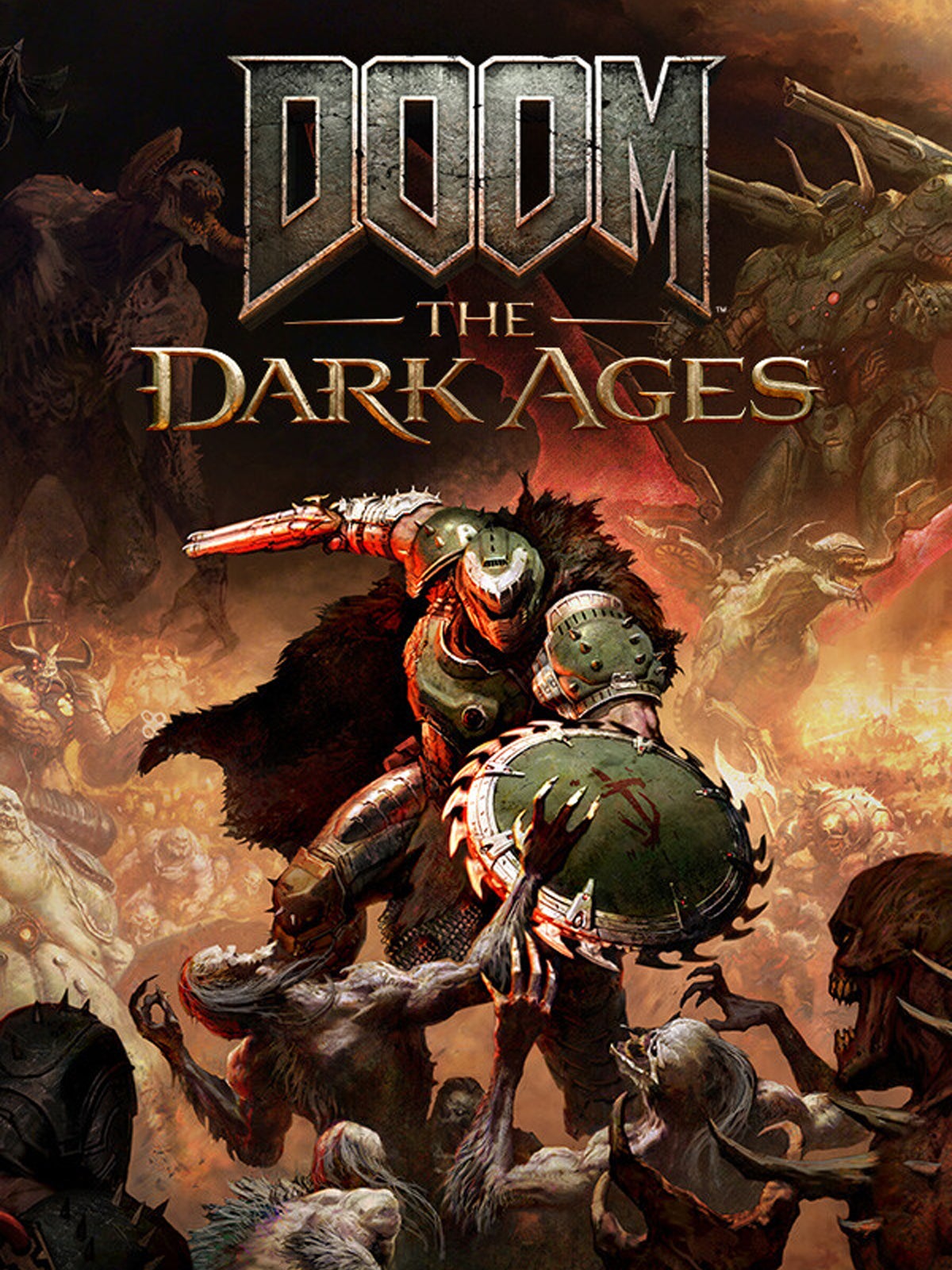
Doom: The Dark Ages doesn’t run badly on PC, but enforced ray tracing slows the pace
Heavy metal

Image credit:Rock Paper Shotgun/Bethesda Softworks

I’m liking Doom: The Dark Ages more than local reviewist Nic does , possibly because spending most of 2024 remoulding my brain to learn Elden Ring has unduly engorged the part that appreciates a good parry-and-riposte. C’est la vie demons, and colleague. There is one issue that bothers me, though: why, of all the games on Bethesda’s production lines, was this chosen to be the next game that follows Indiana Jones and the Great Circle in making ray tracing effects compulsory?
It looks nice enough, and its performance on PC could be a lot worse, considering. But this is Doom, which between the 2016 reboot and Eternal , had become an ambassador for the speedy, low-spec shooter. Living proof that FPS games, even relatively weighty ones, simply feel better when you’re zipzooping around at 100-plus frames per second. No, I’m sorry. They just do. The Dark Ages is at least easier on the ol’ GPU than Indy was , and I’ve had a crack at a settings guide (below) that should give a boost to most rigs, but ray tracing is still a hard requirement that means it won’t even launch on a lot of older hardware.

Image credit:Rock Paper Shotgun/Bethesda Softworks
Doom: The Dark Ages system requirements and PC performance
These tech changes have also produced system specs that make Doom Eternal’s look like an Aldi shopping list. CPU, RAM, and storage requirements are up considerably across the board, and yes, you will need a graphics card with hardware-based RT capabilities; I tried firing up The Dark Ages on a GTX 1080 Ti and was immediately handed an impassable error message.
Doom: The Dark Ages minimum PC specs (1080p/60fps/Low)
- OS: Windows 10 / 11
- CPU: AMD Ryzen 7 3700X / Intel Core i7-10700K
- GPU: 8GB VRAM; Nvidia GeForce RTX 2060 Super / AMD Radeon RX 6600
- RAM: 16GB
- Storage: 512GB or higher NVMe SSD (100GB available)
Doom: The Dark Ages recommended PC specs (1440p/60fps/High)
- OS: Windows 10 / 11
- CPU: AMD Ryzen 7 5700X / Intel Core i7-12700K
- GPU: 10GB VRAM; Nvidia GeForce RTX 3080 / AMD Radeon RX 6800
- RAM: 32GB
- Storage: 512GB or higher NVMe SSD (100GB available)
Doom: The Dark Ages Ultra 4K PC specs (4K/60fps/Ultra)
- OS: Windows 10 / 11
- CPU: AMD Ryzen 7 5700X / Intel Core i7-12700K
- GPU: 16GB VRAM; Nvidia GeForce RTX 4080 / AMD Radeon RX 7900 XT
- RAM: 32GB
- Storage: 512GB or higher NVMe SSD (100GB available)
Unusually for a package of pre-release codes, we were also sent early versions of the requisite GPU drivers, namely Nvidia’s GeForce Game Ready 576.31 driver - later updated to 576.40 - and AMD’s Radeon Software 25.10.09.01. These should be out by the time The Dark Ages releases on May 15th (576.40 is out on the 12th), so consider these vital as well. Especially where GeForce RTX 50 series graphics cards are concerned: I tested an RTX 5080 on the then-current 576.28 driver and saw some nasty artifacting, which vanished entirely with version 576.31.
Outside of this, and a seemingly one-off crash when enabling FSR frame generation, The Dark Ages is built pretty stably. More so, again, than The Great Circle, despite its newer and unproven id Tech 8 engine: I haven’t had any of that game’s crashing or black screen problems, nor its fussy insistence on forcing on dynamic resolution when using certain lower-end GPUs.
I still find it uncool, maaaan , to exclude pre-RTX PCs, though it’s not like The Dark Ages puts a medieval shotgun to your head and forces you to buy a 5090 either. In the opening mission, the most technically challenging I’ve played thus far, the humble RTX 4060 was enough to average 60fps at a native 1080p with the Ultra Nightmare preset engaged. That’s maximum quality with all the ray tracing trimmings, no less. My RTX 4050 -powered laptop, which actually skirts under the minimum spec by only packing 8GB of system RAM, could also do 71fps on Medium quality – though that was with help from DLSS upscaling, on Quality mode. Last among the cheap n’ cheerfuls, Intel’s Arc B580 scored 56fps at native 1080p on Ultra Nightmare, and that was without any cutting-edge early drivers.

Image credit:Rock Paper Shotgun/Bethesda Softworks
Higher resolutions take their toll, though are also more naturally suited to upscaling. As such, the older RTX 3070 could still hang at 1440p, producing 67fps on Ultra Nightmare with Quality DLSS, while the more VRAM-rich Radeon RX 7700 XT managed 74fps (with Quality FSR in place of DLSS). Further upgrades will also yield the triple figures, as the RTX 4070 Ti demonstrated: using the same settings as the RTX 3070, it averaged a smooth (and reasonably consistent) 110fps.
The 4070 Ti is enough for 4K, too. At this rez, Ultra Nightmare and Quality DLSS yielded 66fps, which climbed up to 104fps using another RTX trick: DLSS 4 frame gen. Naturally, that becomes Multi Frame Generation with an RTX 50 card, allowing the RTX 5080 to go from 85fps at 4K/Ultra Nightmare to 218fps with 4x MFG – and upscaling on Quality mode, in both cases.
Usually, I’d be jumping for joy that a big-money game released in 2025, let alone one with mandatory ray tracing, could get results like these. Especially coming off the back of Oblivion Remastered and Assassin’s Creed Shadows , neither of which are anywhere near as forgiving of cheaper kit. Yet there’s still something disappointing about The Dark Ages’ general performance, which in a way is a victim of id’s own success in assembling fast-running games.

Image credit:Rock Paper Shotgun/Bethesda Softworks
Compared to Doom Eternal, see, The Dark Age’s framerates actually represent a massive slowdown. The extent might vary depending on your CPU as well as your GPU, but on my RTX 4060, reinstalling Eternal revealed it could regularly run at double the new game’s 60fps average at native 1080p. And that’s with ray tracing enabled – switch it off, something you can’t do in The Dark Ages, and it’s closer to quadruple.
I’m aware that I’m whining about big numbers not being as big as big numbers from five years ago, and that the difference might not even be a difference if you’re playing on a 60Hz monitor that can’t display ultra-rapid framerates anyway. Is the reduction really worth it, though? I’m several hours in and have yet to be wowed by any specific RT effects, as I have been by Cyberpunk 2077 ’s moody lighting or Control ’s impeccably detailed reflections. Full-fat path tracing is coming in a future update, along with DLSS Ray Reconstruction , so more noticeable visual upgrades could still materialise, but then these would cut performance even deeper.
Update 11/05: Valve have released SteamOS 3.7.6 Preview, which fixes the crashing problem I was having when trying to launch The Dark Ages on the Steam Deck . No word on when this fix might come to the SteamOS’ Beta or Stable branches, but it does the trick for now, and I’m getting 30-40fps on the Low preset with FSR on Performance. I’ll revisit after the weekend to see if I can finesse those settings somewhat.

Image credit:Rock Paper Shotgun/Bethesda Softworks
Doom: The Dark Ages best settings guide
Dropping the quality toggles should be a viable method for reclaiming Eternal’s sense of speed, except – perhaps because so many of the presets look exactly the chuffing same – there isn’t actually that much performance to be gained from The Dark Ages’ lower settings. Sticking with the RTX 4060 as our guinea pig, that 60fps at 1080p/Ultra Nightmare basically didn’t shift at all on Nightmare, Ultra, and High, while Medium and Low only got the average up to 68fps and 78fps respectively.
These results delivered a warning that lowering just a few individual options wasn’t going to help much, a fear that was confirmed when I started testing their Low settings one by one. Only two of the eleven main quality settings, shadows and reflections, returned an improved average compared to their Ultra Nightmare equivalents, and these were just 61fps and 62fps. Indistinguishable, in other words.

Instead of cutting these, then, we’re going to scrape together some extra frames primarily though upscaling, along with ditching a couple of lesser effects. Try out the following:
- Chromatic aberration: Off
- Motion blur: Off
- Upscaler: DLSS/FSR on Quality
- Everything else: Ultra Nightmare
…Now that I’ve written it down, that looks an awful lot like the least sophisticated best settings guide of my career. I apologise, for the second time in this article. Still, there’s no sense in piecemeal-lowering settings that won’t improve framerates, and on that note, this config got the RTX 4060 up to 91fps, a healthy 50% improvement over using the Ultra Nightmare preset as it comes. Don’t be shy about enabling DLSS at a lower resolution like 1080p, either – The Dark Ages uses the up-to-date DLSS 4 with its improved Transformer model, so it’s plenty sharp.
Optionally, DLSS frame generation performs well enough to be worth experimenting with. The 2x setting boosted that 91fps average to 139fps, finally getting back in Doom Eternal territory, though conversely you should stay away FSR frame gen. As in Oblivion Remastered, this is unreliably sluggish and jittery, ultimately making everything look worse than without it.
Partly to make up for the appalling shortness of that list, allow me to also point out some settings that should absolutely be left how they are. Chiefly, Present from Compute should always be set to On; disabling it saw my RTX 4060 plummet from 60fps to 40fps, with no practical benefit. I’d keep Resolution Scaling Mode switched off, too, as upscalers will perform the same role – intentionally lowering resolution to keep performance up – with sharper, more visually consistent results than dynamic scaling.
Doom: The Dark Ages
Video Game
Rock Paper Shotgun is better when you sign in
Sign in and join us on our journey to discover strange and compelling PC games.

All 75 Arc Raiders Blueprints and where to get them
These areas have the highest chance of giving you Blueprints

Image credit:Rock Paper Shotgun/Embark Studios

Looking for more Arc Raiders Blueprints? It’s a special day when you find a Blueprint, as they’re among the most valuable items in Arc Raiders. If you find a Blueprint that you haven’t already found, then you must make sure you hold onto it at all costs, because Blueprints are the key to one of the most important and powerful systems of meta-progression in the game.
This guide aims to be the very best guide on Blueprints you can find, starting with a primer on what exactly they are and how they work in Arc Raiders, before delving into exactly where to get Blueprints and the very best farming spots for you to take in your search.
We’ll also go over how to get Blueprints from other unlikely activities, such as destroying Surveyors and completing specific quests. And you’ll also find the full list of all 75 Blueprints in Arc Raiders on this page (including the newest Blueprints added with the Cold Snap update , such as the Deadline Blueprint and Firework Box Blueprint), giving you all the information you need to expand your own crafting repertoire.
In this guide:
- What are Blueprints in Arc Raiders?
- Full Blueprint list: All crafting recipes
- Where to find Blueprints in Arc Raiders Blueprints obtained from quests Blueprints obtained from Trials Best Blueprint farming locations

What are Blueprints in Arc Raiders?
Blueprints in Arc Raiders are special items which, if you manage to extract with them, you can expend to permanently unlock a new crafting recipe in your Workshop. If you manage to extract from a raid with an Anvil Blueprint, for example, you can unlock the ability to craft your very own Anvil Pistol, as many times as you like (as long as you have the crafting materials).
To use a Blueprint, simply open your Inventory while in the lobby, then right-click on the Blueprint and click “Learn And Consume” . This will permanently unlock the recipe for that item in your Workshop. As of the Stella Montis update, there are allegedly 75 different Blueprints to unlock - although only 68 are confirmed to be in the game so far. You can see all the Blueprints you’ve found and unlocked by going to the Workshop menu, and hitting “R” to bring up the Blueprint screen.
It’s possible to find duplicates of past Blueprints you’ve already unlocked. If you find these, then you can either sell them, or - if you like to play with friends - you can take it into a match and gift it to your friend so they can unlock that recipe for themselves. Another option is to keep hold of them until the time comes to donate them to the Expedition.
Full Blueprint list: All crafting recipes
Below is the full list of all the Blueprints that are currently available to find in Arc Raiders, and the crafting recipe required for each item:
| Blueprint | Type | Recipe | Crafted At |
|---|---|---|---|
| Bettina | Weapon | 3x Advanced Mechanical Components 3x Heavy Gun Parts 3x Canister | Gunsmith 3 |
| Blue Light Stick | Quick Use | 3x Chemicals | Utility Station 1 |
| Aphelion | Weapon | 3x Magnetic Accelerator 3x Complex Gun Parts 1x Matriarch Reactor | Gunsmith 3 |
| Combat Mk. 3 (Flanking) | Augment | 2x Advanced Electrical Components 3x Processor | Gear Bench 3 |
| Combat Mk. 3 (Aggressive) | Augment | 2x Advanced Electrical Components 3x Processor | Gear Bench 3 |
| Complex Gun Parts | Material | 2x Light Gun Parts 2x Medium Gun Parts 2x Heavy Gun Parts | Refiner 3 |
| Fireworks Box | Quick Use | 1x Explosive Compound 3x Pop Trigger | Explosives Station 2 |
| Gas Mine | Mine | 4x Chemicals 2x Rubber Parts | Explosives Station 1 |
| Green Light Stick | Quick Use | 3x Chemicals | Utility Station 1 |
| Pulse Mine | Mine | 1x Crude Explosives 1x Wires | Explosives Station 1 |
| Seeker Grenade | Grenade | 1x Crude Explosives 2x ARC Alloy | Explosives Station 1 |
| Looting Mk. 3 (Survivor) | Augment | 2x Advanced Electrical Components 3x Processor | Gear Bench 3 |
| Angled Grip II | Mod | 2x Mechanical Components 3x Duct Tape | Gunsmith 2 |
| Angled Grip III | Mod | 2x Mod Components 5x Duct Tape | Gunsmith 3 |
| Hullcracker | Weapon | 1x Magnetic Accelerator 3x Heavy Gun Parts 1x Exodus Modules | Gunsmith 3 |
| Launcher Ammo | Ammo | 5x Metal Parts 1x Crude Explosives | Workbench 1 |
| Anvil | Weapon | 5x Mechanical Components 5x Simple Gun Parts | Gunsmith 2 |
| Anvil Splitter | Mod | 2x Mod Components 3x Processor | Gunsmith 3 |
| ??? | ??? | ??? | ??? |
| Barricade Kit | Quick Use | 1x Mechanical Components | Utility Station 2 |
| Blaze Grenade | Grenade | 1x Explosive Compound 2x Oil | Explosives Station 3 |
| Bobcat | Weapon | 3x Advanced Mechanical Components 3x Light Gun Parts | Gunsmith 3 |
| Osprey | Weapon | 2x Advanced Mechanical Components 3x Medium Gun Parts 7x Wires | Gunsmith 3 |
| Burletta | Weapon | 3x Mechanical Components 3x Simple Gun Parts | Gunsmith 1 |
| Compensator II | Mod | 2x Mechanical Components 4x Wires | Gunsmith 2 |
| Compensator III | Mod | 2x Mod Components 8x Wires | Gunsmith 3 |
| Defibrillator | Quick Use | 9x Plastic Parts 1x Moss | Medical Lab 2 |
| ??? | ??? | ??? | ??? |
| Equalizer | Weapon | 3x Magnetic Accelerator 3x Complex Gun Parts 1x Queen Reactor | Gunsmith 3 |
| Extended Barrel | Mod | 2x Mod Components 8x Wires | Gunsmith 3 |
| Extended Light Mag II | Mod | 2x Mechanical Components 3x Steel Spring | Gunsmith 2 |
| Extended Light Mag III | Mod | 2x Mod Components 5x Steel Spring | Gunsmith 3 |
| Extended Medium Mag II | Mod | 2x Mechanical Components 3x Steel Spring | Gunsmith 2 |
| Extended Medium Mag III | Mod | 2x Mod Components 5x Steel Spring | Gunsmith 3 |
| Extended Shotgun Mag II | Mod | 2x Mechanical Components 3x Steel Spring | Gunsmith 2 |
| Extended Shotgun Mag III | Mod | 2x Mod Components 5x Steel Spring | Gunsmith 3 |
| Remote Raider Flare | Quick Use | 2x Chemicals 4x Rubber Parts | Utility Station 1 |
| Heavy Gun Parts | Material | 4x Simple Gun Parts | Refiner 2 |
| Venator | Weapon | 2x Advanced Mechanical Components 3x Medium Gun Parts 5x Magnet | Gunsmith 3 |
| Il Toro | Weapon | 5x Mechanical Components 6x Simple Gun Parts | Gunsmith 1 |
| Jolt Mine | Mine | 1x Electrical Components 1x Battery | Explosives Station 2 |
| Explosive Mine | Mine | 1x Explosive Compound 1x Sensors | Explosives Station 3 |
| Jupiter | Weapon | 3x Magnetic Accelerator 3x Complex Gun Parts 1x Queen Reactor | Gunsmith 3 |
| Light Gun Parts | Material | 4x Simple Gun Parts | Refiner 2 |
| Lightweight Stock | Mod | 2x Mod Components 5x Duct Tape | Gunsmith 3 |
| Lure Grenade | Grenade | 1x Speaker Component 1x Electrical Components | Utility Station 2 |
| Medium Gun Parts | Material | 4x Simple Gun Parts | Refiner 2 |
| Torrente | Weapon | 2x Advanced Mechanical Components 3x Medium Gun Parts 6x Steel Spring | Gunsmith 3 |
| Muzzle Brake II | Mod | 2x Mechanical Components 4x Wires | Gunsmith 2 |
| Muzzle Brake III | Mod | 2x Mod Components 8x Wires | Gunsmith 3 |
| Padded Stock | Mod | 2x Mod Components 5x Duct Tape | Gunsmith 3 |
| Shotgun Choke II | Mod | 2x Mechanical Components 4x Wires | Gunsmith 2 |
| Shotgun Choke III | Mod | 2x Mod Components 8x Wires | Gunsmith 3 |
| Shotgun Silencer | Mod | 2x Mod Components 8x Wires | Gunsmith 3 |
| Showstopper | Grenade | 1x Advanced Electrical Components 1x Voltage Converter | Explosives Station 3 |
| Silencer I | Mod | 2x Mechanical Components 4x Wires | Gunsmith 2 |
| Silencer II | Mod | 2x Mod Components 8x Wires | Gunsmith 3 |
| Snap Hook | Quick Use | 2x Power Rod 3x Rope 1x Exodus Modules | Utility Station 3 |
| Stable Stock II | Mod | 2x Mechanical Components 3x Duct Tape | Gunsmith 2 |
| Stable Stock III | Mod | 2x Mod Components 5x Duct Tape | Gunsmith 3 |
| Tagging Grenade | Grenade | 1x Electrical Components 1x Sensors | Utility Station 3 |
| Tempest | Weapon | 3x Advanced Mechanical Components 3x Medium Gun Parts 3x Canister | Gunsmith 3 |
| Trigger Nade | Grenade | 2x Crude Explosives 1x Processor | Explosives Station 2 |
| Vertical Grip II | Mod | 2x Mechanical Components 3x Duct Tape | Gunsmith 2 |
| Vertical Grip III | Mod | 2x Mod Components 5x Duct Tape | Gunsmith 3 |
| Vita Shot | Quick Use | 2x Antiseptic 1x Syringe | Medical Lab 3 |
| Vita Spray | Quick Use | 3x Antiseptic 1x Canister | Medical Lab 3 |
| Vulcano | Weapon | 1x Magnetic Accelerator 3x Heavy Gun Parts 1x Exodus Modules | Gunsmith 3 |
| Wolfpack | Grenade | 2x Explosive Compound 2x Sensors | Explosives Station 3 |
| Red Light Stick | Quick Use | 3x Chemicals | Utility Station 1 |
| Smoke Grenade | Grenade | 14x Chemicals 1x Canister | Utility Station 2 |
| Deadline | Mine | 3x Explosive Compound 2x ARC Circuitry | Explosives Station 3 |
| Trailblazer | Grenade | 1x Explosive Compound 1x Synthesized Fuel | Explosives Station 3 |
| Tactical Mk. 3 (Defensive) | Augment | 2x Advanced Electrical Components 3x Processor | Gear Bench 3 |
| Tactical Mk. 3 (Healing) | Augment | 2x Advanced Electrical Components 3x Processor | Gear Bench 3 |
| Yellow Light Stick | Quick Use | 3x Chemicals | Utility Station 1 |
Note: The missing Blueprints in this list likely have not actually been added to the game at the time of writing, because none of the playerbase has managed to find any of them. As they are added to the game, I will update this page with the most relevant information so you know exactly how to get all 75 Arc Raiders Blueprints.
Where to find Blueprints in Arc Raiders
Below is a list of all containers, modifiers, and events which maximise your chances of finding Blueprints:
- Certain quests reward you with specific Blueprints .
- Completing Trials has a high chance of offering Blueprints as rewards.
- Surveyors have a decent chance of dropping Blueprints on death.
- High loot value areas tend to have a greater chance of spawning Blueprints.
- Night Raids and Storms may increase rare Blueprint spawn chances in containers.
- Containers with higher numbers of items may have a higher tendency to spawn Blueprints. As a result, Blue Gate (which has many “large” containers containing multiple items) may give you a higher chance of spawning Blueprints.
- Raider containers (Raider Caches, Weapon Boxes, Medical Bags, Grenade Tubes) have increased Blueprint drop rates. As a result, the Uncovered Caches event gives you a high chance of finding Blueprints.
- Security Lockers have a higher than average chance of containing Blueprints.
- Certain Blueprints only seem to spawn under specific circumstances: Tempest Blueprint only spawns during Night Raid events. Vulcano Blueprint only spawns during Hidden Bunker events. Jupiter and Equaliser Blueprints only spawn during Harvester events.

Raider Caches, Weapon Boxes, and other raider-oriented container types have a good chance of offering Blueprints. |Image credit:Rock Paper Shotgun/Embark Studios
Blueprints have a very low chance of spawning in any container in Arc Raiders, around 1-2% on average. However, there is a higher chance of finding Blueprints in particular container types. Specifically, you can find more Blueprints in Raider containers and security lockers.
Beyond this, if you’re looking for Blueprints you should focus on regions of the map which are marked as having particularly high-value loot. Areas such as the Control Tower in Dam Battlegrounds, the Arrival and Departure Buildings in Spaceport, and Pilgrim’s Peak in Blue Gate all have a better-than-average chance of spawning Blueprints somewhere amongst all their containers. Night Raids and Electromagnetic Storm events also increase the drop chances of certain Blueprints .
In addition to these containers, you can often loot Blueprints from destroyed Surveyors - the largest of the rolling ball ARC. Surveyors are more commonly found on the later maps - Spaceport and Blue Gate - and if one spawns in your match, you’ll likely see it by the blue laser beam that it casts into the sky while “surveying”.
Surveyors are quite well-armoured and will very speedily run away from you once it notices you, but if you can take one down then make sure you loot all its parts for a chance of obtaining certain unusual Blueprints.
Blueprints obtained from quests
One way in which you can get Blueprints is by completing certain quests for the vendors in Speranza. Some quests will reward you with a specific item Blueprint upon completion, so as long as you work through all the quests in Arc Raiders, you are guaranteed those Blueprints.
Here is the full list of all Blueprints you can get from quest rewards:
- Trigger Nade Blueprint: Rewarded after completing “Sparks Fly”.
- Lure Grenade Blueprint: Rewarded after completing “Greasing Her Palms”.
- Burletta Blueprint: Rewarded after completing “Industrial Espionage”.
- Hullcracker Blueprint (and Launcher Ammo Blueprint): Rewarded after completing “The Major’s Footlocker”.
Alas, that’s only 4 Blueprints out of a total of 75 to unlock, so for the vast majority you will need to find them yourself during a raid. If you’re intent on farming Blueprints, then it’s best to equip yourself with cheap gear in case you lose it, but don’t use a free loadout because then you won’t get a safe pocket to stash any new Blueprint you find. No pain in Arc Raiders is sharper than failing to extract with a new Blueprint you’ve been after for a dozen hours already.

One of the best ways to get Blueprints is by hitting three stars on all five Trials every week. |Image credit:Rock Paper Shotgun/Embark Studios
Blueprints obtained from Trials
One of the very best ways to get Blueprints is as rewards for completing Trials in Arc Raiders. Trials are unlocked from Level 15 onwards, and allow you to earn rewards by focusing on certain tasks over the course of several raids. For example, one Trial might task you with dealing damage to Hornets, while another might challenge you to loot Supply Drops.
Trials refresh on a weekly basis, with a new week bringing five new Trials. Each Trial can offer up to three rewards after passing certain score milestones, and it’s possible to receive very high level loot from these reward crates - including Blueprints. So if you want to unlock as many Blueprints as possible, you should make a point of completing as many Trials as possible each week.
Best Blueprint farming locations
The very best way to get Blueprints is to frequent specific areas of the maps which combine high-tier loot pools with the right types of containers to search. Here are my recommendations for where to find Blueprints on every map, so you can always keep the search going for new crafting recipes to unlock.

Image credit:Rock Paper Shotgun/Embark Studios
Dam Battlegrounds
The best places to farm Blueprints on Dam Battlegrounds are the Control Tower, Power Generation Complex, Ruby Residence, and Pale Apartments . The first two regions, despite only being marked on the map as mid-tier loot, contain a phenomenal number of containers to loot. The Control Tower can also contain a couple of high-tier Security Lockers - though of course, you’ll need to have unlocked the Security Breach skill at the end of the Survival tree.
There’s also a lot of reporting amongst the playerbase that the Residential areas in the top-left of the map - Pale Apartments and Ruby Residence - give you a comparatively strong chance of finding Blueprints. Considering their size, there’s a high density of containers to loot in both locations, and they also have the benefit of being fairly out of the way. So you’re more likely to have all the containers to yourself.
Buried City
The best Blueprint farming locations on Buried City are the Santa Maria Houses, Grandioso Apartments, Town Hall, and the various buildings of the New District . Grandioso Apartments has a lower number of containers than the rest, but a high chance of spawning weapon cases - which have good Blueprint drop rates. The others are high-tier loot areas, with plenty of lootable containers - including Security Lockers.
Spaceport
The best places to find Blueprints on Spaceport are the Arrival and Departure Buildings, as well as Control Tower A6 and the Launch Towers . All these areas are labelled as high-value loot regions, and many of them are also very handily connected to one another by the Spaceport wall, which you can use to quickly run from one area to the next. At the tops of most of these buildings you’ll find at least one Security Locker, so this is an excellent farming route for players looking to find Blueprints.
The downside to looting Blueprints on Spaceport is that all these areas are hotly contested, particularly in Duos and Squads. You’ll need to be very focused and fast in order to complete the full farming route.

Image credit:Rock Paper Shotgun/Embark Studios
Blue Gate
Blue Gate tends to have a good chance of dropping Blueprints, potentially because it generally has a high number of containers which can hold lots of items; so there’s a higher chance of a Blueprint spawning in each container. In my experience, the best Blueprint farming spots on Blue Gate are Pilgrim’s Peak, Raider’s Refuge, the Ancient Fort, and the Underground Complex beneath the Warehouse .
All of these areas contain a wealth of containers to loot. Raider’s Refuge has less to loot, but the majority of the containers in and around the Refuge are raider containers, which have a high chance of containing Blueprints - particularly during major events.
Stella Montis
On the whole, Stella Montis seems to have a very low drop rate for Blueprints (though a high chance of dropping other high-tier loot). If you do want to try farming Blueprints on this map, the best places to find Blueprints in Stella Montis are Medical Research, Assembly Workshop, and the Business Center . These areas have the highest density of containers to loot on the map.
In addition to this, the Western Tunnel has a few different Security Lockers to loot, so while there’s very little to loot elsewhere in this area of the map, it’s worth hitting those Security Lockers if you spawn there at the start of a match.
That wraps up this primer on how to get all the Blueprints in Arc Raiders as quickly as possible. With the Expedition system constantly resetting a large number of players’ Blueprints, it’s more important than ever to have the most up-to-date information on where to find all these Blueprints.
While you’re here, be sure to check out our Arc Raiders best guns tier list , as well as our primers on the best skills to unlock and all the different Field Depot locations on every map.

ARC Raiders
PS5 , Xbox Series X/S , PC
Rock Paper Shotgun is better when you sign in
Sign in and join us on our journey to discover strange and compelling PC games.
