Best SSD for gaming: our top SATA and NVMe drives
Our top solid state drive recommendations
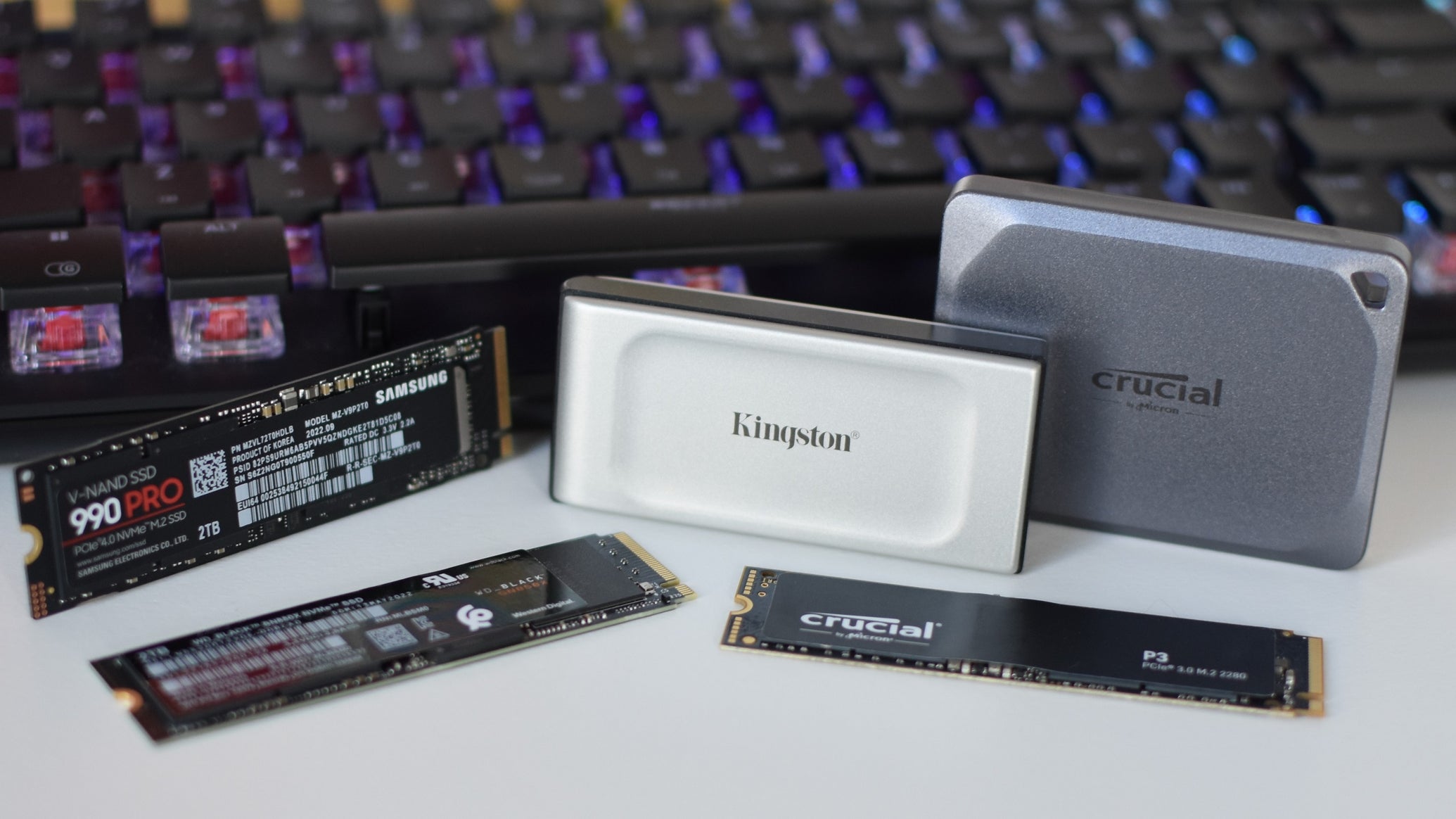
Image credit:Rock Paper Shotgun

As I sat in my benchmarking chair the other day, running the numbers on a promising potential addition for this here best SSDs guide, I was struck with a renewed appreciation for the simplicity of these little storage slices. You hook them up, they make your PC go faster. Brilliant. Amazing. Yes . They work silently, they rarely balk even in the face of swelling game file sizes, and they aren’t tied up in nearly as much bad-tempered psychodrama as graphics cards have been recently. They’re still hardware investments, and thus I am professionally obligated to maintain a list of which are most worth your money, but there is something agreeable about gaming SSDs that stretches beyond simple performance.
| Image credit: Western Digital | Our Favourite SSD for Gaming Our favourite SSD for gaming is the WD Black SN850X, which is dead fast - despite its years - and offers capacity options up to 8TB. If you want the best NVMe SSD money can buy, this is the one. Buy at Amazon |
|---|
Unfortunately, you can’t compare affability in a spreadsheet, so I’m using various speed tests instead. While the SSDs you’ll find below span various budgets and form factors – including some of my favourite external drives – they’re all here because they shift data and load games quickly. Take a look to find the drive that best suits your PC, and once it’s in your hands, I’d suggest installing it yourself – something else to like about SSDs is that connecting them is a doddle.
| Our Favourite SSD For Steam Deck Our favourite SSD for Steam Deck, and handheld PCs in general, is the speedy and well-priced Crucial P310. Buy at Amazon |
|---|
Best SSD for gaming
- WD Black SN850X - the best SSD for gaming overall
- WD Blue SN5000 - the best cheap SSD for gaming
- Crucial T500 - the best high-end PCIe 4.0 NVMe SSD for gaming
- WD Black SN8100 - the best PCIe 5.0 SSD for gaming
- Crucial P3 - the best PCIe 3.0 SSD for gaming
- Crucial P310 - the best SSD for the Steam Deck
- Samsung 870 Evo - the best SATA SSD for gaming
- Samsung 870 Qvo - the best big SATA SSD for gaming
- Crucial X9 Pro - the best external SSD for gaming
- Kingston XS1000 - the best value external SSD for gaming
- Samsung T9 - the best rugged external SSD for gaming
- Kingston XS2000 - the best USB 3.2 2x2 external SSD for gaming

| WD Black SN850X The best PCIe 4.0 NVMe SSD for gaming | Check price at Amazon UK Check price at Amazon US |
|---|
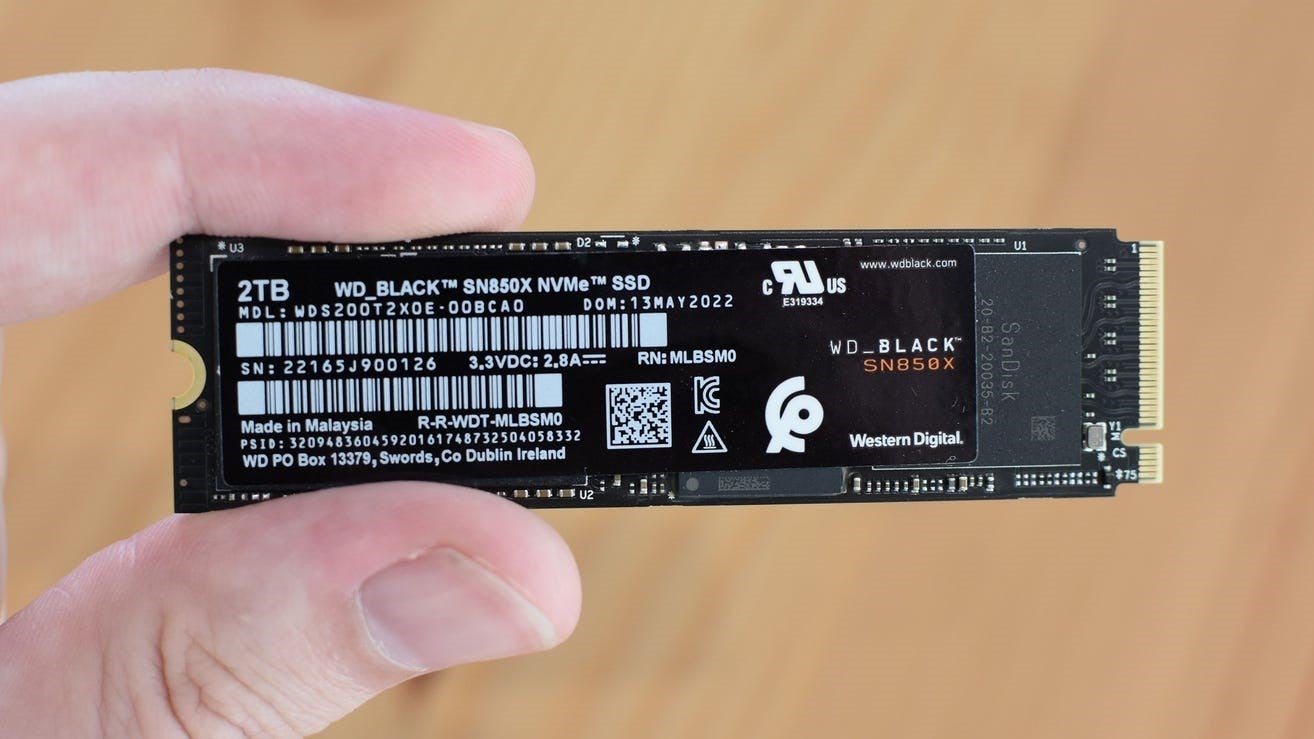
Image credit:Rock Paper Shotgun
That little ‘X’ makes the WD Black SN850X look like a mere refresh of the Black SN850 . But it’s more of an wide-reaching overhaul than it appears, with higher sequential read/write speeds, faster IOPS (input/output performance), controller improvements, and even a new 4TB model.
Most importantly, the SN850X is much faster in games, with only the Samsung 990 Pro and the Crucial T500 (below) able to catch it. Taking only 6.7 seconds to load a Shadow of the Tomb Raider save, it shaves nearly three seconds off the Black SN850’s time, and clearly beats other premium PCIe 4.0 SSDs like the Kingston Fury Renegade (9.6 seconds) and PNY XLR8 CS3140 (7.3 seconds). In the CrystalDiskMark benchmark, its 3187MB/s random read speed and 4261MB/s random write speed results show an outstanding suitability for games and general PC usage alike.
It’s a shame there’s no longer a cheaper 500GB option, as there was for the Black SN850, but the 1TB and 2TB models are at least less expensive than the 990 Pro and T500 equivalents. By wide enough margins, too, that it claims the overall top spot in this list, despite the T500 in particular outpacing it.
What we like: ✔️ Outrageously fast ✔️ Not too expensive (by high-end standards) ✔️ 4TB option
| WD Blue SN5000 The best cheap NVMe SSD for gaming | Check price at Amazon UK Check price at Amazon US |
|---|
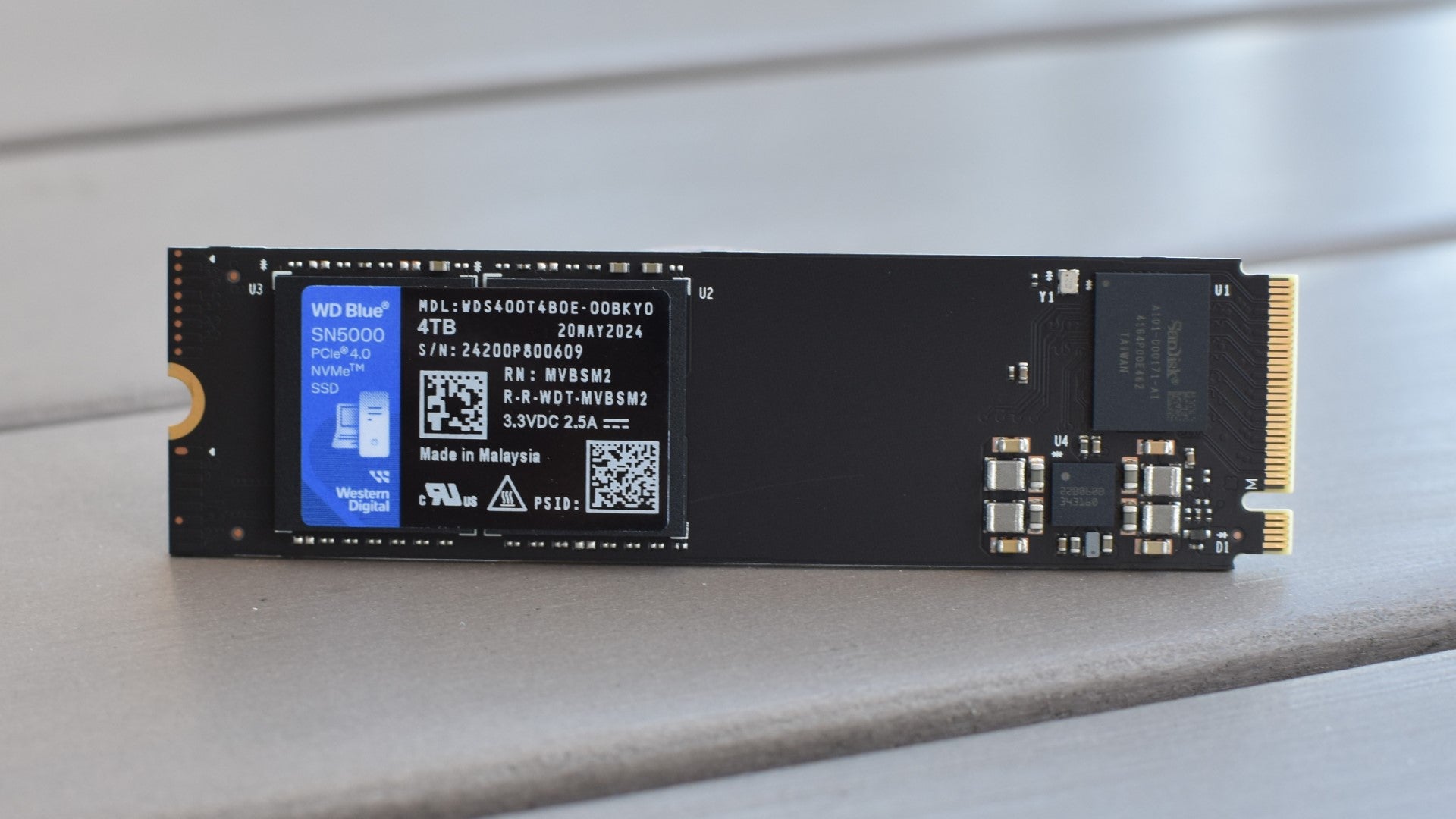
Image credit:Rock Paper Shotgun
Alright. Look. This is not the cheapest ‘good’ SSD you could buy – it’s not even the cheapest, good WD Blue, with the Blue SN580 delivering decent speeds and capacity options for less cash. But the WD Blue SN5000 is, out of all the Western Digital budget-line SSDs I’ve tested, the first that can seriously give high-end drives a run for their money on game load times. In fact, its 6.7s menu-to-game time in Shadow of the Tomb Raider is dead even with that of the fearsome WD Black SN850X, and a mere 0.1s behind heavy hitters like the Samsung 990 Pro and Crucial T500.
The SN5000 isn’t as speedy in more general file transfer and copying jobs: its AS SSD sequential read speed result of 4802MB/s, for instance, is still some distance off the 5715MB/s of the Black SN850X. It also scored 8107 overall in AS SSD’s Copy benchmark, which isn’t bad, but doesn’t match the Black SN850X’s 10397 or the T500’s 12463. To save a few quid, then, you would have to give up on truly chart-topping everyday speeds. But for a gaming PC specifically, where cutting load times is key, the SN5000 is an excellent deal.
There’s also a 4TB option, a relative rarity for NVMe SSDs outside of the premium stuff.
What we like: ✔️ Elite gaming performance ✔️ Non-elite pricing ✔️ Capacities up to 4TB
| Crucial T500 The best high-end PCIe 4.0 NVMe SSD for gaming | Check price at Amazon UK Check price at Amazon US |
|---|
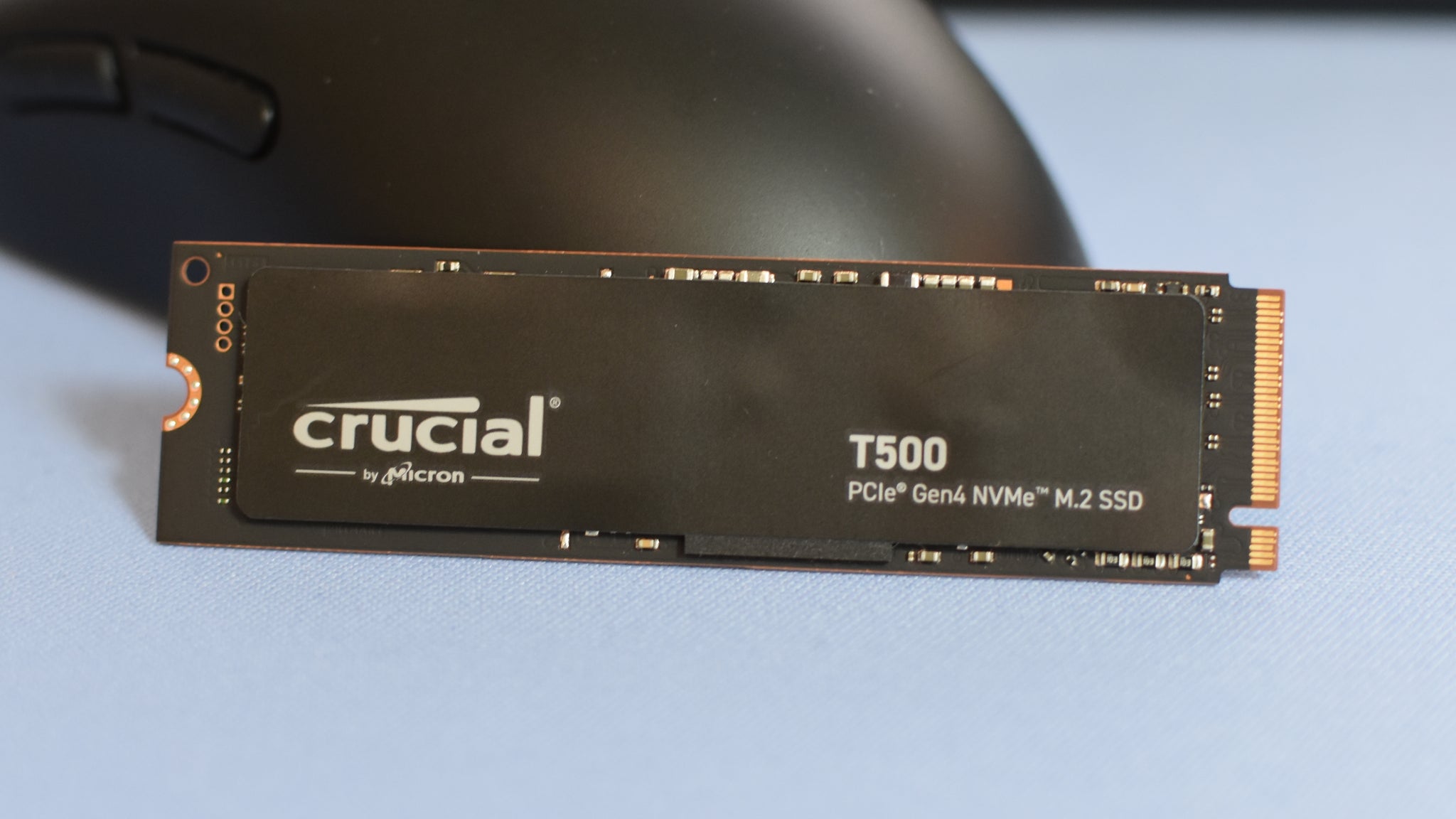
Image credit:Rock Paper Shotgun
When there’s enough cash in your pocket for a proper top-class SSD upgrade, you’ve got two options. The first is to go all the way with a PCIe 5.0 drive, but although these advertise some truly ferocious read/write speeds, these advantages don’t really translate into better games performance. The other (smarter, cheaper, better) option is a PCIe 4.0 model that pushes the interface’s limitations, an excellent example being the Crucial T500 .
In most of our benchmarks, this was even faster than the WD Black SN850X; the AS SSD 4K transfer test, for instance, had the T500 score a 90MB/s read speed, soaring over the SN850X’s 57MB/s. It also completed the game file copying test in 0.34s, a record that easily beats the 0.86s of the SN850X and the 0.97s of the Samsung 990 Pro.
Speaking of Samsung’s prestige SSD, the T500 also managed to match its Shadow of the Tomb Raider loading time of 6.6s, an RPS record that stood for months until the PNY CS2150 (see below) showed up.
What we like: ✔️ Outstanding load times ✔️ Higher speeds in non-gaming tasks than rivals ✔️ Optional heatsink (tested without)
| WD Black SN8100 The best PCIe 5.0 SSD for gaming | Check price at Amazon UK Check price at Amazon US |
|---|
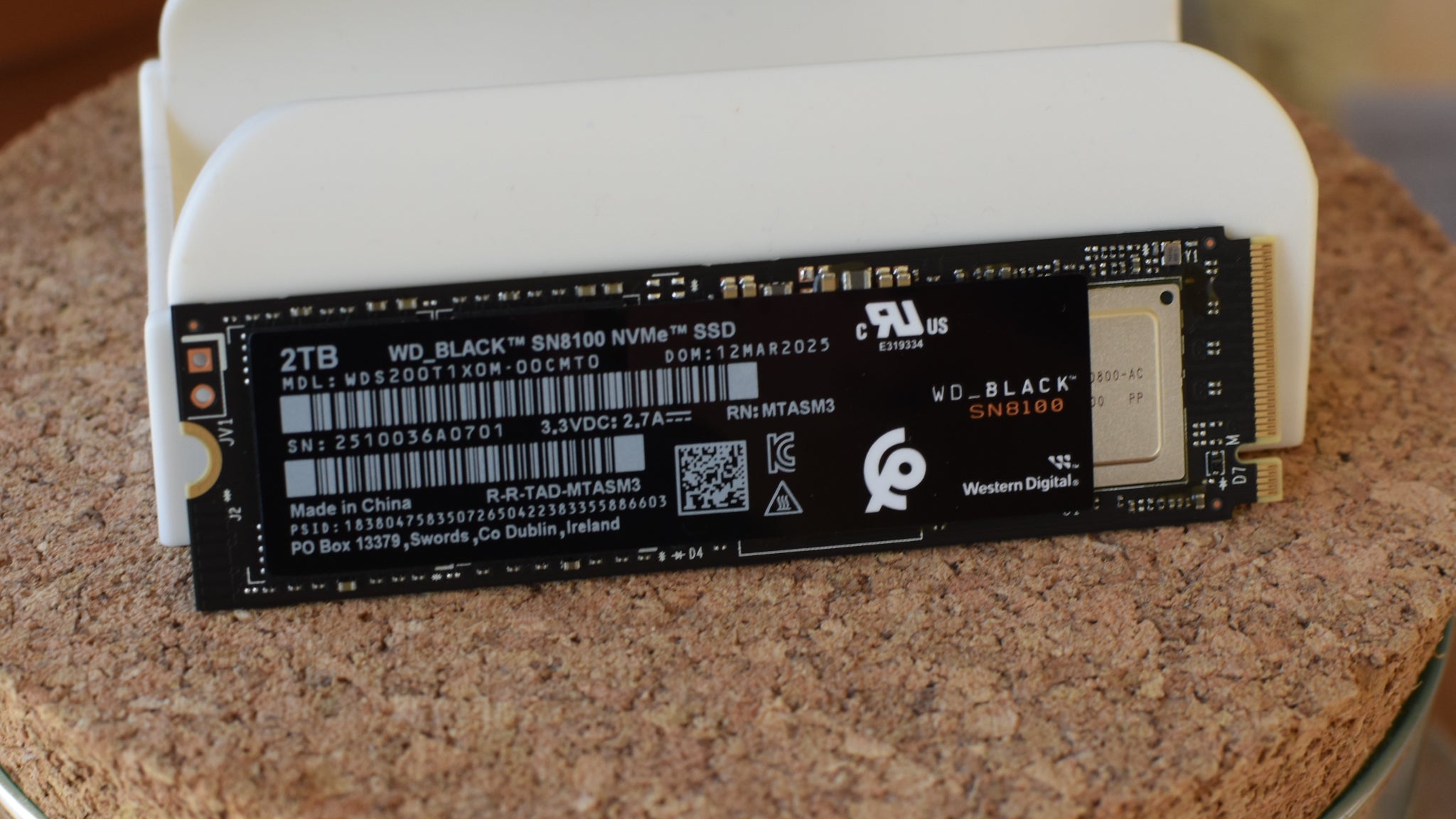
Image credit:Rock Paper Shotgun
My overall stance on PCIe 5.0 SSDs is unchanged: as fast they are for file transfers, their much, much smaller advantage over PCIe 4.0 in games makes older models a better-value choice. Nonetheless, it’s hard not to look at the WD Black SN8100 and feel like progress is being made.
What’s encouraging about this, even compared to other high-flying PCIe 5.0 drives like Samsung’s 9100 Pro, is that the Black SN8100 copes relatively well with the kind of difficult, non-sequential read/write work that all consumer-grade SSDs struggle with. Take the toughest AS SSD benchmark we use, the random 4K test: here, the Black SN8100 scored a read speed of 118MB/s. That doesn’t sound like much but it works out a lot faster than the 9100 Pro’s 74MB/s, and almost doubles the cheaper PNY CS2150’s 65MB/s result. It was top of the class in other tests too, with an AS SSD overall score of 16,526 and a 4,502MB/s read speed in CrystalDiskMark. Both are new RPS records, the latter beating the 9100 Pro by over 300MB/s.
Again, everything tightens up in the Shadow of the Tomb Raider load time test, and here the Black SN8100 actually tied with the 9100 Pro by opening up a save in 6.3s. That’s not much quicker than the PCIe 4.0 WD Black SN850X, but if you want the feeling of knowing that you own the technically fastest gaming SSD of them all, this will fit the bill.
What we like: ✔️ Joint-fastest game load times on the market ✔️ Absolute fastest read speeds on the market ✔️ Futureproofing balances higher cost
| Crucial P3 The best PCIe 3.0 SSD for gaming | Check price at Amazon UK Check price at Amazon US |
|---|
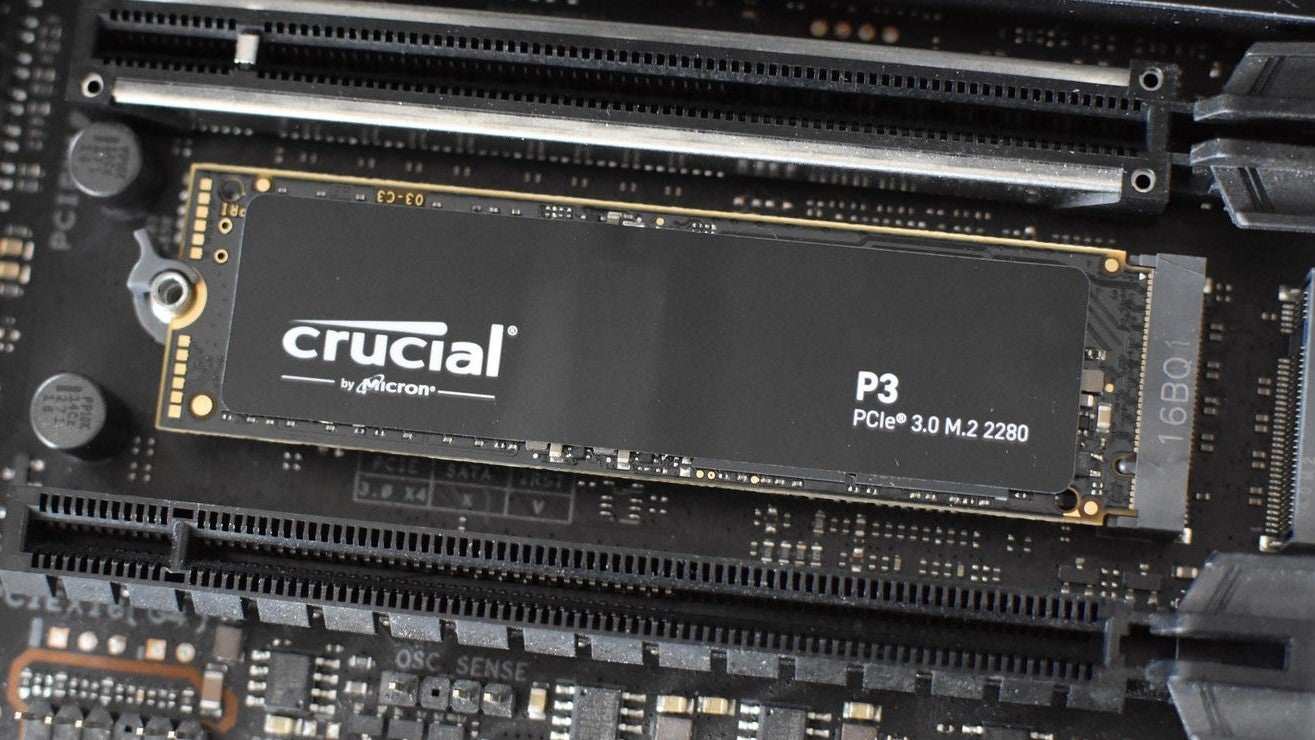
Image credit:Rock Paper Shotgun
PCIe 4.0 has long taken over from PCIe 3.0 as the ‘default’ interface for new NVMe SSDs and their requisite motherboard slots. If, however, you’re looking to upgrade an older PC that still only supports version 3.0, I humbly suggest the Crucial P3 . Besides simply being the fastest PCIe 3.0 SSD I’ve tested, the P3 has enjoyed enough price cuts that it now rivals budget champions (namely the WD Blue SN570) on affordability.
Like its PCIe 4.0 cousin, the P3 Plus, the P3 is a particularly pacy writer, even outperforming some 4.0 SSDs with its CrystalDiskMark write speed result of 3022MB/s. But it’s also impressively effective in the kind of tricky read tasks that games rely on, as seen in its excellent AS SSD 4K read speed of 57.9MB/s. When the time came to load up Shadow of the Tomb Raider, it did so in just 7.5s, a mere fraction of a second slower than the P3 Plus’ 7.3s – and faster than any other PCIe 3.0 SSD so far.
If you’ve yet to upgrade to a PCIe 4.0-ready setup, then, the Crucial P3 is more or less the next best thing.
What we like: ✔️ Immense speeds for its interface ✔️ Widely compatible ✔️ Still not too pricey
| Crucial P310 The best SSD for the Steam Deck | Check price at Amazon UK Check price at Amazon US |
|---|
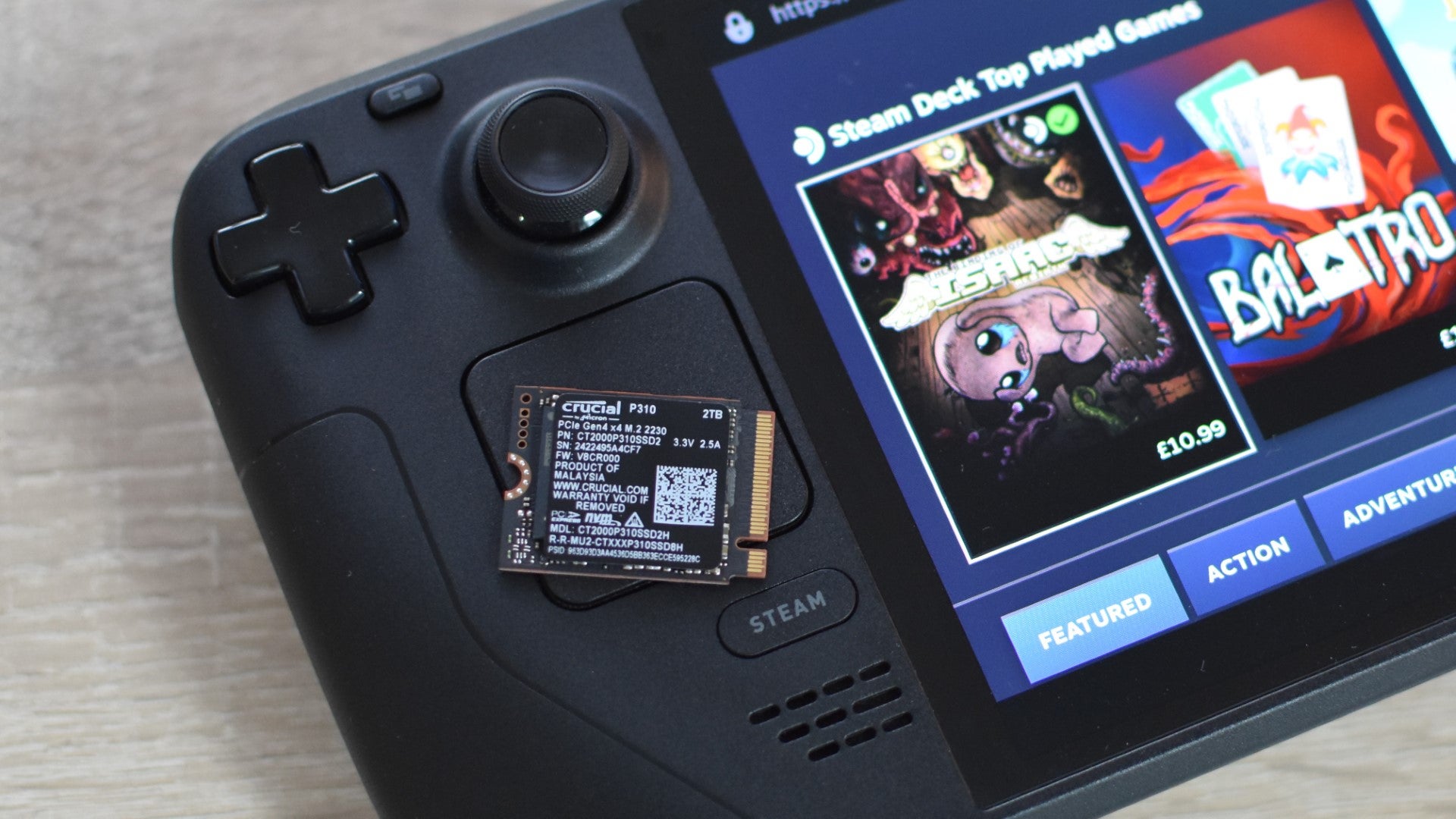
Image credit:Rock Paper Shotgun
It took a while but there’s finally a reasonable range of hyper-compact M.2 2230 drives to stick in your Steam Deck. The two best that I’ve tested – using load time benchmarks in both the usual Shadow of the Tomb Raider and the more handheld-focused Aperture Desk Job – are the WD Black SN770M and this, the Crucial P310 .
Both are basically as fast as each other; the P310 averaged 18.6s to load up a Shadow save, just two-tenths of a second slower than the Black SN770M. At the time of writing, the Crucial’s 1TB and 2TB models are cheaper in UK, and since RPS serves at the pleasure of the King, that earns it the spot in this list. But, the SN770M is cheaper right now in the US, which makes it the better choice over there. Truth be told, you can’t go wrong with either, so just go for whichever model costs less where you are.
A critical cop-out? Maybe, but I’m standin’ by it. Besides, your bigger concern should be how to install the damn thing. Manually upgrading a Steam Deck SSD is doable, to be sure, though between the tiniest of tiny screws and the generally more delicate internals of a Deck (compared to more robust desktops), the P310 and its rivals are very much the kind of component you should handle with care.
What we like: ✔️ High capacities ✔️ Strong game loading performance ✔️ Fits the Asus ROG Ally as well
| Samsung 870 Evo The best SATA SSD for gaming | Check price at Amazon UK Check price at Amazon US |
|---|
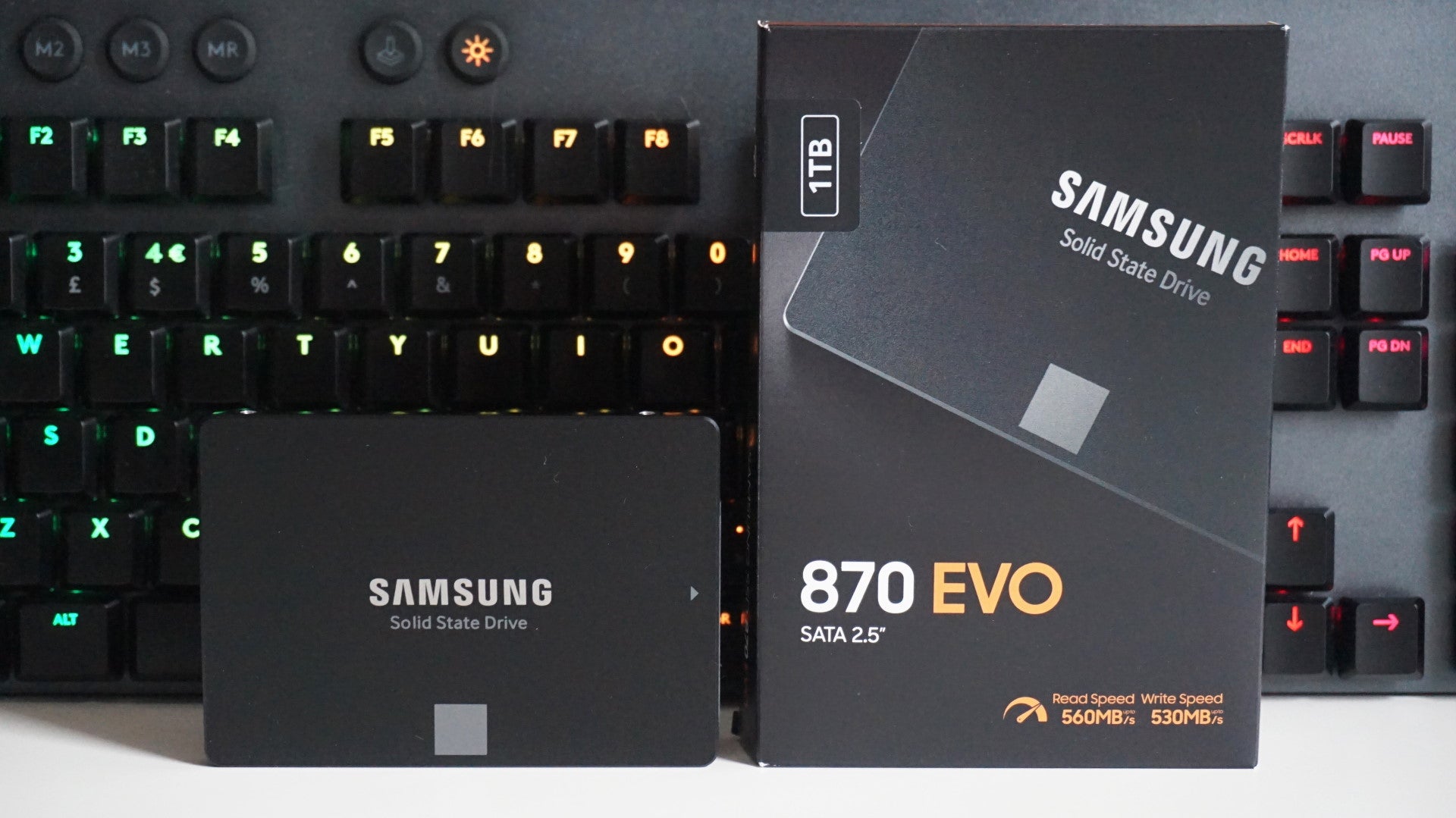
When it comes to buying an SSD for gaming, a lot people still opt for a 2.5in SATA drive rather than a super fast NVMe SSD, if only because the latter tend to be quite expensive and you need a motherboard that supports them. For SATA SSD hunters, then, the Samsung 870 Evo is hands down the best drive for the job right now. Its everyday speeds aren’t that much faster than its predecessor, the 860 Evo, but with that drive becoming increasingly difficult to get hold of, the 870 Evo is now our SATA SSD of choice for those.
In fairness, Crucial’s MX500 is another good budget option for SATA buyers, but when prices for the 870 Evo are only a fraction more these days, there’s little point opting for the MX500 unless you can find it for a substantial discount. What’s more, the 870 Evo also comes with a much higher endurance rating than the MX500: 300 terabytes written (TBW) for the 500GB model as opposed to just 180TBW on the 500GB MX500. It’s fast, durable, and yet to be beaten on overall value.
What we like: ✔️ The fastest SATA drive you can buy today ✔️ Great endurance levels ✔️ Better value for money than the competition
| Samsung 870 Qvo The best big SATA SSD for gaming | Check price at Amazon UK Check price at Amazon US |
|---|
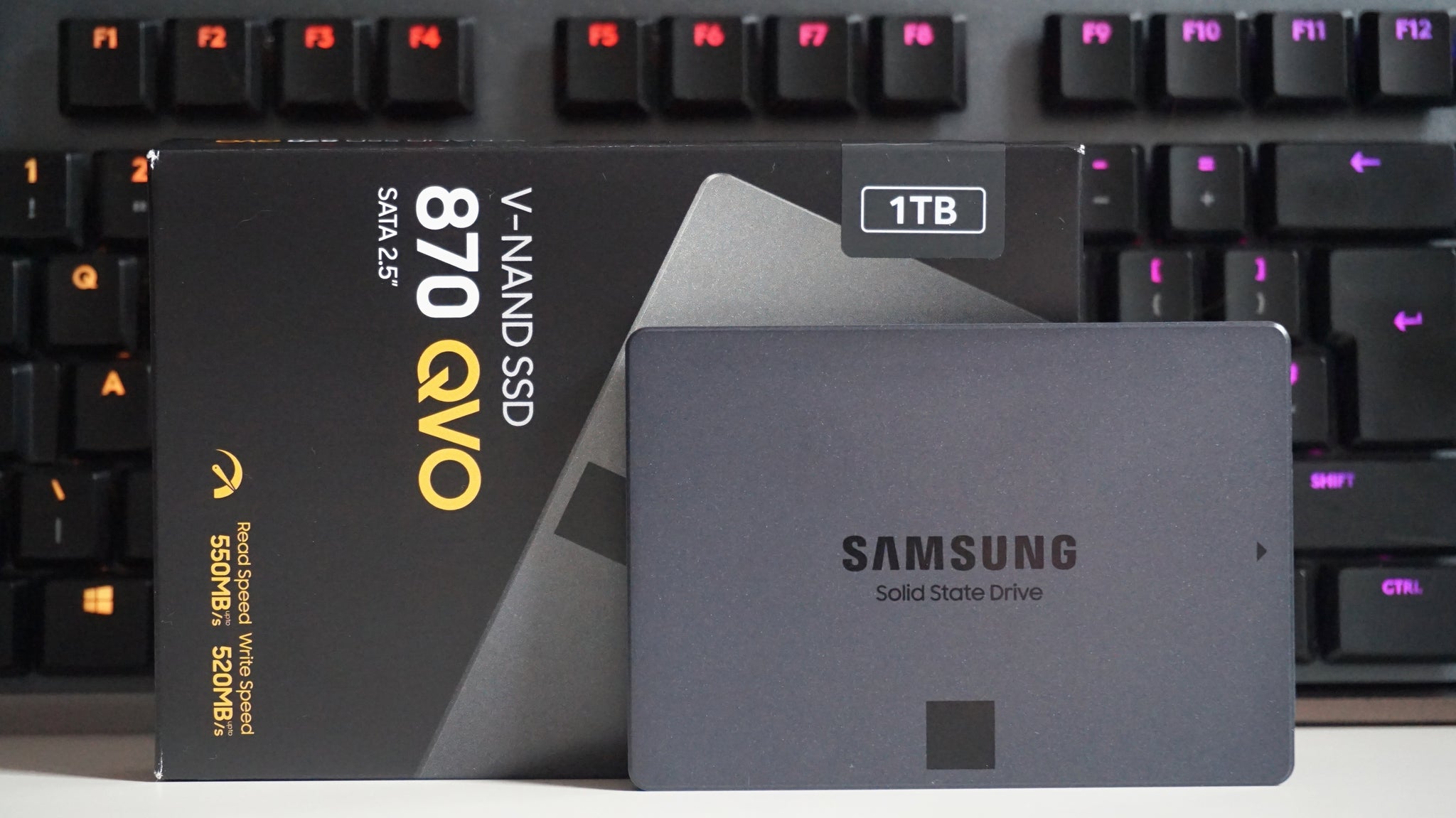
In fact, there is one SSD with faster write speeds than the Samsung 860 Evo, and that’s Samsung’s 870 Qvo . Made from 4-bit MLC V-NAND instead of 3-bit MLC like its Evo counterparts, the 870 Qvo is much better value than Samsung’s equivalent Evo drives. Its performance is more or less identical, and it’s a heck of a lot cheaper, too. As such, if you’re looking to get an SSD that’s at least 1TB in size but don’t want to fork out loads of cash (either on an expensive NVMe SSD or a high capacity SATA drive), the 870 Qvo is the way to go.
Like the rest of Samsung’s drives, the 870 Qvo has exceptional endurance ratings and warranties, and its random read and write times are up there with the very best. Plus, if you’ve got enough cash, you can buy one that’s a whopping 8TB - which is practically unheard of in SATA circles. It’s still not as cheap as buying a large hard disk drive, but it’s the best you’re going to get on an SSD.
What we like: ✔️ Excellent everyday performance ✔️ Brilliant value for money ✔️ Just as fast as Samsung’s Evo SSDs
| Crucial X9 Pro The best external SSD for gaming | Check price at Amazon UK Check price at Amazon US |
|---|
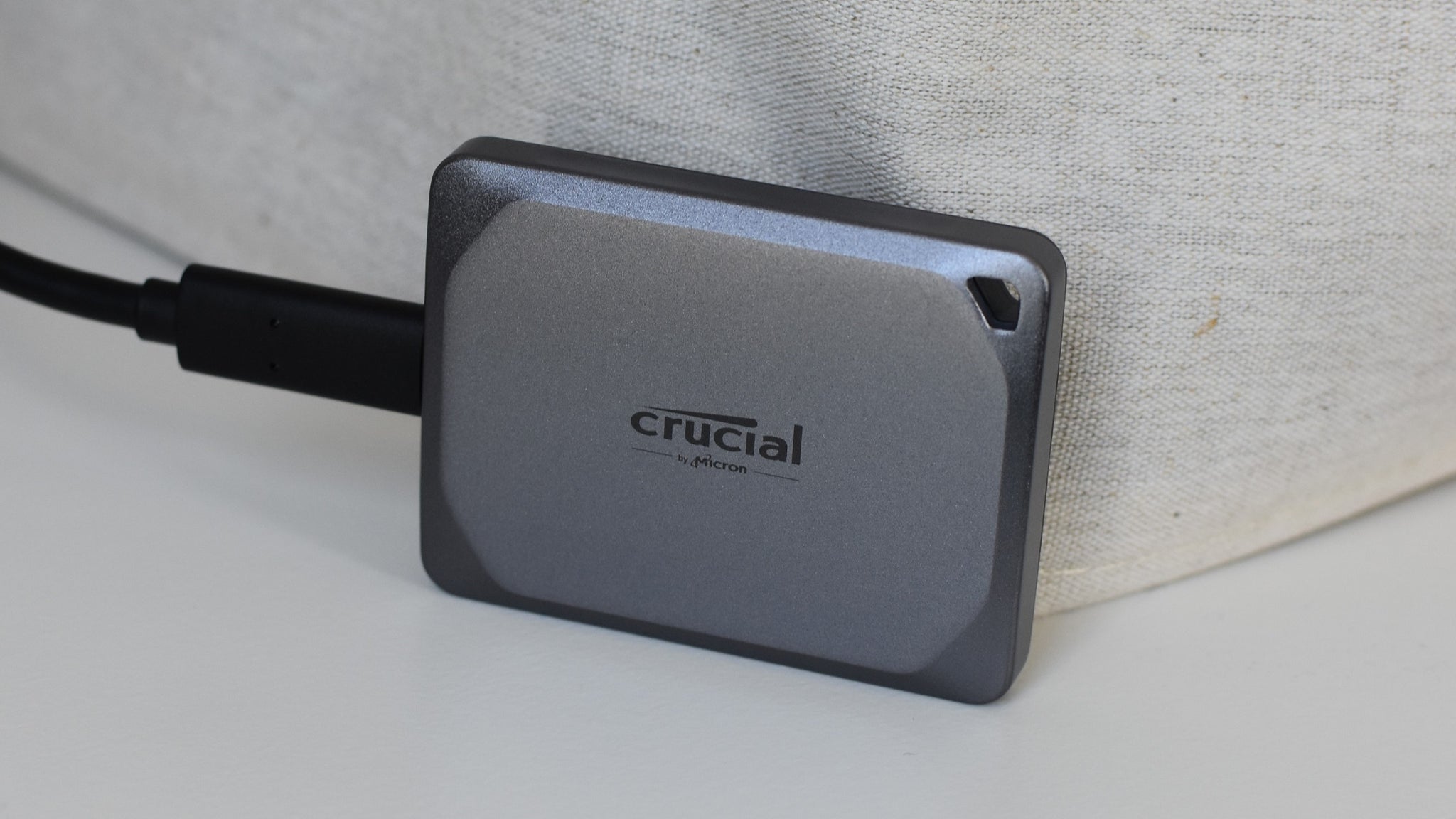
Image credit:Rock Paper Shotgun
Heir to old RPS favourite, the Crucial X8 , the Crucial X9 Pro is a smaller, lighter, and faster external SSD that also breaks away from more expensive contemporaries. It produced some excellent sequential speeds in the AS SSD benchmark, with 986MB/s for reads and 899MB/s for writes, and it smashed the game copying test in just 2.5s (or 550MB/s).
The only disappointment is that the included cable is strictly USB-C to USB-C; a USB-A adapter in the box would have made this an even better package, though since the X9 Pro is already well-priced for its performance, buying a separate cable wouldn’t be the worst thing. It’s obviously not an issue at all if your PC has a spare USB-C port, it’s just that full-size USB-A ports are more plentiful.
I’ve also tried out the Crucial X10 Pro , which is physically similar to the X9 Pro save for much higher sequential transfer speeds and a moody black paint job. The X10 Pro was even quicker in the AS SSD game copy test as well, finishing in just 1.78s (778MB/s). It’s evidently a good alternative if you’ve got the money, although I’d still say the X9 Pro is more deserving of this spot on the list: despite being a fair bit cheaper than the X10 Pro, this almost matched the latter’s performances in the random 4K file benchmarks. These tests are both more punishing on the drive, and more reflective of the speeds you’d get in real life, compared to easy sequential benchmarks.
What we like: ✔️ Great speeds in tough transfers ✔️ Simple, lightweight design ✔️ Agreeable pricing
| Kingston XS1000 The best value external SSD for gaming | Check price at Amazon UK Check price at Amazon US |
|---|
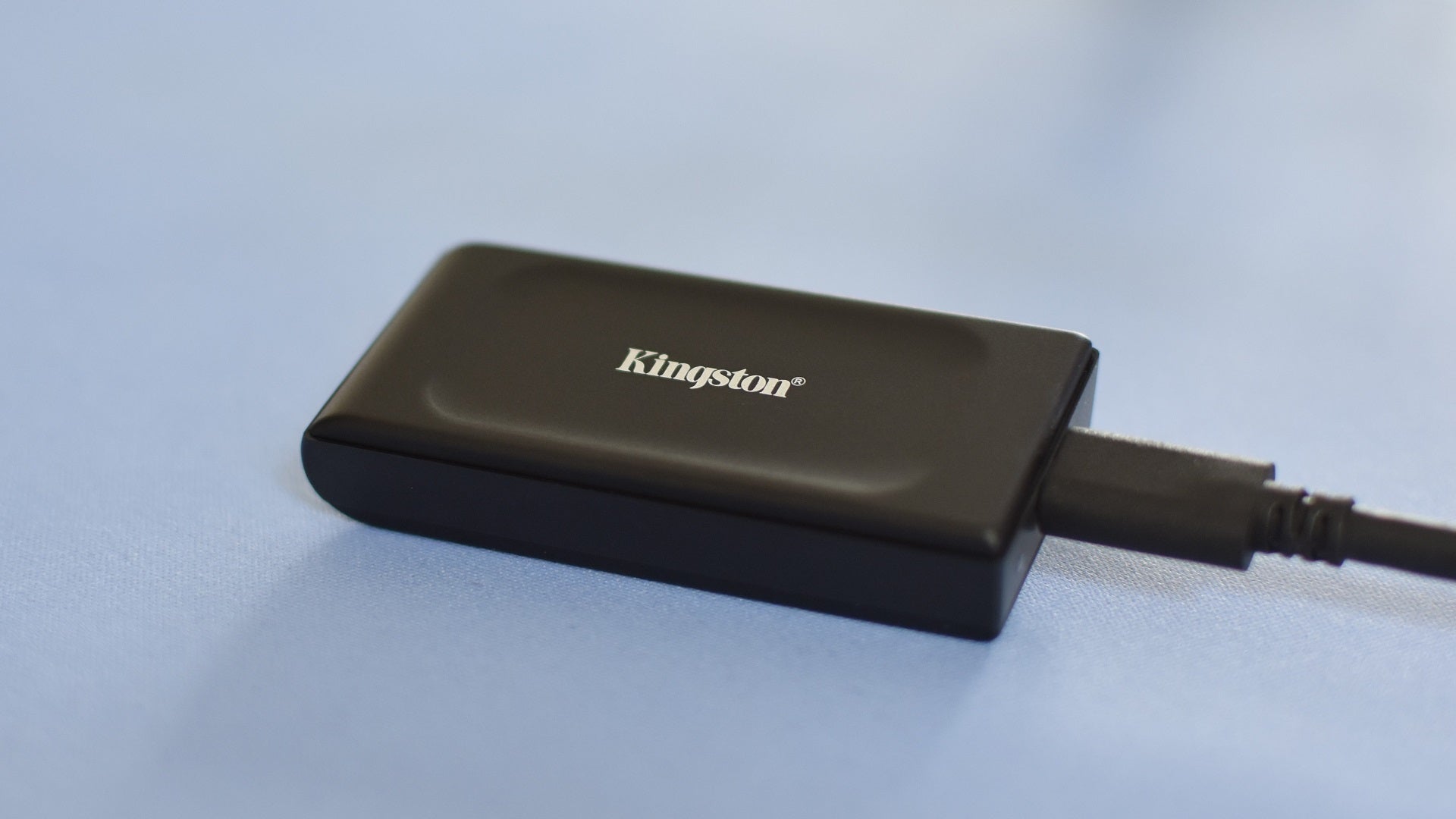
Image credit:Rock Paper Shotgun
The Kingston XS1000 is just as ultra-compact as the XS2000 below, and doesn’t rely on a scarcely available USB standard to get its best performance. In turn, this means the XS1000 is ’limited’ to USB 3.2 Gen 2 speeds, but considering how close it comes to ostensibly higher-end external SSDs, I think we can forgive its choice of a more mass-market interface.
In benchmarks, it repeatedly nibbled the heels of the excellent Crucial X9 Pro, posting a 965.3MB/s sequential read speed and an AS SSD overall score of 807; the X9 Pro landed 986MB/s and 819 respectively. Its showing o 3.16s (437MB/s) in the game copying test was a little further off, but is also nearly equal to that of the WD Black P40, another SSD that will dig even deeper into your wallet. Even if the XS1000 isn’t the outright quickest portable drive around, it can certainly race with the big boys, and is something of a bargain as a result.
It’s far from cheaply made, too. There’s a strip of plastic running around the edge but otherwise, it’s all metal, blending an ideal mix of toughness, lightness, and taking-up-barely-any-room-in-your-pocketness.
What we like: ✔️ Fast for the money ✔️ Tiny form factor ✔️ Good build quality
| Samsung T9 The best rugged external SSD for gaming | Check price at Amazon UK Check price at Amazon US |
|---|
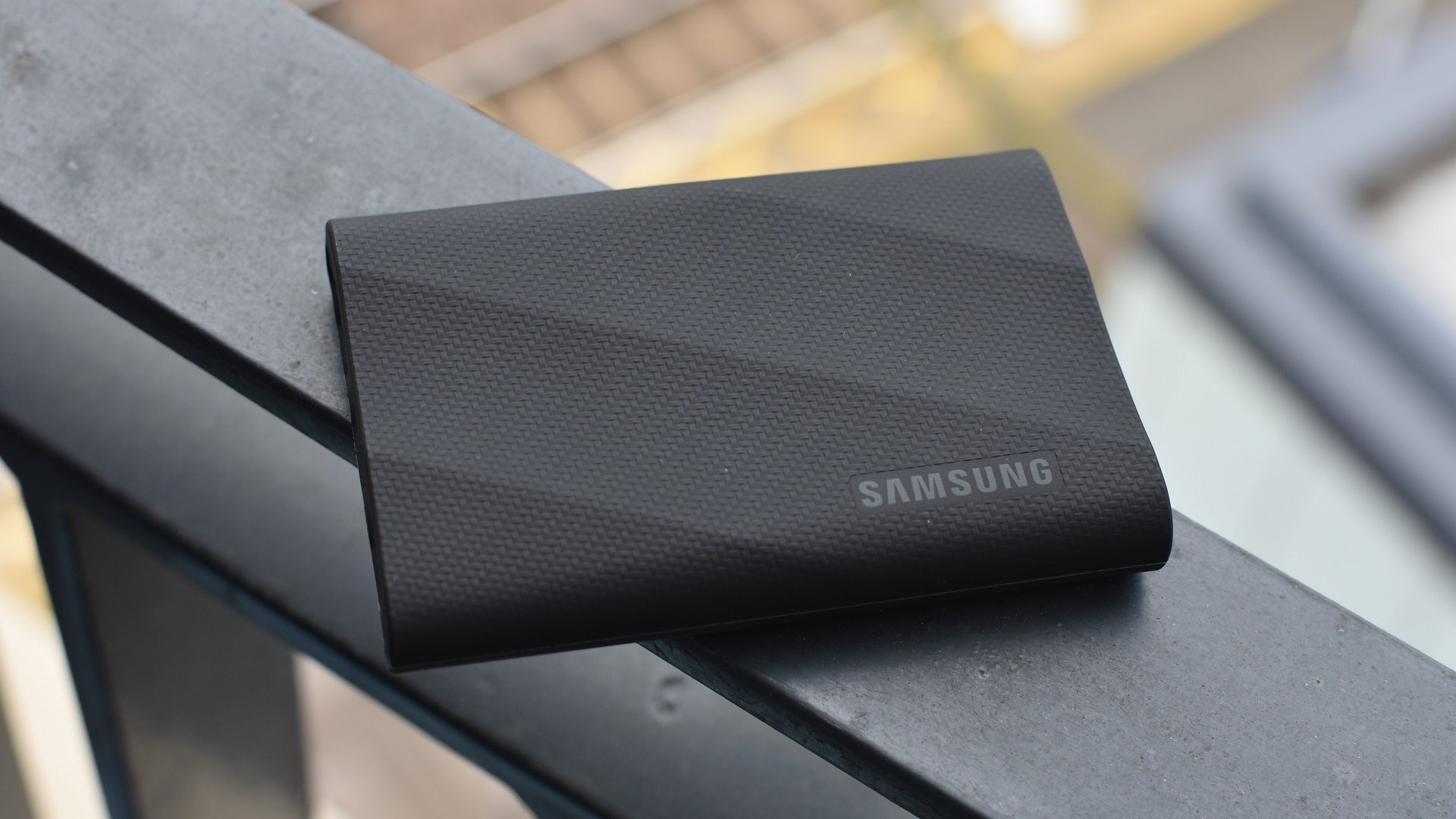
Image credit:Rock Paper Shotgun
The lack of moving parts makes SSDs naturally more impact-resistant than hard drives, which is helpful if you’re likely to keep one in a packed bag, or on a high shelf next to a block of improperly refrigerated butter. For even more protection, something like the Samsung T9 is great – its aluminium shell is enrobed in rubber, producing a considerable upgrade to durability (as well as a lovely matte feel).
The T9 is actually booting another Samsung SSD, the T7 Shield, off its spot in this list. The latter is still a brilliant external SSD, and a more affordable one too, but it can’t stand up to the T9’s speeds. Over a USB-C Gen 2 2x2 connection, the newer model finished AS SSD’s game copying test in an unbelievable 0.62s – a fraction of the 4.16s managed by the T7 Shield. The T9 also nearly doubled the T7 Shield’s sequential transfer speeds, with 1753MB/s reads and 1661MB/s writes.
These two ruggedised drives are much closer on performance if you use a slower USB-C port, or most kinds of USB-A ports. For an external SSD that’s all about shunting files to and from a separate drive, though, the T9’s toweringly high speed ceiling makes it worth the premium.
What we like: ✔️ Tough, but compact ✔️ Fastest transfer speeds around ✔️ Both USB-A and USB-C cables included
| Kingston XS2000 The best USB 3.2 2x2 external SSD for gaming | Check price at Amazon UK Check price at B&H Photo Video |
|---|
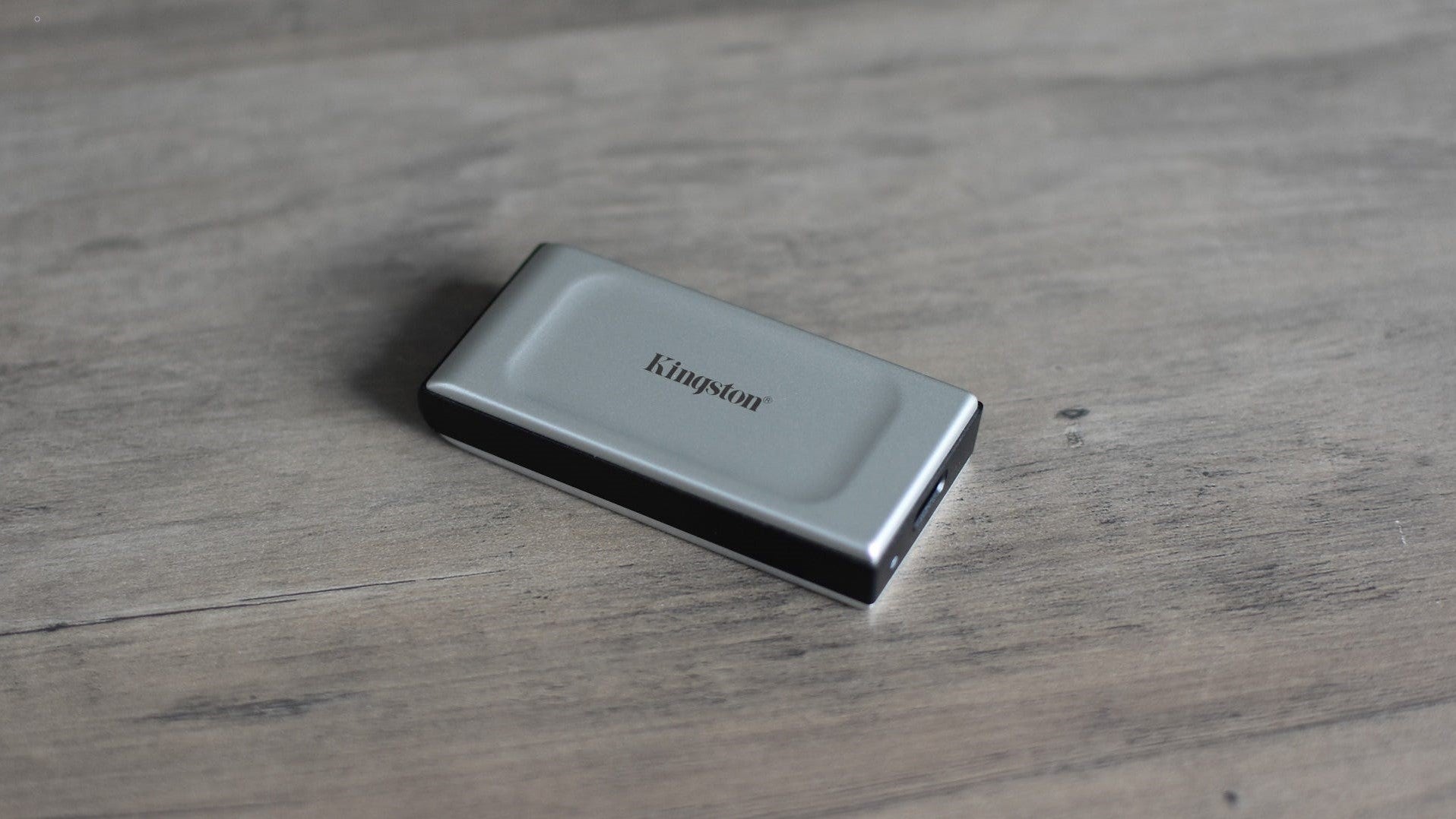
Image credit:Rock Paper Shotgun
Portable SSDs are tied up in a lot of silly naming conventions for USB standards, like how “USB 3.2 Gen 1” is basically just USB 3.1. All you need to know about USB 3.2 2x2 is that it’s the fastest USB standard you can currently expect to find supported by gaming motherboards, at least until USB4 adoption picks up.
Granted, even USB 3.2 2x2 mobos are still pretty rare, and I don’t recommend the Kingston XS2000 if you’re going to limit it to lower USB 3.2 Gen 2 speeds. But if you do have 2x2 hardware, you’re in for a treat, as this wonderfully pocket-friendly SSD can more than match its advertised sequential speeds while flying through more challenging read and write tasks. In the AS SSD copy benchmark, it completed the game copying portion in 1.21s, or at 1138MB/s; the Crucial X8’s best showing, over USB 3.2 Gen 2, was 3.3s / 420MB/s.
What we like: ✔️ Exceptionally fast over USB 3.2 2x2 ✔️ Very small and light ✔️ Bundled with protective sleeve
SATA SSD vs NVMe: what’s the difference?
SSDs are split into two main types right now: SATA drives and NVMe drives. 2.5in SATA SSDs are the easiest drop-in replacement for a standard hard disk. These plug into a SATA 3 port on your motherboard, and most modern PC cases have mounting points for 2.5in SSDs on the back of the motherboard tray. If yours doesn’t, you can use a cheap adaptor (really just a 3.5in-wide metal plate with screw holes) to fit the SSD in a normal 3.5in hard disk bay. The SATA 3 interface has been around since 2009. It’s several times faster than a mechanical hard disk, but it’s also not really quick enough to keep pace with the very fastest SSDs that are around today.
If you’re in the market for a super-fast SSD that won’t be encumbered by its interface, you need to move beyond SATA to NVMe (also called PCI Express, PCIe NVMe, or just NVMe). Most NVMe SSDs are are just 22mm wide and 80mm long (so about a third shorter than a stick of RAM) and are mounted directly to the motherboard in an M.2 slot, so no more having to route SATA and power cables around your case. If your motherboard doesn’t have such a slot, there’s only one way to unleash the speed: a PCIe add-in card (AIC). These add-in cards will fit in a spare PCIe x4 or x16 slot and are monstrously quick, as well as monstrously expensive.
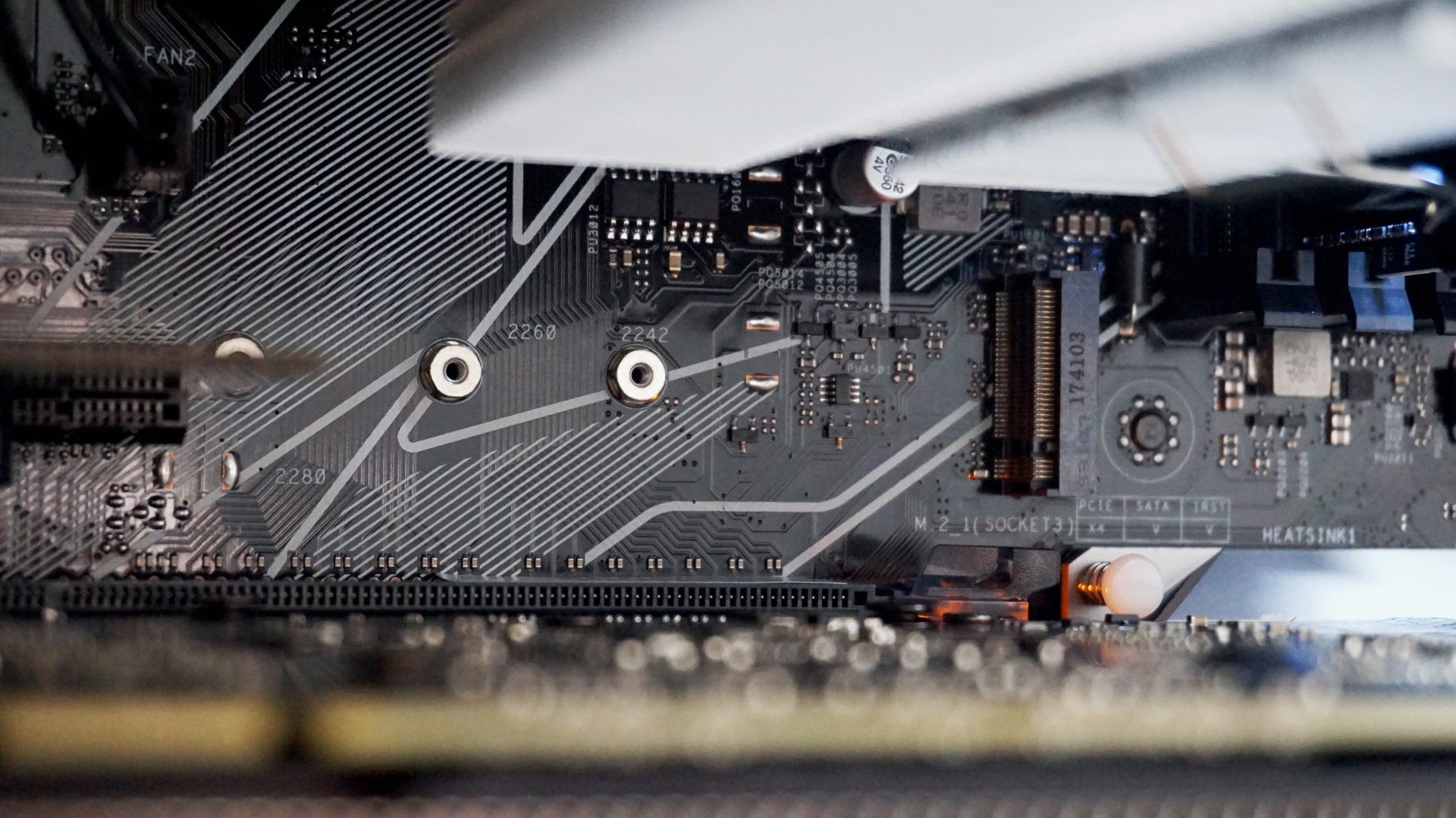
NVMe SSDs require an M.2 slot (above) on your motherboard.
What’s the difference between PCIe 3.0 and PCIe 4.0 SSDs?
Like many different kinds of technology, the PCI Express (PCIe for short) interface has had many different generations over the years. Most new CPUs and motherboards these days provide PCIe 4.0 support, though PCIe 3.0 is still very widely used, hence why 3.0 SSDs are still releasing. The main difference between them is the amount of bandwidth they have to move data back and forth between different parts of your PC.
Bandwidth doubles every generation. PCIe 3.0 currently has a bandwidth of 32GB/s, as well as a bit or data rate of 8 gigatransfers per second (GT/s). However, PCIe 4.0 doubles that to a bandwidth of 64GB/s and a bit rate of 16 GT/s, making it much, much faster at moving large quantities of data around.
What size SSD should I buy?
The absolute bare minimum SSD size I’d recommend these days is 500GB, as this will give you enough room for your Windows installation (around 20GB), a few big games, plus all your music, photos and any other programmes you might need. However, if you have a particularly large photo and music collection, or just like having lots of games installed at the same time, then I’d recommend bumping it up to the 1TB mark.
To get the most gigs for your money, you could get a smaller SSD - even as little as 256GB - as your main drive and augment it with a 1TB or 2TB hard drive. Just remember, though, that any games or apps saved on the HDD won’t benefit from the SSD’s much faster speed, if indeed they work properly at all. I’d still suggest going for the biggest SSD that your budget will allow.
Rock Paper Shotgun is better when you sign in
Sign in and join us on our journey to discover strange and compelling PC games.

All 75 Arc Raiders Blueprints and where to get them
These areas have the highest chance of giving you Blueprints

Image credit:Rock Paper Shotgun/Embark Studios

Looking for more Arc Raiders Blueprints? It’s a special day when you find a Blueprint, as they’re among the most valuable items in Arc Raiders. If you find a Blueprint that you haven’t already found, then you must make sure you hold onto it at all costs, because Blueprints are the key to one of the most important and powerful systems of meta-progression in the game.
This guide aims to be the very best guide on Blueprints you can find, starting with a primer on what exactly they are and how they work in Arc Raiders, before delving into exactly where to get Blueprints and the very best farming spots for you to take in your search.
We’ll also go over how to get Blueprints from other unlikely activities, such as destroying Surveyors and completing specific quests. And you’ll also find the full list of all 75 Blueprints in Arc Raiders on this page (including the newest Blueprints added with the Cold Snap update , such as the Deadline Blueprint and Firework Box Blueprint), giving you all the information you need to expand your own crafting repertoire.
In this guide:
- What are Blueprints in Arc Raiders?
- Full Blueprint list: All crafting recipes
- Where to find Blueprints in Arc Raiders Blueprints obtained from quests Blueprints obtained from Trials Best Blueprint farming locations

What are Blueprints in Arc Raiders?
Blueprints in Arc Raiders are special items which, if you manage to extract with them, you can expend to permanently unlock a new crafting recipe in your Workshop. If you manage to extract from a raid with an Anvil Blueprint, for example, you can unlock the ability to craft your very own Anvil Pistol, as many times as you like (as long as you have the crafting materials).
To use a Blueprint, simply open your Inventory while in the lobby, then right-click on the Blueprint and click “Learn And Consume” . This will permanently unlock the recipe for that item in your Workshop. As of the Stella Montis update, there are allegedly 75 different Blueprints to unlock - although only 68 are confirmed to be in the game so far. You can see all the Blueprints you’ve found and unlocked by going to the Workshop menu, and hitting “R” to bring up the Blueprint screen.
It’s possible to find duplicates of past Blueprints you’ve already unlocked. If you find these, then you can either sell them, or - if you like to play with friends - you can take it into a match and gift it to your friend so they can unlock that recipe for themselves. Another option is to keep hold of them until the time comes to donate them to the Expedition.
Full Blueprint list: All crafting recipes
Below is the full list of all the Blueprints that are currently available to find in Arc Raiders, and the crafting recipe required for each item:
| Blueprint | Type | Recipe | Crafted At |
|---|---|---|---|
| Bettina | Weapon | 3x Advanced Mechanical Components 3x Heavy Gun Parts 3x Canister | Gunsmith 3 |
| Blue Light Stick | Quick Use | 3x Chemicals | Utility Station 1 |
| Aphelion | Weapon | 3x Magnetic Accelerator 3x Complex Gun Parts 1x Matriarch Reactor | Gunsmith 3 |
| Combat Mk. 3 (Flanking) | Augment | 2x Advanced Electrical Components 3x Processor | Gear Bench 3 |
| Combat Mk. 3 (Aggressive) | Augment | 2x Advanced Electrical Components 3x Processor | Gear Bench 3 |
| Complex Gun Parts | Material | 2x Light Gun Parts 2x Medium Gun Parts 2x Heavy Gun Parts | Refiner 3 |
| Fireworks Box | Quick Use | 1x Explosive Compound 3x Pop Trigger | Explosives Station 2 |
| Gas Mine | Mine | 4x Chemicals 2x Rubber Parts | Explosives Station 1 |
| Green Light Stick | Quick Use | 3x Chemicals | Utility Station 1 |
| Pulse Mine | Mine | 1x Crude Explosives 1x Wires | Explosives Station 1 |
| Seeker Grenade | Grenade | 1x Crude Explosives 2x ARC Alloy | Explosives Station 1 |
| Looting Mk. 3 (Survivor) | Augment | 2x Advanced Electrical Components 3x Processor | Gear Bench 3 |
| Angled Grip II | Mod | 2x Mechanical Components 3x Duct Tape | Gunsmith 2 |
| Angled Grip III | Mod | 2x Mod Components 5x Duct Tape | Gunsmith 3 |
| Hullcracker | Weapon | 1x Magnetic Accelerator 3x Heavy Gun Parts 1x Exodus Modules | Gunsmith 3 |
| Launcher Ammo | Ammo | 5x Metal Parts 1x Crude Explosives | Workbench 1 |
| Anvil | Weapon | 5x Mechanical Components 5x Simple Gun Parts | Gunsmith 2 |
| Anvil Splitter | Mod | 2x Mod Components 3x Processor | Gunsmith 3 |
| ??? | ??? | ??? | ??? |
| Barricade Kit | Quick Use | 1x Mechanical Components | Utility Station 2 |
| Blaze Grenade | Grenade | 1x Explosive Compound 2x Oil | Explosives Station 3 |
| Bobcat | Weapon | 3x Advanced Mechanical Components 3x Light Gun Parts | Gunsmith 3 |
| Osprey | Weapon | 2x Advanced Mechanical Components 3x Medium Gun Parts 7x Wires | Gunsmith 3 |
| Burletta | Weapon | 3x Mechanical Components 3x Simple Gun Parts | Gunsmith 1 |
| Compensator II | Mod | 2x Mechanical Components 4x Wires | Gunsmith 2 |
| Compensator III | Mod | 2x Mod Components 8x Wires | Gunsmith 3 |
| Defibrillator | Quick Use | 9x Plastic Parts 1x Moss | Medical Lab 2 |
| ??? | ??? | ??? | ??? |
| Equalizer | Weapon | 3x Magnetic Accelerator 3x Complex Gun Parts 1x Queen Reactor | Gunsmith 3 |
| Extended Barrel | Mod | 2x Mod Components 8x Wires | Gunsmith 3 |
| Extended Light Mag II | Mod | 2x Mechanical Components 3x Steel Spring | Gunsmith 2 |
| Extended Light Mag III | Mod | 2x Mod Components 5x Steel Spring | Gunsmith 3 |
| Extended Medium Mag II | Mod | 2x Mechanical Components 3x Steel Spring | Gunsmith 2 |
| Extended Medium Mag III | Mod | 2x Mod Components 5x Steel Spring | Gunsmith 3 |
| Extended Shotgun Mag II | Mod | 2x Mechanical Components 3x Steel Spring | Gunsmith 2 |
| Extended Shotgun Mag III | Mod | 2x Mod Components 5x Steel Spring | Gunsmith 3 |
| Remote Raider Flare | Quick Use | 2x Chemicals 4x Rubber Parts | Utility Station 1 |
| Heavy Gun Parts | Material | 4x Simple Gun Parts | Refiner 2 |
| Venator | Weapon | 2x Advanced Mechanical Components 3x Medium Gun Parts 5x Magnet | Gunsmith 3 |
| Il Toro | Weapon | 5x Mechanical Components 6x Simple Gun Parts | Gunsmith 1 |
| Jolt Mine | Mine | 1x Electrical Components 1x Battery | Explosives Station 2 |
| Explosive Mine | Mine | 1x Explosive Compound 1x Sensors | Explosives Station 3 |
| Jupiter | Weapon | 3x Magnetic Accelerator 3x Complex Gun Parts 1x Queen Reactor | Gunsmith 3 |
| Light Gun Parts | Material | 4x Simple Gun Parts | Refiner 2 |
| Lightweight Stock | Mod | 2x Mod Components 5x Duct Tape | Gunsmith 3 |
| Lure Grenade | Grenade | 1x Speaker Component 1x Electrical Components | Utility Station 2 |
| Medium Gun Parts | Material | 4x Simple Gun Parts | Refiner 2 |
| Torrente | Weapon | 2x Advanced Mechanical Components 3x Medium Gun Parts 6x Steel Spring | Gunsmith 3 |
| Muzzle Brake II | Mod | 2x Mechanical Components 4x Wires | Gunsmith 2 |
| Muzzle Brake III | Mod | 2x Mod Components 8x Wires | Gunsmith 3 |
| Padded Stock | Mod | 2x Mod Components 5x Duct Tape | Gunsmith 3 |
| Shotgun Choke II | Mod | 2x Mechanical Components 4x Wires | Gunsmith 2 |
| Shotgun Choke III | Mod | 2x Mod Components 8x Wires | Gunsmith 3 |
| Shotgun Silencer | Mod | 2x Mod Components 8x Wires | Gunsmith 3 |
| Showstopper | Grenade | 1x Advanced Electrical Components 1x Voltage Converter | Explosives Station 3 |
| Silencer I | Mod | 2x Mechanical Components 4x Wires | Gunsmith 2 |
| Silencer II | Mod | 2x Mod Components 8x Wires | Gunsmith 3 |
| Snap Hook | Quick Use | 2x Power Rod 3x Rope 1x Exodus Modules | Utility Station 3 |
| Stable Stock II | Mod | 2x Mechanical Components 3x Duct Tape | Gunsmith 2 |
| Stable Stock III | Mod | 2x Mod Components 5x Duct Tape | Gunsmith 3 |
| Tagging Grenade | Grenade | 1x Electrical Components 1x Sensors | Utility Station 3 |
| Tempest | Weapon | 3x Advanced Mechanical Components 3x Medium Gun Parts 3x Canister | Gunsmith 3 |
| Trigger Nade | Grenade | 2x Crude Explosives 1x Processor | Explosives Station 2 |
| Vertical Grip II | Mod | 2x Mechanical Components 3x Duct Tape | Gunsmith 2 |
| Vertical Grip III | Mod | 2x Mod Components 5x Duct Tape | Gunsmith 3 |
| Vita Shot | Quick Use | 2x Antiseptic 1x Syringe | Medical Lab 3 |
| Vita Spray | Quick Use | 3x Antiseptic 1x Canister | Medical Lab 3 |
| Vulcano | Weapon | 1x Magnetic Accelerator 3x Heavy Gun Parts 1x Exodus Modules | Gunsmith 3 |
| Wolfpack | Grenade | 2x Explosive Compound 2x Sensors | Explosives Station 3 |
| Red Light Stick | Quick Use | 3x Chemicals | Utility Station 1 |
| Smoke Grenade | Grenade | 14x Chemicals 1x Canister | Utility Station 2 |
| Deadline | Mine | 3x Explosive Compound 2x ARC Circuitry | Explosives Station 3 |
| Trailblazer | Grenade | 1x Explosive Compound 1x Synthesized Fuel | Explosives Station 3 |
| Tactical Mk. 3 (Defensive) | Augment | 2x Advanced Electrical Components 3x Processor | Gear Bench 3 |
| Tactical Mk. 3 (Healing) | Augment | 2x Advanced Electrical Components 3x Processor | Gear Bench 3 |
| Yellow Light Stick | Quick Use | 3x Chemicals | Utility Station 1 |
Note: The missing Blueprints in this list likely have not actually been added to the game at the time of writing, because none of the playerbase has managed to find any of them. As they are added to the game, I will update this page with the most relevant information so you know exactly how to get all 75 Arc Raiders Blueprints.
Where to find Blueprints in Arc Raiders
Below is a list of all containers, modifiers, and events which maximise your chances of finding Blueprints:
- Certain quests reward you with specific Blueprints .
- Completing Trials has a high chance of offering Blueprints as rewards.
- Surveyors have a decent chance of dropping Blueprints on death.
- High loot value areas tend to have a greater chance of spawning Blueprints.
- Night Raids and Storms may increase rare Blueprint spawn chances in containers.
- Containers with higher numbers of items may have a higher tendency to spawn Blueprints. As a result, Blue Gate (which has many “large” containers containing multiple items) may give you a higher chance of spawning Blueprints.
- Raider containers (Raider Caches, Weapon Boxes, Medical Bags, Grenade Tubes) have increased Blueprint drop rates. As a result, the Uncovered Caches event gives you a high chance of finding Blueprints.
- Security Lockers have a higher than average chance of containing Blueprints.
- Certain Blueprints only seem to spawn under specific circumstances: Tempest Blueprint only spawns during Night Raid events. Vulcano Blueprint only spawns during Hidden Bunker events. Jupiter and Equaliser Blueprints only spawn during Harvester events.

Raider Caches, Weapon Boxes, and other raider-oriented container types have a good chance of offering Blueprints. |Image credit:Rock Paper Shotgun/Embark Studios
Blueprints have a very low chance of spawning in any container in Arc Raiders, around 1-2% on average. However, there is a higher chance of finding Blueprints in particular container types. Specifically, you can find more Blueprints in Raider containers and security lockers.
Beyond this, if you’re looking for Blueprints you should focus on regions of the map which are marked as having particularly high-value loot. Areas such as the Control Tower in Dam Battlegrounds, the Arrival and Departure Buildings in Spaceport, and Pilgrim’s Peak in Blue Gate all have a better-than-average chance of spawning Blueprints somewhere amongst all their containers. Night Raids and Electromagnetic Storm events also increase the drop chances of certain Blueprints .
In addition to these containers, you can often loot Blueprints from destroyed Surveyors - the largest of the rolling ball ARC. Surveyors are more commonly found on the later maps - Spaceport and Blue Gate - and if one spawns in your match, you’ll likely see it by the blue laser beam that it casts into the sky while “surveying”.
Surveyors are quite well-armoured and will very speedily run away from you once it notices you, but if you can take one down then make sure you loot all its parts for a chance of obtaining certain unusual Blueprints.
Blueprints obtained from quests
One way in which you can get Blueprints is by completing certain quests for the vendors in Speranza. Some quests will reward you with a specific item Blueprint upon completion, so as long as you work through all the quests in Arc Raiders, you are guaranteed those Blueprints.
Here is the full list of all Blueprints you can get from quest rewards:
- Trigger Nade Blueprint: Rewarded after completing “Sparks Fly”.
- Lure Grenade Blueprint: Rewarded after completing “Greasing Her Palms”.
- Burletta Blueprint: Rewarded after completing “Industrial Espionage”.
- Hullcracker Blueprint (and Launcher Ammo Blueprint): Rewarded after completing “The Major’s Footlocker”.
Alas, that’s only 4 Blueprints out of a total of 75 to unlock, so for the vast majority you will need to find them yourself during a raid. If you’re intent on farming Blueprints, then it’s best to equip yourself with cheap gear in case you lose it, but don’t use a free loadout because then you won’t get a safe pocket to stash any new Blueprint you find. No pain in Arc Raiders is sharper than failing to extract with a new Blueprint you’ve been after for a dozen hours already.

One of the best ways to get Blueprints is by hitting three stars on all five Trials every week. |Image credit:Rock Paper Shotgun/Embark Studios
Blueprints obtained from Trials
One of the very best ways to get Blueprints is as rewards for completing Trials in Arc Raiders. Trials are unlocked from Level 15 onwards, and allow you to earn rewards by focusing on certain tasks over the course of several raids. For example, one Trial might task you with dealing damage to Hornets, while another might challenge you to loot Supply Drops.
Trials refresh on a weekly basis, with a new week bringing five new Trials. Each Trial can offer up to three rewards after passing certain score milestones, and it’s possible to receive very high level loot from these reward crates - including Blueprints. So if you want to unlock as many Blueprints as possible, you should make a point of completing as many Trials as possible each week.
Best Blueprint farming locations
The very best way to get Blueprints is to frequent specific areas of the maps which combine high-tier loot pools with the right types of containers to search. Here are my recommendations for where to find Blueprints on every map, so you can always keep the search going for new crafting recipes to unlock.

Image credit:Rock Paper Shotgun/Embark Studios
Dam Battlegrounds
The best places to farm Blueprints on Dam Battlegrounds are the Control Tower, Power Generation Complex, Ruby Residence, and Pale Apartments . The first two regions, despite only being marked on the map as mid-tier loot, contain a phenomenal number of containers to loot. The Control Tower can also contain a couple of high-tier Security Lockers - though of course, you’ll need to have unlocked the Security Breach skill at the end of the Survival tree.
There’s also a lot of reporting amongst the playerbase that the Residential areas in the top-left of the map - Pale Apartments and Ruby Residence - give you a comparatively strong chance of finding Blueprints. Considering their size, there’s a high density of containers to loot in both locations, and they also have the benefit of being fairly out of the way. So you’re more likely to have all the containers to yourself.
Buried City
The best Blueprint farming locations on Buried City are the Santa Maria Houses, Grandioso Apartments, Town Hall, and the various buildings of the New District . Grandioso Apartments has a lower number of containers than the rest, but a high chance of spawning weapon cases - which have good Blueprint drop rates. The others are high-tier loot areas, with plenty of lootable containers - including Security Lockers.
Spaceport
The best places to find Blueprints on Spaceport are the Arrival and Departure Buildings, as well as Control Tower A6 and the Launch Towers . All these areas are labelled as high-value loot regions, and many of them are also very handily connected to one another by the Spaceport wall, which you can use to quickly run from one area to the next. At the tops of most of these buildings you’ll find at least one Security Locker, so this is an excellent farming route for players looking to find Blueprints.
The downside to looting Blueprints on Spaceport is that all these areas are hotly contested, particularly in Duos and Squads. You’ll need to be very focused and fast in order to complete the full farming route.

Image credit:Rock Paper Shotgun/Embark Studios
Blue Gate
Blue Gate tends to have a good chance of dropping Blueprints, potentially because it generally has a high number of containers which can hold lots of items; so there’s a higher chance of a Blueprint spawning in each container. In my experience, the best Blueprint farming spots on Blue Gate are Pilgrim’s Peak, Raider’s Refuge, the Ancient Fort, and the Underground Complex beneath the Warehouse .
All of these areas contain a wealth of containers to loot. Raider’s Refuge has less to loot, but the majority of the containers in and around the Refuge are raider containers, which have a high chance of containing Blueprints - particularly during major events.
Stella Montis
On the whole, Stella Montis seems to have a very low drop rate for Blueprints (though a high chance of dropping other high-tier loot). If you do want to try farming Blueprints on this map, the best places to find Blueprints in Stella Montis are Medical Research, Assembly Workshop, and the Business Center . These areas have the highest density of containers to loot on the map.
In addition to this, the Western Tunnel has a few different Security Lockers to loot, so while there’s very little to loot elsewhere in this area of the map, it’s worth hitting those Security Lockers if you spawn there at the start of a match.
That wraps up this primer on how to get all the Blueprints in Arc Raiders as quickly as possible. With the Expedition system constantly resetting a large number of players’ Blueprints, it’s more important than ever to have the most up-to-date information on where to find all these Blueprints.
While you’re here, be sure to check out our Arc Raiders best guns tier list , as well as our primers on the best skills to unlock and all the different Field Depot locations on every map.

ARC Raiders
PS5 , Xbox Series X/S , PC
Rock Paper Shotgun is better when you sign in
Sign in and join us on our journey to discover strange and compelling PC games.
