Best Minecraft mods (February 2026)
New mobs, minimaps, performance upgrades, and more await you with our list of the best Minecraft mods

Image credit:Rock Paper Shotgun/Mojang Studios

Looking for the best Minecraft mods? If you’re looking for the most powerful way to change your experience of Minecraft from one game to the next, mods are the answer. Minecraft’s modding community has been absolutely churning out mods for over a decade now, and we’ve got some incredible tools and game-changing overhauls to share with you today.
In the guide below, we’ll highlight over 40 of the best Minecraft mods we’ve ever come across. So whether you’re looking performance improvements, world generation changes, UI options, overhauled combat, new mobs, or entirely new systems like electricity, physics, and entire dimensions to explore - just keep reading, because this Minecraft mods list has something for everyone.

Best Minecraft mods
Below is a list of 43 of the very best Minecraft mods . Because everyone’s looking for something different, we’ve ordered the mods below into loose categories, from simple quality of life mods to huge world generation mods, amazing building mods, and more. In instances where these mods aren’t compatible with Minecraft’s current version of 1.21.11, we’ve listed the required version of the game that you’ll need.
- Optifine - The OG mod for performance and graphics options.
- Sodium - Improves rendering speed, FPS, and performance stability.
- Iris Shaders - A mod for loading shader packs while retaining modpack compatibility.
- Distant Horizons - Extend your view distance without sacrificing performance.
- Clumps - Clumps together XP orbs to save frame rate.
- Jade - Provides helpful tooltips for items and blocks.
- Appleskin - Tells you how much hunger food replenishes.
- ItemSwapper - Adds a hotkey menu when building so you can switch between objects.
- Mouse Wheelie - Streamlines inventory management.
- InvMove - Move when using the inventory menu.
- Explorer’s Compass - Adds a coordinates menu to explore different structures.
- Nature’s Compass - Adds a coordinates menu to explore different biomes.
- Biomes O’ Plenty - Adds new biomes, blocks and more.
- Terralith - Adds over 100 new biomes with vanilla blocks.
- Regions Unexplored - Adds over 70 new biome types.
- When Dungeons Arise - Adds dungeons with intricate map designs to the game.
- Wilder Wild - New blocks, items, music and revamps biomes and mobs.
- BetterCombat - Adds more combat styles and animations.
- Alex’s Mobs - Adds nearly 90 new mobs to the game.
- Aquaculture 2 -Adds over 30 new biome-specific fish to Minecraft.
- Brutal Bosses - Adds more challenging, named enemies.
- Nyf’s Spiders - Allows spiders to attach to any surface.
- WorldEdit - A building and construction tool that uses console commands.
- EffortlessBuilding - A building and construction tool that uses a mouse wheel.
- Chisels And Bits - Adds a Chisel tool that can shape individual blocks.
- Macaw’s Bridges - New options for bridge construction.
- JourneyMap - Can create a map from your seed and add it as a mini-map in-game.
- Immersive Portals - Takes away loading screens when travelling through portals.
- Incendium - 8 new Nether-specific biomes, 9 new Nether structures, mobs and more.
- BetterEnd - 20 new biomes and various new mobs and blocks for the End dimension.
- The Twilight Forest - Adds a new ‘Twilight Forest’ dimension.
- Physics Mod - Adds realistic physics to Minecraft, complete with ragdoll animations.
- Applied Energistics 2 - Adds a new ’energy’ mechanic.
- Dragon Enchants - Adds 17 new fantasy-themed enchantments.
- Trainguy’s Animation Overhaul - Enhances vanilla animations.
- Sound Physics Remastered - Enhances sound effects like echoes.
- Presence Footsteps - Changes and diversifies the sound of footsteps.
- ImmersiveMC - Takes away certain menus so you can enjoy a more immersive experience.
- GraveStone Mod - Plants a grave at your position of death to retrieve belongings.
- Waystones - Adds fast travel to Minecraft via Waystones.
- Comforts - Adds new sleeping options that can work during the day.
- MCA Reborn - Revamps village NPCs with new relationship-building system.
- Farmer’s Delight - Adds new farming and cooking systems to Minecraft.
If you want to know more about using these or other mods, check out our step-by-step guide on how to install Minecraft mods !
Optifine
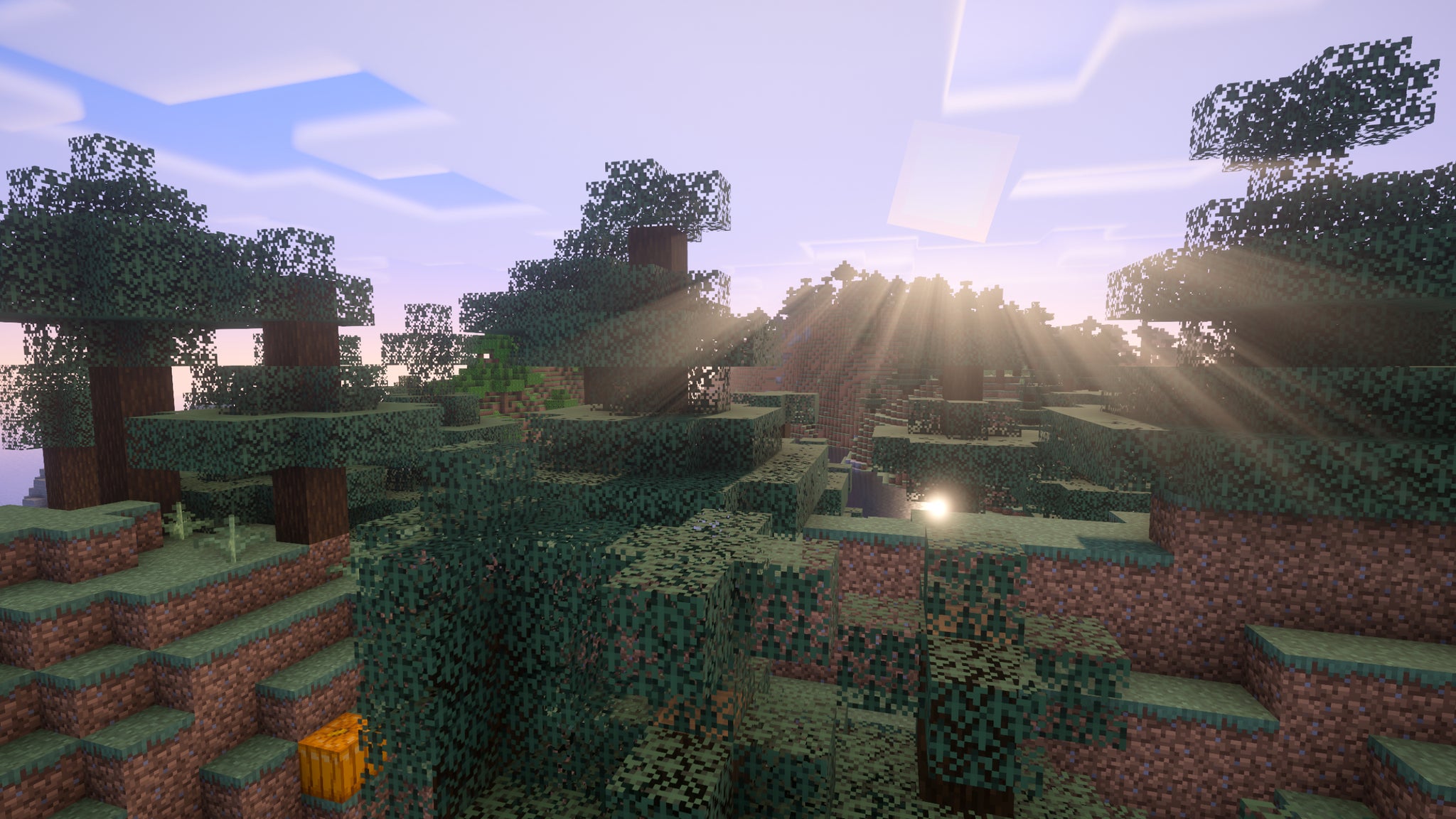
Image credit:Rock Paper Shotgun/Mojang Studios
Optifine is the most popular Minecraft mod in existence. It drastically increases the number of customisation options for Minecraft’s graphics and rendering, making Mojang’s notoriously un-optimised behemoth of a game surprisingly performant. It also lets you run your various Minecraft shaders - though don’t expect that to increase your FPS. Quite the reverse.
Sodium
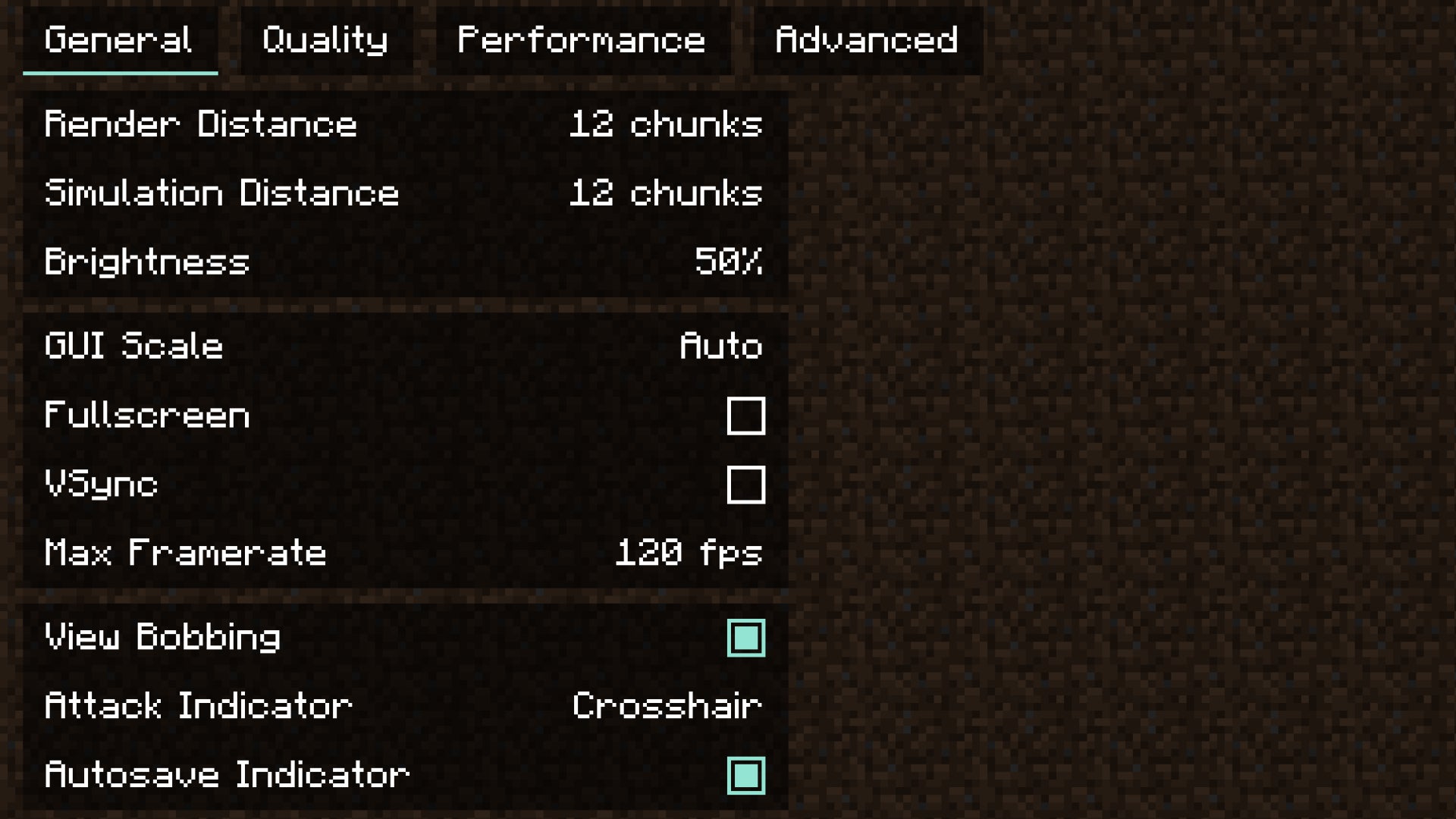
Image credit:Rock Paper Shotgun/Mojang Studios
Sodium is a direct competitor to Optifine, and the performance-enhancing mod that I actually prefer to use. Sodium is built for use with Fabric, and offers a great many extra options for customising the look of your Minecraft world and toning down or disabling the more performance-expensive aspects of vanilla Minecraft’s graphics rendering.
Iris Shaders
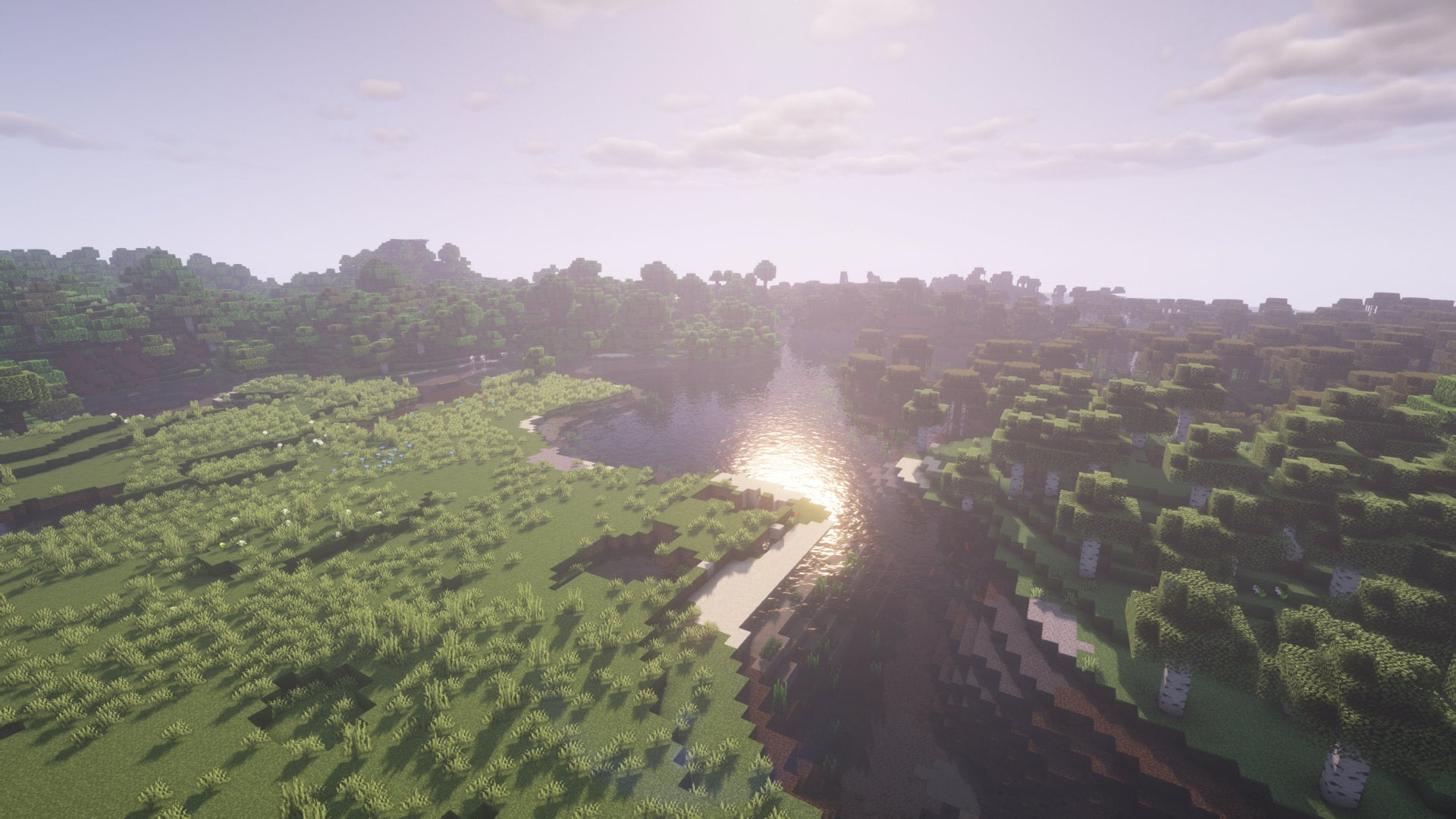
Image credit:Rock Paper Shotgun/Mojang Studios
Iris Shaders is an easy way to test a wide variety of Minecraft shaders without any fuss. You’ll be able to quickly switch between shader packs on the fly via a lovely user interface that lets you control each shader pack’s settings and run them as efficiently as possible. Considering how many incredible Minecraft shaders are out there, a mod like this is an absolute necessity.
Distant Horizons

Image credit:Rock Paper Shotgun/Mojang Studios
While not yet compatible with shaders, the incredible Distant Horizons mod gives you another reason to make your jaw drop while looking out at the world that your choice of Minecraft seed has generated for you. Distant Horizons adds LODs (Levels Of Detail) to Minecraft, allowing the game to render even incredibly far off bits of terrain at a lower level of detail. This means you can extend your view distance to unimaginably great amounts without sacrificing performance.
Clumps
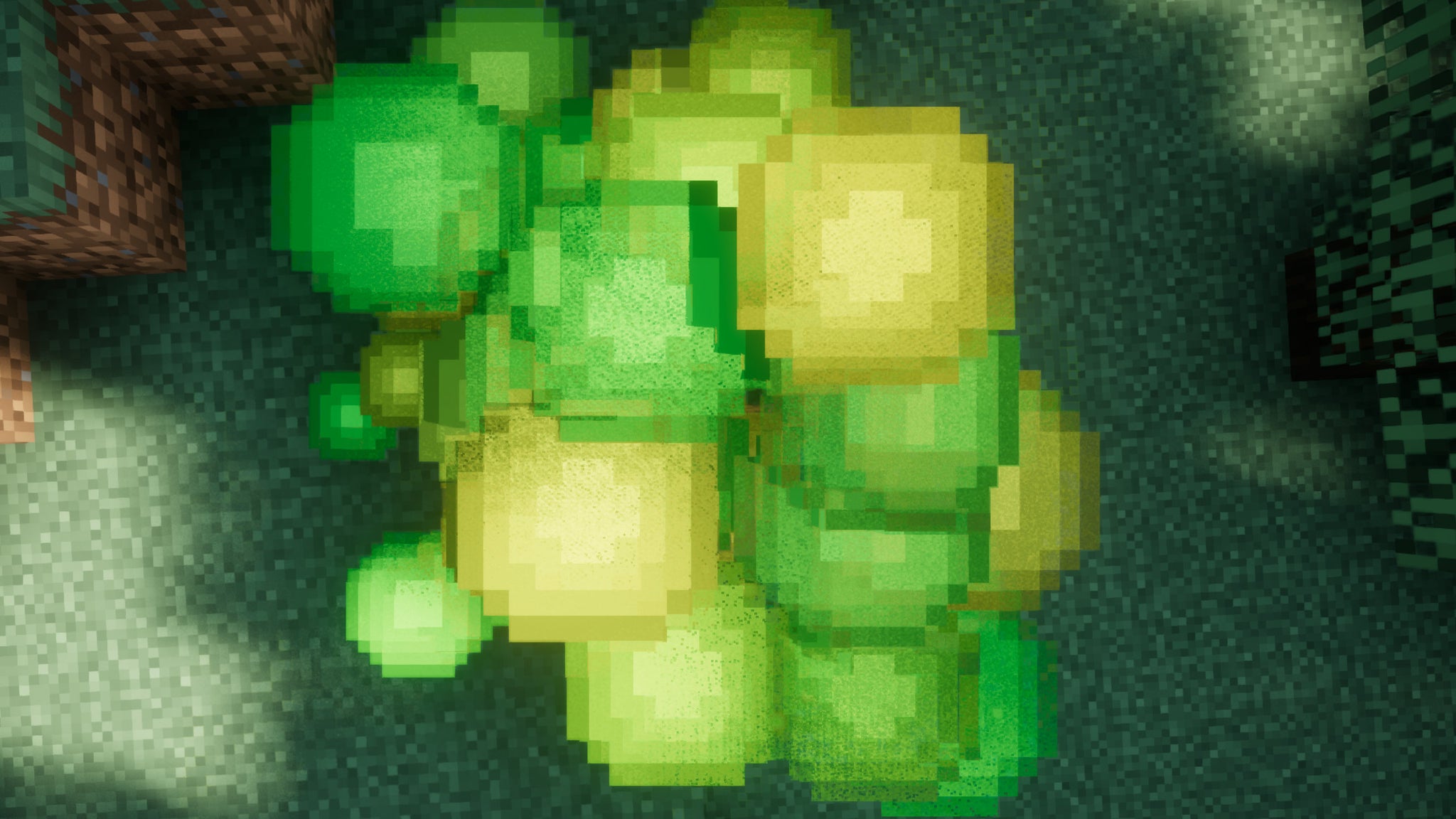
Image credit:Rock Paper Shotgun/Mojang Studios
Unlike Sodium and Optifine, Clumps isn’t a great big FPS-increasing overhaul of Minecraft. Instead it solves a single problem: the lag caused by lots of XP orbs floating around at once. If you’ve noticed your FPS tanks while using your latest XP farm for your Minecraft enchanting needs, then Clumps helps you out by clumping together all nearby XP orbs into a single orb entity.
Jade
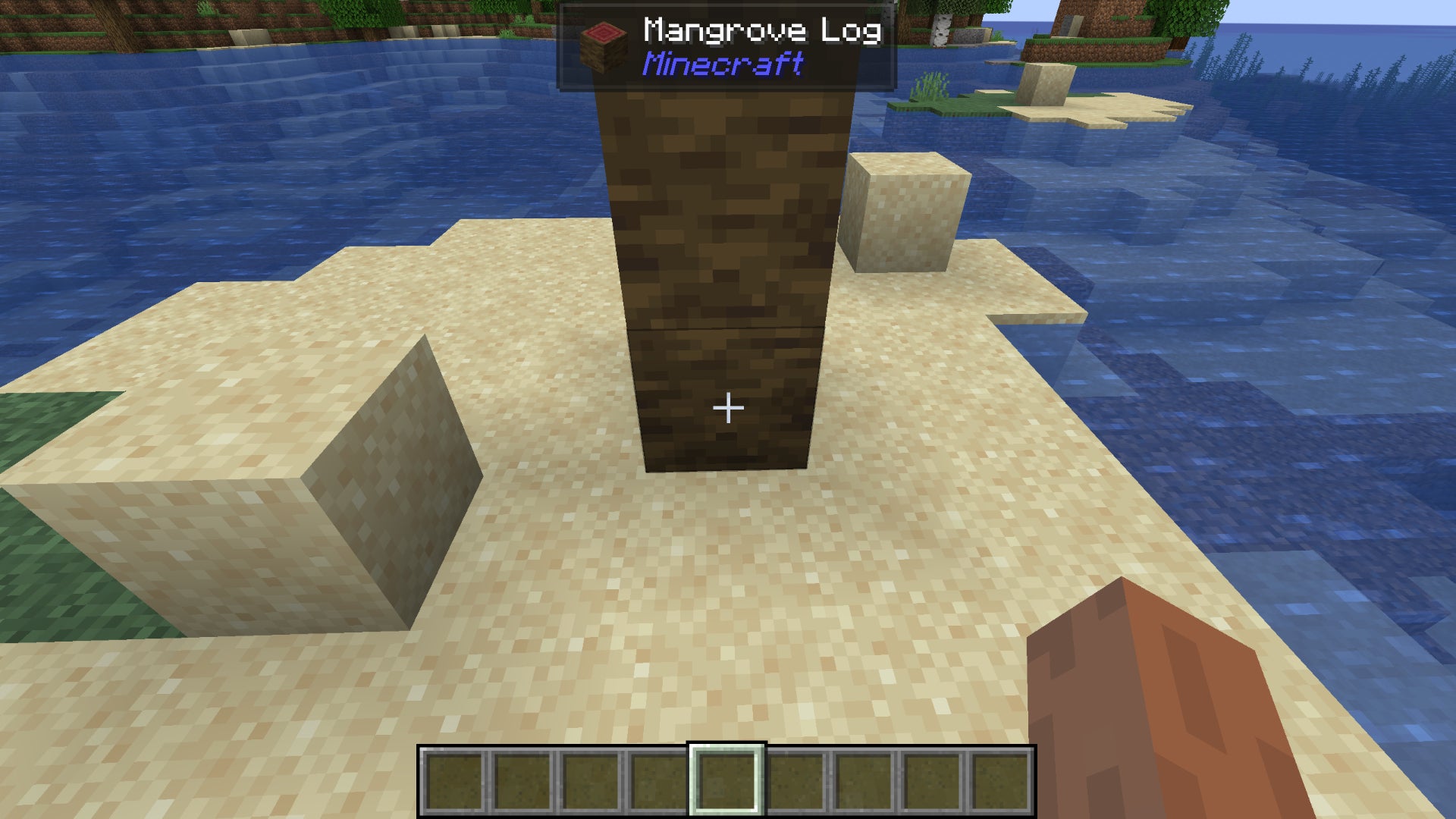
Image credit:Rock Paper Shotgun/Mojang Studios
A fork of the now defunct HWYLA, Jade is the new gold standard in helpful tooltips for items and blocks. Whenever you hover over anything in the world, Jake will tell you exactly what it is and where it comes from. It’s lightweight, easy to use, and makes Minecraft easier to learn. Why isn’t this part of vanilla Minecraft by now?
AppleSkin

Image credit:Rock Paper Shotgun/Mojang Studios
Can you say with any certainty that you 100% understand the saturation mechanic in Minecraft? I can now, and it’s all thanks to AppleSkin. Not only does this super-useful little mod tell you how much hunger a food item will replenish when you hover over it, but it’ll also give you the saturation level of each item too - a stat which Minecraft hides by default.
ItemSwapper
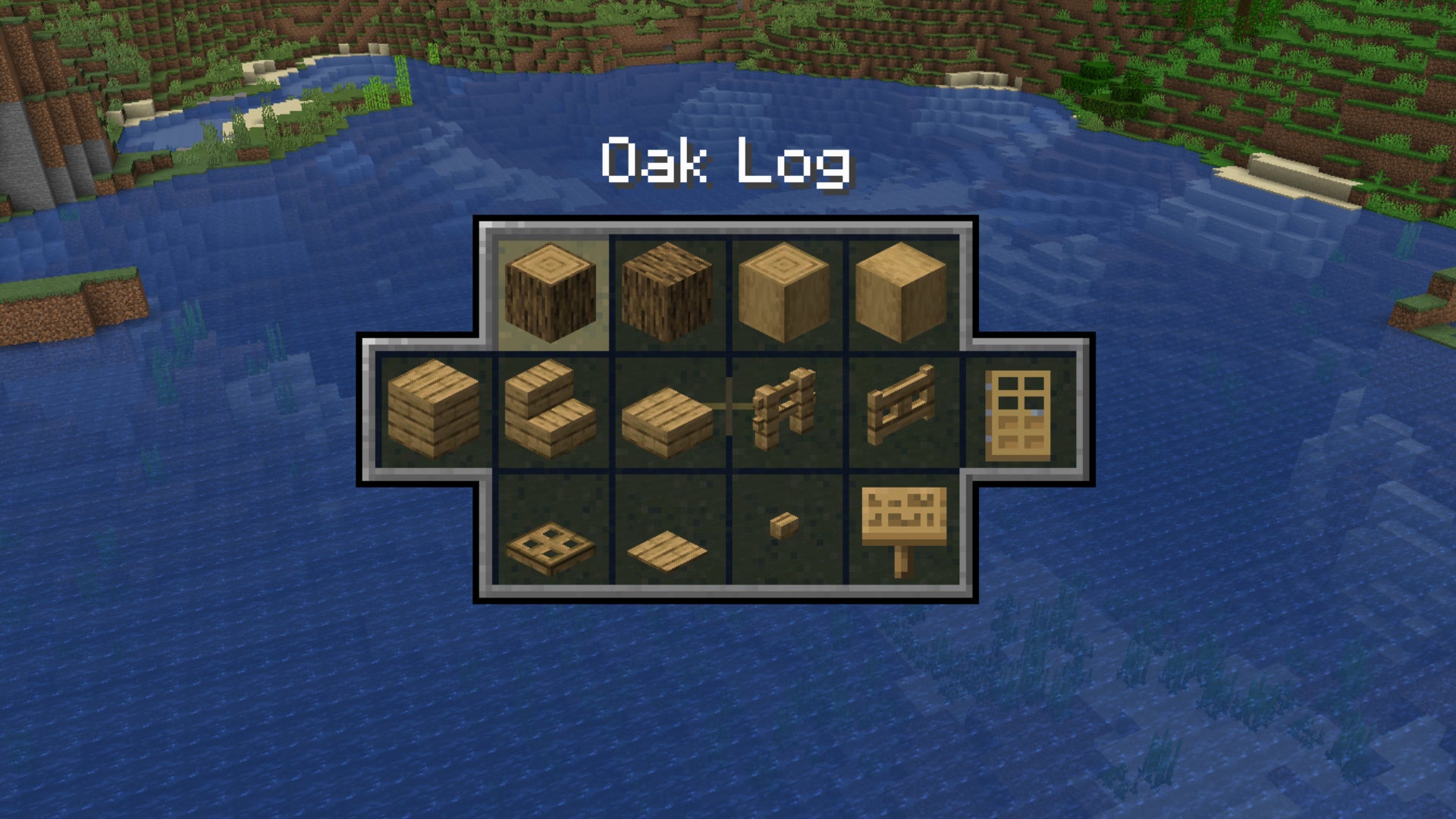
Image credit:Rock Paper Shotgun/Mojang Studios
ItemSwapper is an excellent and elegant quality of life mod that’s great for builders in particular. Pressing a hotkey while holding an item or block brings up a new panel which allows you to quickly switch between different variants of that item or block. Oak Planks can suddenly became Oak Stairs or Fences or Signs. White Dye can become any other colour of Dye. Minecraft Potions can be exchanged for one another. It’s a wonderful little mod.
Mouse Wheelie
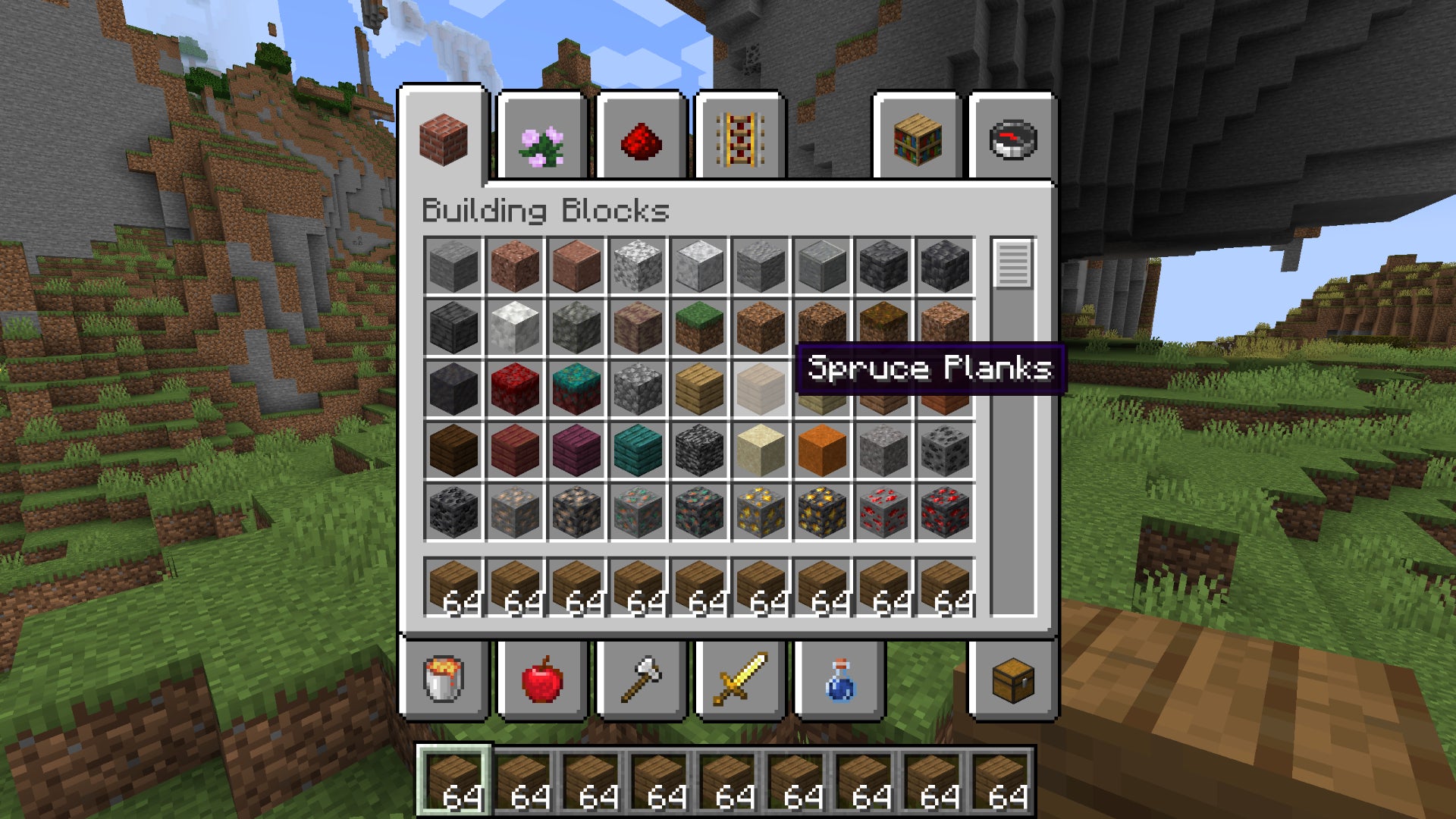
Image credit:Rock Paper Shotgun/Mojang Studios
Mouse Wheelie cuts down on the amount of clicking you need to do while sorting out your storage and inventory. Hover over an item in your inventory and scroll to send them up or down a slot. If you have a chest open, scrolling will move items in a stack from one inventory to the other, one item at a time. It’s a great way to introduce intuitive fine control to moving around objects in your Minecraft inventory.
InvMove

Image credit:Rock Paper Shotgun/Mojang Studios
A very simple but welcome quality of life Minecraft mod, this one. InvMove allows you to continue moving around in the world even while your inventory is open. Of course you won’t be able to use your mouse to look around, but you can at least walk, run, and strafe to ensure that you’re not wasting time standing still while sorting out your inventory.
Explorer’s Compass

Image credit:Rock Paper Shotgun/Mojang Studios
While it’s fun to explore the world of Minecraft on your own, sometimes, you just need to know the exact coordinates of the nearest village - or even better, the closest Buried Treasure! Explorer’s Compass is a wonderfully handy mod for this very purpose. Equip it, right click, and choose from the list of structures to get coordinates that’ll be by your side whether you want to teleport instantly to that location or trek it on foot. This mod pairs well with our guide to the best Minecraft seeds , especially if you want to personally check out all of the coordinates we’ve listed.
Nature’s Compass
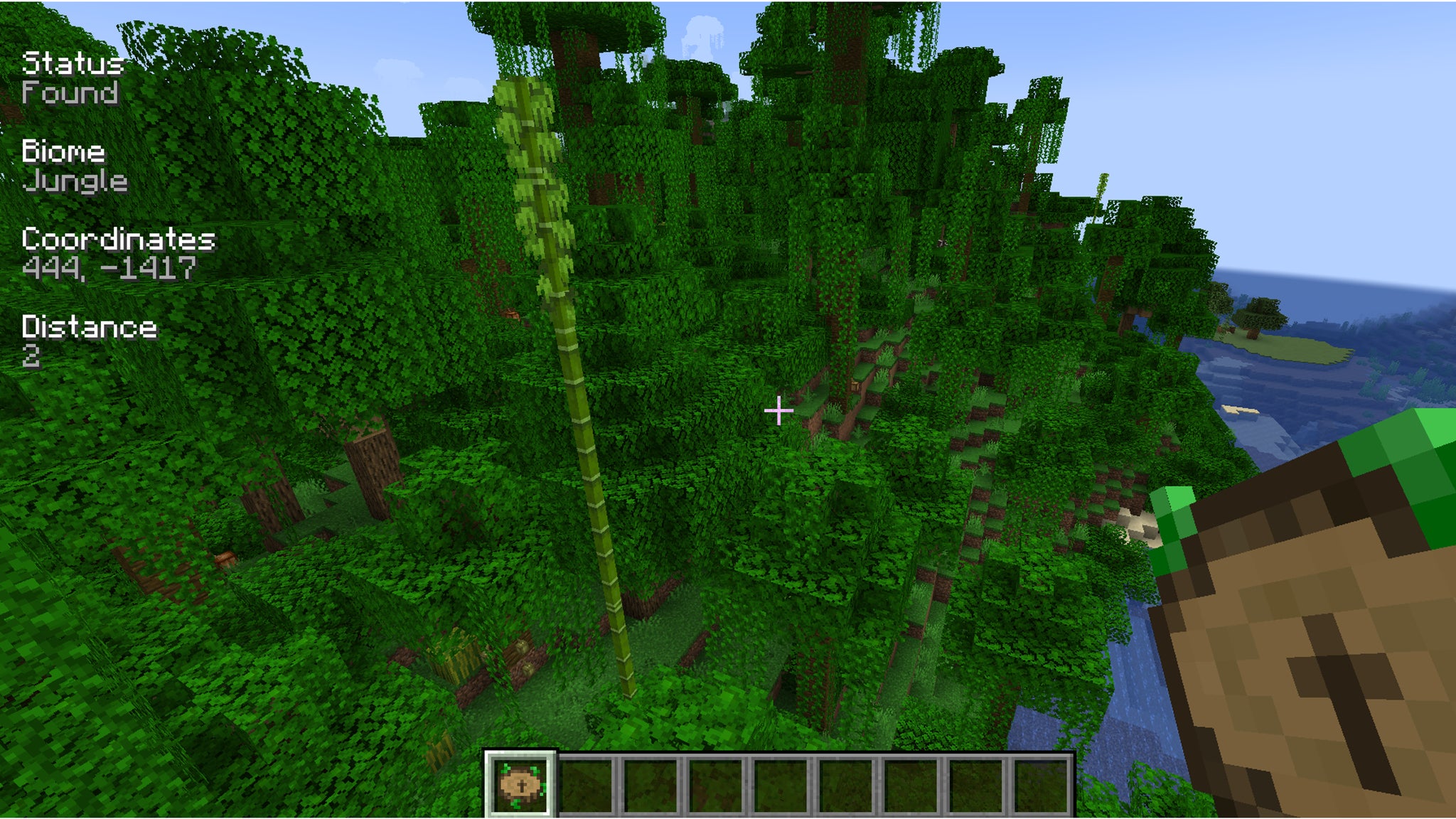
Image credit:Rock Paper Shotgun/Mojang Studios
Finding structures might be fine and dandy, but what if you want to find exactly how far you are from a biome, either to gauge where precious resources are located or simply to measure walking distance? Nature’s Compass helps you do just that. Similar to Explorer’s Compass, right-clicking opens a biome selection menu. Choose the one you’re looking for and the coordinates and distance will pop up on your screen. Nature’s Compass is compatible with all vanilla Minecraft biomes as well as modded ones, and with this handy set of handheld directions on your side, you’ll be sure to find a pretty group of Cherry Groves in no time.
Biomes O’ Plenty

Image credit:Rock Paper Shotgun/Mojang Studios
There’s a reason for Biomes O’ Plenty finding its way onto all the best Minecraft mods lists online: it’s damn good at what it does. This expansive mod adds a great many new biome types to Minecraft’s world generation, along with dozens of new block types, new foliage, and much more. This is an essential mod for injecting renewed life and interest into your Minecraft worlds, and giving you a reason to explore the Overworld again.
Terralith
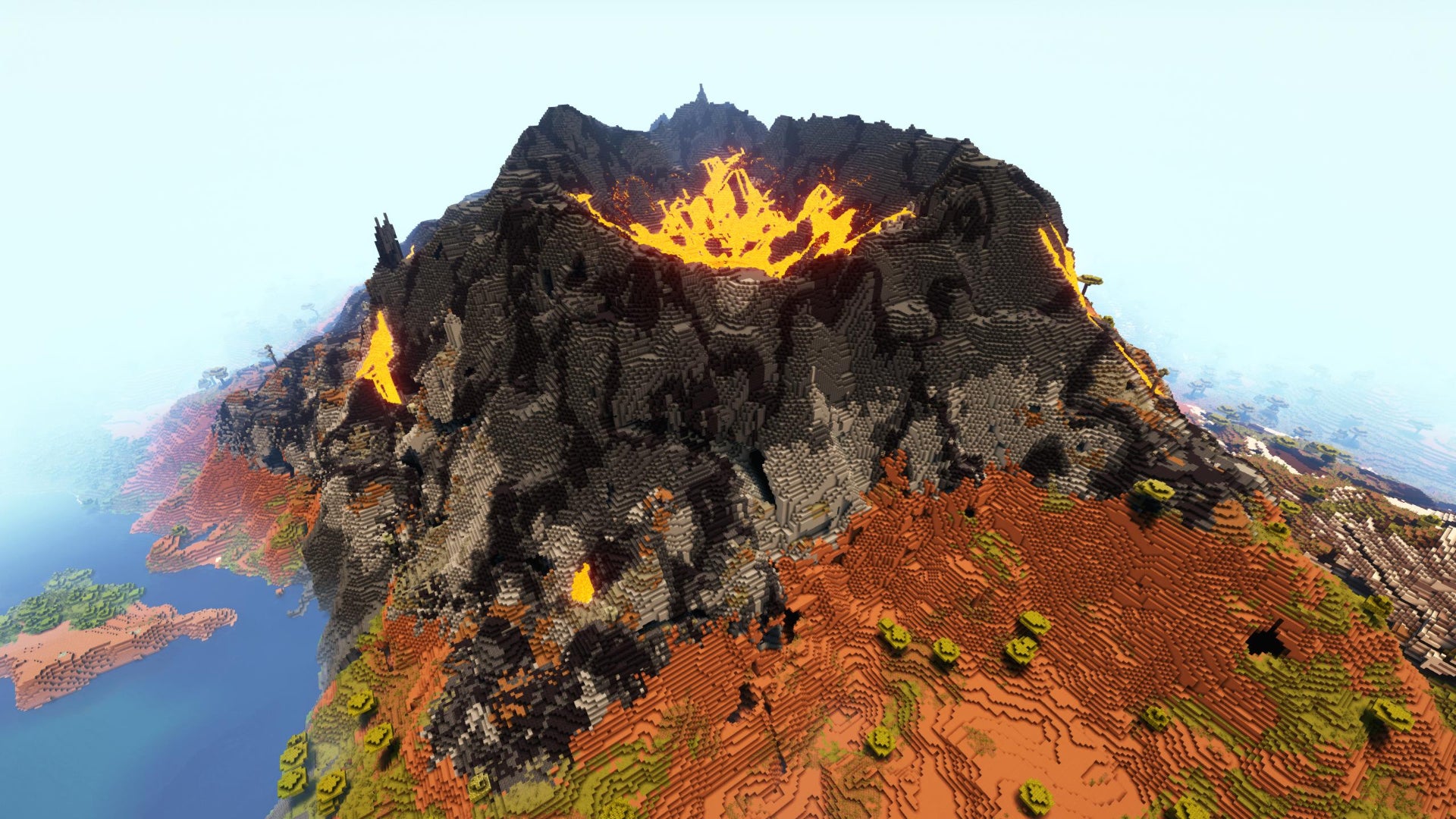
Image credit:Rock Paper Shotgun/Mojang Studios
Terralith is another incredible mod that fundamentally changes and enhances Minecraft’s vanilla world generation. Terralith adds over 100 new biomes to Minecraft worlds, from Highlands to Volcanoes and the Moonlight Grove - but the most impressive part is that, unlike Biomes O’ Plenty, Terralith adds all these new biomes using just vanilla blocks! If you’re struggling to figure out which mod you’d prefer, you’re in luck - they’re both compatible with each other, so no need to choose!
Regions Unexplored
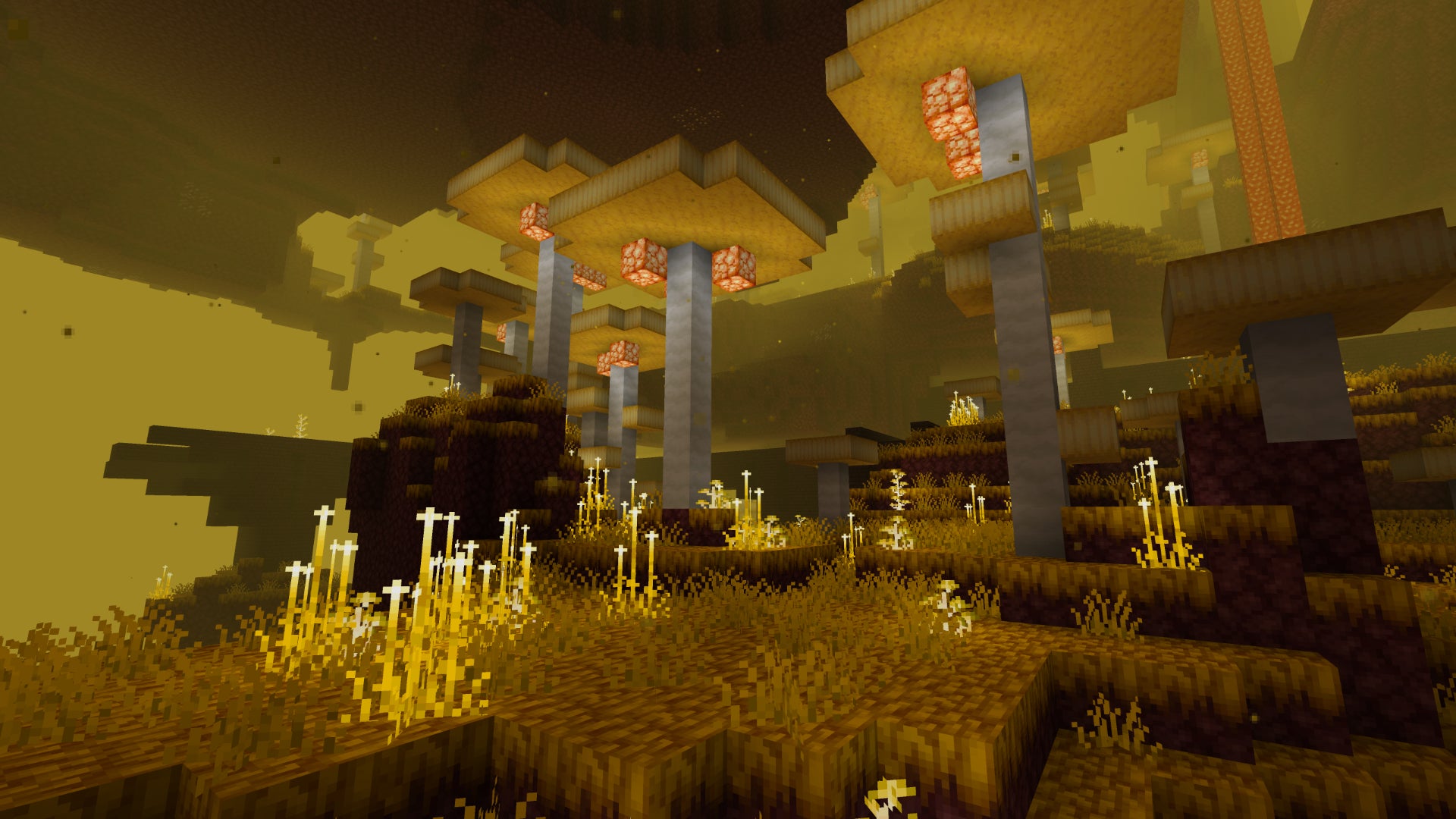
Image credit:Rock Paper Shotgun/Mojang Studios
Regions Unexplored is a new and impressive rival to the other two world generation mods on this list. At the time of writing it has just 30,000-odd downloads, but it offers over 70 new biome types, from real-life examples like Maple Forests and Redwoods to the more mystical Prismachasm and Mycotoxic Undergrowth. If you’re getting a bit familiar with the Biomes Of Plenty or Terralith biomes, Regions Unexplored is one to check out.
When Dungeons Arise
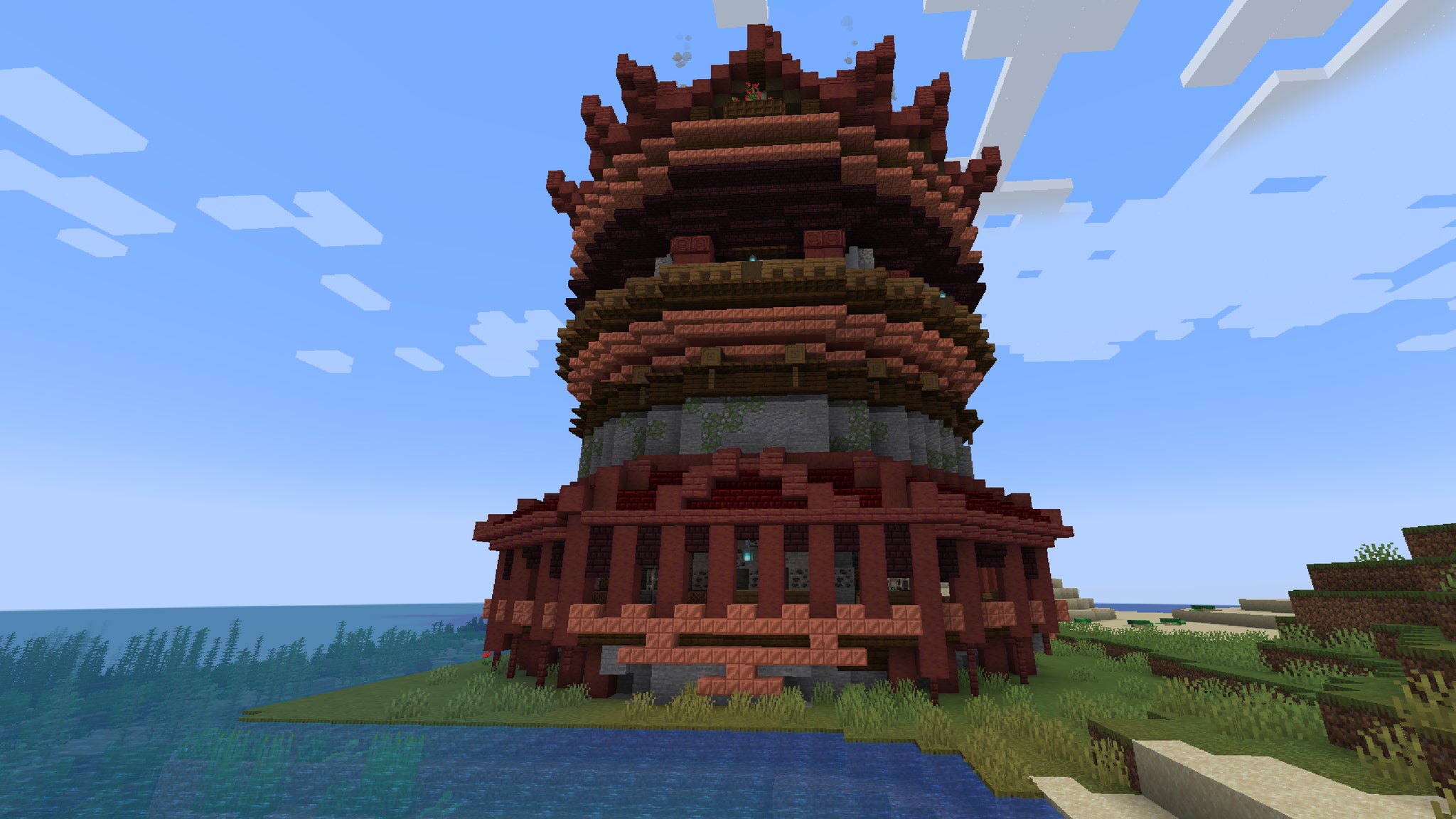
Image credit:Rock Paper Shotgun/Mojang Studios
When Dungeons Arise is a neat mod that scatters intricate dungeon structures all across your world, challenging you to plunder the dark depths and defeat any mobs lying within. If you like combat alongside a bit of randomly generated dungeon crawling in your Minecraft world, then this is the mod for you, and it’s quite a thrill to wander the vistas of your map only to discover a breathtaking temple or palace right around the corner.
Wilder Wild
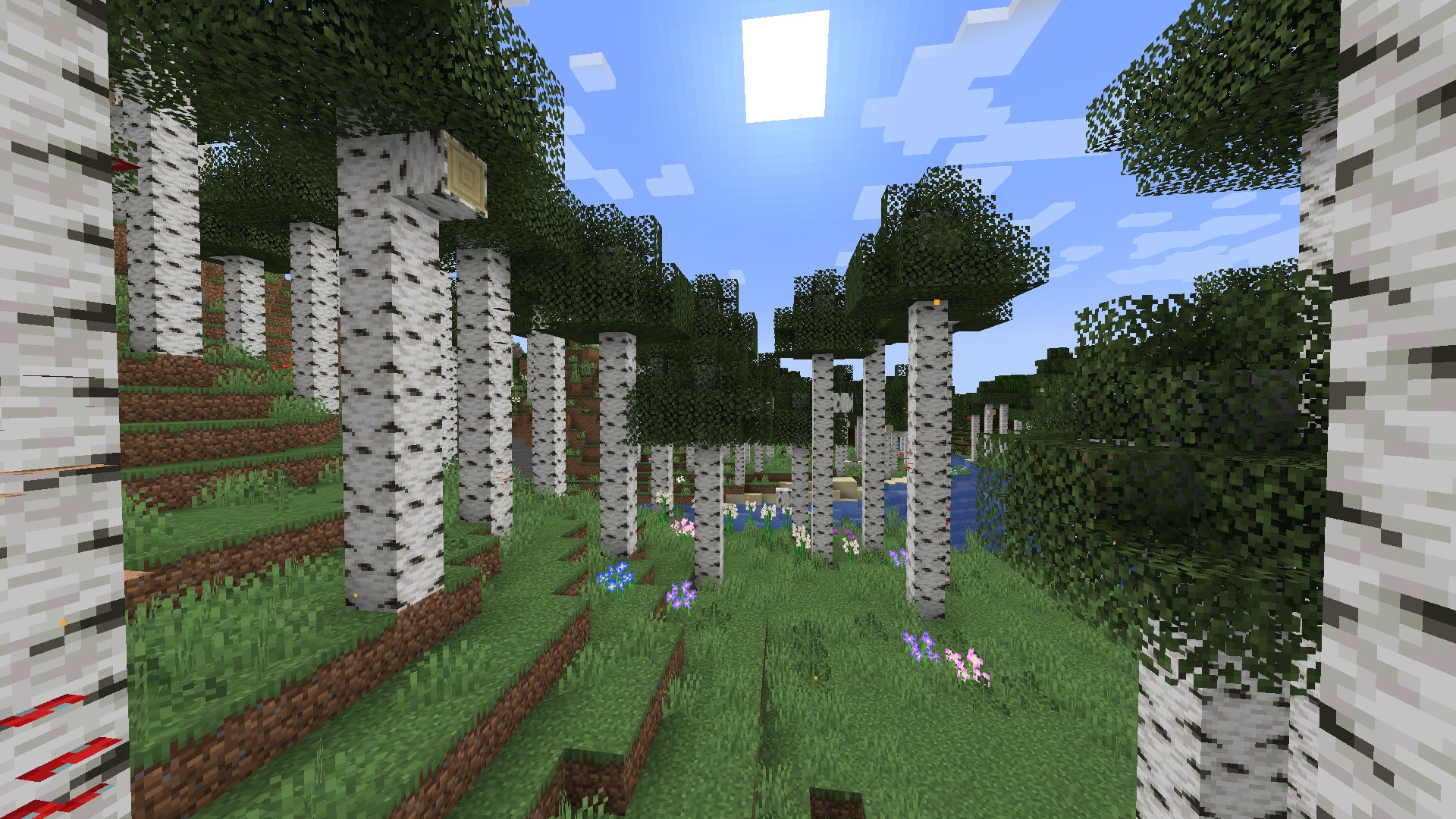
Image credit:Rock Paper Shotgun/Mojang Studios
Created by a devoted group of modders, Wilder Wild looks to overhaul the terrain and biome additions of Minecraft’s Wild Update, adding various new biomes such as the Cypress Wetlands, Mixed Forest, and more. It also reimagines Minecraft mobs such as Fireflies and Jellyfish, and adds a variety of interesting new blocks, items, and even new musical tracks to enjoy.
BetterCombat

Image credit:Rock Paper Shotgun/Mojang Studios
BetterCombat does what its name suggests: enhances Minecraft’s combat system in almost every way. Rather than adding lots of new weapons like other combat mods, BetterCombat focuses on changing animations, allowing dual wielding of different weapons, and using accurate collision detection on each blade to make the feel of every blow much more natural and intuitive.
Alex’s Mobs
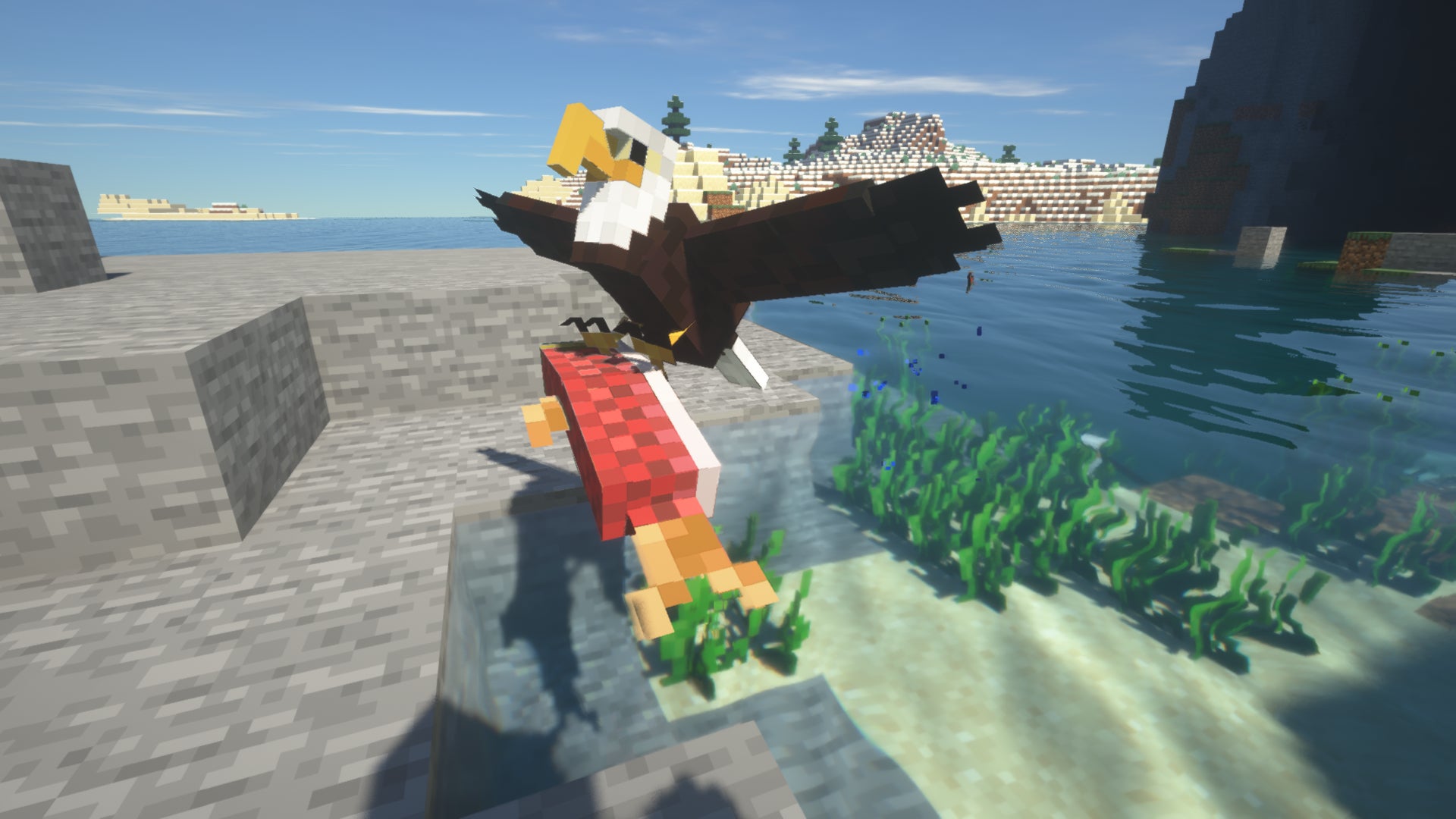
Image credit:Rock Paper Shotgun/Mojang Studios
If you want to populate Minecraft’s vast worlds with some more interesting wildlife, the go-to choice is Alex’s Mobs. This mod adds nearly 90 new mobs to the game, most of them real life creatures such as elephants, tigers, skunks, and more - but some of which are fantastical creatures like the Skelewag, Tusklin, and Enderiophage. Alex’s Mobs breathes new life into Minecraft in a way that few other mods achieve.
Aquaculture 2

Image credit:Rock Paper Shotgun/Mojang Studios
A great many players enjoy fishing in Minecraft . It might not be your favourite activity, but one thing we can all agree on is how it’s a little disappointing that each body of water contains all the same fish as every other. Aquaculture 2 is a lovely fishing mod which adds over 30 new biome-specific fish to Minecraft, encouraging exploration if you want to become a true fisherman.
Brutal Bosses

Image credit:Rock Paper Shotgun/Mojang Studios
Brutal Bosses gives you a variety of more challenging enemies in the form of named bosses which inhabit dungeons and other structures in Minecraft worlds. These bosses are modelled after ordinary mobs, but they’re far more powerful and have access to unique abilities, like Arag The Lurker - a Cave Spider who spits cobwewbs and spawns more spiders to help it fight.
Nyf’s Spiders
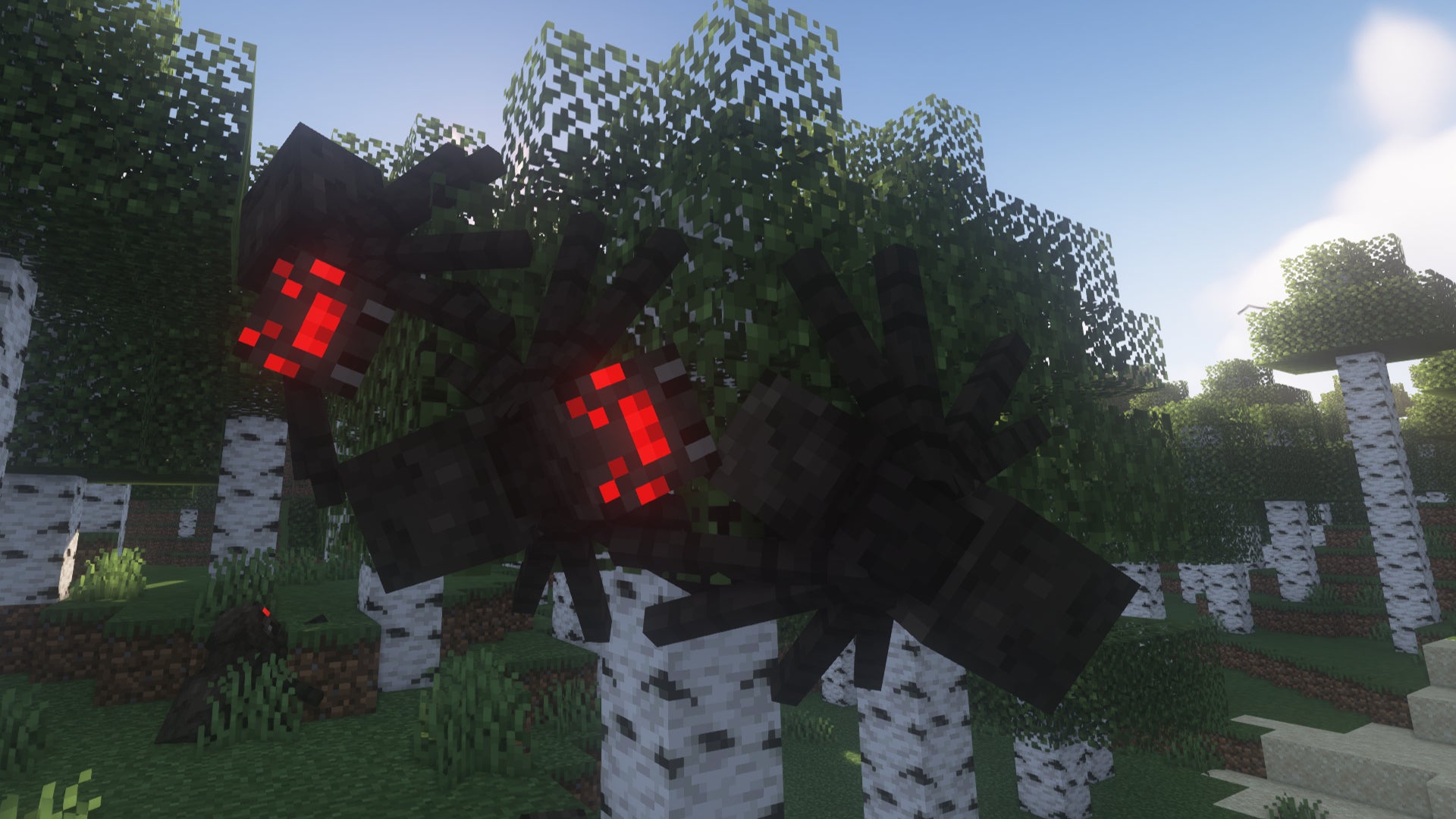
Image credit:Rock Paper Shotgun/Mojang Studios
Speaking of spiders - if you’re an arachnophobe you might want to steer clear of Nyf’s Spiders, a horrifying but ingenious mod which allows Minecraft’s spiders to attach to any surface, even walls and ceilings. When you see an army of spiders crawling towards you upside down along the ceiling, you might question why you installed this mod, but there’s no denying Nyf’s Spiders is one of the best mob-focused mods out there at the moment.
WorldEdit

Image credit:JINTUBE on YouTube
WorldEdit is the ultimate building and construction tool for Minecraft, full stop. With a tremendously powerful series of different commands and tools available to you in Creative Mode , WorldEdit is all but necessary for the timely creation of vast Minecraft builds , from adventure maps to colossal structures and landscapes. Using custom Minecraft commands you can create, copy, and paste different blueprints, fill areas, and much more.
Effortless Building

Image credit:Rock Paper Shotgun/Mojang Studios
If having to uses the command console puts you off using WorldEdit, then Effortless Building is a fantastic option. Using intuitive new UI wheels and other buttons, this mod gives you access to various other ways to build, like drawing diagonal lines, spheres, cubes, and more just by dragging and releasing the mouse button. It even comes with a mirror mode for symmetrical builds.
Chisels and Bits
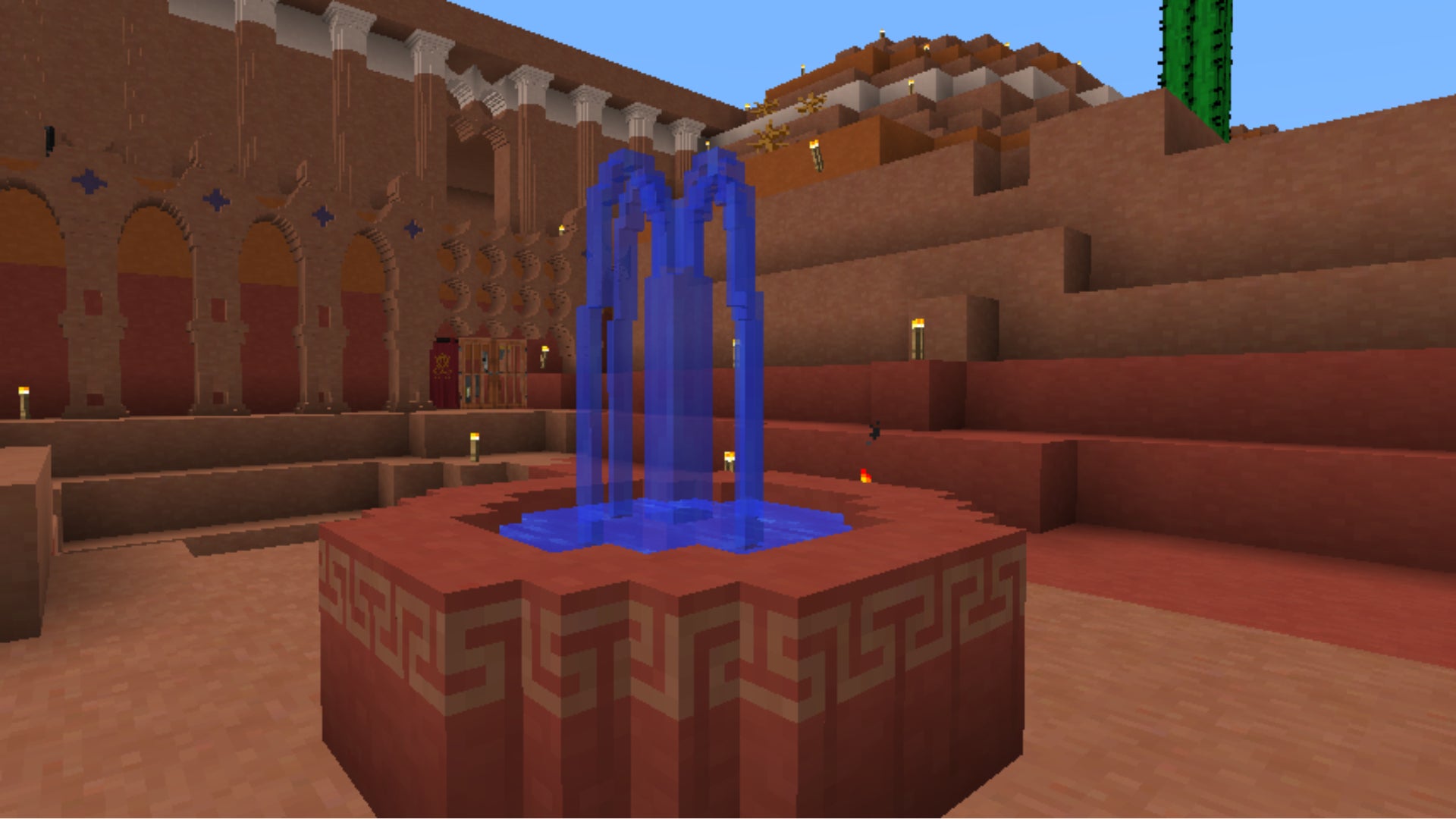
Image credit:Rock Paper Shotgun/Mojang Studios
Chisels and Bits is a powerful mod which gives players access to various chisel tools, with which you can carve individual blocks down, pixel by pixel, into any shape your heart desires. There’s no end to what you can accomplish with the Chisel tool, from decorative statues and blocks for your castle to physically etched signs and much more. It’s the perfect way to add new challenge and possibility into your latest Minecraft house ideas .
Macaw’s Bridges
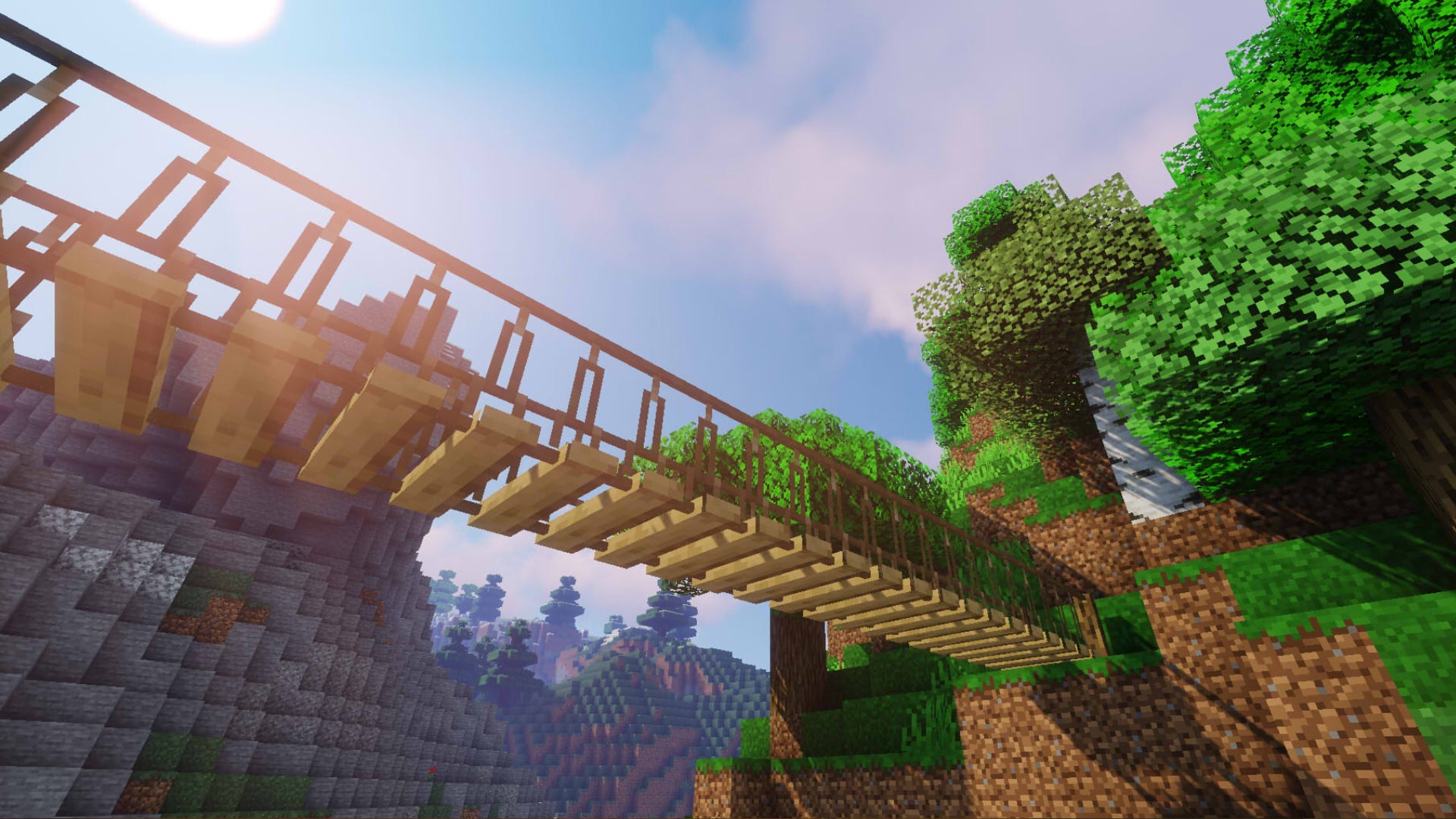
Image credit:Rock Paper Shotgun/Mojang Studios
Macaw’s Bridges is a simple but still impressive mod which adds a lot of options for creating new bridges in Minecraft, which makes it a perfect companion for large Minecraft tower builds and the like. It’s also just one of a dozen or so excellent mods by the same owner, Macaw, which add everything from paths to roofs, windows to paintings, and much more.
JourneyMap

Image credit:Rock Paper Shotgun/Mojang Studios
Available only for Forge, JourneyMap is a frankly astounding Minecraft map mod which lets you map your world in real-time and then view your map either in full-screen or as a minimap in-game; or, best of all, in a web browser window while you play! Nothing quite beats playing Minecraft on one screen and then on another screen seeing a map of your world update in real-time beside you.
Immersive Portals

Image credit:Rock Paper Shotgun/Mojang Studios
Immersive Portals is a simple idea, brilliantly and impressively executed. Instead of having to go through a loading screen when travelling from the Overworld to the Nether and vice versa, the moment you light a Nether portal you can see through to the other side, and step through seamlessly. It’s an incredible accomplishment when you think about it, and certainly adds to the immersion while exploring new dimensions in Minecraft.
Incendium
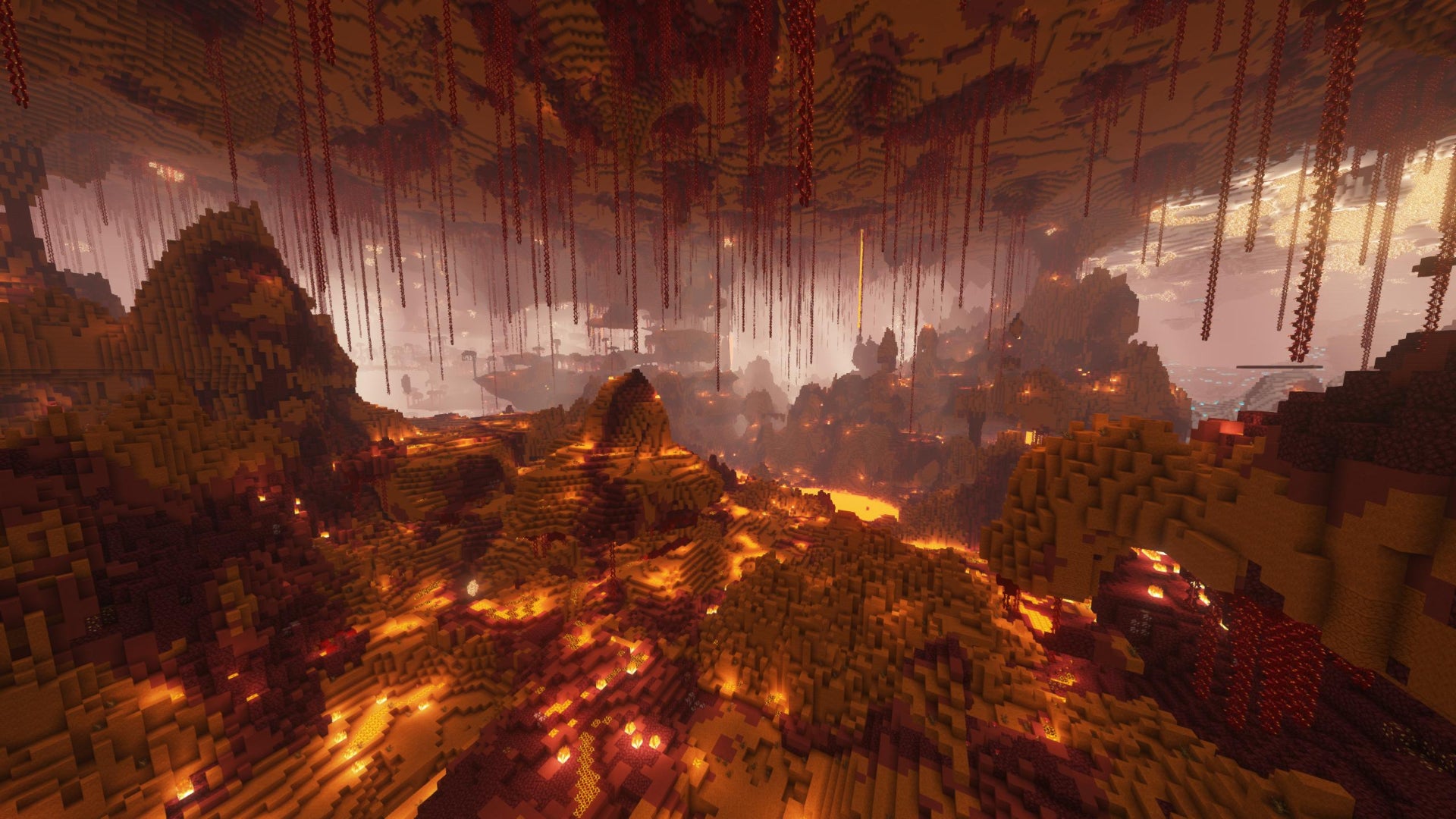
Image credit:Rock Paper Shotgun/Mojang Studios
Incendium completely revamps the Nether in Minecraft, adding 8 new Nether-specific biomes and 9 new Nether structures - and it also populates them with a vast array of new mob types and items to encourage exploration in one of the most dangerous environments in the game. It does all this with a fairly light touch; all the new biomes are made using just vanilla blocks, just like in Terralith.
BetterEnd
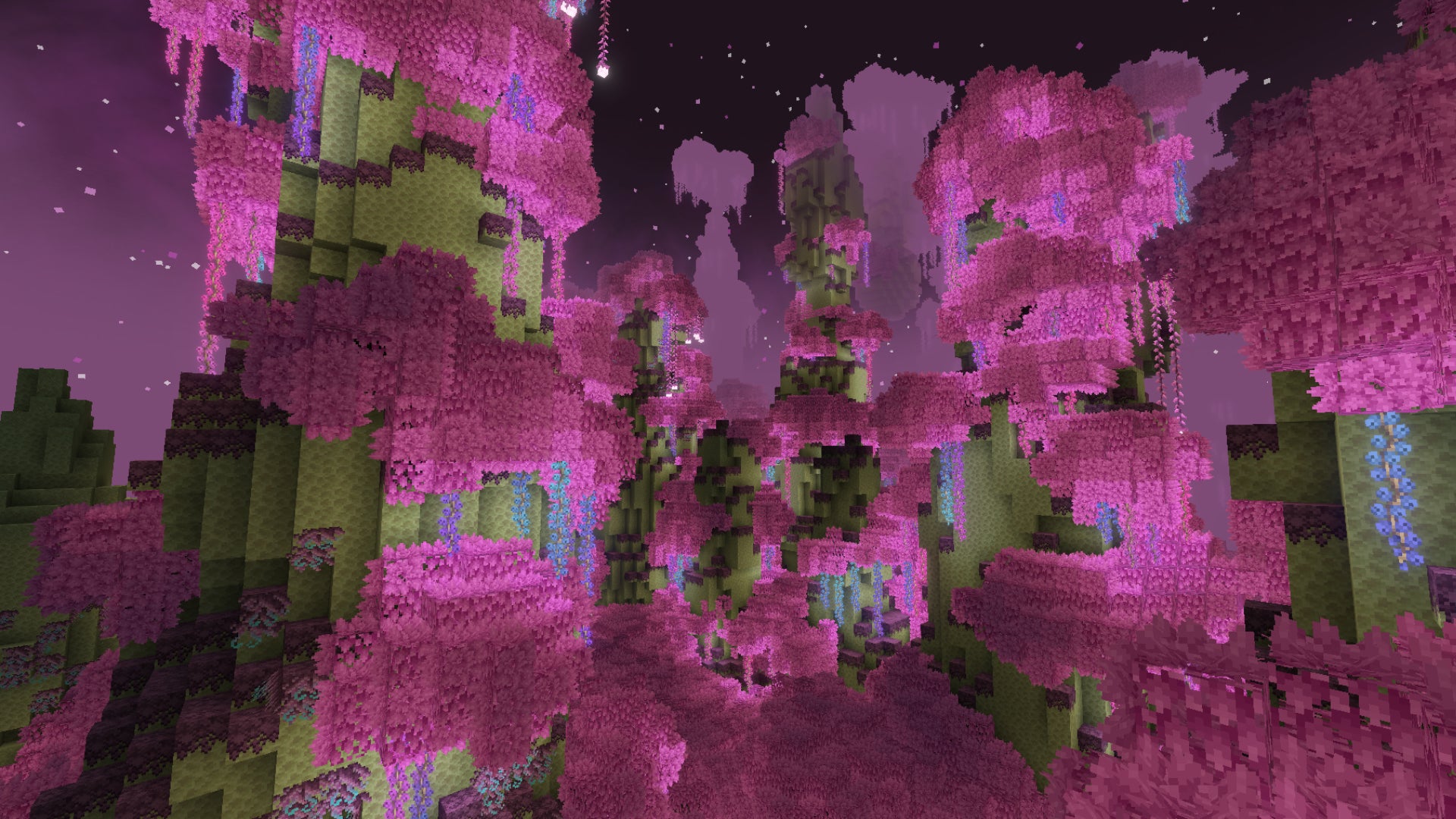
Image credit:Rock Paper Shotgun/Mojang Studios
Considering it’s meant to be one of the final frontiers for late-game Minecraft players, the vanilla End dimension isn’t particularly interesting. It’s just a home for the Dragon. But with BetterEnd, it most definitely becomes a place worth exploring, with over 20 new biomes, various new mobs and blocks, and whole new systems like Infusion Rituals, which can summon powerful and unique enchanted books into the world.
The Twilight Forest

Image credit:Rock Paper Shotgun/Mojang Studios
The Twilight Forest is a very popular and impressive mod which adds an entirely new dimension: the titular Twilight Forest. Once you craft the required portal out of flowers and diamond, you can jump through into a brand new fantastical world filled with dozens of new biomes, structures, mobs both passive and hostile, and much more. It’s truly breathtaking - though it doesn’t play nice with Optifine, so you’ll have to pick one or the other.
Physics Mod
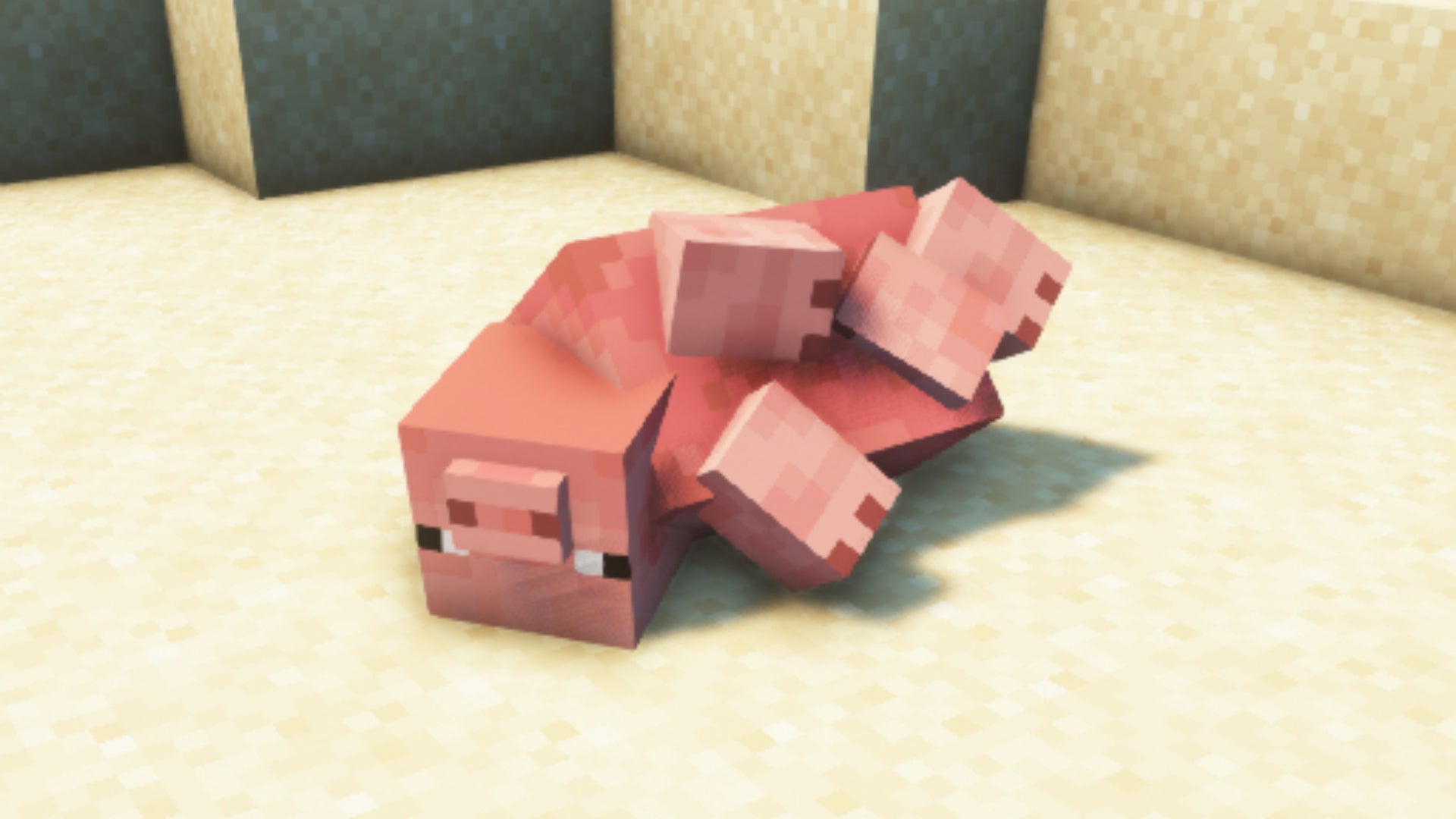
Image credit:Rock Paper Shotgun/Mojang Studios
Sometimes Minecraft mods just look like April Fools’ jokes. I mean, how can you have proper physics in Minecraft? How can you have blocks which break into pieces, Minecraft mobs with accurate rogdolls, and caves which collapse naturally? But that’s exactly what the Physics Mod does, and the effects are quite spectacular.
Applied Energistics 2
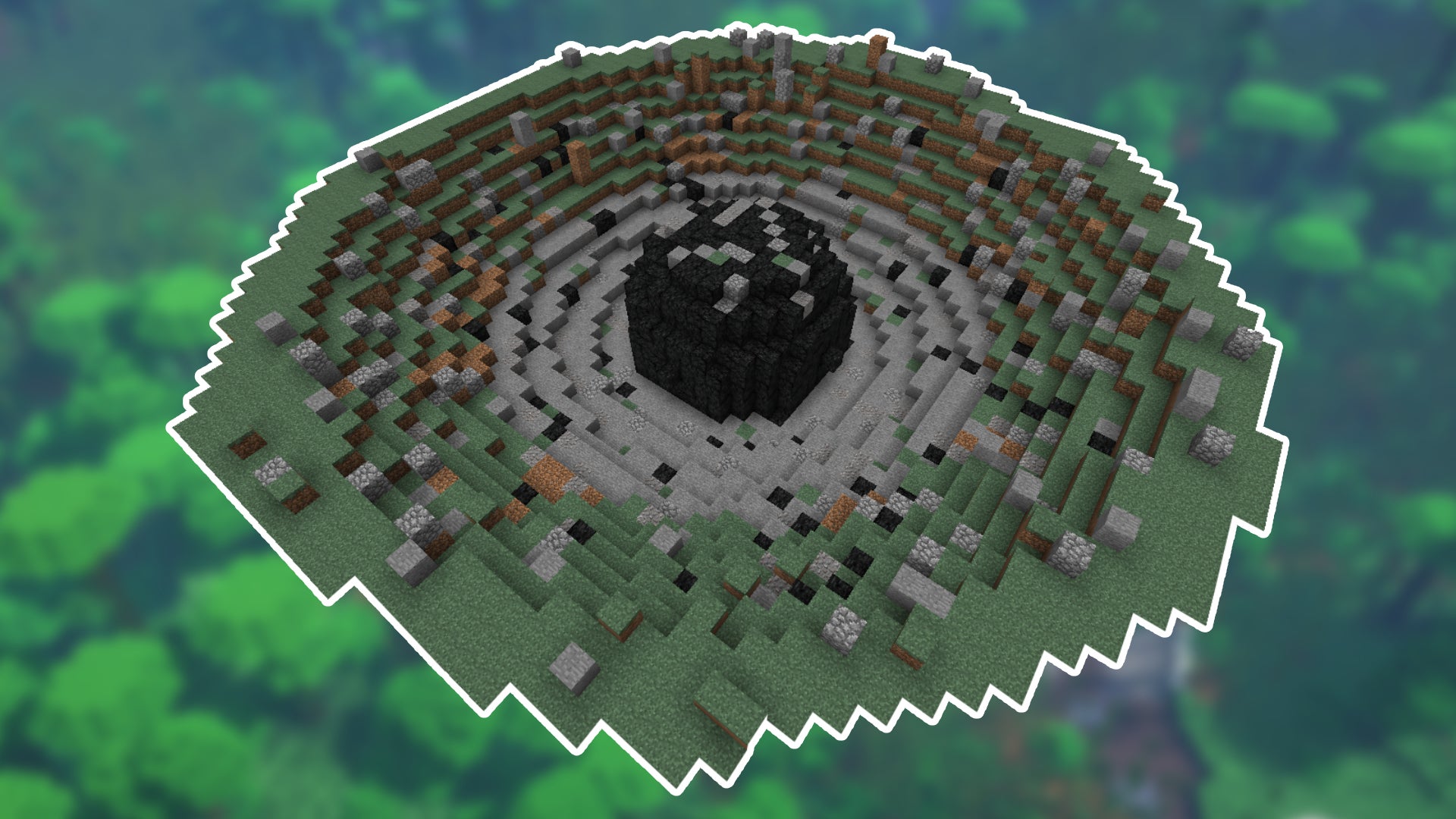
Image credit:Rock Paper Shotgun/Mojang Studios
Applied Energistics 2 is a massive Minecraft overhaul mod which introduces a dizzying amount of new content, mechanics, blocks, items, and things to do. The focus is primarily on utilising a new resource - energy - and using it to power a great many new activities which can help automate things like crafting, as well as introducing new opportunities for exploration and combat.
Dragon Enchants
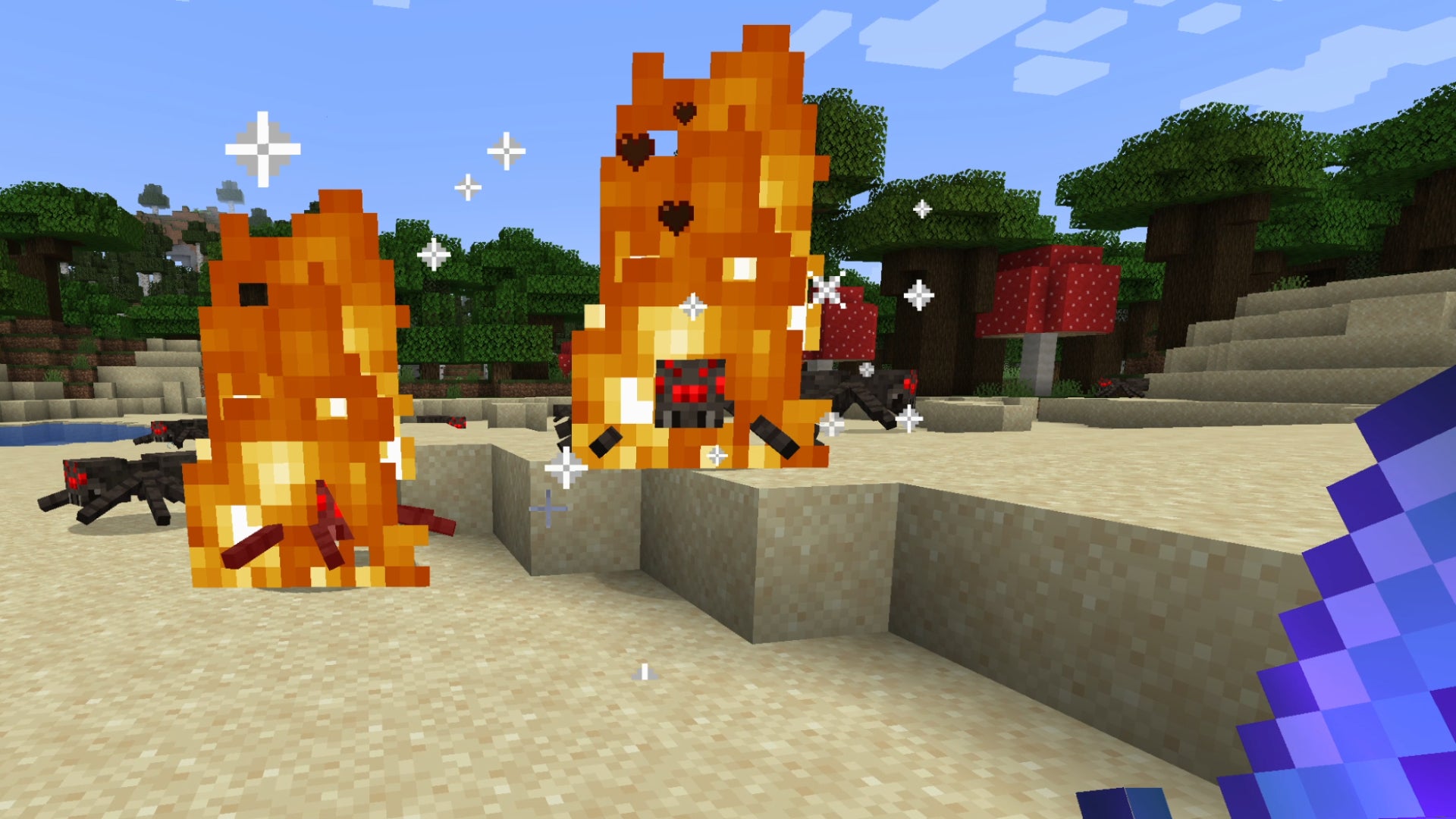
Image credit:Rock Paper Shotgun/Mojang Studios
Dragon Enchants overhauls the vanilla enchantments of Minecraft, offering 17 new fantasy-themed enchantments for weapons, armour, and tools. Use Chain Lightning to deal damage to groups, or Detonate to make your arrows explode on contact. You can even save yourself from a would-be-fatal hit with the Eternal enchantment, as long as you have enough food in reserve to keep yourself alive. The vanilla enchantments really do feel uninspired in comparison.
Trainguy’s Animation Overhaul

Image credit:Rock Paper Shotgun/Mojang Studios
Trainguy’s Animation Overhaul can’t be found on CurseForge, but don’t let that put you off. This clever mod competely replaces most of the animations in Minecraft, with a particular focus on the player’s first-person and third-person animations. Everything from running and jumping to swimming and swinging weapons has had its animations enhanced in subtle but meaningful ways.
Sound Physics Remastered
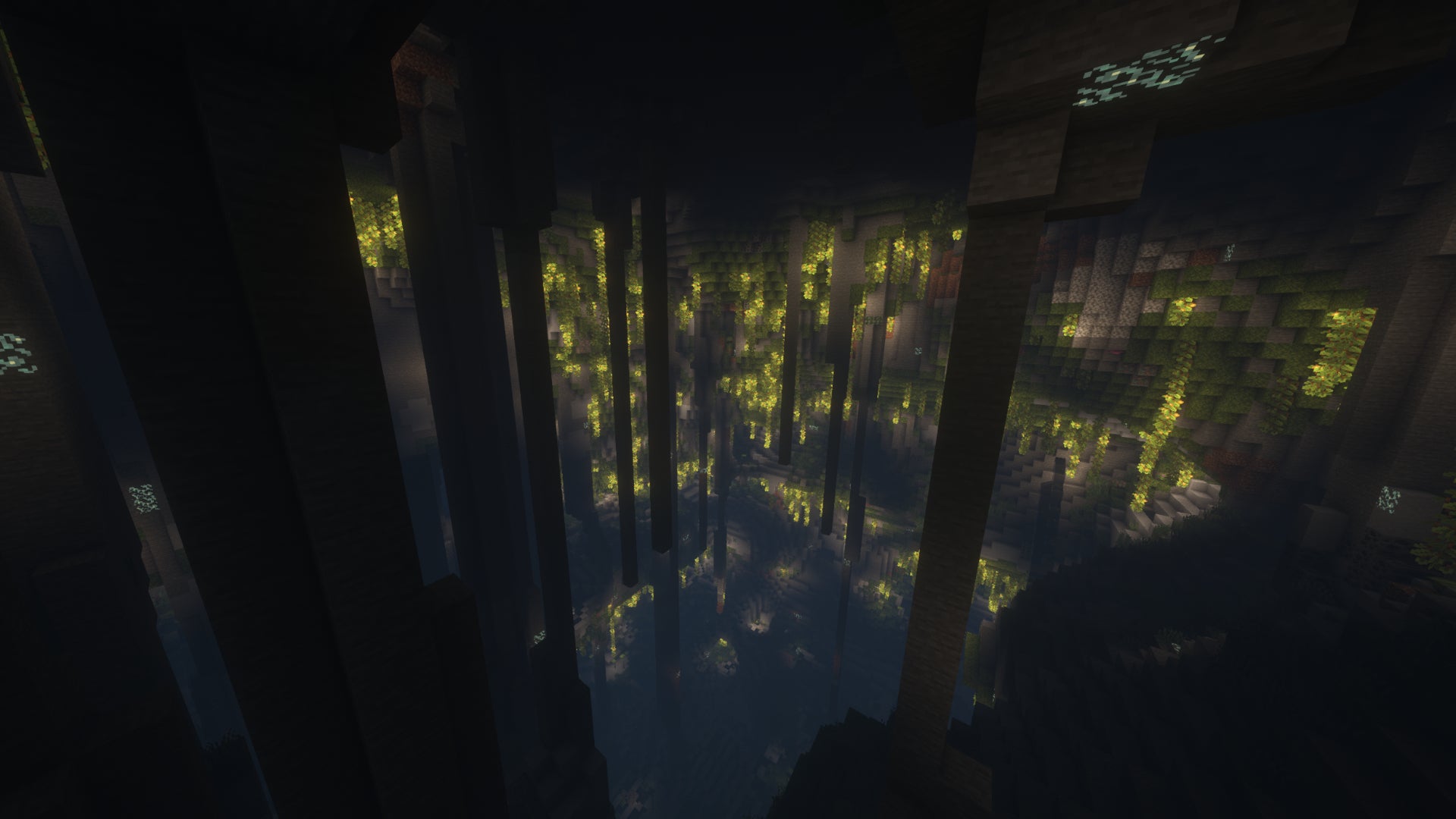
Image credit:Rock Paper Shotgun/Mojang Studios
This excellent mod cranks Minecraft’s audio realism up a notch by adding realistic reverb and soundwave absorption simulation. This means if you’re in a cave, things will echo realistically, adding a startling amount of immersion to your spelunking while you search for Diamonds in Minecraft .
Presence Footsteps
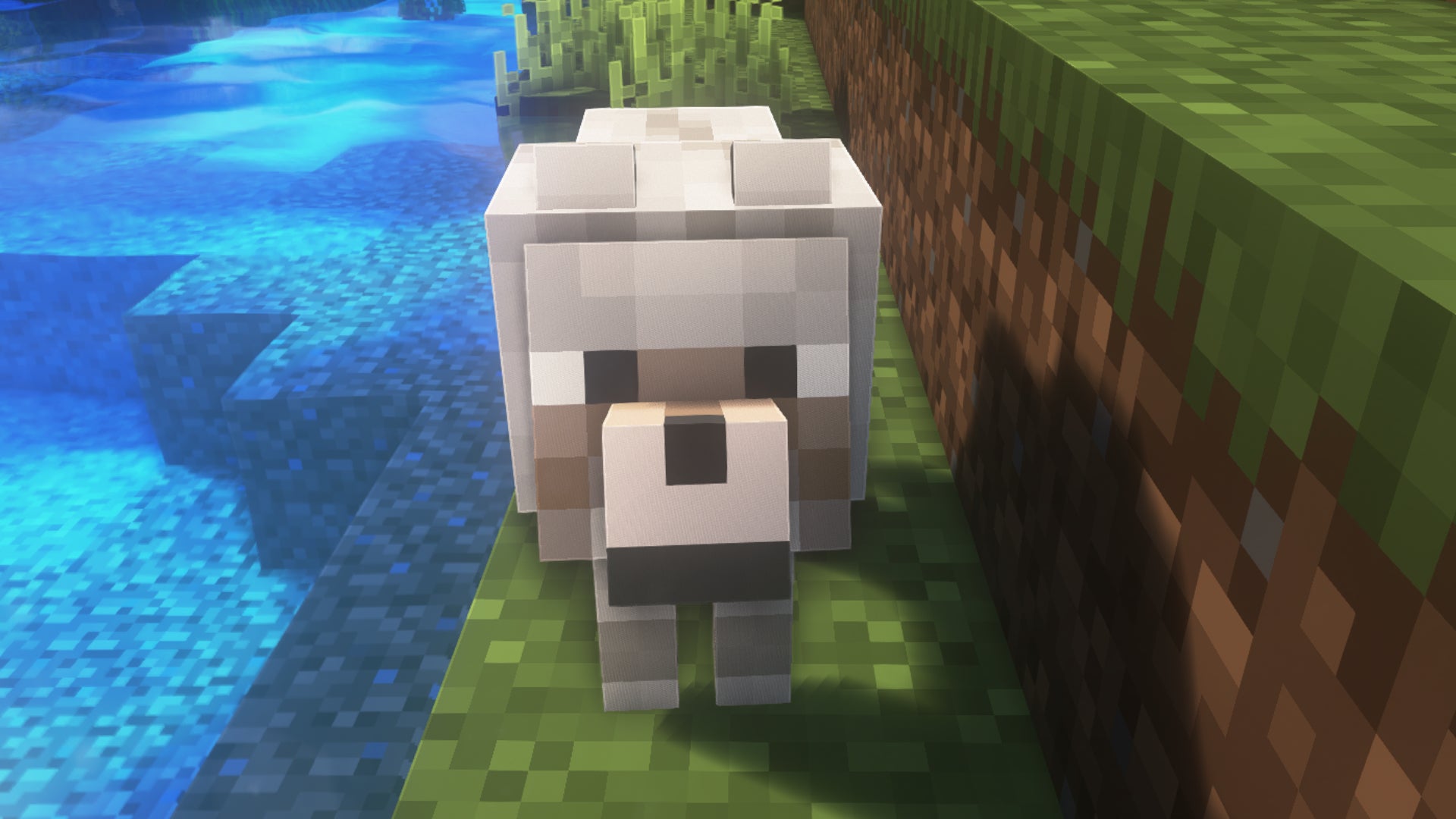
Image credit:Rock Paper Shotgun/Mojang Studios
Presence Footsteps is another audio mod which adds a great many new footstep sounds to Minecraft which play depending on the exact surface you’re walking or running across at the time. This again adds a degree of immersion that we’ve never experienced before in vanilla Minecraft. Tall grass rustles as you push through it; walking over sandstone clops, and trodding over dirt or sand makes a more subtle dusty splashing noise. It’s awesome.
ImmersiveMC
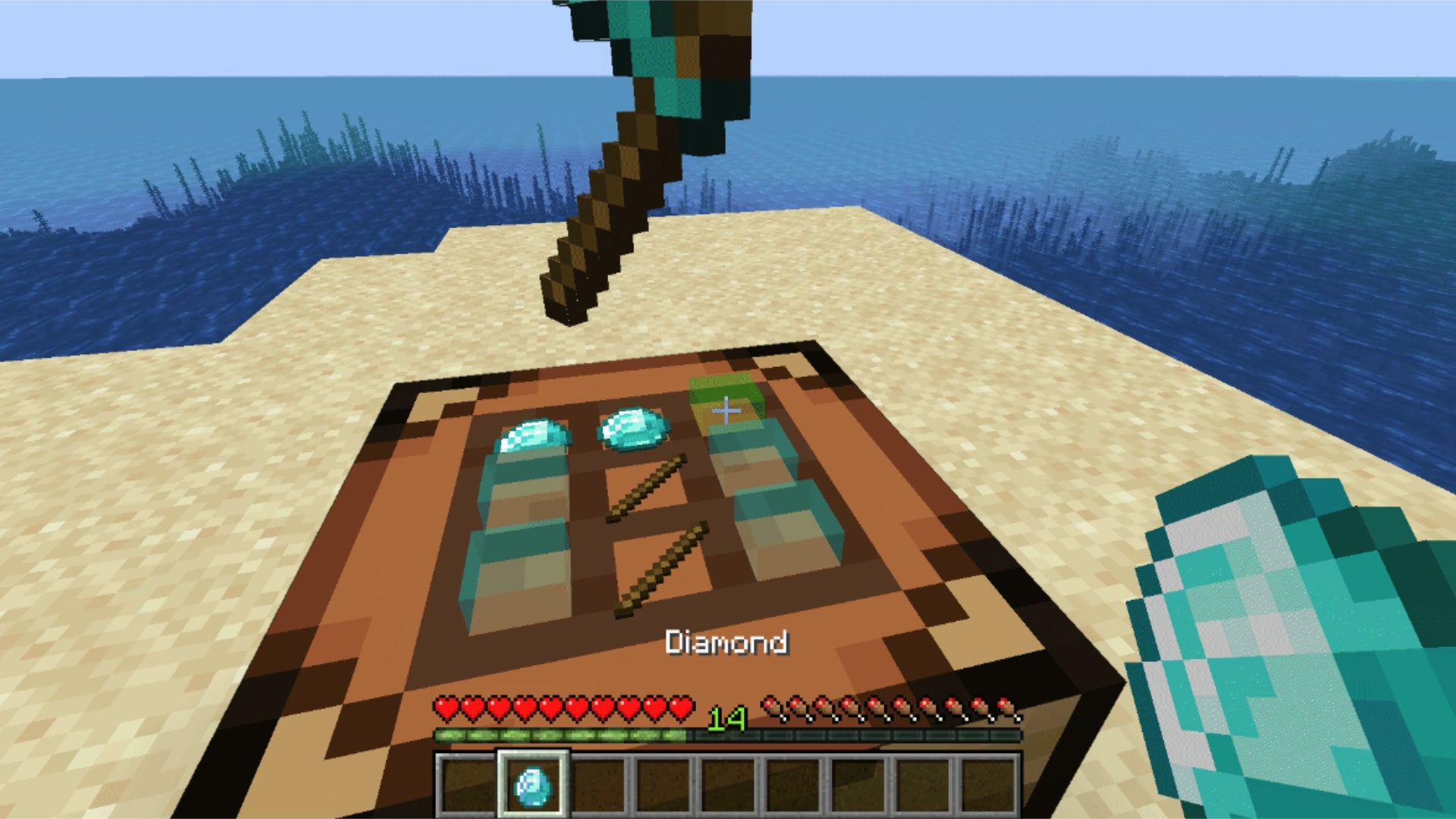
Image credit:Rock Paper Shotgun/Mojang Studios
ImmersiveMC is a very unique idea for a mod, one which removes the need for UI windows in many scenarios by allowing you to do things like craft items directly in-game on top of a Crafting Table by placing each item atop the Crafting Table block in a grid. You can also open chests and see, in-game, exactly what’s inside. It’s a little bit finnicky, but it’s a wonderfully immersive experience.
GraveStone Mod

Image credit:Rock Paper Shotgun/Mojang Studios
There have been lots of variations of the tombstone mod idea in Minecraft, but GraveStone Mod does it best, I think. This simple mod plants a grave at your position whenever you die, which holds all the items in your inventory instead of having them spill out everywhere and potentially despawn or be destroyed by lava or creeper explosions. Break the grave to retrieve your items safely. You can even interact with graves to find out information about when and how the player died, which is pretty neat.
Waystones

Image credit:Rock Paper Shotgun/Mojang Studios
If you’ve been playing Valheim recently and lament the fact that vanilla Minecraft doesn’t give you the ability to instantly teleport to different areas, then Waystones is the mod for you. This elegant and stylish mod allows you to craft Waystones and give them tags, then teleport to them either with one-use scrolls or a Warpstone, or by interacting with another Waystone elsewhere.
Comforts
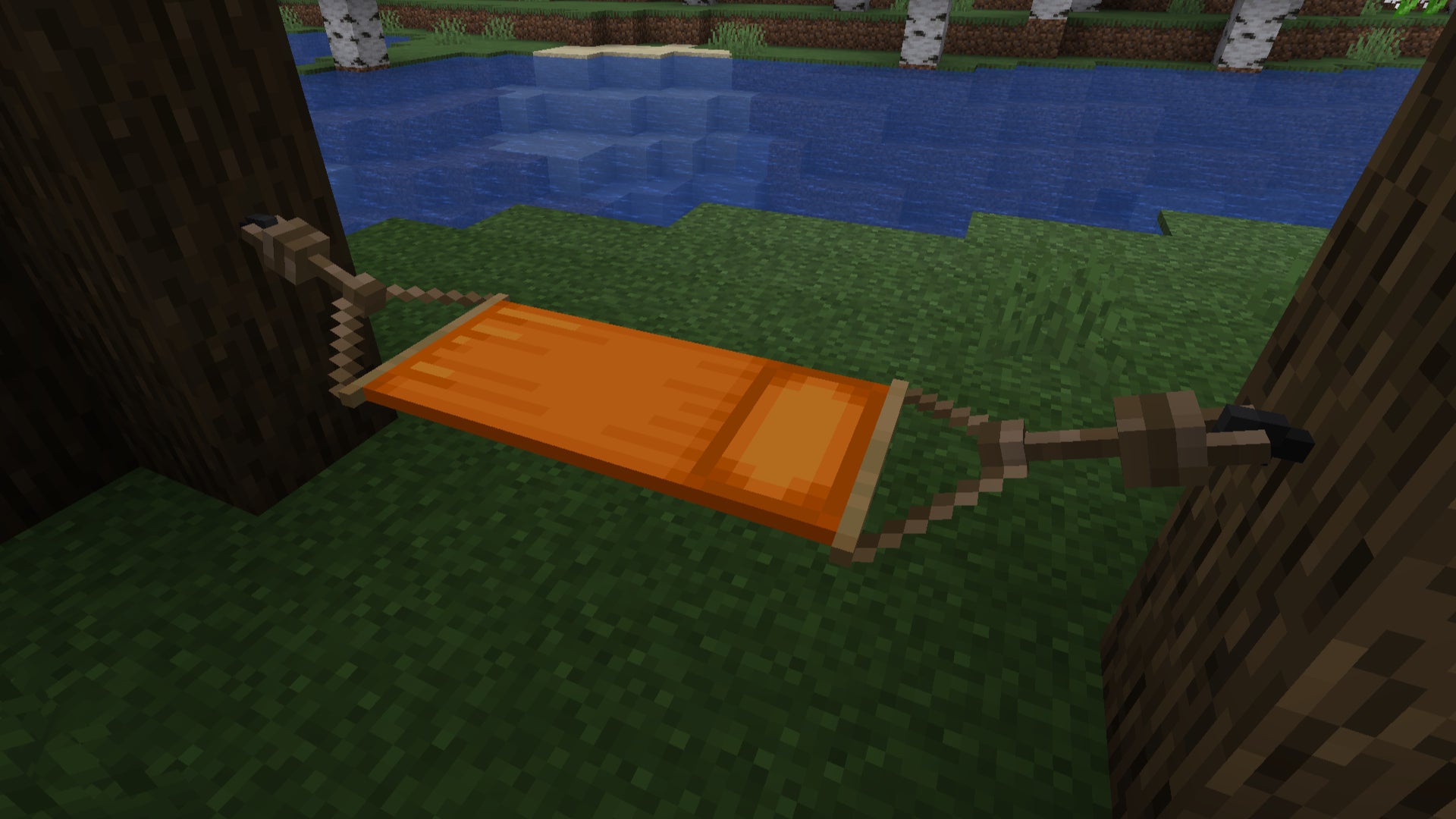
Image credit:Rock Paper Shotgun/Mojang Studios
Comforts gives you a couple of additional options when it comes to sleeping in Minecraft. With this mod you can craft Sleeping Bags and Hammocks out of Wool, Sticks, and String, and use them to sleep without resetting your spawn point. Hammocks also act like an “inverse bed” by allowing you to sleep in them during the day, and fast-forwarding the time to night.
MCA Reborn

Image credit:Luke100000/Mojang Studios
Download : MCA Reborn Compatible with: Forge or Fabric Requires: Architectury API , Minecraft 1.20.1
If you’ve ever wanted Minecraft to be more like Stardew Valley, then MCA Reborn is for you. This mod - made popular because it basically lets you have a Minecraft boyfriend or girlfriend - changes the avatars of villagers to resemble those of players. There’s also an entirely new system under the hood that lets you foster relationships and generate hearts with villagers via gifts, talking, and so on - and once you have enough hearts, you can marry them! Then you can have kids! Despite requiring Minecraft version 1.20.1 to run at the moment, MCA Reborn is a highly extensive mod that really provides awesome lifesim energy. If that’s your jam, check it out.
Farmer’s Delight

Image credit:vectorwing/Mojang Studios
Download : Farmer’s Delight Compatible with: Forge Requires: Minecraft 1.21.1
Keeping up that Stardew Valley energy, Farmer’s Delight is another lovely mod that focuses on expanding the realms of farming and cooking in Minecraft. You’ll be presented with the option to gather wild crops in the overworld and grow more of them, modify plots of land via compost heaps, and finally assemble bountiful harvests. Gather all of your food supplies, and you can prepare a wide variety of cosy meals via a Cooking Pot workstation. From ratatouille to bacon and eggs, there’s a fine array of meals to whip up, and each can provide Comfort or Nourishment, two new stats that will change the way you play Minecraft - possible for good. Foodies, give this one a go.
And with that, I think we’ll wrap up this Minecraft mods discussion. That’s quite a hefty array of mods to be getting on with anyway - some of which quite significantly change the game, but most of which simply make Minecraft a little easier and more pleasant to get along with. If you want to change the look of your Minecraft game more than the way it plays, then take a look at our list of the best Minecraft texture packs or our guide to the best Minecraft shaders . If you’re looking for building inspiration, we have a list of the best things to build in Minecraft , the ultimate house ideas guide and lists for both castle ideas and tower ideas . We also have a guide to the best seeds for Java and Bedrock if you’re looking for the perfect spot to build your new home.

Minecraft
Android , iOS , PS4 , PS5 , Xbox One , Xbox Series X/S , PC , Nintendo Switch
Rock Paper Shotgun is better when you sign in
Sign in and join us on our journey to discover strange and compelling PC games.

All 75 Arc Raiders Blueprints and where to get them
These areas have the highest chance of giving you Blueprints

Image credit:Rock Paper Shotgun/Embark Studios
Looking for more Arc Raiders Blueprints? It’s a special day when you find a Blueprint, as they’re among the most valuable items in Arc Raiders. If you find a Blueprint that you haven’t already found, then you must make sure you hold onto it at all costs, because Blueprints are the key to one of the most important and powerful systems of meta-progression in the game.
This guide aims to be the very best guide on Blueprints you can find, starting with a primer on what exactly they are and how they work in Arc Raiders, before delving into exactly where to get Blueprints and the very best farming spots for you to take in your search.
We’ll also go over how to get Blueprints from other unlikely activities, such as destroying Surveyors and completing specific quests. And you’ll also find the full list of all 75 Blueprints in Arc Raiders on this page (including the newest Blueprints added with the Cold Snap update , such as the Deadline Blueprint and Firework Box Blueprint), giving you all the information you need to expand your own crafting repertoire.
In this guide:
- What are Blueprints in Arc Raiders?
- Full Blueprint list: All crafting recipes
- Where to find Blueprints in Arc Raiders Blueprints obtained from quests Blueprints obtained from Trials Best Blueprint farming locations

What are Blueprints in Arc Raiders?
Blueprints in Arc Raiders are special items which, if you manage to extract with them, you can expend to permanently unlock a new crafting recipe in your Workshop. If you manage to extract from a raid with an Anvil Blueprint, for example, you can unlock the ability to craft your very own Anvil Pistol, as many times as you like (as long as you have the crafting materials).
To use a Blueprint, simply open your Inventory while in the lobby, then right-click on the Blueprint and click “Learn And Consume” . This will permanently unlock the recipe for that item in your Workshop. As of the Stella Montis update, there are allegedly 75 different Blueprints to unlock - although only 68 are confirmed to be in the game so far. You can see all the Blueprints you’ve found and unlocked by going to the Workshop menu, and hitting “R” to bring up the Blueprint screen.
It’s possible to find duplicates of past Blueprints you’ve already unlocked. If you find these, then you can either sell them, or - if you like to play with friends - you can take it into a match and gift it to your friend so they can unlock that recipe for themselves. Another option is to keep hold of them until the time comes to donate them to the Expedition.
Full Blueprint list: All crafting recipes
Below is the full list of all the Blueprints that are currently available to find in Arc Raiders, and the crafting recipe required for each item:
| Blueprint | Type | Recipe | Crafted At |
|---|---|---|---|
| Bettina | Weapon | 3x Advanced Mechanical Components 3x Heavy Gun Parts 3x Canister | Gunsmith 3 |
| Blue Light Stick | Quick Use | 3x Chemicals | Utility Station 1 |
| Aphelion | Weapon | 3x Magnetic Accelerator 3x Complex Gun Parts 1x Matriarch Reactor | Gunsmith 3 |
| Combat Mk. 3 (Flanking) | Augment | 2x Advanced Electrical Components 3x Processor | Gear Bench 3 |
| Combat Mk. 3 (Aggressive) | Augment | 2x Advanced Electrical Components 3x Processor | Gear Bench 3 |
| Complex Gun Parts | Material | 2x Light Gun Parts 2x Medium Gun Parts 2x Heavy Gun Parts | Refiner 3 |
| Fireworks Box | Quick Use | 1x Explosive Compound 3x Pop Trigger | Explosives Station 2 |
| Gas Mine | Mine | 4x Chemicals 2x Rubber Parts | Explosives Station 1 |
| Green Light Stick | Quick Use | 3x Chemicals | Utility Station 1 |
| Pulse Mine | Mine | 1x Crude Explosives 1x Wires | Explosives Station 1 |
| Seeker Grenade | Grenade | 1x Crude Explosives 2x ARC Alloy | Explosives Station 1 |
| Looting Mk. 3 (Survivor) | Augment | 2x Advanced Electrical Components 3x Processor | Gear Bench 3 |
| Angled Grip II | Mod | 2x Mechanical Components 3x Duct Tape | Gunsmith 2 |
| Angled Grip III | Mod | 2x Mod Components 5x Duct Tape | Gunsmith 3 |
| Hullcracker | Weapon | 1x Magnetic Accelerator 3x Heavy Gun Parts 1x Exodus Modules | Gunsmith 3 |
| Launcher Ammo | Ammo | 5x Metal Parts 1x Crude Explosives | Workbench 1 |
| Anvil | Weapon | 5x Mechanical Components 5x Simple Gun Parts | Gunsmith 2 |
| Anvil Splitter | Mod | 2x Mod Components 3x Processor | Gunsmith 3 |
| ??? | ??? | ??? | ??? |
| Barricade Kit | Quick Use | 1x Mechanical Components | Utility Station 2 |
| Blaze Grenade | Grenade | 1x Explosive Compound 2x Oil | Explosives Station 3 |
| Bobcat | Weapon | 3x Advanced Mechanical Components 3x Light Gun Parts | Gunsmith 3 |
| Osprey | Weapon | 2x Advanced Mechanical Components 3x Medium Gun Parts 7x Wires | Gunsmith 3 |
| Burletta | Weapon | 3x Mechanical Components 3x Simple Gun Parts | Gunsmith 1 |
| Compensator II | Mod | 2x Mechanical Components 4x Wires | Gunsmith 2 |
| Compensator III | Mod | 2x Mod Components 8x Wires | Gunsmith 3 |
| Defibrillator | Quick Use | 9x Plastic Parts 1x Moss | Medical Lab 2 |
| ??? | ??? | ??? | ??? |
| Equalizer | Weapon | 3x Magnetic Accelerator 3x Complex Gun Parts 1x Queen Reactor | Gunsmith 3 |
| Extended Barrel | Mod | 2x Mod Components 8x Wires | Gunsmith 3 |
| Extended Light Mag II | Mod | 2x Mechanical Components 3x Steel Spring | Gunsmith 2 |
| Extended Light Mag III | Mod | 2x Mod Components 5x Steel Spring | Gunsmith 3 |
| Extended Medium Mag II | Mod | 2x Mechanical Components 3x Steel Spring | Gunsmith 2 |
| Extended Medium Mag III | Mod | 2x Mod Components 5x Steel Spring | Gunsmith 3 |
| Extended Shotgun Mag II | Mod | 2x Mechanical Components 3x Steel Spring | Gunsmith 2 |
| Extended Shotgun Mag III | Mod | 2x Mod Components 5x Steel Spring | Gunsmith 3 |
| Remote Raider Flare | Quick Use | 2x Chemicals 4x Rubber Parts | Utility Station 1 |
| Heavy Gun Parts | Material | 4x Simple Gun Parts | Refiner 2 |
| Venator | Weapon | 2x Advanced Mechanical Components 3x Medium Gun Parts 5x Magnet | Gunsmith 3 |
| Il Toro | Weapon | 5x Mechanical Components 6x Simple Gun Parts | Gunsmith 1 |
| Jolt Mine | Mine | 1x Electrical Components 1x Battery | Explosives Station 2 |
| Explosive Mine | Mine | 1x Explosive Compound 1x Sensors | Explosives Station 3 |
| Jupiter | Weapon | 3x Magnetic Accelerator 3x Complex Gun Parts 1x Queen Reactor | Gunsmith 3 |
| Light Gun Parts | Material | 4x Simple Gun Parts | Refiner 2 |
| Lightweight Stock | Mod | 2x Mod Components 5x Duct Tape | Gunsmith 3 |
| Lure Grenade | Grenade | 1x Speaker Component 1x Electrical Components | Utility Station 2 |
| Medium Gun Parts | Material | 4x Simple Gun Parts | Refiner 2 |
| Torrente | Weapon | 2x Advanced Mechanical Components 3x Medium Gun Parts 6x Steel Spring | Gunsmith 3 |
| Muzzle Brake II | Mod | 2x Mechanical Components 4x Wires | Gunsmith 2 |
| Muzzle Brake III | Mod | 2x Mod Components 8x Wires | Gunsmith 3 |
| Padded Stock | Mod | 2x Mod Components 5x Duct Tape | Gunsmith 3 |
| Shotgun Choke II | Mod | 2x Mechanical Components 4x Wires | Gunsmith 2 |
| Shotgun Choke III | Mod | 2x Mod Components 8x Wires | Gunsmith 3 |
| Shotgun Silencer | Mod | 2x Mod Components 8x Wires | Gunsmith 3 |
| Showstopper | Grenade | 1x Advanced Electrical Components 1x Voltage Converter | Explosives Station 3 |
| Silencer I | Mod | 2x Mechanical Components 4x Wires | Gunsmith 2 |
| Silencer II | Mod | 2x Mod Components 8x Wires | Gunsmith 3 |
| Snap Hook | Quick Use | 2x Power Rod 3x Rope 1x Exodus Modules | Utility Station 3 |
| Stable Stock II | Mod | 2x Mechanical Components 3x Duct Tape | Gunsmith 2 |
| Stable Stock III | Mod | 2x Mod Components 5x Duct Tape | Gunsmith 3 |
| Tagging Grenade | Grenade | 1x Electrical Components 1x Sensors | Utility Station 3 |
| Tempest | Weapon | 3x Advanced Mechanical Components 3x Medium Gun Parts 3x Canister | Gunsmith 3 |
| Trigger Nade | Grenade | 2x Crude Explosives 1x Processor | Explosives Station 2 |
| Vertical Grip II | Mod | 2x Mechanical Components 3x Duct Tape | Gunsmith 2 |
| Vertical Grip III | Mod | 2x Mod Components 5x Duct Tape | Gunsmith 3 |
| Vita Shot | Quick Use | 2x Antiseptic 1x Syringe | Medical Lab 3 |
| Vita Spray | Quick Use | 3x Antiseptic 1x Canister | Medical Lab 3 |
| Vulcano | Weapon | 1x Magnetic Accelerator 3x Heavy Gun Parts 1x Exodus Modules | Gunsmith 3 |
| Wolfpack | Grenade | 2x Explosive Compound 2x Sensors | Explosives Station 3 |
| Red Light Stick | Quick Use | 3x Chemicals | Utility Station 1 |
| Smoke Grenade | Grenade | 14x Chemicals 1x Canister | Utility Station 2 |
| Deadline | Mine | 3x Explosive Compound 2x ARC Circuitry | Explosives Station 3 |
| Trailblazer | Grenade | 1x Explosive Compound 1x Synthesized Fuel | Explosives Station 3 |
| Tactical Mk. 3 (Defensive) | Augment | 2x Advanced Electrical Components 3x Processor | Gear Bench 3 |
| Tactical Mk. 3 (Healing) | Augment | 2x Advanced Electrical Components 3x Processor | Gear Bench 3 |
| Yellow Light Stick | Quick Use | 3x Chemicals | Utility Station 1 |
Note: The missing Blueprints in this list likely have not actually been added to the game at the time of writing, because none of the playerbase has managed to find any of them. As they are added to the game, I will update this page with the most relevant information so you know exactly how to get all 75 Arc Raiders Blueprints.
Where to find Blueprints in Arc Raiders
Below is a list of all containers, modifiers, and events which maximise your chances of finding Blueprints:
- Certain quests reward you with specific Blueprints .
- Completing Trials has a high chance of offering Blueprints as rewards.
- Surveyors have a decent chance of dropping Blueprints on death.
- High loot value areas tend to have a greater chance of spawning Blueprints.
- Night Raids and Storms may increase rare Blueprint spawn chances in containers.
- Containers with higher numbers of items may have a higher tendency to spawn Blueprints. As a result, Blue Gate (which has many “large” containers containing multiple items) may give you a higher chance of spawning Blueprints.
- Raider containers (Raider Caches, Weapon Boxes, Medical Bags, Grenade Tubes) have increased Blueprint drop rates. As a result, the Uncovered Caches event gives you a high chance of finding Blueprints.
- Security Lockers have a higher than average chance of containing Blueprints.
- Certain Blueprints only seem to spawn under specific circumstances: Tempest Blueprint only spawns during Night Raid events. Vulcano Blueprint only spawns during Hidden Bunker events. Jupiter and Equaliser Blueprints only spawn during Harvester events.

Raider Caches, Weapon Boxes, and other raider-oriented container types have a good chance of offering Blueprints. |Image credit:Rock Paper Shotgun/Embark Studios
Blueprints have a very low chance of spawning in any container in Arc Raiders, around 1-2% on average. However, there is a higher chance of finding Blueprints in particular container types. Specifically, you can find more Blueprints in Raider containers and security lockers.
Beyond this, if you’re looking for Blueprints you should focus on regions of the map which are marked as having particularly high-value loot. Areas such as the Control Tower in Dam Battlegrounds, the Arrival and Departure Buildings in Spaceport, and Pilgrim’s Peak in Blue Gate all have a better-than-average chance of spawning Blueprints somewhere amongst all their containers. Night Raids and Electromagnetic Storm events also increase the drop chances of certain Blueprints .
In addition to these containers, you can often loot Blueprints from destroyed Surveyors - the largest of the rolling ball ARC. Surveyors are more commonly found on the later maps - Spaceport and Blue Gate - and if one spawns in your match, you’ll likely see it by the blue laser beam that it casts into the sky while “surveying”.
Surveyors are quite well-armoured and will very speedily run away from you once it notices you, but if you can take one down then make sure you loot all its parts for a chance of obtaining certain unusual Blueprints.
Blueprints obtained from quests
One way in which you can get Blueprints is by completing certain quests for the vendors in Speranza. Some quests will reward you with a specific item Blueprint upon completion, so as long as you work through all the quests in Arc Raiders, you are guaranteed those Blueprints.
Here is the full list of all Blueprints you can get from quest rewards:
- Trigger Nade Blueprint: Rewarded after completing “Sparks Fly”.
- Lure Grenade Blueprint: Rewarded after completing “Greasing Her Palms”.
- Burletta Blueprint: Rewarded after completing “Industrial Espionage”.
- Hullcracker Blueprint (and Launcher Ammo Blueprint): Rewarded after completing “The Major’s Footlocker”.
Alas, that’s only 4 Blueprints out of a total of 75 to unlock, so for the vast majority you will need to find them yourself during a raid. If you’re intent on farming Blueprints, then it’s best to equip yourself with cheap gear in case you lose it, but don’t use a free loadout because then you won’t get a safe pocket to stash any new Blueprint you find. No pain in Arc Raiders is sharper than failing to extract with a new Blueprint you’ve been after for a dozen hours already.

One of the best ways to get Blueprints is by hitting three stars on all five Trials every week. |Image credit:Rock Paper Shotgun/Embark Studios
Blueprints obtained from Trials
One of the very best ways to get Blueprints is as rewards for completing Trials in Arc Raiders. Trials are unlocked from Level 15 onwards, and allow you to earn rewards by focusing on certain tasks over the course of several raids. For example, one Trial might task you with dealing damage to Hornets, while another might challenge you to loot Supply Drops.
Trials refresh on a weekly basis, with a new week bringing five new Trials. Each Trial can offer up to three rewards after passing certain score milestones, and it’s possible to receive very high level loot from these reward crates - including Blueprints. So if you want to unlock as many Blueprints as possible, you should make a point of completing as many Trials as possible each week.
Best Blueprint farming locations
The very best way to get Blueprints is to frequent specific areas of the maps which combine high-tier loot pools with the right types of containers to search. Here are my recommendations for where to find Blueprints on every map, so you can always keep the search going for new crafting recipes to unlock.

Image credit:Rock Paper Shotgun/Embark Studios
Dam Battlegrounds
The best places to farm Blueprints on Dam Battlegrounds are the Control Tower, Power Generation Complex, Ruby Residence, and Pale Apartments . The first two regions, despite only being marked on the map as mid-tier loot, contain a phenomenal number of containers to loot. The Control Tower can also contain a couple of high-tier Security Lockers - though of course, you’ll need to have unlocked the Security Breach skill at the end of the Survival tree.
There’s also a lot of reporting amongst the playerbase that the Residential areas in the top-left of the map - Pale Apartments and Ruby Residence - give you a comparatively strong chance of finding Blueprints. Considering their size, there’s a high density of containers to loot in both locations, and they also have the benefit of being fairly out of the way. So you’re more likely to have all the containers to yourself.
Buried City
The best Blueprint farming locations on Buried City are the Santa Maria Houses, Grandioso Apartments, Town Hall, and the various buildings of the New District . Grandioso Apartments has a lower number of containers than the rest, but a high chance of spawning weapon cases - which have good Blueprint drop rates. The others are high-tier loot areas, with plenty of lootable containers - including Security Lockers.
Spaceport
The best places to find Blueprints on Spaceport are the Arrival and Departure Buildings, as well as Control Tower A6 and the Launch Towers . All these areas are labelled as high-value loot regions, and many of them are also very handily connected to one another by the Spaceport wall, which you can use to quickly run from one area to the next. At the tops of most of these buildings you’ll find at least one Security Locker, so this is an excellent farming route for players looking to find Blueprints.
The downside to looting Blueprints on Spaceport is that all these areas are hotly contested, particularly in Duos and Squads. You’ll need to be very focused and fast in order to complete the full farming route.

Image credit:Rock Paper Shotgun/Embark Studios
Blue Gate
Blue Gate tends to have a good chance of dropping Blueprints, potentially because it generally has a high number of containers which can hold lots of items; so there’s a higher chance of a Blueprint spawning in each container. In my experience, the best Blueprint farming spots on Blue Gate are Pilgrim’s Peak, Raider’s Refuge, the Ancient Fort, and the Underground Complex beneath the Warehouse .
All of these areas contain a wealth of containers to loot. Raider’s Refuge has less to loot, but the majority of the containers in and around the Refuge are raider containers, which have a high chance of containing Blueprints - particularly during major events.
Stella Montis
On the whole, Stella Montis seems to have a very low drop rate for Blueprints (though a high chance of dropping other high-tier loot). If you do want to try farming Blueprints on this map, the best places to find Blueprints in Stella Montis are Medical Research, Assembly Workshop, and the Business Center . These areas have the highest density of containers to loot on the map.
In addition to this, the Western Tunnel has a few different Security Lockers to loot, so while there’s very little to loot elsewhere in this area of the map, it’s worth hitting those Security Lockers if you spawn there at the start of a match.
That wraps up this primer on how to get all the Blueprints in Arc Raiders as quickly as possible. With the Expedition system constantly resetting a large number of players’ Blueprints, it’s more important than ever to have the most up-to-date information on where to find all these Blueprints.
While you’re here, be sure to check out our Arc Raiders best guns tier list , as well as our primers on the best skills to unlock and all the different Field Depot locations on every map.

ARC Raiders
PS5 , Xbox Series X/S , PC
Rock Paper Shotgun is better when you sign in
Sign in and join us on our journey to discover strange and compelling PC games.
