Best Content Warning mods: More players, colors and more
Here are the best Content Warning mods available
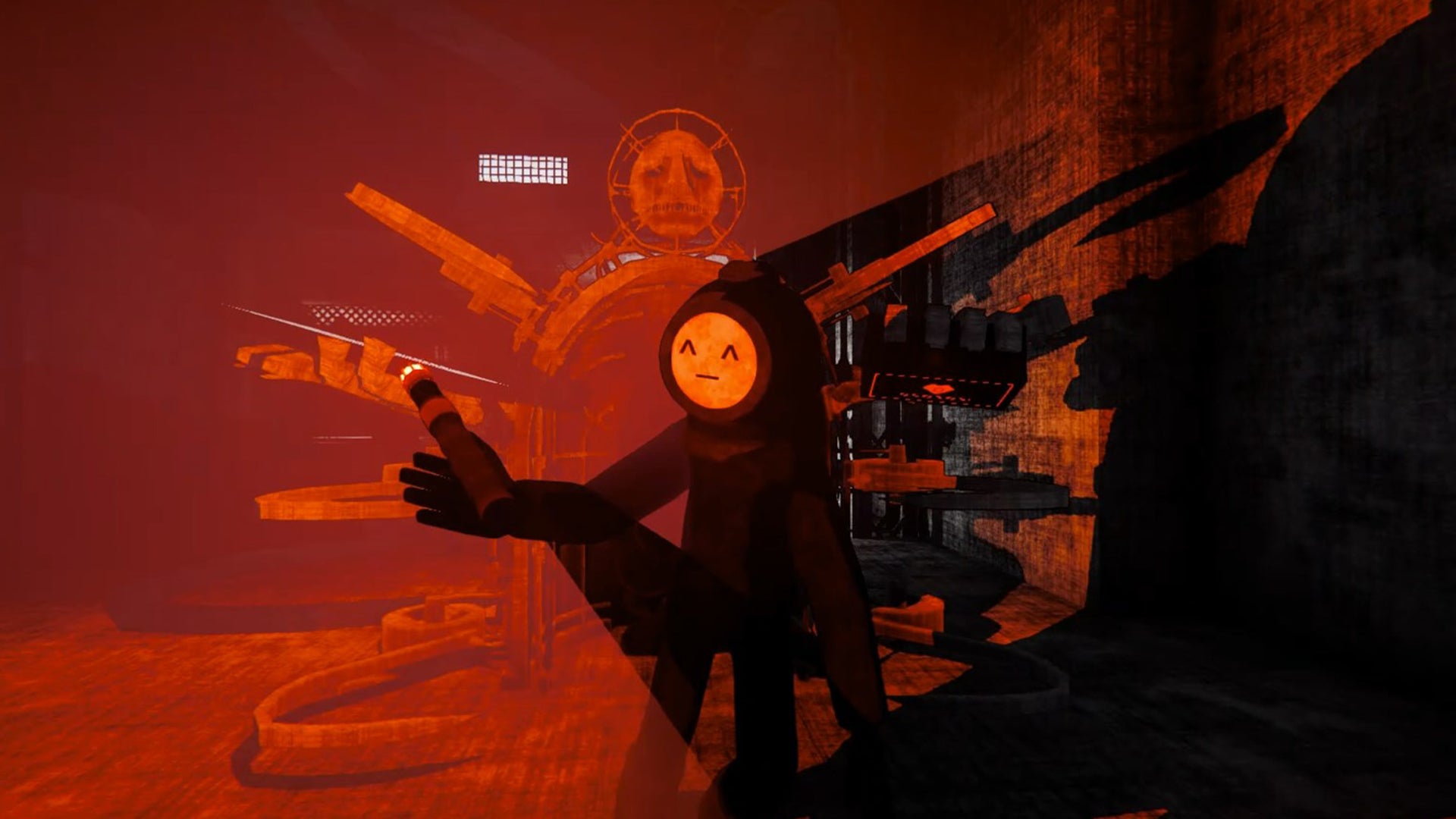
Image credit:Rock Paper Shotgun/Landfall Publishing

Looking for the best Content Warning mods? Whether you’re looking to add more Content Warning players, face colours or an extra character limit for faces, there are already a host of mods available for this new horror co-op game.
Content Warning is currently available on PC via Steam, as such, these mods are all for PC. See below for the most popular Content Warning mods currently available to download.

This highlight reel shows off all the spooky adventures awaiting players in Content Warning.Watch on YouTube
The best Content Warning Mods
Below we’ve shortlisted the best Content Warning mods based on the number of downloads, utility and quality-of-life improvements. We’ve listed these here for ease of access and also included a rundown of how to download mods in your Content Warning game if it’s your first foray into using mods.
Here are the best Content Warning mods we’ve found:
- More players mod
- More colors
- More customization
- Better camera controls
- Infinite stamina
- More camera film
More players ‘Virality’ mod
The more players mod, otherwise known as Virality can increase the party limit from the standard four players. The mod also allows late-joining to games, although all players will need to install the mod for it to work.
Additionally, despite the extra players you will still only need 4 players to sleep to progress the day.

Currently, you can only play Content Warning in parties up to four. |Image credit:Rock Paper Shotgun/Landfall Publishing
Note: Due to server limitations the mod (and other lobby-increase mods) have been temporarily disabled by developers. We’ve chosen to keep it on our list for when they are back up and running.
If you’re desperate to try it sooner, the modder Computery has included a workaround called ‘Self Sufficient’ which involves setting up your own Photon server, enabling larger party sizes through the Virality mod. Use at your own risk, however, as this will override Landfall’s match-making system and replace it with your own.
Download link: Virality mod
MoreColors mod
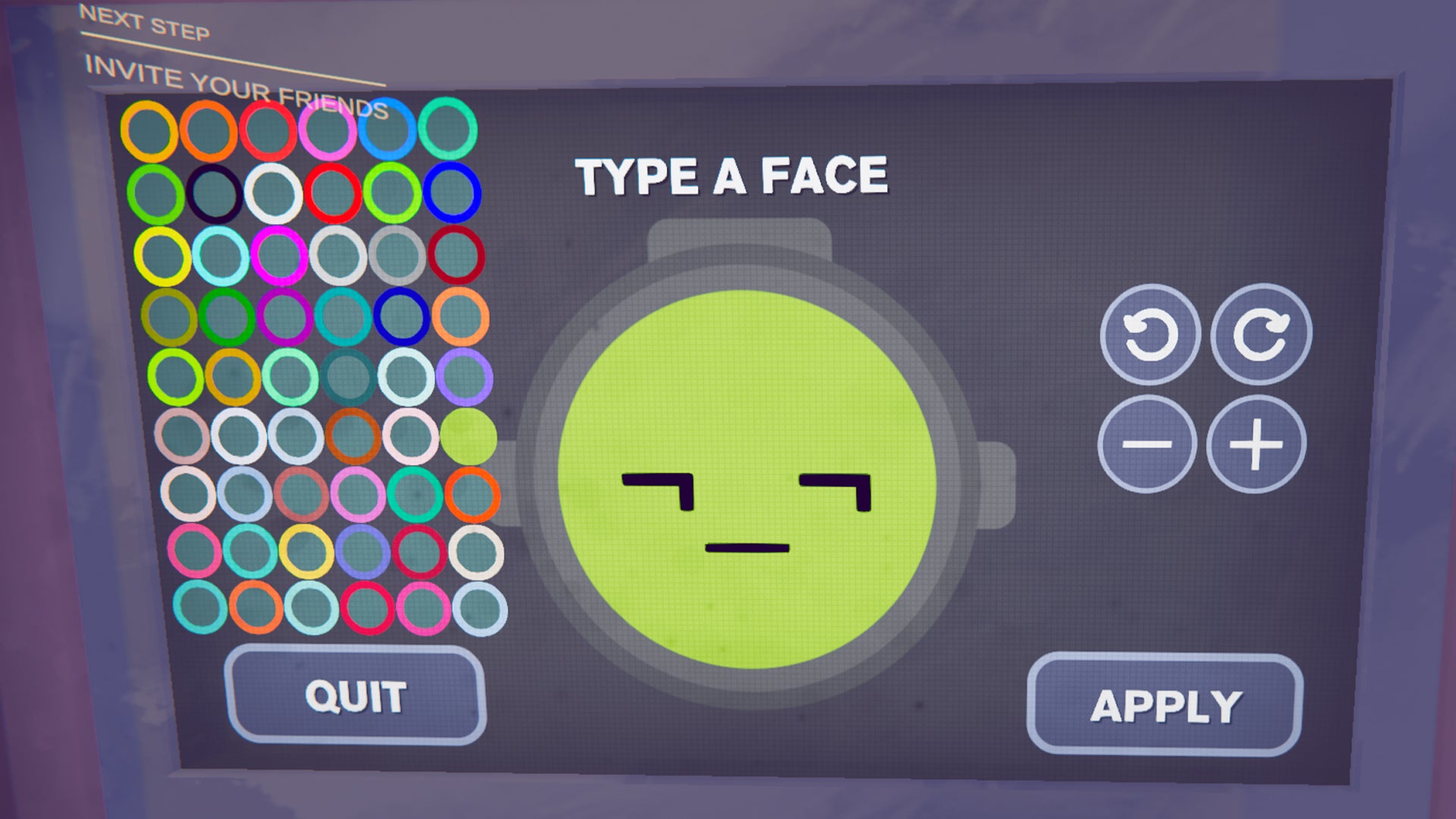
The MoreColors mod gives you more colour options in Content Warning. |Image credit:Rock Paper Shotgun/Landfall Publishing
The MoreColors mod increases the amount of colors from 7 to 54 different colors and shades . Excitingly, these colours can be applied to both your face and suit, meaning your players will be easier to tell apart amid the chaos and horror of content capture.
It’s a simple mod but substantially increases the scope for customisability in Content Warning.
Download link: MoreColors mod
MoreCustomization mod

The MoreCustomization mod allows more freedom when making faces. |Image credit:Rock Paper Shotgun/Landfall Publishing
Usually, you have a 3-character limit on faces in Content Warning . With these 3 characters, you can do any combination of letters, numbers and symbols to create a unique face for your character.
With the MoreCustomization mod, the character limit increases from 3 to a whopping 128 characters . Additionally, you should be able to now copy and paste into the TV terminal when changing your face and press enter to go onto a new line.
The mod also enables an increase in how far you can shrink and enlarge the text. We did discover that words tend to have a 6-character limit before they spill over onto the next line (our channel will now be known as Rock Paper Shotgu). However, with the increase of character limit, this ultimately offers players more scope for interesting face combinations and designs.
Download link: MoreCustomization mod
CWMouseWheel
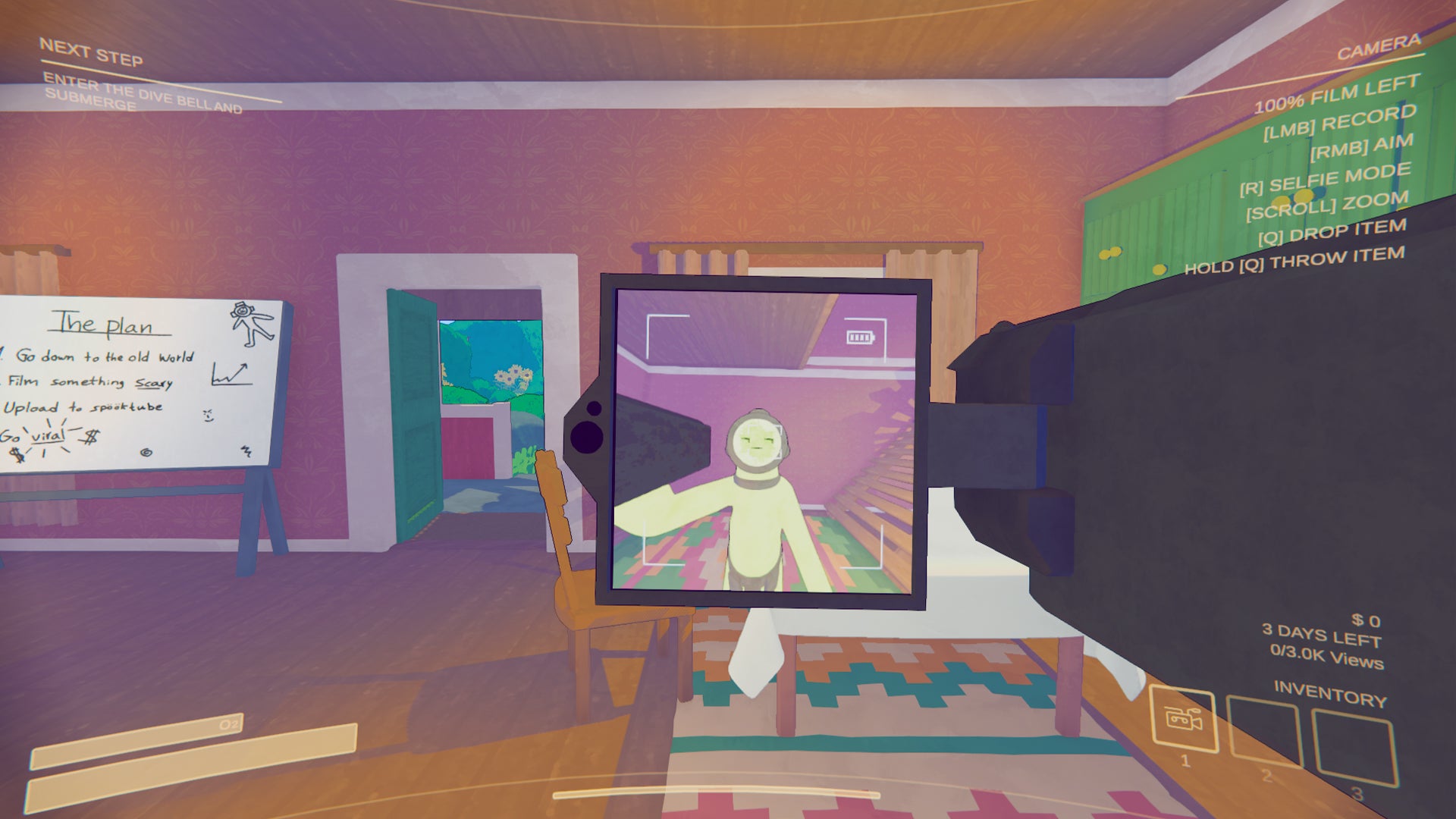
The CWMouseWheel mod allows you to swap between objects in your inventory easier. |Image credit:Rock Paper Shotgun/Landfall Publishing
If you’ve ever fumbled around trying to bring up your camera to capture a monster in Content Warning, you’re not alone. The CWMouseWheel mod essentially streamlines the controls for the camera in-game and enables you to rotate through inventory slots with your mouse wheel.
The zoom feature of your camera (which was previously operated via mouse wheel) can now be used by pressing the ‘Z’ key. This means you can switch between your camera, flashlight and other items on the fly with limited faff.
Download link: CWMouseWheel mod
LongerSprinting
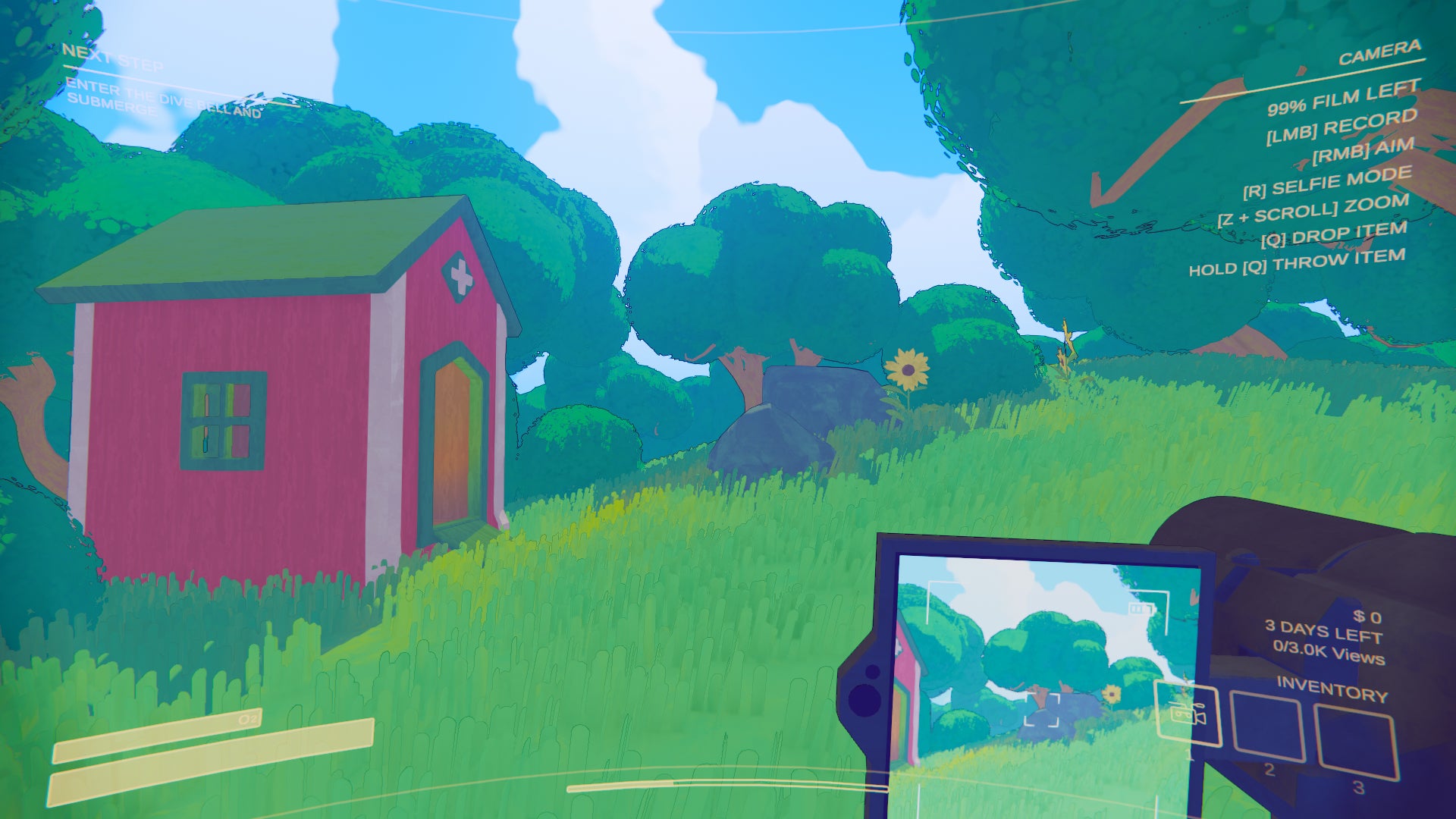
The stamina system in Content Warning quickly depletes. |Image credit:Rock Paper Shotgun/Landfall Publishing
The LongerSprinting mod is perfect for any Content Warning players fatigued with constant stamina depletion at the worst times possible. This handy mod can increase your walking and sprinting baseline speed whilst also granting you infinite stamina if you wish.
If you still want something of a challenge, instead, you can set the stamina regeneration rate and maximum amount of stamina to any value you like.
To do so simply download the mod, and extract the file contents into your BepInExPack Plugins folder. Then navigate to:
Windows (C:)\Program Files (x86)\Steam\steamapps\common\Content Warning\BepInEx\config
From there, click on the file named ‘LongerSprinting’ . Within the text file, you can adjust any of the sprint values and re-save the file to enact these changes in your game.
For infinite stamina, type ’true’ next to the ‘IsInfinite = ’ line at the bottom of the document.
Download link: LongerSprinting mod
Flashcard
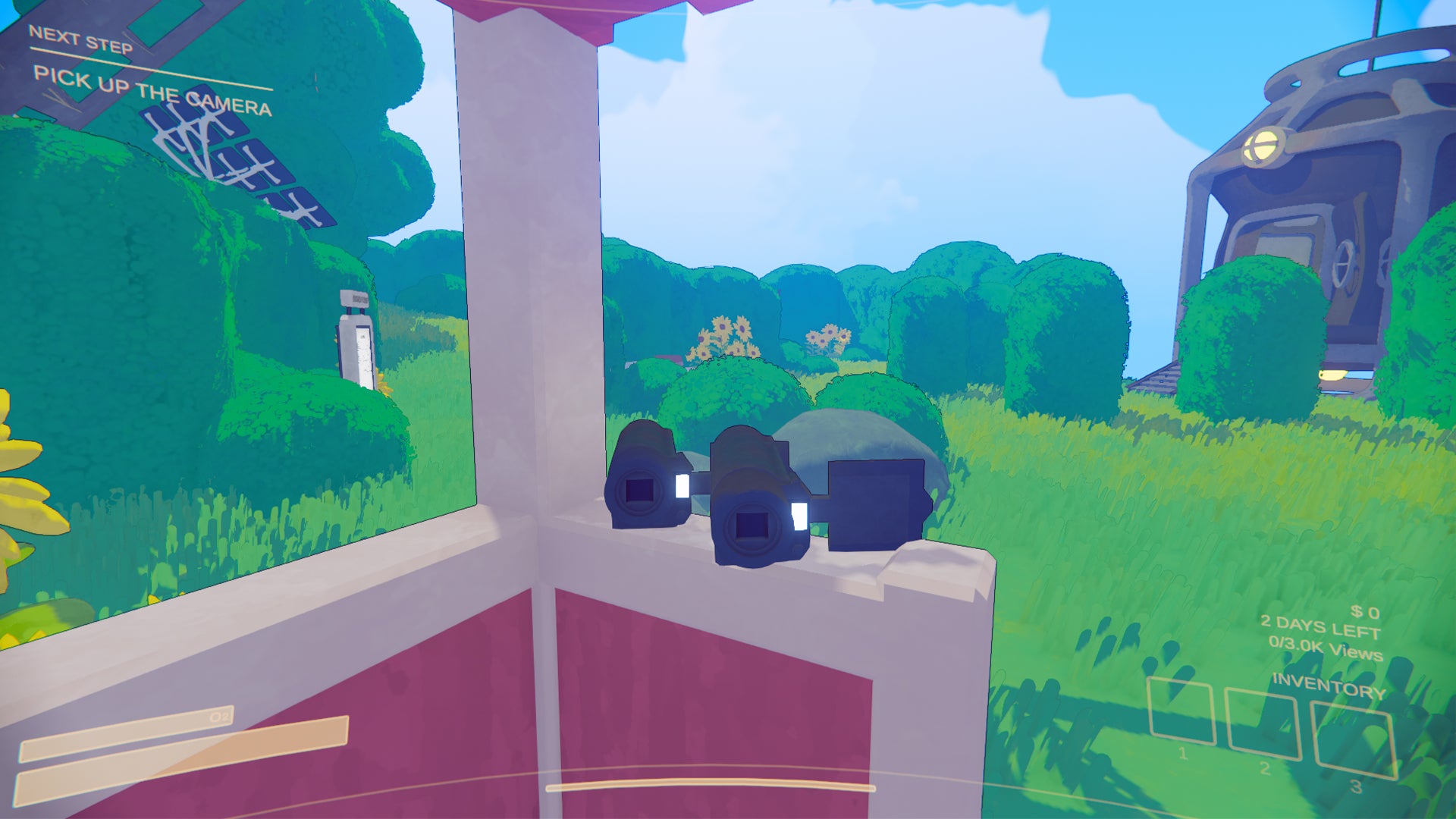
With a second camera there is less pressure on the cameraman to stay alive. |Image credit:Rock Paper Shotgun/Landfall Publishing
The Flashcard mod essentially allows you to adjust the amount of camera film you have and the framerate in which your videos upload to SpookTube. When downloaded, the mod will instantly set your max film length from 90 to 120 seconds but this can be increased further by accessing the config file.
To change your settings in the mod and allow increased frame rate and film length, navigate to:
Windows (C:)\Program Files (x86)\Steam\steamapps\common\Content Warning\BepInEx\config
Click on the file named ‘me.loaforc.Flashcard’ , change the values to any you like and then hit save.
It’s not recommended that you set the framerate above 30 nor the max packet size above 100 as it may cause issues when trying to upload your video. Likewise, the larger your video is, the less likely it will upload without complication, so use this mod with some restrictions for best results.
With the Flashcard mod you can also have a second camera in your team. To enable this, put ‘always’ next to the ‘ExtraCamera =’ line in the config file.
Download link: Flashcard mod
How to download Content Warning mods
Usually Content Warning mods require the BepInExPack package to properly install. Below, we’ve detailed the process to download both the BepInExPack files and any other mod so you can impement them in your Content Warning game.
How to download the BepInExPack file:
- Navigate to the BepInExPack download page .
- Choose ‘Install with Mod Manager’ if you have the Thunderstore Mod Manager downloaded. Otherwise, choose ‘Manual Download’.
- If installed with the mod manager it will allocate the download to the proper folder. If manual download is chosen, open the folder containing the download.
- Extract the BepInExPack files by copying them and pasting them into the Content Warning folder.
- The Content Warning folder is usually located in the following:
- If your folder is placed elsewhere, you can locate it by right-clicking Content Warning in your Steam library, select ‘Properties’, then ‘Browse’.
- Once you have pasted the BepInExPack files into your Content Warning Steam folder, launch the game at least once.
How to download Content Warning mods:
- Go to the Thunderstore mod page and select the mod you wish to download, or select from any of the mods listed above.
- Select ‘Install with Mod Manager’ if you have the Thunderstore Mod Manager downloaded. Otherwise, choose ‘Manual Download’.
- If manual download is chosen, open the folder containing the download.
- Copy the contents of the mod folder and paste them within the BepInEx folder via plugins. It should be in the following location:
- Load up Content Warning.
That rounds off our guide to the best Content Warning mods. For more Content Warning tips and tricks, see our guide to changing your face in the game or see our guide to all Content Warning monsters and get the best info on how to escape them.
Content Warning
PC
Rock Paper Shotgun is better when you sign in
Sign in and join us on our journey to discover strange and compelling PC games.

All 75 Arc Raiders Blueprints and where to get them
These areas have the highest chance of giving you Blueprints

Image credit:Rock Paper Shotgun/Embark Studios

Looking for more Arc Raiders Blueprints? It’s a special day when you find a Blueprint, as they’re among the most valuable items in Arc Raiders. If you find a Blueprint that you haven’t already found, then you must make sure you hold onto it at all costs, because Blueprints are the key to one of the most important and powerful systems of meta-progression in the game.
This guide aims to be the very best guide on Blueprints you can find, starting with a primer on what exactly they are and how they work in Arc Raiders, before delving into exactly where to get Blueprints and the very best farming spots for you to take in your search.
We’ll also go over how to get Blueprints from other unlikely activities, such as destroying Surveyors and completing specific quests. And you’ll also find the full list of all 75 Blueprints in Arc Raiders on this page (including the newest Blueprints added with the Cold Snap update , such as the Deadline Blueprint and Firework Box Blueprint), giving you all the information you need to expand your own crafting repertoire.
In this guide:
- What are Blueprints in Arc Raiders?
- Full Blueprint list: All crafting recipes
- Where to find Blueprints in Arc Raiders Blueprints obtained from quests Blueprints obtained from Trials Best Blueprint farming locations

What are Blueprints in Arc Raiders?
Blueprints in Arc Raiders are special items which, if you manage to extract with them, you can expend to permanently unlock a new crafting recipe in your Workshop. If you manage to extract from a raid with an Anvil Blueprint, for example, you can unlock the ability to craft your very own Anvil Pistol, as many times as you like (as long as you have the crafting materials).
To use a Blueprint, simply open your Inventory while in the lobby, then right-click on the Blueprint and click “Learn And Consume” . This will permanently unlock the recipe for that item in your Workshop. As of the Stella Montis update, there are allegedly 75 different Blueprints to unlock - although only 68 are confirmed to be in the game so far. You can see all the Blueprints you’ve found and unlocked by going to the Workshop menu, and hitting “R” to bring up the Blueprint screen.
It’s possible to find duplicates of past Blueprints you’ve already unlocked. If you find these, then you can either sell them, or - if you like to play with friends - you can take it into a match and gift it to your friend so they can unlock that recipe for themselves. Another option is to keep hold of them until the time comes to donate them to the Expedition.
Full Blueprint list: All crafting recipes
Below is the full list of all the Blueprints that are currently available to find in Arc Raiders, and the crafting recipe required for each item:
| Blueprint | Type | Recipe | Crafted At |
|---|---|---|---|
| Bettina | Weapon | 3x Advanced Mechanical Components 3x Heavy Gun Parts 3x Canister | Gunsmith 3 |
| Blue Light Stick | Quick Use | 3x Chemicals | Utility Station 1 |
| Aphelion | Weapon | 3x Magnetic Accelerator 3x Complex Gun Parts 1x Matriarch Reactor | Gunsmith 3 |
| Combat Mk. 3 (Flanking) | Augment | 2x Advanced Electrical Components 3x Processor | Gear Bench 3 |
| Combat Mk. 3 (Aggressive) | Augment | 2x Advanced Electrical Components 3x Processor | Gear Bench 3 |
| Complex Gun Parts | Material | 2x Light Gun Parts 2x Medium Gun Parts 2x Heavy Gun Parts | Refiner 3 |
| Fireworks Box | Quick Use | 1x Explosive Compound 3x Pop Trigger | Explosives Station 2 |
| Gas Mine | Mine | 4x Chemicals 2x Rubber Parts | Explosives Station 1 |
| Green Light Stick | Quick Use | 3x Chemicals | Utility Station 1 |
| Pulse Mine | Mine | 1x Crude Explosives 1x Wires | Explosives Station 1 |
| Seeker Grenade | Grenade | 1x Crude Explosives 2x ARC Alloy | Explosives Station 1 |
| Looting Mk. 3 (Survivor) | Augment | 2x Advanced Electrical Components 3x Processor | Gear Bench 3 |
| Angled Grip II | Mod | 2x Mechanical Components 3x Duct Tape | Gunsmith 2 |
| Angled Grip III | Mod | 2x Mod Components 5x Duct Tape | Gunsmith 3 |
| Hullcracker | Weapon | 1x Magnetic Accelerator 3x Heavy Gun Parts 1x Exodus Modules | Gunsmith 3 |
| Launcher Ammo | Ammo | 5x Metal Parts 1x Crude Explosives | Workbench 1 |
| Anvil | Weapon | 5x Mechanical Components 5x Simple Gun Parts | Gunsmith 2 |
| Anvil Splitter | Mod | 2x Mod Components 3x Processor | Gunsmith 3 |
| ??? | ??? | ??? | ??? |
| Barricade Kit | Quick Use | 1x Mechanical Components | Utility Station 2 |
| Blaze Grenade | Grenade | 1x Explosive Compound 2x Oil | Explosives Station 3 |
| Bobcat | Weapon | 3x Advanced Mechanical Components 3x Light Gun Parts | Gunsmith 3 |
| Osprey | Weapon | 2x Advanced Mechanical Components 3x Medium Gun Parts 7x Wires | Gunsmith 3 |
| Burletta | Weapon | 3x Mechanical Components 3x Simple Gun Parts | Gunsmith 1 |
| Compensator II | Mod | 2x Mechanical Components 4x Wires | Gunsmith 2 |
| Compensator III | Mod | 2x Mod Components 8x Wires | Gunsmith 3 |
| Defibrillator | Quick Use | 9x Plastic Parts 1x Moss | Medical Lab 2 |
| ??? | ??? | ??? | ??? |
| Equalizer | Weapon | 3x Magnetic Accelerator 3x Complex Gun Parts 1x Queen Reactor | Gunsmith 3 |
| Extended Barrel | Mod | 2x Mod Components 8x Wires | Gunsmith 3 |
| Extended Light Mag II | Mod | 2x Mechanical Components 3x Steel Spring | Gunsmith 2 |
| Extended Light Mag III | Mod | 2x Mod Components 5x Steel Spring | Gunsmith 3 |
| Extended Medium Mag II | Mod | 2x Mechanical Components 3x Steel Spring | Gunsmith 2 |
| Extended Medium Mag III | Mod | 2x Mod Components 5x Steel Spring | Gunsmith 3 |
| Extended Shotgun Mag II | Mod | 2x Mechanical Components 3x Steel Spring | Gunsmith 2 |
| Extended Shotgun Mag III | Mod | 2x Mod Components 5x Steel Spring | Gunsmith 3 |
| Remote Raider Flare | Quick Use | 2x Chemicals 4x Rubber Parts | Utility Station 1 |
| Heavy Gun Parts | Material | 4x Simple Gun Parts | Refiner 2 |
| Venator | Weapon | 2x Advanced Mechanical Components 3x Medium Gun Parts 5x Magnet | Gunsmith 3 |
| Il Toro | Weapon | 5x Mechanical Components 6x Simple Gun Parts | Gunsmith 1 |
| Jolt Mine | Mine | 1x Electrical Components 1x Battery | Explosives Station 2 |
| Explosive Mine | Mine | 1x Explosive Compound 1x Sensors | Explosives Station 3 |
| Jupiter | Weapon | 3x Magnetic Accelerator 3x Complex Gun Parts 1x Queen Reactor | Gunsmith 3 |
| Light Gun Parts | Material | 4x Simple Gun Parts | Refiner 2 |
| Lightweight Stock | Mod | 2x Mod Components 5x Duct Tape | Gunsmith 3 |
| Lure Grenade | Grenade | 1x Speaker Component 1x Electrical Components | Utility Station 2 |
| Medium Gun Parts | Material | 4x Simple Gun Parts | Refiner 2 |
| Torrente | Weapon | 2x Advanced Mechanical Components 3x Medium Gun Parts 6x Steel Spring | Gunsmith 3 |
| Muzzle Brake II | Mod | 2x Mechanical Components 4x Wires | Gunsmith 2 |
| Muzzle Brake III | Mod | 2x Mod Components 8x Wires | Gunsmith 3 |
| Padded Stock | Mod | 2x Mod Components 5x Duct Tape | Gunsmith 3 |
| Shotgun Choke II | Mod | 2x Mechanical Components 4x Wires | Gunsmith 2 |
| Shotgun Choke III | Mod | 2x Mod Components 8x Wires | Gunsmith 3 |
| Shotgun Silencer | Mod | 2x Mod Components 8x Wires | Gunsmith 3 |
| Showstopper | Grenade | 1x Advanced Electrical Components 1x Voltage Converter | Explosives Station 3 |
| Silencer I | Mod | 2x Mechanical Components 4x Wires | Gunsmith 2 |
| Silencer II | Mod | 2x Mod Components 8x Wires | Gunsmith 3 |
| Snap Hook | Quick Use | 2x Power Rod 3x Rope 1x Exodus Modules | Utility Station 3 |
| Stable Stock II | Mod | 2x Mechanical Components 3x Duct Tape | Gunsmith 2 |
| Stable Stock III | Mod | 2x Mod Components 5x Duct Tape | Gunsmith 3 |
| Tagging Grenade | Grenade | 1x Electrical Components 1x Sensors | Utility Station 3 |
| Tempest | Weapon | 3x Advanced Mechanical Components 3x Medium Gun Parts 3x Canister | Gunsmith 3 |
| Trigger Nade | Grenade | 2x Crude Explosives 1x Processor | Explosives Station 2 |
| Vertical Grip II | Mod | 2x Mechanical Components 3x Duct Tape | Gunsmith 2 |
| Vertical Grip III | Mod | 2x Mod Components 5x Duct Tape | Gunsmith 3 |
| Vita Shot | Quick Use | 2x Antiseptic 1x Syringe | Medical Lab 3 |
| Vita Spray | Quick Use | 3x Antiseptic 1x Canister | Medical Lab 3 |
| Vulcano | Weapon | 1x Magnetic Accelerator 3x Heavy Gun Parts 1x Exodus Modules | Gunsmith 3 |
| Wolfpack | Grenade | 2x Explosive Compound 2x Sensors | Explosives Station 3 |
| Red Light Stick | Quick Use | 3x Chemicals | Utility Station 1 |
| Smoke Grenade | Grenade | 14x Chemicals 1x Canister | Utility Station 2 |
| Deadline | Mine | 3x Explosive Compound 2x ARC Circuitry | Explosives Station 3 |
| Trailblazer | Grenade | 1x Explosive Compound 1x Synthesized Fuel | Explosives Station 3 |
| Tactical Mk. 3 (Defensive) | Augment | 2x Advanced Electrical Components 3x Processor | Gear Bench 3 |
| Tactical Mk. 3 (Healing) | Augment | 2x Advanced Electrical Components 3x Processor | Gear Bench 3 |
| Yellow Light Stick | Quick Use | 3x Chemicals | Utility Station 1 |
Note: The missing Blueprints in this list likely have not actually been added to the game at the time of writing, because none of the playerbase has managed to find any of them. As they are added to the game, I will update this page with the most relevant information so you know exactly how to get all 75 Arc Raiders Blueprints.
Where to find Blueprints in Arc Raiders
Below is a list of all containers, modifiers, and events which maximise your chances of finding Blueprints:
- Certain quests reward you with specific Blueprints .
- Completing Trials has a high chance of offering Blueprints as rewards.
- Surveyors have a decent chance of dropping Blueprints on death.
- High loot value areas tend to have a greater chance of spawning Blueprints.
- Night Raids and Storms may increase rare Blueprint spawn chances in containers.
- Containers with higher numbers of items may have a higher tendency to spawn Blueprints. As a result, Blue Gate (which has many “large” containers containing multiple items) may give you a higher chance of spawning Blueprints.
- Raider containers (Raider Caches, Weapon Boxes, Medical Bags, Grenade Tubes) have increased Blueprint drop rates. As a result, the Uncovered Caches event gives you a high chance of finding Blueprints.
- Security Lockers have a higher than average chance of containing Blueprints.
- Certain Blueprints only seem to spawn under specific circumstances: Tempest Blueprint only spawns during Night Raid events. Vulcano Blueprint only spawns during Hidden Bunker events. Jupiter and Equaliser Blueprints only spawn during Harvester events.

Raider Caches, Weapon Boxes, and other raider-oriented container types have a good chance of offering Blueprints. |Image credit:Rock Paper Shotgun/Embark Studios
Blueprints have a very low chance of spawning in any container in Arc Raiders, around 1-2% on average. However, there is a higher chance of finding Blueprints in particular container types. Specifically, you can find more Blueprints in Raider containers and security lockers.
Beyond this, if you’re looking for Blueprints you should focus on regions of the map which are marked as having particularly high-value loot. Areas such as the Control Tower in Dam Battlegrounds, the Arrival and Departure Buildings in Spaceport, and Pilgrim’s Peak in Blue Gate all have a better-than-average chance of spawning Blueprints somewhere amongst all their containers. Night Raids and Electromagnetic Storm events also increase the drop chances of certain Blueprints .
In addition to these containers, you can often loot Blueprints from destroyed Surveyors - the largest of the rolling ball ARC. Surveyors are more commonly found on the later maps - Spaceport and Blue Gate - and if one spawns in your match, you’ll likely see it by the blue laser beam that it casts into the sky while “surveying”.
Surveyors are quite well-armoured and will very speedily run away from you once it notices you, but if you can take one down then make sure you loot all its parts for a chance of obtaining certain unusual Blueprints.
Blueprints obtained from quests
One way in which you can get Blueprints is by completing certain quests for the vendors in Speranza. Some quests will reward you with a specific item Blueprint upon completion, so as long as you work through all the quests in Arc Raiders, you are guaranteed those Blueprints.
Here is the full list of all Blueprints you can get from quest rewards:
- Trigger Nade Blueprint: Rewarded after completing “Sparks Fly”.
- Lure Grenade Blueprint: Rewarded after completing “Greasing Her Palms”.
- Burletta Blueprint: Rewarded after completing “Industrial Espionage”.
- Hullcracker Blueprint (and Launcher Ammo Blueprint): Rewarded after completing “The Major’s Footlocker”.
Alas, that’s only 4 Blueprints out of a total of 75 to unlock, so for the vast majority you will need to find them yourself during a raid. If you’re intent on farming Blueprints, then it’s best to equip yourself with cheap gear in case you lose it, but don’t use a free loadout because then you won’t get a safe pocket to stash any new Blueprint you find. No pain in Arc Raiders is sharper than failing to extract with a new Blueprint you’ve been after for a dozen hours already.

One of the best ways to get Blueprints is by hitting three stars on all five Trials every week. |Image credit:Rock Paper Shotgun/Embark Studios
Blueprints obtained from Trials
One of the very best ways to get Blueprints is as rewards for completing Trials in Arc Raiders. Trials are unlocked from Level 15 onwards, and allow you to earn rewards by focusing on certain tasks over the course of several raids. For example, one Trial might task you with dealing damage to Hornets, while another might challenge you to loot Supply Drops.
Trials refresh on a weekly basis, with a new week bringing five new Trials. Each Trial can offer up to three rewards after passing certain score milestones, and it’s possible to receive very high level loot from these reward crates - including Blueprints. So if you want to unlock as many Blueprints as possible, you should make a point of completing as many Trials as possible each week.
Best Blueprint farming locations
The very best way to get Blueprints is to frequent specific areas of the maps which combine high-tier loot pools with the right types of containers to search. Here are my recommendations for where to find Blueprints on every map, so you can always keep the search going for new crafting recipes to unlock.

Image credit:Rock Paper Shotgun/Embark Studios
Dam Battlegrounds
The best places to farm Blueprints on Dam Battlegrounds are the Control Tower, Power Generation Complex, Ruby Residence, and Pale Apartments . The first two regions, despite only being marked on the map as mid-tier loot, contain a phenomenal number of containers to loot. The Control Tower can also contain a couple of high-tier Security Lockers - though of course, you’ll need to have unlocked the Security Breach skill at the end of the Survival tree.
There’s also a lot of reporting amongst the playerbase that the Residential areas in the top-left of the map - Pale Apartments and Ruby Residence - give you a comparatively strong chance of finding Blueprints. Considering their size, there’s a high density of containers to loot in both locations, and they also have the benefit of being fairly out of the way. So you’re more likely to have all the containers to yourself.
Buried City
The best Blueprint farming locations on Buried City are the Santa Maria Houses, Grandioso Apartments, Town Hall, and the various buildings of the New District . Grandioso Apartments has a lower number of containers than the rest, but a high chance of spawning weapon cases - which have good Blueprint drop rates. The others are high-tier loot areas, with plenty of lootable containers - including Security Lockers.
Spaceport
The best places to find Blueprints on Spaceport are the Arrival and Departure Buildings, as well as Control Tower A6 and the Launch Towers . All these areas are labelled as high-value loot regions, and many of them are also very handily connected to one another by the Spaceport wall, which you can use to quickly run from one area to the next. At the tops of most of these buildings you’ll find at least one Security Locker, so this is an excellent farming route for players looking to find Blueprints.
The downside to looting Blueprints on Spaceport is that all these areas are hotly contested, particularly in Duos and Squads. You’ll need to be very focused and fast in order to complete the full farming route.

Image credit:Rock Paper Shotgun/Embark Studios
Blue Gate
Blue Gate tends to have a good chance of dropping Blueprints, potentially because it generally has a high number of containers which can hold lots of items; so there’s a higher chance of a Blueprint spawning in each container. In my experience, the best Blueprint farming spots on Blue Gate are Pilgrim’s Peak, Raider’s Refuge, the Ancient Fort, and the Underground Complex beneath the Warehouse .
All of these areas contain a wealth of containers to loot. Raider’s Refuge has less to loot, but the majority of the containers in and around the Refuge are raider containers, which have a high chance of containing Blueprints - particularly during major events.
Stella Montis
On the whole, Stella Montis seems to have a very low drop rate for Blueprints (though a high chance of dropping other high-tier loot). If you do want to try farming Blueprints on this map, the best places to find Blueprints in Stella Montis are Medical Research, Assembly Workshop, and the Business Center . These areas have the highest density of containers to loot on the map.
In addition to this, the Western Tunnel has a few different Security Lockers to loot, so while there’s very little to loot elsewhere in this area of the map, it’s worth hitting those Security Lockers if you spawn there at the start of a match.
That wraps up this primer on how to get all the Blueprints in Arc Raiders as quickly as possible. With the Expedition system constantly resetting a large number of players’ Blueprints, it’s more important than ever to have the most up-to-date information on where to find all these Blueprints.
While you’re here, be sure to check out our Arc Raiders best guns tier list , as well as our primers on the best skills to unlock and all the different Field Depot locations on every map.

ARC Raiders
PS5 , Xbox Series X/S , PC
Rock Paper Shotgun is better when you sign in
Sign in and join us on our journey to discover strange and compelling PC games.
Best Content Warning mods: More players, colors and more
Here are the best Content Warning mods available
Image credit:Rock Paper Shotgun/Landfall Publishing
Looking for the best Content Warning mods? Whether you’re looking to add more Content Warning players, face colours or an extra character limit for faces, there are already a host of mods available for this new horror co-op game.
Content Warning is currently available on PC via Steam, as such, these mods are all for PC. See below for the most popular Content Warning mods currently available to download.
This highlight reel shows off all the spooky adventures awaiting players in Content Warning.Watch on YouTube
The best Content Warning Mods
Below we’ve shortlisted the best Content Warning mods based on the number of downloads, utility and quality-of-life improvements. We’ve listed these here for ease of access and also included a rundown of how to download mods in your Content Warning game if it’s your first foray into using mods.
Here are the best Content Warning mods we’ve found:
- More players mod
- More colors
- More customization
- Better camera controls
- Infinite stamina
- More camera film
More players ‘Virality’ mod
The more players mod, otherwise known as Virality can increase the party limit from the standard four players. The mod also allows late-joining to games, although all players will need to install the mod for it to work.
Additionally, despite the extra players you will still only need 4 players to sleep to progress the day.
Currently, you can only play Content Warning in parties up to four. |Image credit:Rock Paper Shotgun/Landfall Publishing
Note: Due to server limitations the mod (and other lobby-increase mods) have been temporarily disabled by developers. We’ve chosen to keep it on our list for when they are back up and running.
If you’re desperate to try it sooner, the modder Computery has included a workaround called ‘Self Sufficient’ which involves setting up your own Photon server, enabling larger party sizes through the Virality mod. Use at your own risk, however, as this will override Landfall’s match-making system and replace it with your own.
Download link: Virality mod
MoreColors mod
The MoreColors mod gives you more colour options in Content Warning. |Image credit:Rock Paper Shotgun/Landfall Publishing
The MoreColors mod increases the amount of colors from 7 to 54 different colors and shades . Excitingly, these colours can be applied to both your face and suit, meaning your players will be easier to tell apart amid the chaos and horror of content capture.
It’s a simple mod but substantially increases the scope for customisability in Content Warning.
Download link: MoreColors mod
MoreCustomization mod
The MoreCustomization mod allows more freedom when making faces. |Image credit:Rock Paper Shotgun/Landfall Publishing
Usually, you have a 3-character limit on faces in Content Warning . With these 3 characters, you can do any combination of letters, numbers and symbols to create a unique face for your character.
With the MoreCustomization mod, the character limit increases from 3 to a whopping 128 characters . Additionally, you should be able to now copy and paste into the TV terminal when changing your face and press enter to go onto a new line.
The mod also enables an increase in how far you can shrink and enlarge the text. We did discover that words tend to have a 6-character limit before they spill over onto the next line (our channel will now be known as Rock Paper Shotgu). However, with the increase of character limit, this ultimately offers players more scope for interesting face combinations and designs.
Download link: MoreCustomization mod
CWMouseWheel
The CWMouseWheel mod allows you to swap between objects in your inventory easier. |Image credit:Rock Paper Shotgun/Landfall Publishing
If you’ve ever fumbled around trying to bring up your camera to capture a monster in Content Warning, you’re not alone. The CWMouseWheel mod essentially streamlines the controls for the camera in-game and enables you to rotate through inventory slots with your mouse wheel.
The zoom feature of your camera (which was previously operated via mouse wheel) can now be used by pressing the ‘Z’ key. This means you can switch between your camera, flashlight and other items on the fly with limited faff.
Download link: CWMouseWheel mod
LongerSprinting
The stamina system in Content Warning quickly depletes. |Image credit:Rock Paper Shotgun/Landfall Publishing
The LongerSprinting mod is perfect for any Content Warning players fatigued with constant stamina depletion at the worst times possible. This handy mod can increase your walking and sprinting baseline speed whilst also granting you infinite stamina if you wish.
If you still want something of a challenge, instead, you can set the stamina regeneration rate and maximum amount of stamina to any value you like.
To do so simply download the mod, and extract the file contents into your BepInExPack Plugins folder. Then navigate to:
Windows (C:)\Program Files (x86)\Steam\steamapps\common\Content Warning\BepInEx\config
From there, click on the file named ‘LongerSprinting’ . Within the text file, you can adjust any of the sprint values and re-save the file to enact these changes in your game.
For infinite stamina, type ’true’ next to the ‘IsInfinite = ’ line at the bottom of the document.
Download link: LongerSprinting mod
Flashcard
With a second camera there is less pressure on the cameraman to stay alive. |Image credit:Rock Paper Shotgun/Landfall Publishing
The Flashcard mod essentially allows you to adjust the amount of camera film you have and the framerate in which your videos upload to SpookTube. When downloaded, the mod will instantly set your max film length from 90 to 120 seconds but this can be increased further by accessing the config file.
To change your settings in the mod and allow increased frame rate and film length, navigate to:
Windows (C:)\Program Files (x86)\Steam\steamapps\common\Content Warning\BepInEx\config
Click on the file named ‘me.loaforc.Flashcard’ , change the values to any you like and then hit save.
It’s not recommended that you set the framerate above 30 nor the max packet size above 100 as it may cause issues when trying to upload your video. Likewise, the larger your video is, the less likely it will upload without complication, so use this mod with some restrictions for best results.
With the Flashcard mod you can also have a second camera in your team. To enable this, put ‘always’ next to the ‘ExtraCamera =’ line in the config file.
Download link: Flashcard mod
How to download Content Warning mods
Usually Content Warning mods require the BepInExPack package to properly install. Below, we’ve detailed the process to download both the BepInExPack files and any other mod so you can impement them in your Content Warning game.
How to download the BepInExPack file:
- Navigate to the BepInExPack download page .
- Choose ‘Install with Mod Manager’ if you have the Thunderstore Mod Manager downloaded. Otherwise, choose ‘Manual Download’.
- If installed with the mod manager it will allocate the download to the proper folder. If manual download is chosen, open the folder containing the download.
- Extract the BepInExPack files by copying them and pasting them into the Content Warning folder.
- The Content Warning folder is usually located in the following:
- If your folder is placed elsewhere, you can locate it by right-clicking Content Warning in your Steam library, select ‘Properties’, then ‘Browse’.
- Once you have pasted the BepInExPack files into your Content Warning Steam folder, launch the game at least once.
How to download Content Warning mods:
- Go to the Thunderstore mod page and select the mod you wish to download, or select from any of the mods listed above.
- Select ‘Install with Mod Manager’ if you have the Thunderstore Mod Manager downloaded. Otherwise, choose ‘Manual Download’.
- If manual download is chosen, open the folder containing the download.
- Copy the contents of the mod folder and paste them within the BepInEx folder via plugins. It should be in the following location:
- Load up Content Warning.
That rounds off our guide to the best Content Warning mods. For more Content Warning tips and tricks, see our guide to changing your face in the game or see our guide to all Content Warning monsters and get the best info on how to escape them.
Content Warning
PC
Rock Paper Shotgun is better when you sign in
Sign in and join us on our journey to discover strange and compelling PC games.
